





Tom's Guide Verdict
The Antigravity A1 is a triumph. It’s the world’s first-ever 360° quadcopter, fitted with tech you’ll find in the Chinese giant’s action and 360° cameras, and it lets you capture every angle possible. Footage is shot in 8K/30fps, enabling you to maintain 4K in 16x9 when reframing in post — and this footage is packed with detail. 55MP stills look great too. Flying the drone is easy (and immersive) with the Vision goggles and Grip controller. But all of this technology comes at a steep, steep price, and I’m not convinced that it’s entirely justified.
Reasons to buy
- +
Extremely easy and intuitive to fly
- +
360° 8K/30fps video capabilities
- +
Detailed 55MP stills
- +
Controller and goggles are outstanding
- +
User-friendly companion software
Reasons to avoid
- -
Costs a premium… and it’s a lot!
Why you can trust Tom's Guide Our writers and editors spend hours analyzing and reviewing products, services, and apps to help find what's best for you. Find out more about how we test, analyze, and rate.
2025 has been a fantastic year for drones. DJI has continued to dominate the quadcopter sphere with the launch of the DJI Mini 5 Pro and the DJI Neo 2. For years, DJI’s position in the market has been undisputed… until now. Earlier this year, Insta360 (yes, the brand that makes action and 360° cameras) announced the launch of Antigravity, its drone sub-brand. We’ve spent time testing its first drone, the Antigravity A1, and it confirms one thing: DJI better watch out.
The A1 is, at the time of writing, the world’s first-ever 360° drone, capable of recording every angle. Incubated by Insta360 and other third-party partners, it uses the same 360° imaging tech as the Insta360 X5, which means an 8K maximum resolution (at 30fps), giving you the headspace to maintain 4K when cropping into frame to 16:9 for YouTube.
Intuitive to fly thanks to its Vision goggles and Grip controller, with an easy-to-use smartphone editing app, the A1 lets you capture angles you didn’t think were possible — and it’s perfect for those who enjoy immersive flying.
Is it one of the best drones? Well, it has certainly carved a niche for itself and right now, it’s the undisputed king of 360° quadcopters. Find out all the details in our full Antigravity A1 review.

Nikita is a licensed drone pilot based in the U.K., and as part of the reviews team, she puts drones through their paces by analyzing features and image/video quality, and pushing battery life to the limit to answer the age old question: is it worth your money?

Pete is the senior reviews editor at Tom's Guide, overseeing the in-house reviews team and all the site's cameras coverage. The Antigravity A1 is the first drone he's ever flown, but he is an expert in 360-degree cameras and action cameras, making him your port of call for all things 360.
Antigravity A1 review: Cheat sheet
- What is it? The world’s first-ever 360° drone (at the time of writing), from Antigravity, Insta360’s dedicated drone brand
- Who is it for? For content creators who want to capture every angle, and first-person view (FPV) enthusiasts
- How much does it cost? It ain’t cheap. The Antigravity A1 starts at a whopping $1,599 / £1,219 and goes all the way up to $1,999 / £1,499
- What do we like? The ease of flying with the goggles and controller, immersive 360° flight, detailed 55MP stills and 8K/30fps video, and user-friendly companion software for post-production
- What don’t we like? It costs both arms and both legs!
Antigravity A1 review: Specs
Specs |
Antigravity A1 |
|---|---|
Price |
Starts at $1,599 |
Flight time |
24 minutes (standard) | 39 minutes (High-Capacity Flight Battery) |
FAA/CAA registration |
Required if using High-Capacity Flight Battery |
Cameras |
Two |
Image sensor |
55MP 1/1.28-inch |
ISO |
100-6400 |
Shutter speed |
1/8000-1/2s (14MP) | 1/8000-1/20s (55MP) |
Aperture |
f/2.2 |
Focus |
0.5m to ∞ |
Max video resolution |
8K/30fps, 5.2K/60fps, 4K/100fps |
Stabilization |
Digital only |
Indoor use |
No |
Propellers |
Four |
Max takeoff altitude |
4000m (standard) | 3000m (High-Capacity Flight Battery) |
Max flight distance |
8 miles (standard) | 14.3 miles (High-Capacity Flight Battery) |
Navigation system |
GPS, Galileo, BeiDou |
Collision avoidance |
Omnidirectional |
Smartphone control |
No |
Internal storage |
Yes, 20GB |
microSD card slot |
Yes, V30 or higher |
Size |
12.15 × 15.05 × 3.51 inches (unfolded, with propellers) |
Weight |
8.78oz (standard) | 10.26oz (High-Capacity Flight Battery) |
Antigravity A1 review: Price & availability

Insta360, the manufacturer of some of the best action cameras and 360 cameras, announced in July that it would be launching a dedicated drone brand under the name of Antigravity. In August, we got our first look at the Antigravity A1 which became the world’s first-ever 360° drone, taking the fight to DJI who, at the time of writing, does not yet have a 360° drone of its own.
The A1 occupies a unique position in the market. As a 360° drone, it has no competitors, and its closest rival is the DJI Avata 2 ($999), an FPV drone. Because of the tech that’s packed into FPV drones, goggles and motion controllers, it isn’t surprising that the A1 costs a premium, but I wasn’t expecting it to cost this much.

The Standard bundle starts at $1,599 / £1,219, the Explorer bundle costs $1,899 / £1,399, and the Infinity bundle retails for a whopping $1,999 / £1,499. Each bundle includes the A1 drone, Vision goggles and Grip controller, with varying accessories and batteries tailored for different types of pilots. These prices make the A1 the most expensive sub-250g drone on the market, at the time of writing, and put it in the same price bracket as the DJI Air 3S (starts at $1,099, and weighs more than the A1).
Because of the steep price point, the A1 isn’t meant for budget-conscious pilots and is aimed at more serious content creators who want to capture every single angle, reframe in post-production, and share on their social media platforms or add to their business portfolio.
Antigravity A1 review: Design

The Antigravity A1 is a good-looking drone, dressed in white with subtle branding. It doesn’t look like many other drones from DJI, Insta360’s main competitor in the drone sphere, as it features twin lenses on the top and bottom to capture 360 degrees. Bright LED status indicators are nestled between the lenses and around the back.
The A1 weighs 249g / 8.78oz with the standard flight batteries, and it measures 5.56 × 3.79 × 3.20 inches when its propellers are folded. This compact design makes the drone easy to travel with. Since the drone weighs less than 249g, you don’t need to register the drone with the F.A.A. in the U.S. or the C.A.A. in the U.K. However, if you use a High-Capacity Flight Battery, it bumps the weight up to 291g / 10.26oz, which means you will need to register it with your national or local regulatory body so that you can fly the A1 legally.
One thing I really appreciate about the A1 is its retractable landing gear system — like on an airplane — and this is something I haven’t seen on any other drone yet. The feet automatically pop out and retract when taking off and landing.

Though it’s lightweight, Antigravity hasn’t skimped on ensuring that the A1 is sturdy. Build quality is exceptional, and the drone doesn’t sound hollow when I tap my finger on it. Overall, both the design and build quality is fantastic, and I’d expect nothing less from a brand created by Insta360.

As with the Insta360 X5, the A1’s lenses are replaceable. Given the lower lens is especially liable to impacts during landing, this is very welcome. We raised this as a concern with Antigravity during our first press briefings back in mid-2025, while the engineers were prototyping the drone — it’s great to see the manufacturer listened and implemented the feature.
We also raised a concern about propeller guards, as the DJI Avata 2 features them. Propeller guards on FPV drones enhance safety as you can rest assured your drone will be absolutely fine if it, say, bumps into a wall or tree in a tight space. The A1 doesn’t have these, but it does feature omnidirectional obstacle avoidance which softens the blow a bit.
Antigravity A1 review: Controls

Most drones that we’ve tested at Tom’s Guide are accompanied by a controller, like the RC 2 for the DJI Mini 5 Pro ($1,397) or the RC-N3 for the DJI Flip ($439). FPV drones, though, require an FPV headset and a motion controller — like the DJI Goggles N3 and the DJI RC Motion 3. The Antigravity A1 is accompanied by the Vision goggles and Grip controller, and you’ll need both these devices to fly it. Both are well-made, just like the drone (and every Insta360 product).
Let’s talk about the Vision goggles first. These lightweight goggles sit comfortably around your eyes and come with corrective lenses for those whose eyesight requires correction. As someone who wears prescription glasses all the time, I found the goggles comfortable to wear, and I didn’t feel the need to take them off. Pete wore them on a sweltering race track during the press trip, in 86F heat, and didn’t overheat.

Instead of featuring a built-in battery pack as the DJI Goggles N3 do, the Vision goggles come with a separate battery pack. Which you need to wear around your neck. And they plug into the goggles. And it looks really silly. Nothing wrong with that, of course, but it feels like a tedious setup for the first few flights (although you get used to it).
Fitted with dual 1-inch Micro-OLED screens, the Vision goggles display a crisp and clear feed, and I didn’t experience any lag in the transmission. The front of the goggles also lets you view your surroundings when you’re wearing the headset — you need to tap on the front screen to swap between drone and headset POVs — which means that pilots who fly solo don’t need to be accompanied by another person in case they’re worried about disrupting other people’s peace — or want to keep an eye on strangers approaching them.

The screen also displays what the drone is seeing when you’re flying it, so if your friends or family are present, they can see what you’re seeing, so they don’t feel left out!
This is something I wished the DJI Goggles N3 featured, as my partner had to stand there, twiddling her thumbs when I reviewed them and had all the fun, and it earns the Vision goggles brownie points from me.
The Vision goggles pair with the Grip controller, which looks similar to the DJI RC Motion 3. It sports an array of buttons but all of them are straightforward and self-explanatory, such as the record, capture, takeoff and throttle ones. This is a motion controller, which means you can move the controller in different directions and the A1 will fly and make maneuvers accordingly.

The real star of the show is the Grip controller, in my opinion. It makes flying much easier and more immersive compared to traditional controllers with screens. The drone follows your hand’s movements, as do the Vision goggles. If I moved my head to the right, the drone would face right. FPV flying gives you a bird’s eye view of the world, and the A1 makes it oh-so-easy and fun.
I have used FPV headsets and controllers in the past, but it was Pete’s first time flying any drone, and he found it extremely easy to control — at least with the controller. The controls were all fairly self explanatory, and it was easy to correct mistakes using the jog wheel (which controls yaw) and slider (for altitude).
Flying via headset motion commands was a little trickier, and occasionally slightly nauseating (at least in 86F heat, standing on a racetrack at the press event). Overall, though, for a first time user, it was surprising how little time it took to get used to the controls.
Antigravity A1 review: Features

The Antigravity A1 is packed with features, including but not limited to being able to record 360°, great wind resistance, and safety features. You’d expect nothing less, of course, given the drone’s price. Using the standard flight battery, it has a flight distance of 8 miles which gets bumped up to 14.3 miles with the High-Capacity battery pack. This is similar to the DJI Avata 2’s flight distance (8.1 miles).
The A1 hosts a microSD card slot but it also comes with 20GB of internal storage. If you plan on shooting 8K/30fps all the time, I recommend investing in a microSD card as the 20GB storage will fill up extremely quickly.
Wind resistance
Similar to many sub-250g drones, the A1 features great wind resistance, capable of flying in level 5 winds (10.7 m/s or 24mph). This is, again, the same as the DJI Avata 2. I flew primarily on windless days and the A1 didn’t falter. It’s important to note, though, that because the drone is so lightweight, it is prone to getting knocked by sudden gusts of wind, so be careful.
Obstacle avoidance

The A1’s forward-facing sensors are optimally positioned for detecting and avoiding obstacles in any direction. What this means is that it has omnidirectional obstacle avoidance, so the drone will either brake or bypass objects in its way to ensure a safer, smoother flight experience. This is crucial in an FPV drone because chances are you’ll be flying in tight spaces, so it’s great that Antigravity has added such an advanced safety feature.
There’s also a return-to-home feature, toggling which prompts the drone to automatically return to its last known takeoff point. This gets triggered automatically when the A1 is low on battery, reassuring all pilots — beginner and advanced alike.

The A1 features a payload detection system too, so the drone flags excess weight to prevent misuse. After all, it’s meant for creativity, not for transporting things.
Antigravity A1 review: Image quality
Aside from the Antigravity A1’s ability to shoot 8K/30fps video (more on that shortly), the drone can also capture 55MP (10496×5248) stills. These are incredibly detailed and since they’re captured in 360°, you can zoom into every angle, choose the angle you wish to export, and even export the image as a 360° interactive one.


The 1/1.28-inch sensor captures plenty of detail, as you can see in the photos above, where the greens appear vivid and the highlights and shadows are well-balanced. These photos were taken in Auto mode, but you can shoot in Manual too. The A1 has a 1/8000-1/20s shutter speed when capturing 55MP stills, and 1/8000-1/2s when shooting 14MP ones. The 100-6400 ISO range is slightly limited and may prove troublesome when shooting in low-light conditions.
A 1/1.28-inch sensor may sound small by typical drone standards, such as the DJI Mini 5 Pro with its large 1-inch sensor, but it isn’t for 360° cameras. The sensor size affects low-light performance. However, this is a decent size for a 360° sensor, which needs two sensors and sets of lenses — and this has a big impact on space over a single sensor/lens drone.
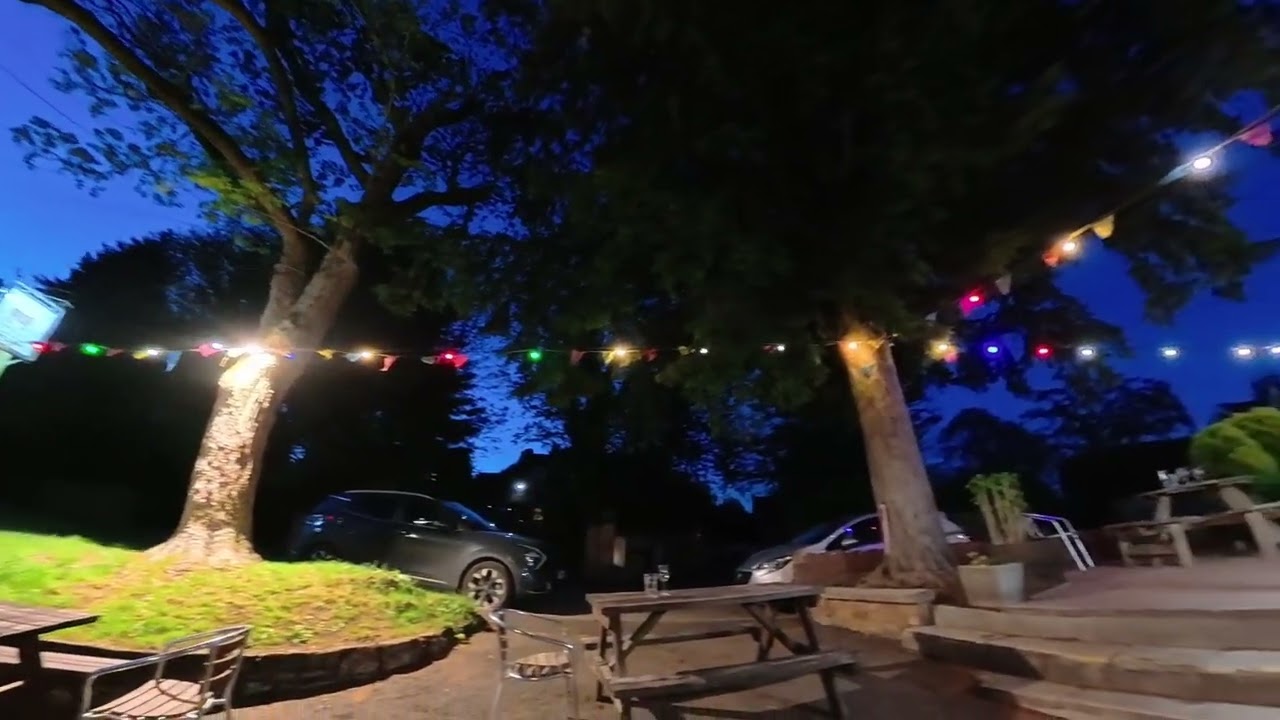
While there is a low-light drawback, there’s the flexibility of 360° that you don’t get with typical drones. Even so, we’ve tested these sensors in dimly lit environments on the Insta360 X5 and they performed extremely well, as you can see in the video above.
Antigravity A1 review: Video quality

The Antigravity A1 borrows the entirety of its core video technology from Insta360, taking the X5’s dual 180° FoV (field of view) lenses and twin 4K sensors. The 180° files are stitched together by the camera, resulting in 360° footage at 8K resolution (although stitching loses some resolution where the files overlap, so the camera upscales slightly-less-than-8K back up to 8K).
Those raw 8K files in their entirety aren’t usable for much except ‘tiny planet’ effects. In unedited form, they’re a 360° image that’s hard to watch. It’s all about editing flexibility. With 360 cameras, 8K is important because it gives enough headroom in post-production to facilitate reframing (cropping into that full 8K image) at up to 4K in a 16:9 aspect ratio — the default ratio for YouTube and TV. Whether you can achieve true 4K after the crop depends on the FoVs you choose when reframing, with wider viewing angles preserving more resolution.

The A1 shoots 8K at up to 30fps, meaning you’re capped at 30fps if you want your final reframed 16:9 footage to be 4K. If you need 4K at a smoother 60fps, you’ll want a 4K/60-capable drone like the DJI Mini 5 Pro. You can drop the A1 down to 5.2K/60fps, but that’ll substantially hit your maximum resolution when reframing in 16:9 (with 2.7K being roughly what you can expect at typically comfortable viewing angles).
This isn’t a flaw — 360 imaging is intense, and there isn’t a consumer 360 camera in existence right now that shoots 8K/60fps. The DJI Osmo 360 camera (not a drone), shoots 8K/50fps… where its battery life drops to just 27% of its full lifespan at 8K/30fps. And besides, aside from European terrestrial television producers, who is shooting at 50fps?
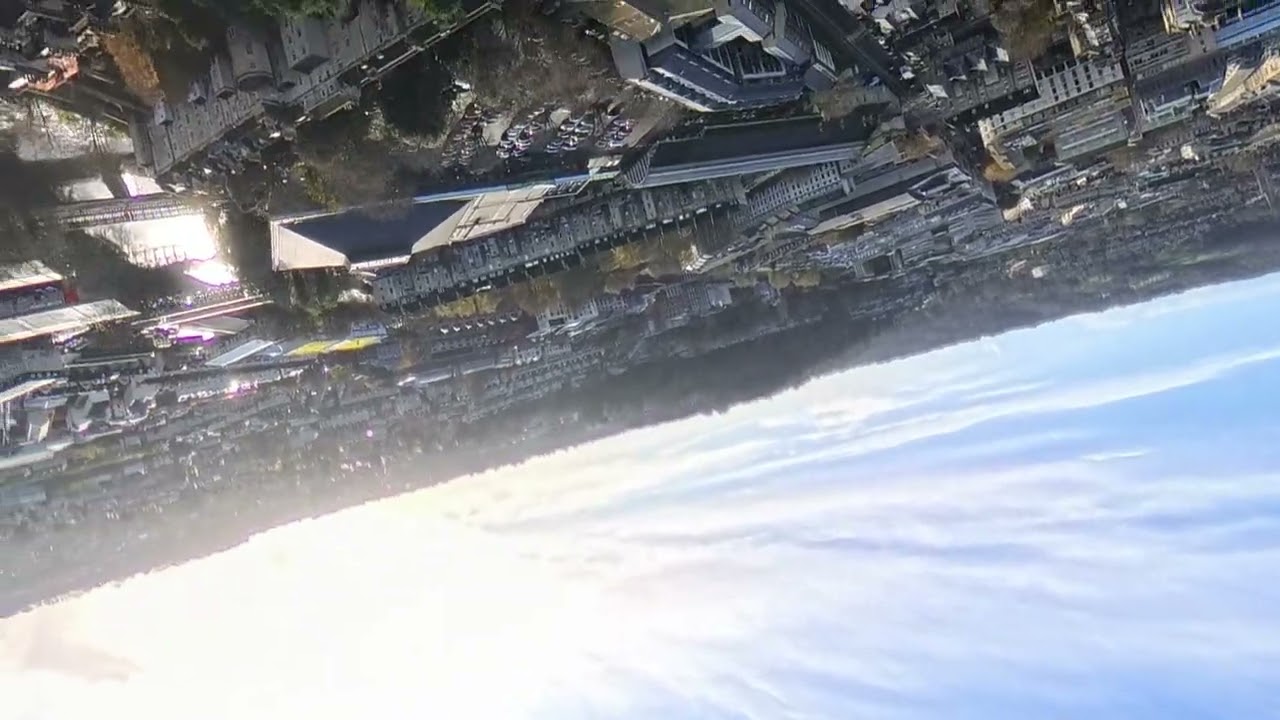
The video above was shot in Bath, U.K., in 360° and 8K/30fps. I then used the Antigravity mobile app to reframe it to 16x9 and exported it in 4K — and I think it looks amazing. Being able to capture so many different angles and realign them in post gave me a lot of creative freedom. The different colors look lovely and the footage appears smooth even when transitioning from one angle to another.
Key to the Antigravity A1, and indeed any 360 camera, is the flexibility that 360-footage gives you. You shoot first, and you shoot literally everything around the camera. You choose what you want to be in frame later in software.
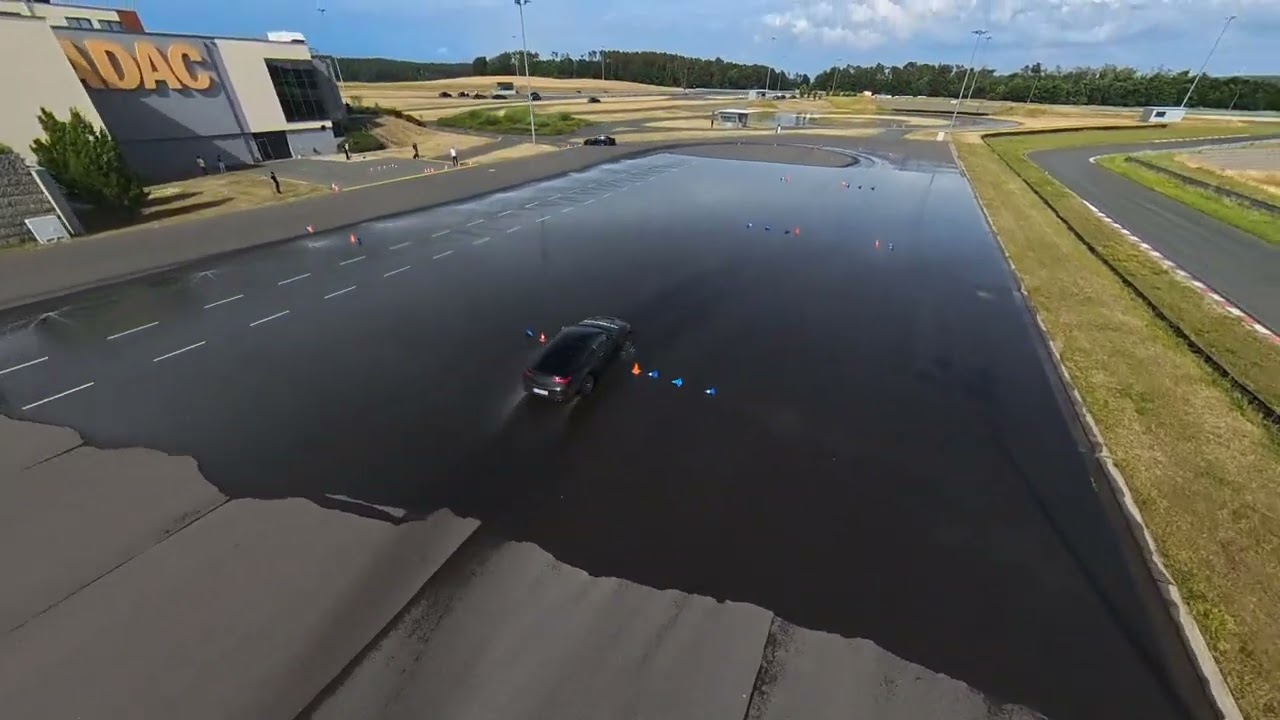
This is a very powerful asset for a drone, as it completely removes the need for, well… skill. The footage above was shot by Pete, who’d never flown a drone before. With a typical drone, you’d need to chase the car to achieve a similar effect — that requires skill.
Instead, Pete just flew roughly near the cars, recorded everything around the camera and chose the viewing angles, crops and movement in post. He also used the camera’s “Deep Track” feature to track the cars in frame, switching between them halfway through. Easy, professional-looking(-ish) footage within 10 minutes of picking up a drone for the first time.
360 recording also allows you to switch between different FoVs (for example forward and behind, above and below), whenever you please. Essentially giving you different cameras. It’s like having unlimited A and B cams.
And of course, 360 footage also allows for cool effects, such as the ‘Tiny Planet’ effect in the footage above, Orbit, Spiral, and more. The A1 also features Sky Genie, toggling which makes the drone perform aerial tricks along a defined path, and this is similar to DJI’s Waypoint Flight, and must be done in-flight and not in post-production.
Another effect that Antigravity highlighted in its press release is Virtual Cockpit, which lets you… ride a dragon through the sky? This feels more gimmicky and something you’d find at an arcade, while the other effects sound more serious, aimed at content creators.
Antigravity A1 review: App & software

The Antigravity A1 uses the same Insta360 smartphone app and Studio desktop app, reupholstered in an Antigravity livery. And that’s a good thing. Each one is, by far, the easiest way to edit 360 footage on their respective platforms.
The smartphone app allows you to quickly edit footage, assign keyframes, reframe and add effects — it’s extremely user-friendly and intuitive, even for newcomers. I have never used Insta360’s editing software before, so as a first-time user, I found the app extremely easy to navigate, thanks to plenty of signposting. It took a while for me to wrap my head around keyframes and the effects, but once I got a hang of it, it was fairly straightforward.

I also appreciate the AI editing tools. Once you’ve selected a clip, the app can automatically add effects, such as Tiny Planet, Whirlwind, etc. to give you good, usable footage. As you can see in the video above, I utilized the Mirror Sky effect, and the app added its own effects and music. It’s worth noting that when we uploaded this video to YouTube, YouTube flagged it for copyright infringement, so creators won't be able to monetize content using these features.
There’s an Auto Edit feature too which analyzes the clip and picks the best bits, stitches them together and gives you a great finalized clip. I think the smartphone app is fantastic for content creators and pilots alike who instantly want to share their work on social media without the need for a laptop.
For in-depth editing, you’ll need to use the Insta360 Studio desktop app, which is the fully-fledged 360 editor. And it’s great. In Studio, you have a lot more fine control over reframing, effects and editing, as well as exporting. Premiere Pro plug-ins will also be available at launch, for users to edit footage in the Adobe suite.
Antigravity A1 review: Battery life

The Antigravity’s flight time depends on the battery you’re using. If you use the standard battery pack, the drone can fly for 24 minutes between charges, and this increases to 39 minutes when using the High-Capacity Flight Battery. Both are longer than the DJI Avata 2’s flight time which tops at 23 minutes.
I tested the A1 with the High-Capacity Flight Battery, and a single charge lasted me approximately 35 minutes. Be mindful that battery life will depend on the environment and usage conditions, so it’s best to carry extra battery packs when you go flying.
Antigravity is yet to specify the exact battery specs for the Vision goggles and the Grip controller. In my testing, I charged the goggles and used them for an hour, and I still had 64% battery remaining.
Similarly, I charged the Grip controller and flew the drone for an hour, and the goggles’ screen showed that the controller had 91% battery left. Again, take these figures with a pinch of salt as they will depend on the usage conditions.
Antigravity A1 review: Verdict

I’ll be honest: we considered giving the Antigravity A1 4.5 stars and the Editor’s Choice award. The drone excels at a lot of things. Being able to capture 360° 8K/30fps footage and reframe it in post-production unlocks lots of creative avenues. Immersive flying has never felt better either, thanks to the responsive Grip controller and fantastic Vision goggles.
But the A1’s price sticks out like a sore thumb. It starts at $1,599, and that’s just for the Standard bundle. No other sub-250g costs this much, and it puts the A1 in the same ballpark as DJI’s prosumer drones, like the DJI Air 3S and even the DJI Mavic 4 Pro — these are heavier drones built to withstand harsh weather conditions, too, which the A1 can’t.
Thing is, the 360° technology in the A1 already exists in Insta360’s cameras, so it isn’t groundbreaking per se, and it doesn’t justify the outrageous price tag. But Insta360’s cameras are usually more expensive than DJI’s or GoPro’s too, so this doesn’t come as a surprise.
The A1 is still an outstanding drone, and one that takes immersive flying to the next level… as long as it doesn’t leave a hole in your wallet.

