
 Club Benefits







The best PC game controllers give you the premium benefits of console gaming right on your laptop, desktop and more, from comfortable ergonomics to tight precision in multiple genres of games. But the glory of these pads is that there's no one true dedicated controller for PC. You can take your pick, and I'm here to point you towards the right ones.
To test PC gamepads, we use Hardware Tester’s Gamepad Tester app to ensure there are no inherent issues with a controller’s sticks or buttons. We also test a variety of games on these controllers, from competitive FPS and fighting games to RPGs. Rest assured, we’ve put every gamepad through its paces.
There's a lot to love about the Steam Controller, the PC gamepad I'd recommend for most right now. From its extremely responsive TMR thumbsticks to its pro-level customization, it's a treat. But it isn't perfect, leaving room for many more excellent options to choose from — and there are plenty. To help you find your next go-to gamepad, our guide to the best PC controllers will put you on the right track.


With over 25 years of using a plethora of different controllers for PC and console, I've got a good sense of the type of pad that can suit all gaming needs. While a PS5 and Xbox controller can go a long way for PC gaming, if you're in need of a dedicated set of sticks for your laptop or desktop, my team of expert testers and I are here to help you choose the PC controller worth grabbing.
You'll find that many games are better played with different peripherals, especially for FPS and strategy titles on PC. For more options, check out our guides on the best gaming mouse and best gaming keyboards.
The best PC game controllers you can buy today
Why you can trust Tom's Guide Our writers and editors spend hours analyzing and reviewing products, services, and apps to help find what's best for you. Find out more about how we test, analyze, and rate.
The best PC game controller overall



"Some believe that $99 is too much for the Steam Controller, but I say the price is more than justified for dedicated Steam users. Sure, Valve’s peripheral costs $20 to $30 more than a standard console controller, but it packs pro controller-like features for $50-$100 less than you’d pay for those premium devices. In that way, you’re actually getting a fantastic deal."
Valve's latest attempt at a gamepad is a resounding success, and the Steam Controller is now the best PC controller I recommend to most. I mean, pro-level features made for PC gaming at a competitive price? That's hard to pass up.
Performance-wise, Valve sticks the landing with the controllers' 35+ hours of battery life, and don't expect any hint of stick drift or lag during fast-paced shooters and strategy games alike, thanks to the TMR thumbsticks. No matter the game, expect precise, responsive feedback with every button press, and the haptic touchpads under the thumbsticks aren't just a gimmick; they're hugely satisfying for point-and-click titles and plenty of game-specific controls.
Where the Steam Controller truly stands out is in its customization options. Its software-first approach means you can remap nearly every input, save personalized profiles and enjoy seamless Steam integration. Unlike hardware-modular rivals that tie customization to physical parts swaps, the Steam Controller’s flexibility is just a menu away.
The trade-offs: it doesn’t support non-Steam PC launchers or consoles, and the face buttons could feel clickier for gamers who value tactile feedback. Still, if you want a versatile, comfortable controller with deep customization and day-long battery life, the Steam Controller is a strong choice for the money.
- Read our full Valve Steam Controller review
The best budget PC game controller


"Performance on a budget? Heck yes! The Turtle Beach Rematch Core for Xbox is one of the finest gamepads out there. Featuring responsive triggers and thumbsticks, it performs excellently in RPGs and FPS titles, and its dual rumble motors make games feel more immersive. The controller itself is comfortable to hold for long periods of time, and it comes with user-friendly companion software for extensive customization. As long as you’re okay with it not being wireless or featuring magnetic triggers or sticks, you’ll be very pleased with it."
Considering how the Turtle Beach Rematch Core for Xbox costs less than the average weekly grocery haul, it’s hard to fault it. If you're just looking for something cheap and cheerful that still manages to nail the qualities of a good PC controller, the Rematch Core is hard to beat at just under $30.
While it’s a wired-only gamepad that doesn’t feature Hall Effect sticks or triggers, it still stuns with its performance. Responsive analog triggers and sticks make quick work of most FPS and RPGs, and user-friendly companion software makes customization very easy.
If you love a good controller with powerful rumble, you’ll love the Rematch Core. It’s also extremely comfortable to hold, and all the buttons feel great to press. If you want a good-looking gamepad that doesn’t break the bank, I really can’t recommend the Rematch Core enough.
Of course, the branding suggests it's purely an Xbox controller, but it also works on PC, and makes for a fine, budget addition to any gamer setup.
- Read our full Turtle Beach Rematch Core for Xbox review
The best premium PC game controller
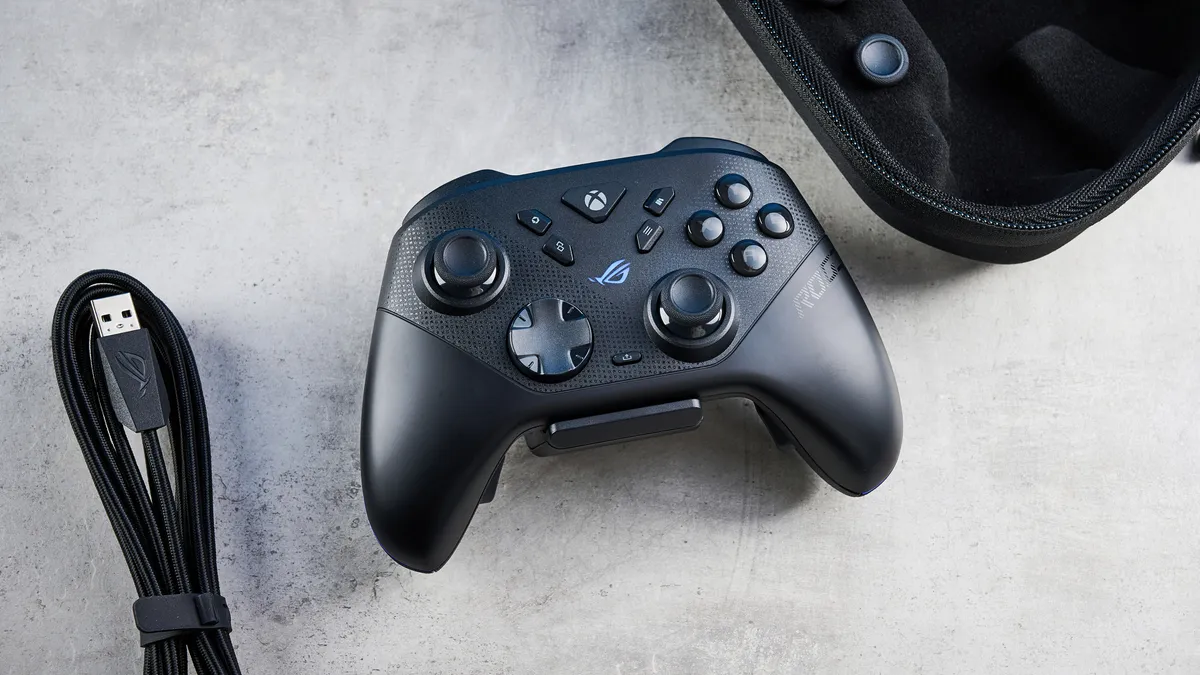
"Competitive controllers don’t always come cheap, but the Asus ROG Raikiri II makes a compelling case as to why it’s worth the investment. By swapping traditional analog components for TMR in both its thumbsticks and triggers, the Raikiri II offers an extreme level of precision in all genres — RPGs, FPS, racing, you name it."
You can forget the Xbox Elite 2 now that the Asus ROG Raikiri II has hit the scene. This is the ultimate gamepad for both Xbox and PC, and while it will cost you a pretty penny, this pro-level champ is not only well worth the investment, but it also beats the price of other premium controllers of its kind. That's already a huge win.
With its TMR thumbsticks and triggers for pinpoint input accuracy and a satisfyingly weighty, ergonomic shape built for marathon sessions, the Raikiri II is a controller designed with demanding gamers in mind. And it delivers on all premium fronts, with its 1,000Hz polling rate for sharp responsiveness and battery life that lasts 50 hours. That's a lot of hours gaming without needing to be plugged in.
You won't be left wanting for customization, either. Asus's companion software (Asus Gear Link via a browser) makes it easy to remap buttons, tweak sensitivity, and set up profiles for different genres or players, all within a snappy, easy-to-use interface.
The one real catch is the cheap-feeling charging dock. Hardly a dealbreaker, but note that it's quite plasticky and doesn't feel too sturdy (despite the price of this controller), and it's prone to getting easily knocked over. What you get here is a gamepad that prioritizes premium materials and user-focused features over modular gimmicks. If you value long-term comfort, deep customization, and true precision, it justifies its place at the top end of the market.
- Read our full Asus ROG Raikiri II review
The best PC game controller for value


"As value controllers go, the GameSir G7 Pro is one of the best you can buy today. For under $80, you’re getting a gamepad that’s extremely comfortable to hold for long hours, thanks to an ergonomic design. The G7 Pro’s prowess lies in its gaming performance, bolstered by Hall Effect triggers with customizable trigger stops and TMR thumbsticks that are precise and accurate."
For just $79, the GameSir G7 Pro does wonders as a "pro" game controller. Not only does it boast TMR thumbsticks and Hall Effect triggers for highly responsive (and customizable) movement and hugely satisfying performance, but it's also extremely comfortable to hold — even for those long gaming sessions.
If you're an Xbox user, you'll already feel at home using the G7 Pro. As with the far more expensive Xbox Elite Wireless Controller Series 2, GameSir's wallet-friendly gamepad comes with wrap-around rubberized grips and has the size and weight that feels substantial in hand. And with the magnetic thumbsticks and triggers, it actually does one better than the Elite.
This, along with the clicky Micro Switch trigger stops, makes this an exceptional controller for its price. It also comes with tri-mode connectivity options to use with more than just a PC. However, know that if you're switching to an Xbox, you'll have to go with a wired connection. We wish it had another set of back buttons to rival its "pro" competition, but really, it's hard to beat the GameSir G7 Pro at this price.
- Read our full GameSir G7 Pro review
The best wired PC game controller
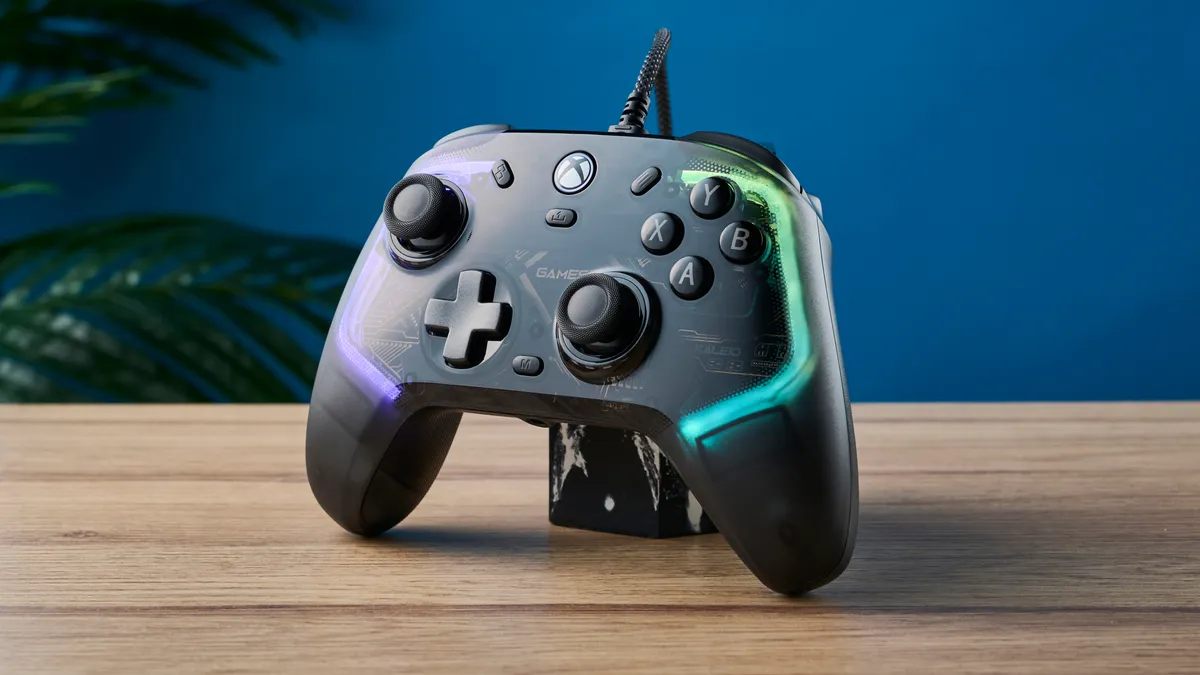

"I’ve really enjoyed using the GameSir Kaleid. For the money, this is a great controller. It’ll cost you a little extra over a standard Xbox controller or the HyperX Clutch Gladiate, but it justifies this with its adjustable Hall Effect triggers and joysticks. Despite some initial skepticism towards its garish lighting, once adjusted, I’ve become fond of having its soft purple glow on my desk, and I’m a big fan of the transparent case design."
The wired Xbox-oriented GameSir Kaleid improves on its predecessor, the T4 Kaleid, with a sleeker design, a longer included cable and support for Xbox Series X/S. It's been one of our favourite PC controllers for a while, and if you don't mind lag-free gameplay via a wired connection, then the Kaleid is for you.
GameSir has rolled over the T4’s best features into the new model, namely its Hall Effect sensors. These magnetic sensors allow you to customize the sensitivity of both the joysticks and triggers using the GameSir Nexus app, giving you fine control over the behavior of both.
The Kaleid also features microswitch buttons (although a slightly cheaper membrane button version is available, called the Kaleid Flux), which should stand up to the test of time, even under heavy use. And no advanced controller would be complete without rear paddles, which the Kaleid duly sports. Better yet, all of this comes for just $49, making the Kaleid a fantastic choice for Xbox and/or PC users on a budget.
The Kaleid is wired-only, so you’ll need to be plugged directly into your PC or console. It’s also super lightweight, which might not be to your preference. Sure, if you want wire-free gameplay, then look elsewhere. But that doesn't do much to spoil this fantastic controller.
- Read our full GameSir Kaleid review
The best pro PC game controller

"If you want a controller that gives you a competitive edge in gaming and tournaments, and have been enviously admiring the Razer Wolverine V3 Pro, you won’t go wrong with the Razer Raiju V3 Pro. It’s a mighty powerful controller for the PS5 and PC, and it’s the only PS5 controller to offer TMR sticks, at the time of writing. TMR sticks give you extremely precise control over your movements, and the Raiju V3 Pro’s Hall Effect triggers add to its gaming prowess."
Finally, a PS5 gamepad with TMR thumbsticks. The Razer Raiju V3 Pro takes the DualSense and gives it a "pro" makeover, boosting its capabilities to make it the esports-level gamepad to beat for both PS5 and PC gamers. Plus, it's just wicked to look at and hold.
This is a premium controller, through and through, with the aforementioned magnetic TMR thumbsticks to eliminate stick drift and offer pinpoint precision, extremely satisfying mouse-like clicky face buttons that mimic a mouse click, hall effect triggers with adjustable sensitivity and removable back buttons. Plus, on PC, you can expect a 2,000Hz polling rate, and plenty of customization via the Razer Synapse app on Windows (or via the iOS/Android app).
While it takes many of the perks of the DualSense, the Raiju V3 Pro does not feature any haptic feedback or adaptive triggers. This is by design, though, as it's made for competitive gameplay to make sure every trigger activated isn't hindered by vibrations or the like. This one's for the pros, and while pricey, it is well worth the investment.
- Read our full Razer Raiju V3 Pro review
The best modular PC controller

"The Turtle Beach Victrix Pro BFG Reloaded improves on its predecessor by introducing Hall Effect thumbsticks and triggers with five stop switches. These are extremely responsive and so are the four on-the-fly customizable back buttons. The gamepad’s biggest selling point is its modular design and 11 interchangeable components, which make it suitable for nearly every genre. If you don’t mind the omission of haptic feedback, this could be the ultimate DualSense Edge alternative."
Is having 11 interchangeable components and plenty of customization, so you can play your way on a well-built controller, important? Let me point you towards the Turtle Beach Victrix Pro BFG Reloaded, a beautifully designed modular controller with premium Hall Effect triggers and plenty of battery life.
Simply unscrew the face of this gamepad and swap out to a layout that works for the games you want. As in, a six-button fightpad module with Kailh microswitches, a reversible D-pad and thumbstick left module, a swappable button and thumbstick right module, swappable thumbsticks and a pair of octagonal stick gates. Single-player epics, fighting games, RPGs, FPS — you name it.
Along with its intuitive companion software for remapping inputs on the fly and a comfy, ergonomic feel with chunky grips (and the rounded, contoured shape of the PS5 DualSense), there's a lot the Victrix Pro BFG Reloaded gets right.
But not everything. When it comes down to it, this is a lot of controller layouts in one, so expect a premium price tag at over $200 (but I've seen it for around $160 during a sale). It's a shame there aren't any adaptive triggers of haptic feedback, especially as a PC controller that's made for PlayStation, but that doesn't take away from the Victrix Pro BFG Reloaded being a worthy, modular beast.
- Read our full Turtle Beach Victrix Pro BFG review
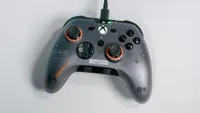
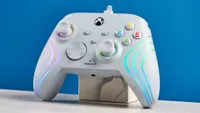
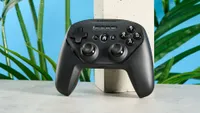
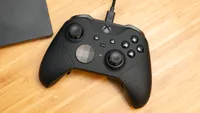
Also tested
How to choose the best PC game controller for you

When it comes to picking the best PC game controller for you, a lot of factors come into play, and there are a few questions you need to ask yourself first.
For starters, do you absolutely need a wireless controller, or would a wired one be okay? Likewise, do you want an official first-party controller from Microsoft, or are you open to trying out a third-party controller instead? Finally, are you fine with a stock controller, or are you looking for a controller with "pro" level features that you can customize? Whether or not you want back buttons or rear paddles is another thing to consider. And, will two be okay, or do you want four so that you can remap all of the face buttons on your controller to them?
Once you’ve answered these questions and thought long and hard about which kind of controller is right for you, the next thing you’re going to want to consider is price. Controllers like the Xbox Series Elite 2 or the DualSense Edge are much more expensive than the standard Xbox Wireless Controller, as well as third-party controllers from companies like 8BitDo, GameSir and HyperX. Even the Steam Controller, a pro-level gamepad, is competitively priced compared to those!
At the same time, if stick drift has been a problem for you in the past, then you’re going to want a controller with Hall Effect or, even better, TMR thumbsticks like the GameSir Kaleid for the former or the Steam Controller for the latter. Connectivity is another big concern, especially if you prefer a wireless controller. While Bluetooth may be more convenient, it introduces a bit more lag than using a controller that comes with a 2.4 GHz USB dongle. However, if lag is something you’re really worried about, then going wired will always be your best bet.
Fortunately, there are loads of different controllers on this list for every kind of PC gamer and every type of budget. We’re also constantly reviewing new models and trying out different kinds of controllers to build out this list further, so stay tuned.
How we test the best PC game controllers

When it comes to testing the best PC game controllers, we take a two-step approach.
First off, we play with them ourselves and put them through the paces with a variety of games from different genres. This helps us determine how each controller will stand up over time and if a particular controller is likely to experience stick drift or other problems down the road. We also test out each of their different connection options and see how well they perform using a wired or wireless connection, or a USB dongle if one is available.
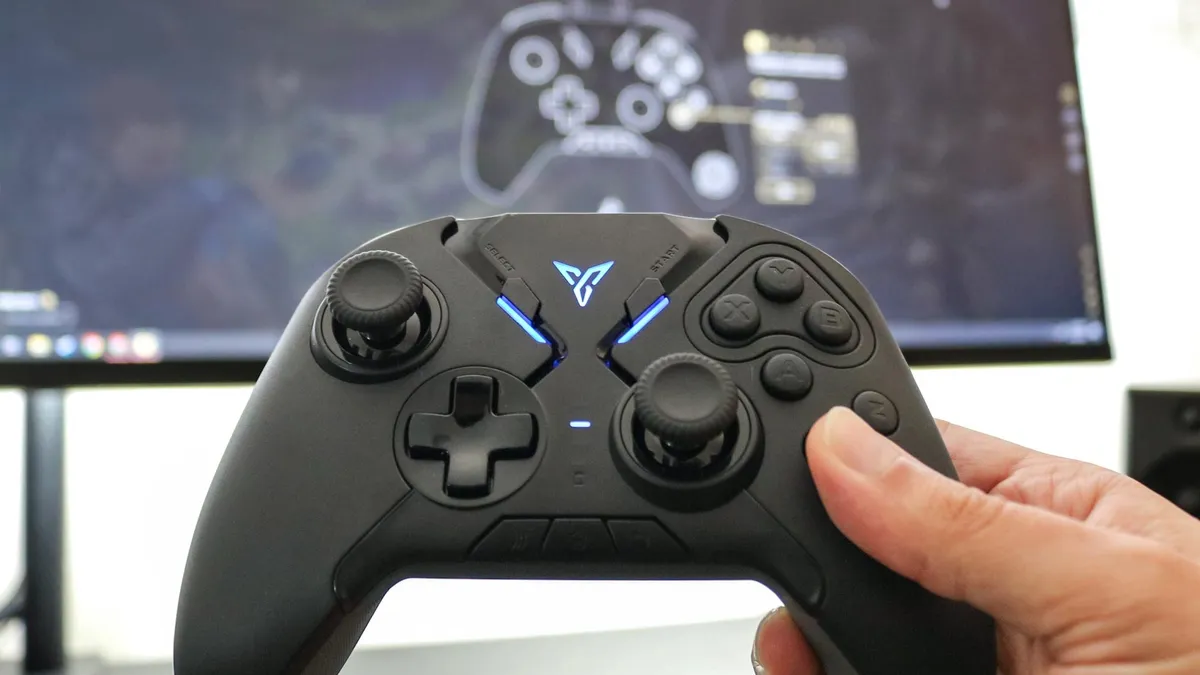
From here, we then use Hardware Tester’s Gamepad Tester to check for errors with the joysticks and buttons. If a controller manufacturer has their own customization software, we load it onto one of the best gaming PCs and see how intuitive it is to use for button remapping and other types of customization, like changing the dead zones on a controller’s joysticks. If there isn’t any customization software available, we use programs like reWASD to try and do it ourselves.
For more information, check out our how we test page for Tom’s Guide.
