





You don't have to break the bank to buy a great TV anymore. The best budget TVs around right now have smart features, great contrast, vivid colors and are bright enough that you can still see what's going on in sun-lit rooms.
Although plenty of cheap TVs get released every year, that's not what I'm going to recommend that you buy. Instead, the best budget TVs are actually models from the past few years that have dropped enough in price that they're actually affordable now.
Interestingly, the budget TV I recommend to most people bucks this trend. The Hisense QD7 launched for $500 last year but is frequently even cheaper now. And it's a fantastic and versatile TV that performs well across films, gritty TV shows and games.
But you can also now buy the model I think is the best budget gaming TV, the Hisense U75QG, for almost half its original 2025 launch price. And it is incredible value, with four HDMI 2.1 ports, 165Hz refresh rate and great contrast.
Best budget TVs available right now
Why you can trust Tom's Guide Our writers and editors spend hours analyzing and reviewing products, services, and apps to help find what's best for you. Find out more about how we test, analyze, and rate.
Best budget TV overall


The Hisense QD7 is easily the best budget TV we've tested and its also the best TV under $500 right now too. Going on specs alone, it's hard to gauge cheaper TVs, as you can never be sure what the performance will really be like. But the QD7 is an exceptional TV that you pick up without breaking the bank (with just one small flaw).
During our testing, we were most impressed with how the set handles colors. Hisense equipped the QD7 with quantum dot crystals which absorb some of the backlight and emit it as green and red light. This improves the vibrancy of the image, and we liked how the colors in movies, TV shows and games really popped.
The LEDs in the display are individually controllable too (not by you, by the TV) which means that the set can adjust the colors and brightness in specific areas to adapt to the picture. This really helped when we watched shadowy things like "Stranger Things" and "Dune" which have a lot of darkly colored scenes.
Plus, it wasn't just that the image looked colorful and dark in all the right places, but you could actually pick out the details happening in the shadows. For some TVs, this is a struggle, but the QD7 handled these different shades of black well. This should also mean the TV lends itself to sports viewing too.
And in terms of vibrancy and color, it does. In live matches, you often have parts of the pitch in shade and others in sun, and the QD7 can handle that. Where it struggled a bit was the fast movements, which tended to blur due to the set's 60Hz refresh rate. We switched on motion smoothing while testing, and this helped though.
Sadly, Hisense installed Amazon's Fire TV software on the TV. It's slow, loaded with ads and hard to navigate. It's not the worst problem to have, but it's a shame since international versions have Google TV installed, which is a lot better. But if you can get over that hurdle, the Hisense QD7 is easily the best budget TV right now.
- Read our full Hisense QD7 review
Best budget gaming TV


I know this guide is all about budget TVs, but when we're talking about product that can reach several thousand dollars, many of the best TVs under $1,000 also generally fall into this range, even though that's still on the pricier side. But the $700 Hisense U75QG really works hard for your money, especially its impressive gaming features.
Budget TVs are generally getting better for gaming, but it's still rare to find something as well-equipped as the U75QG. There are four HDMI 2.1 ports, which improve bandwidth for console gaming, and this set even has a 165Hz refresh rate, comfortably above the 120Hz needed for consoles, making it an excellent choice for PC gaming.
We tested it with a PS5, playing Armored Core 6 and Silent Hill f. It was on fast-paced Armored Core 6 that the TV really excelled, as the 9.6ms input latency came close to the performance you'd find on the (much more expensive) best OLED TVs. Meanwhile, Silent Hill f looked fantastic, thanks to the TV's handing of colors and contrast.
Quite literally, this TV outshines the competition, as it is more than four times brighter in SDR than the Hisense QD7 and almost three and a half times brighter than the Hisense U65QF in HDR. Not that those TVs aren't bright, it's just that the U75QG punches well above what you'd expect at this price.
These brightness levels mean that it's the best budget TV for brighter or sun-lit spaces too. The only thing we found was that there was a bit of glare in direct light, which isn't necessarily an issue, but might make you consider where in your room you want to place the TV or if there's a way to keep it out of the sun.
The colors look great too. We had a fun time watching the cartoonish chaos in “The Super Mario Bros Movie," and although it's mostly know for its bleak dystopian view of the future, the colorful elements of "Blade Runner 2049" really stood out too. And, incredibly, we could pick out details in the all-consuming darkness of "The Batman."
- Read our full Hisense U75QG review
Best budget 55-inch TV

If you're working on a budget, one of the best ways to keep the cost down is to choose a smaller TV. Before you go for the smallest and lowest priced option though, you should take a look at how to pick the right TV size. If you happen to land on a 55-inch model, then the Hisense U65QF is going to be the best budget TV for you.
Like the Hisense QD7, this model is also under $500 and we felt it lands the right balance of features, performance and price. Not least of all because it comes with a 144Hz refresh rate and two HDMI 2.1 ports, making it a fantastic pick for gamers or if you want to watch live sports over the summer without breaking the bank.
The refresh rate is particularly interesting at this price, as we found that you don't get the slight blurring during fast-paced scenes or action that you find on the Hisense QD7. And unless you play PC games, it's a better value option for gamers than the U75QG, as consoles can only output at 120Hz anyway, so 144Hz is plenty.
So when we used the TV to play Indiana Jones and The Great Circle with the set's Auto Low-Latency Mode (ALLM) enabled, which turns off any of the TV's resource-heavy features to reduce lag, it was like gaming on a much more expensive TV.
Like with the QD7, the only real downside to the set is Amazon's Fire TV software. It's our least-favorite TV operating system, as it's slow, hard to navigate and filled with ads. But once you have your favorite streaming apps installed, you won't need to use it much, thankfully.
- Read our full Hisense U65QF review
Also tested
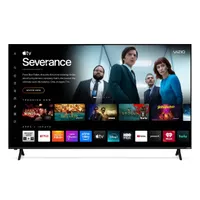
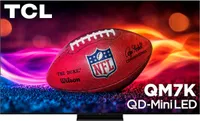
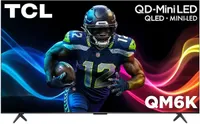
How we test the best budget TVs
When we start testing the best budget TVs, what we really want to know is whether each set is worth your money, and represents good value with the right mix of performance and features. So we split our testing into two parts; detailed lab measurements to gather performance data and real world testing.
You can read more about how we test TVs in the lab, but the short version is that we take a bunch of industry-standard tools and use them to measure color output, brightness and lag. This objective data makes it easier to compare TVs when every room and set of eyes might judge things in a more subjective way.
Plus, we use it to inform our recommendations when suggesting specific models for gaming, sports or particularly bright spaces. But the data is just one part of the puzzle, as it's just as important what the actual experience of using the TV in the same way that you would at home feels like.
So, we set them up in the usual way and watch things on them. We spend time with the software, apps and different settings and picture modes. We play games, plug in consoles and connect gaming PCs. And we sit back and cast a critical eye over the colors in vivid movies and the darker blacks in shadowy TV shows.
How to choose the best budget TVs
The first thing I'd say when you're looking for the best budget TVs is not to focus solely on price. I know that the reason you're looking at cheaper TVs because that's all you want to or can spend, so it's totally reasonable than you want to keep the cost of the TV in mind. Just keep some other factors and considerations close at hand, too.
The first decision you should make is what size TV you really need, using our guide on how to choose the perfect TV size for your room. I wouldn't drop down below what you need, but you can save money by only paying for the size that works for your space.
I generally recommend 65-inch models, as that's the most popular size and is usually what we test. But the 55, 50 and 43 inch models often give similar performance for less. The only real difference as you drop down is often they're not as bright since the pixels are closer together and get lower power to avoid overheating.
Lots of TVs get released every year with the latest features and improved specs, but each annual upgrade is incremental, and last year's models are very similar performance-wise but often at much lower prices. So you can get more for your money by not buying the latest TVs.
Then you want to think about what you actually want to use the TV for. If you'll be putting it in a bright space, then you need a set that'll be able to handle that without getting washed out or too much glare. Or maybe brightness isn't that important to you if you want to watch late at night in a cosy room.
But in that scenario, the quality and vibrancy of the color might override everything else. Those aspects are helpful for gamers too, especially if pared with a higher refresh rate and HDMI 2.1 ports so you can plug in your console or gaming PC. Vivid colors, good contrast and a high refresh rate are also crucial for sports viewing, too.

