




The best HDMI 2.1 TVs support the latest connection standard, which means improved video performance and the ability to transfer more information more quickly between your connected device and your TV. For gaming on the latest consoles, it's essential.
HDMI 2.1 matters most when you want your TV to keep pace with a PS5, Xbox Series X or gaming PC. Its extra bandwidth enables features such as 4K at 120Hz and Variable Refresh Rate (VRR), helping supported games look smoother and feel more responsive.
The Samsung S90F is our top HDMI 2.1 TV for most people, combining four HDMI 2.1 ports with strong picture quality and gaming performance. If you want similar gaming-friendly features for less, the Hisense U65QF is the budget pick, while the brighter Hisense U75QG is better suited to well-lit rooms. With hands-on testing and expert advice from our TV team at Tom's Guide, I'm here to help you find the best HDMI 2.1 TV for your space.
The best HDMI 2.1 TVs you can buy right now
Why you can trust Tom's Guide Our writers and editors spend hours analyzing and reviewing products, services, and apps to help find what's best for you. Find out more about how we test, analyze, and rate.
Best HDMI 2.1 TV overall


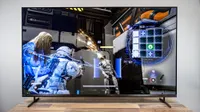
It's important that the Samsung S90F has four HDMI 2.1 ports, meaning all its HDMI inputs support the standard, but there's a lot more to this TV than the number of ports. It also comes with a 120Hz refresh rate, which is ideal for console gaming, as all the current-generation consoles output at 120Hz.
So you get a TV that really seems to believe in supporting gamers, backed up with Samsung's Gaming Hub, which comes as part of the brand's Tizen OS software. If you plug a console into one of the four ports, the hub recognizes it and creates a quick start shortcut, where you can jump back into games from the TV's menu.
This automatically enables the S90F's Game Mode, which optimizes performance for your gaming session. All of this wouldn't matter if the TV didn't also look incredible. We found in our lab tests that it can handle bright rooms and has great color accuracy, which showed from the moment you turned on the TV.
And, as an OLED TV, it's exceptional at handling contrast, so all the colors really pop off the screen. So if you're playing something vibrant or cartoon-ish, like something from the Mario series, it's going to look as fun and creative as you'd expect. But we found this impressive performance applies to dark and shadowy scenes and games too.
Movies, TV shows and sports all looked fantastic during testing, but it was during gaming on the Nintendo Switch 2 and PS5 that we felt the S90F shone. We put it through its paces with Armored Core 6 and Elden Ring Nightreign, and there was no blurring as the 120Hz TV matches the refresh rate of the consoles.
- Read our full Samsung S90F OLED TV review
Best budget HDMI 2.1 TV

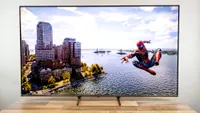
Although HDMI 2.1 ports have been common on flagship TVs for half a decade now, it's still a surprise to find a cheap TV like the Hisense U65QF with two HDMI 2.1 ports and so stacked with features. Not to state the obvious, but that's two fewer than the Samsung S90F, though it increases to four HDMI inputs with two HDMI 2.0 ports.
So that's enough to keep two consoles plugged in and have two spare for streaming devices. Of course it would be nice to have all four support the newer standard, but it's a decent compromise for a TV that's less than half the price of the Samsung S90F. That TV is also an OLED, whereas the U65QF is a Mini-LED TV.
In theory, that'd mean the Hisense set is less vibrant, but that wasn't our experience. The colors looked incredible in everything we watched, and our lab tests found that it has similar color accuracy to the S90F, a vastly more expensive TV. Occasionally during darker scenes, there was some glare, but not enough to distract from what's on.
Plus, there is one area it has the edge over the Samsung set: refresh rate. The U65QF supports 144Hz natively, more than enough for all console gaming, and high enough to make it a good option for PC gaming, live sports or movies with fast-moving action. The rub is that its response time is 13.1ms, compared to 9.1ms on the S90F.
In competitive gaming, it can make a difference, but for single-player local games, you'll never really notice. Especially if you enable the TV's Auto Low-Latency Mode to reduce lag. All combined, this meant we really enjoyed playing games like Indiana Jones and the Great Circle, which held up well against more expensive TVs.
- Read our full Hisense U65QF review
Best HDMI 2.1 TV for bright rooms

I keep recommending Hisense TVs to people because they're incredible value: lots of features, great performance and a good price. The brand's niche is mid-range LED TVs, which keeps the cost down compared to their OLED counterparts. But you'd have a hard time spotting that the Hisense U75QG isn't an OLED.
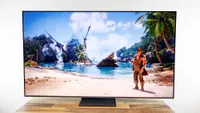
Our tests found that it is exceptionally bright, registering at three times brighter than the Hisense U65QF and Samsung S90F. It's an incredible feat for a TV at all, especially at this price. And before we delve too far into its performance, the U75QG corrects the (minor) flaw of the U65QF: it comes with four HDMI 2.1 ports (instead of two).
Even more surprising was that it had such an impressive response time. In our lab, it hit 9.8ms, compared to the 9.1ms you'd get on the Samsung S90F. Yes, it's fractionally slower, but not in a material way. Plus, the Hisense U75QG is several hundred dollars cheaper than the Samsung model.
It has the highest refresh rate of all the TVs on this roundup, natively reaching 165Hz. This is probably more than you really need, unless you plan to use the HDMI 2.1 TV for PC gaming, but it's hard to complain when you get a higher spec for less money. Plus, it runs Google TV software, one of the easiest smart TV platforms.
The one word of caution I'd give is to not place the Hisense U75QG in direct sunlight. It has an anti-glare coating, but we found that it wasn't super effective when battling against a focused stream of light. But it'll easily hold its own in the brightest of rooms, making it one of the best HDMI 2.1 TVs you can get right now.
- Read our full Hisense U75QG review
Also tested
Best HDMI 2.1 TVs: Frequently Asked Questions

What is HDMI 2.1?
HDMI 2.1 is the standard for connecting HDMI-based devices, usually for video playback. It was announced in 2017, implemented in some TVs by 2020, and became more commonplace in 2022. Today, most TVs now have at least two HDMI 2.1 ports that can take advantage of the port's improved performance.
It's a bit like when we transitioned from micro-USB and Lightning cables to USB-C, except HDMI 2.1 cables still look the same with the same-shaped connector. The major difference is that the new standard increases the bandwidth (how much information can be sent), which opens up new possibilities.
HDMI 2.1 means you can stream 4K (3840 x 2160) video at 120Hz and enables Variable Refresh Rate (VRR), leading to less blurring and tearing while keeping a high level of detail
Has HDMI 2.2 been released?
HDMI 2.2 was officially unveiled in January 2025, but it took almost a decade for HDMI 2.1 ports to become commonplace on TVs. With HDMI 2.2, we can expect manufacturers to release their first TVs with the new standard sometime in 2027. However, it'll be more mainstream in 2028 and beyond. It will be longer until you can actually take advantage of all the new improvements and features.
Do I need a new HDMI cable for 4K at 120Hz gaming?
Usually, the HDMI cable supplied with a PS5 or Xbox Series X is suitable for 4K at 120Hz, provided the console is connected directly to a compatible TV port. If you need a replacement, look for a certified Ultra High Speed HDMI cable rather than just getting an older cable that will handle the required bandwidth. You'll also want to check the TV’s input settings and any receiver or soundbar in the signal path. A compatible console, cable and TV port all need to be used together; one older link in the chain can prevent 4K at 120Hz or VRR from working.
What is VRR on a TV, and do I need it for gaming?
VRR, or Variable Refresh Rate, lets a compatible TV adjust its refresh rate to match the frame rate produced by a game. This can reduce screen tearing and make changes in frame rate look smoother, especially in the latest PS5 and Xbox Series X games that are demanding on the system (especially in performance graphics modes).
It's a worthwhile feature for PS5, Xbox Series X and compatible gaming PCs, but not essential. For fast-moving and graphically intensive games, it's great to have.
Is a 120Hz TV good enough for PS5 and Xbox Series X?
Yes, a 120Hz TV is a perfect match for PS5, PS5 Pro and Xbox Series X. These consoles can output supported games at up to 120Hz. A 120Hz panel, paired with an HDMI 2.1 port, is all that's needed to play in its high-frame-rate gaming modes.
Some TVs we recommend offer 144Hz or 165Hz refresh rates, such as the Hisense U65QF and Hisense U75QG. But those higher figures are more useful for gaming PCs than for console gaming.
How to choose the best HDMI 2.1 TVs

Choosing the best HDMI 2.1 TV is a lot like deciding on any other TV. As useful as the improvements are with the newer standard, most TVs now come with at least a few HDMI 2.1 ports, so it's more important to think about what you need from your new set, where you plan to put it and what you want to watch on it.
But first, you want to figure out the right TV size for your room. Generally, TVs range from 43 or 50 inches through to 85 inches (and sometimes up to 100+ inches). The core tech in the display often remains unchanged through the sizes, with some exceptions for the smallest and largest sets, which may have different panels or power.
You might be thinking of a specific size because you imagine the new TV going into a large living room, as a secondary set in the kitchen or in a smaller dorm room. And that will likely influence what you use the TV for: movie and sports watching, background viewing or gaming.
The setting also plays a part in whether you need a super bright television to combat daylight or if it can be a bit dimmer as you plan to use the TV for late-night binge-watching or gaming. Technically, the same considerations apply for audio, but most TVs have pretty mediocre sound, so I nearly always recommend getting one of the best soundbars.
And while I know it's hard when all the marketing leads that way, but its important not to be swayed too much by the TV's specs. It's far more important how the TV actually performs than the type of panel in the display. Of course, it's hard to tell that when you're looking at a (virtual) box, which is why we test them before recommending any.
How we test the best HDMI 2.1 TVs

We test the best HDMI 2.1 TVs in the same way we test all TVs; we use them. Alright, it's not quite as simplistic as that, but practical, real-world use is the core of our reviewing process, because we want you to know what it's like to actually watch the TV, play games on it or listen to the dialogue before you spend your money on a new set.
But before you get to that (fun) part where we actually put on a movie, TV show or game, the television goes through our lab testing process. We use industry-standard equipment to measure key performance metrics, like brightness, response time and color accuracy, to get an objective sense of how the TV behaves.
This allows us to compare how the set performs in the real world compared to the manufacturer's claims, and means we can more readily tell you what's changed since the previous model. The data plays a big part in our recommendations, as a brighter TV will be better for bright rooms, and lower lag better for gaming.
It's also thanks to these measurements that I'm still recommending the 2025 Samsung S90F, for example, even though Samsung has a new slate of OLED TVs from 2026 available. The data showed that the performance was largely the same on the old and new models, so why spend more on the newer TV when you don't need to?
Once the data is tucked away in our spreadsheets, it is actually time to sit down in front of the TV and watch a selection of movies and shows. We often choose media we know well so that we can cast a critical eye over the set's performance, rather than assessing the quality of the content itself.
We pull all the objective data and subjective testing experience into our reviews, which normally focus just on the model we're testing and how it compares to the older edition. Then those insights inform how we pull together our recommendations and which TVs we say are best for particular use cases.

