





Tom's Guide Verdict
The DJI Avata 360 stakes its claim as the best 360° drone you can buy. Its twin lenses let you capture every angle possible, and footage is captured at 8K/60fps, giving you plenty of headroom in post-production. Straight-out-of-camera 360° clips give it a leg-up over the Antigravity A1, the only other 360° drone at the time of writing, and the videos (and 120MP stills) are packed with detail. The drone is extremely easy to fly with either goggles or a standard controller, and unlike its primary competition, the Avata 360 does so without breaking the bank.
Pros
- +
Exceptional build quality
- +
Beautiful 360° 8K/60fps video
- +
120MP hi-res stills
- +
Dual ways to fly (also easy!)
- +
More affordable than the competition
Cons
- -
Weighs more than 8.78z / 249g
Why you can trust Tom's Guide Our writers and editors spend hours analyzing and reviewing products, services, and apps to help find what's best for you. Find out more about how we test, analyze, and rate.
For a few years now, it has felt like the evolution of drones has plateaued, with the same specs being fitted into practically every quadcopter out there. That all changed with the introduction of 360° drones in 2025, and DJI has staked its claim as the best 360° drone with the Avata 360. The Chinese giant’s first 360° drone is a winner, and it upstages the Antigravity A1 (rival Insta360’s drone) in more ways than one.
Capable of recording 8K/60fps footage, the Avata 360 captures every angle possible with its twin lenses, and gives you plenty of headroom to maintain 4K resolution when cropping to 16:9 in post. Intuitive to fly with either the standard controller or a pair of goggles and a motion controller, the straight-out-of-camera footage can even be used without any work in post-production. It captures hi-res 120MP stills too, and the best part? It’s affordable!
To find out if this is the best drone for you, read my full DJI Avata 360 review.
DJI Avata 360 review: Specs
Specs |
DJI Avata 360 |
|---|---|
Price |
Starts at $549 / £409 |
Flight time |
23 minutes |
FAA/CAA registration |
Required |
Cameras |
Two |
Image sensor |
1/1.1-inch Square CMOS, 64MP each (120MP stills) |
ISO |
100-25,600 (video) | 100-6400 (stills) |
Shutter speed |
1/30s to 1/8,000s |
Aperture |
f/1.9 |
Focus |
1.5m to ∞ |
Max video resolution |
8K/60fps | 6K/60fps | 4K/60fps | 2.7K/120fps |
Stabilization |
Single-axis mechanical gimbal + digital stabilization |
Indoor use |
Yes |
Propellers |
Four |
Max takeoff altitude |
4500m |
Max flight distance |
8.38 miles |
Navigation system |
GPS, Galileo, BeiDou |
Collision avoidance |
Omnidirectional |
Smartphone control |
Yes |
Internal storage |
Yes, 42GB |
microSD card slot |
Yes, V30 or higher |
Size |
9.69 x 7.83 x 2.19 inches |
Weight |
1lb / 455g |
DJI Avata 360 review: Cheat sheet
- What is it? DJI’s first-ever 360° drone and the latest addition to the Avata lineup
- Who is it for? For content creators and anyone who wants to capture every angle, as well as first-person view (FPV) enthusiasts
- How much does it cost? The DJI Avata 360 starts at ~$549 / £409 and goes all the way up to ~$1,119 / £829
- What do we like? The build quality, 360° 8K/60fps video, 120MP stills, dual ways to fly, and detailed companion software
- What don’t we like? The heavy weight
DJI Avata 360 review: Price & availability

Launched on 26 March 2026, the DJI Avata 360 is the Chinese manufacturer’s first-ever 360° drone, and the latest addition to the Avata lineup. At the time of writing, it’s only the second drone to feature 360° technology, and so, it competes directly with the Antigravity A1 ($1,599) which first came out in November 2025.
The Antigravity A1 uses the same technology found in Insta360’s 360° cameras, and this is also the case with the Avata 360. DJI’s drone builds on the imaging tech used in the DJI Osmo 360 camera ($549), and I’ll discuss that more in detail soon. The Avata 360 massively undercuts its primary rival, the Antigravity A1, as it costs a lot less. The drone on its own costs ~$549 / £409 and is perfect for those who already own a DJI controller. If you want the DJI RC-2 controller, it’ll cost you ~$859 / £639, while both the RC-2 Fly More Combo and the Motion Combo (including the DJI Goggles N3 and the DJI RC Motion 3 controller) retail for ~$1,199 / £829 each. U.S. pricing is yet to be confirmed.

That’s right: the Avata 360’s most expensive bundle costs much less than the Antigravity A1’s cheapest one ($1,599 / £1,219). This, alone, makes the Avata 360 a much better investment, and when you add all the goodies it offers to the equation, there’s no question about which drone offers better value for money.
However, as with all other recent DJI launches, the Avata 360’s U.S. availability is dicey. That’s due to the restrictions on foreign-made drones by the F.C.C. While drones that were registered with the F.C.C. prior to the 23 December 2025 ruling can be sold in the American market — and there are very strong rumors that the Avata 360 was one of them — it’s difficult to ascertain how it will impact the Avata 360’s launch. We also don’t know if DJI Care Refresh will be available for the Avata 360 yet, but I have reached out to a DJI representative to get a clearer picture.
DJI Avata 360 review: Design

The DJI Avata 360, like every other DJI drone I’ve tested, is exceptionally built and designed. As part of the Avata lineup, it borrows design cues from the DJI Avata 2 ($409) as well as the DJI Neo 2 ($319) — it looks like the lovechild of the two. Twin lenses sit on the top and bottom of the gimbal unit to capture a 360° view which can later be edited in post-production via the companion software (more on that soon).

Similar to the Neo 2, the Avata 360 is wrapped in dark grey colors which lend it a premium edge and make it look more high-quality than, say, the DJI Neo ($199) or the DJI Mini 4 Pro ($759), in my opinion. Just like on the Neo 2 and the Avata 2, bumpers protect the Avata 360’s four propeller guards, which not only make the drone safe for flying indoors or near people, but also protect the propellers if the drone runs into a wall, tree or other obstacle. Bumper guards are absent on the Antigravity A1, in comparison, which gives the Avata 360 a leg-up — more safety features are always welcome!

The Avata 360 weighs 1lb or 455g, and it measures 9.69 x 7.83 x 2.19 inches. Though it isn’t as small as, say, the DJI Neo 2, the Avata 360 is still easy to travel with, especially in the included shoulder bag. As the drone weighs more than 8.78oz, you’ll need to register it with the F.A.A. in the U.S. and the C.A.A. in the U.K., or any other governing authority depending on where you live. The Avata 360’s heavy weight comes as no surprise, given that the DJI Avata 2 weighs 13.3oz or 377g.

As with most 360° cameras, the Avata 360’s lenses are easily replaceable by users, which is good news as the lower lens can be liable to impacts during landing. This is simple enough to do, as all you need to do is unscrew and pop out the damaged lens with the tools provided in the replacement kit, and screw on the new one.
We’ve also seen the inclusion of interchangeable lenses with the Antigravity A1, so it’s great that DJI has implemented this feature too. To ensure that the lenses don’t get damaged, the Avata 360’s gimbal rotates in a way that the lenses are only exposed when the drone is turned on. When you’re landing the drone, the gimbal rotates and tucks what would be the lower lens to the back, so that it doesn’t come in contact with the ground.
Build quality remains sublime as usual, and the Avata 360 doesn’t feel low-quality. Tapping it with my fingernails didn’t reveal any hollow parts or pinging, so you’re getting bang for your buck.
DJI Avata 360 review: Controls

When you buy the Antigravity A1, you get Vision goggles and a Grip motion controller in the bundle, and that’s what you use to fly the drone — similar to the DJI Goggles N3 and the DJI RC Motion 3 controller ($229 + $99). The DJI Avata 360 is a more versatile drone in that regard, as you can fly it with either the Goggles N3 and the RC Motion 3, or with a DJI RC-2 controller.
I’ve covered the RC-2 controller extensively as I’ve used it with the DJI Mini 5 Pro ($759) and other drones, but with the Avata 360, the interface is a little different. For instance, when using the RC-2 with the Avata 360, the top left dial lets you adjust the 360° Virtual Gimbal’s tilt and roll angle while the top right dial zooms in and out to help you capture each and every angle. When you’re doing this while flying the drone, it feels a little trippy and disorienting, but it’s extremely fun.
One of the advantages of buying the Avata 360 over the Antigravity A1 is the RC-2 controller — it can even be flown with an RC-N3 controller — as it enables you to view the footage you’ve just shot. You don’t need to wait until you’ve offloaded the footage to your phone or when you’re back at your desk. You can view a low-res preview of the video you’ve just filmed, and you can even use your finger to change the on-screen viewing angles.
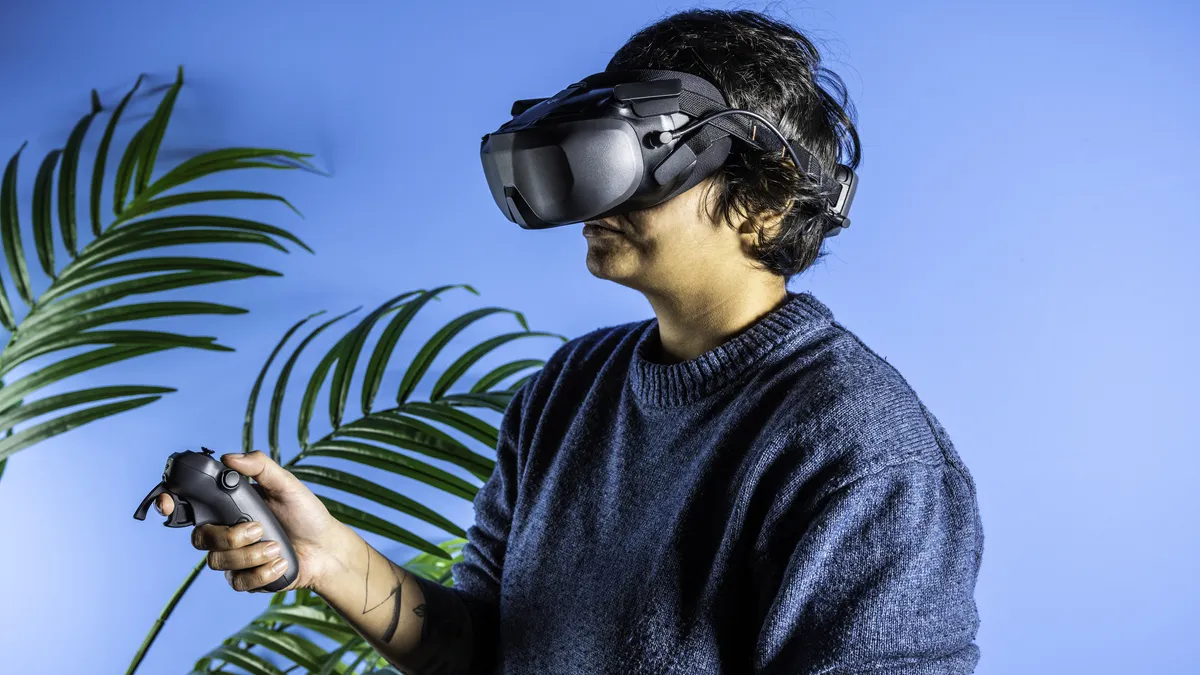
Then you’ve got the Goggles N3 and the RC Motion 3, which I also tested with the Avata 360. If you want a more immersive flying experience, I’d highly recommend grabbing that bundle instead, as it makes you feel like you’re sitting on top of the drone, and it gives you a proper bird’s eye view of the world. You can see all around you by simply moving your head. Look down and you’ll see what’s under the drone. Look to the right and you’ll see what’s to the right of the Avata 360. This is also how the Antigravity A1’s Vision goggles and Grip controller work. Both the Avata 360 and the Antigravity A1 are very similar in this regard.
The RC Motion 3 works just as well, and gives you a lot of control over the Avata 360’s movements. It enables you to make minute adjustments to your drone’s position and direction, so you can turn tight corners with ease. To find out more about how FPV flying works, read my full DJI Goggles N3 review.
If you don’t want to spend nearly a grand on the Motion combo, the standard RC-2 bundle will be enough for you. 360° footage needs to be edited in post-production to make it usable and the RC-2 controller captures every angle anyway, so you don’t necessarily need the most expensive bundle.
DJI Avata 360 review: Features

There’s no dearth of features on the DJI Avata 360. Alongside its 8K 360° video capabilities, you also get solid wind resistance, omnidirectional obstacle avoidance, and other safety features. For a retail price much less than the Antigravity A1, I’d say the Avata 360 trumps Insta360 in the features department.
The Avata 360 has a flight distance of 8.38 miles, which is a little more than the Antigravity A1’s 8-mile distance when you’re using a standard flight battery. On the Antigravity A1, this doubles with a High-Capacity battery. On the right edge of the drone, you’ll find a microSD card slot. While you get 42GB of internal storage (versus just 20GB on the Antigravity A1), I’d highly recommend investing in a microSD card, such as the Lexar 256GB V60 ($134). If you’re constantly shooting 8K/60fps video, the Avata 360’s internal storage will fill up extremely quickly — any drone’s or camera’s would.
Wind resistance

The Avata 360 features great wind resistance, capable of withstanding level 5 winds (10.7 m/s or 24mph). This is the same as the Antigravity A1 and the DJI Avata 2. I flew on a couple of windy days when the speed was over 20mph, according to my phone, and the drone didn’t falter. Because it weighs 1lb as well, it isn’t susceptible to gusts of wind — something that is an issue with sub-250g drones, like the Antigravity A1.
Obstacle avoidance

The Avata 360 features fantastic obstacle avoidance too. Its omnidirectional obstacle avoidance means it can brake or bypass objects in its way, depending on your settings. This is one of the most important features you can have in an FPV drone, and it comes in handy especially when flying the Avata 360 through the Goggles N3 and using the RC Motion 3. It gives you a lot more confidence when navigating tight spaces.

It will continue detecting and avoiding obstacles even when you hit the return-to-home button. This prompts the drone to fly back to its last known takeoff position, and is automatically toggled when the Avata 360 is low on battery.
DJI Avata 360 review: Video quality

The DJI Avata 360 is an incredible 360° drone, capable of recording 8K video at 60fps, which gives it a leg-up over the Antigravity A1 whose frame rate tops out at 30fps. While the Avata 360 borrows much of its core technology from the DJI Osmo 360, it’s important to note that the action camera’s 8K video is limited to 50fps (which is also outstanding, by the way) or 5K at 60fps. It does, however, feature the same 1/1.1-inch Square CMOS sensor.
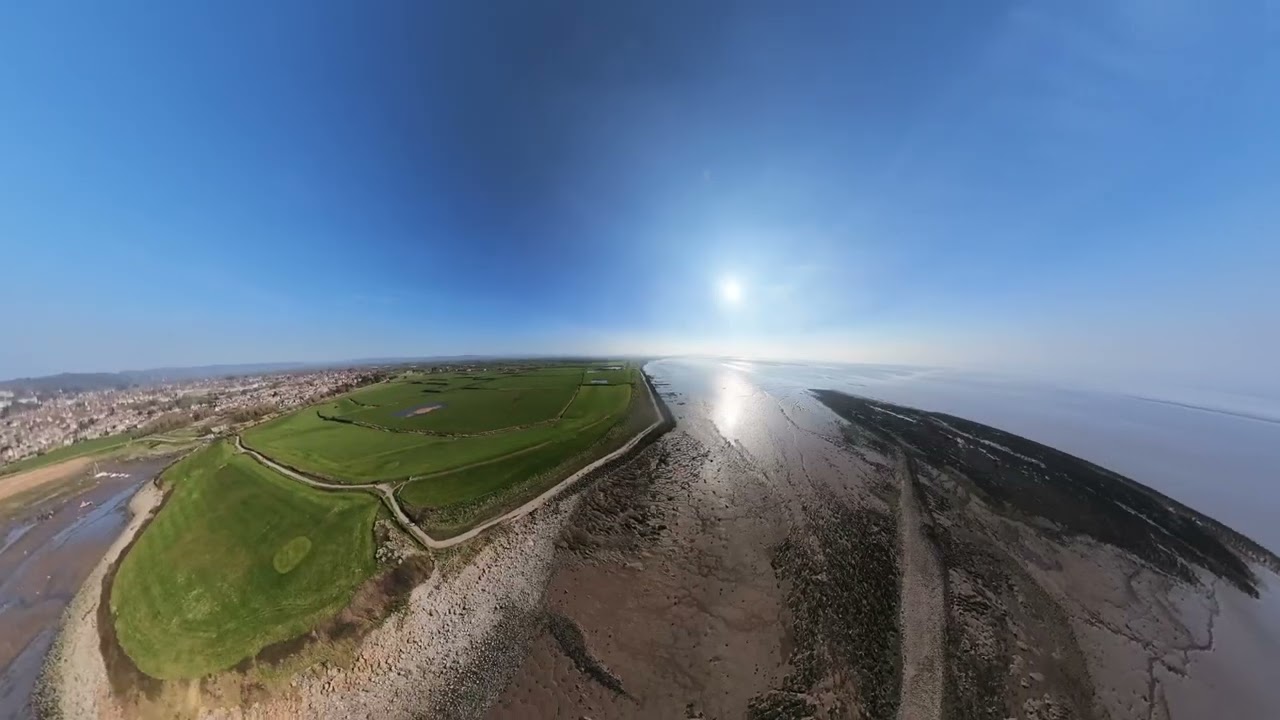
Just like on the action camera, the Avata 360’s twin lenses record a 180° FoV (field of view) each in 4K, and the frames are then stitched together by the camera. What this means is that you get +8K resoltuion before stitching and when the clips are stitched together, you get 360° footage at true 8K resolution. This is how the twin lenses on the Antigravity A1 work too. I couldn’t see any stitching lines between the clips either, even after I zoomed in and analyzed the clips (and stills).
8K/60fps is extremely smooth and stable, and gives you a lot of freedom in post-production. You’ll be relying on companion software for editing these files in post (more on that soon), and 8K resolution basically gives you enough headroom in post-production to facilitate reframing (cropping into that full 8K image) at up to 4K in a 16:9 aspect ratio, depending on how wide the field of view is of your final frame.
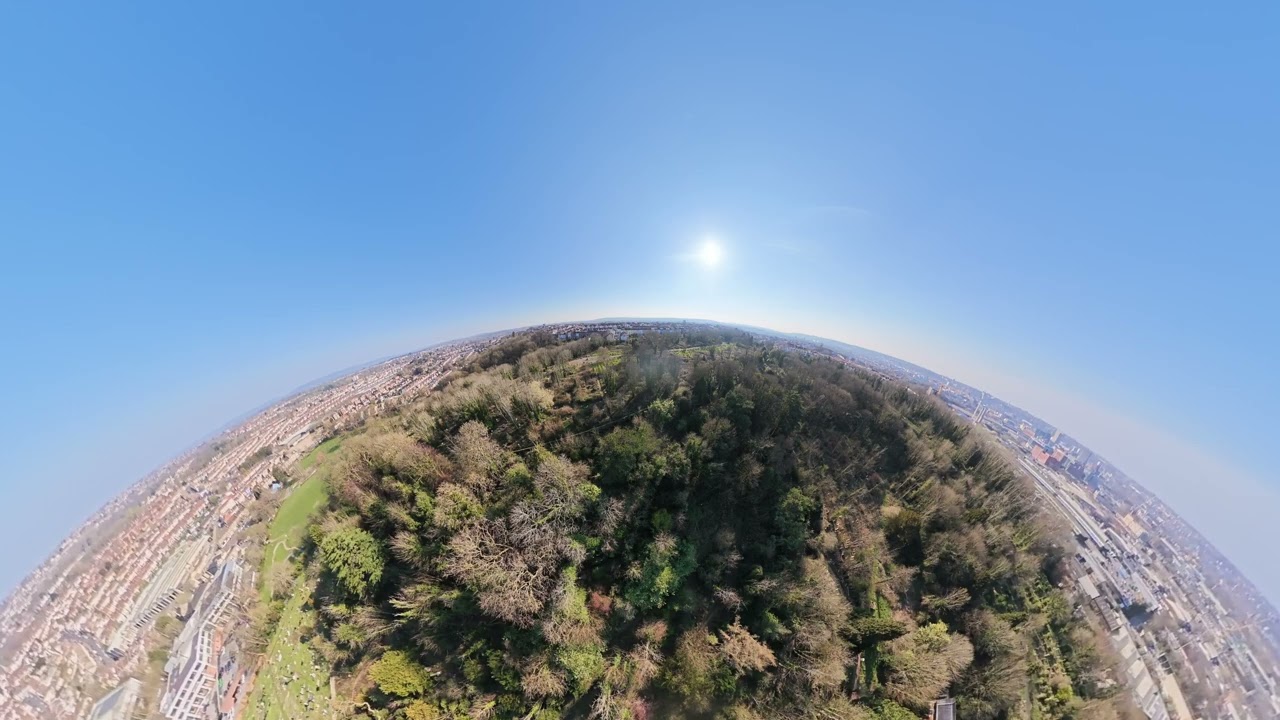
But the Avata 360 has an ace up its sleeve. You see, when you’re shooting video on the Antigravity A1, you can’t really zoom out and change the pitch angle much, so you need to heavily edit files in post to make them watchable and usable. On the Avata 360? Even without editing, you can create ‘tiny planet’ effects by manipulating the two top dials on the RC-2 controller, as you can see above. I haven’t edited the footage (except for trimming the beginning and the end) and it still looks fantastic, giving the viewer a bird’s eye view of the world.
I think this massively adds to the Avata 360’s appeal. 360° editing software can take a while to get to grips with and might not be everyone’s cup of tea, and if a novice can create footage that’s instantly usable and shareable, it’s a win.
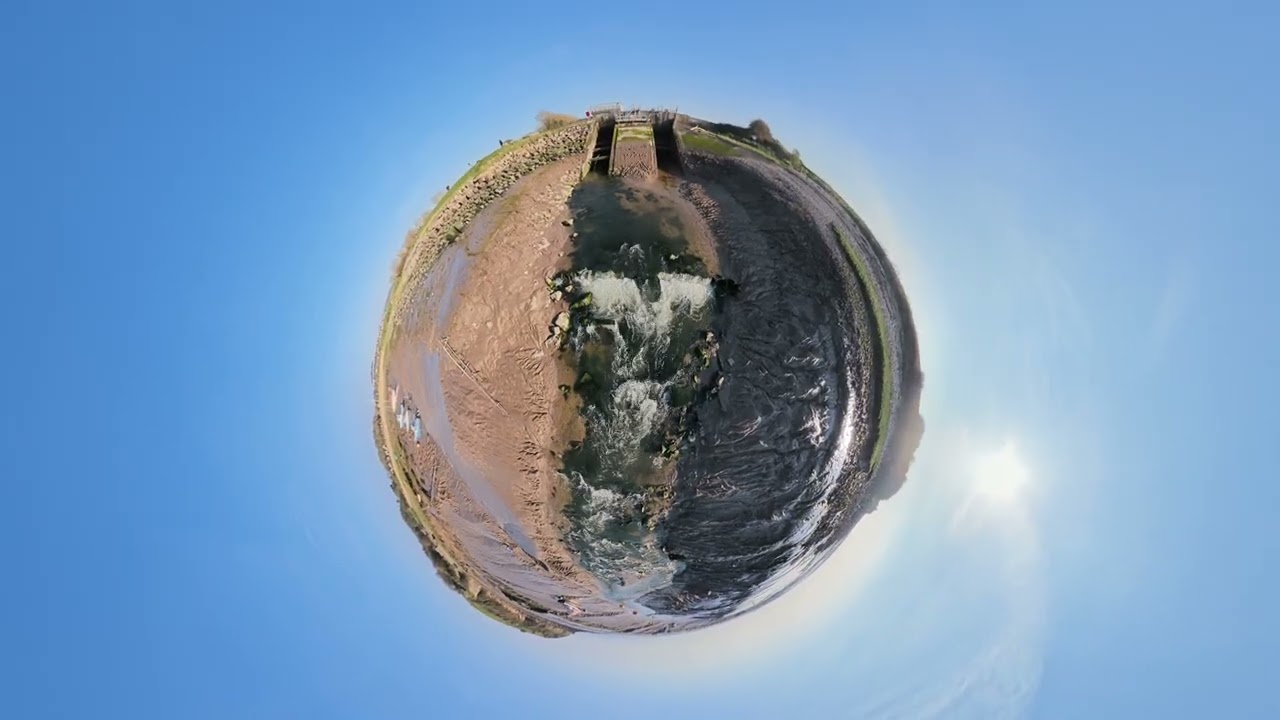
But editing 360° footage via companion software is necessary if you want longer clips that aren’t simply using effects. It can be a lot of fun, and I’ll discuss the software in detail soon. I edited the video above to add a few different effects, such as Asteroid, Ultra Wide and more, and adjusted the FoV, pan, tilt and roll angles to create a trippy video.
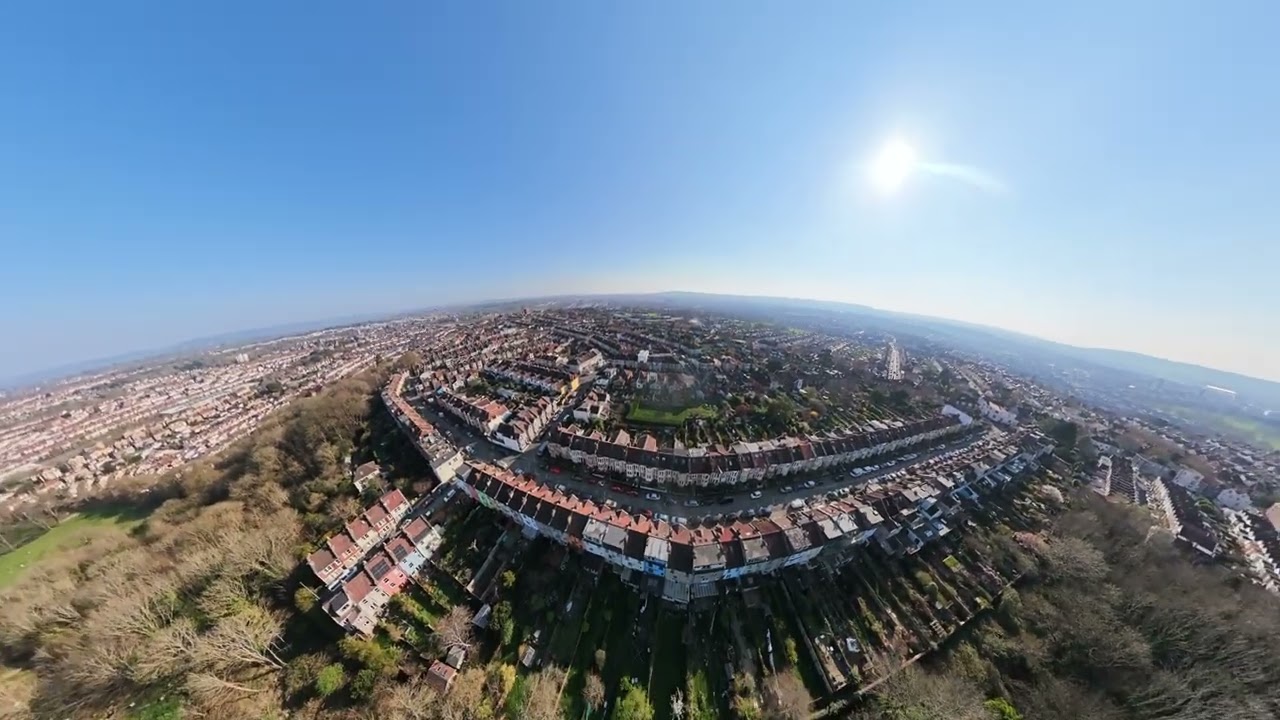
Similar to Deep Track on the Antigravity A1, the Avata 360 features Intelligent Tracking where you can draw a box around a subject in post-production, and the drone will automatically track it and highlight it as the primary subject. As you can see in the video above, I drew a box around a pillar in the distance on two separate occasions, and the software did an excellent job of tracking it even as the Avata 360 was moving.
Since the Avata 360 records every single angle, you can swap between different FoVs — forward, behind, above, below, and so on — which essentially gives you unlimited A and B cams. It increases creative capabilities by enabling you to capture otherworldly angles which isn’t necessarily possible on non-360° drones. You also get access to DJI’s range of QuickShot Intelligent Flight modes, such as Dronie, Rocket, Follow, etc.
Like DJI’s action cameras, the Avata 360’s footage is stabilized using the brand’s trademark RockSteady technology, so every clip turns out smooth, as you’ve seen in all the footage above. Alongside this, the drone also features a single-axis mechanical gimbal which provides some degree of stabilization. Using both together, the Avata 360’s footage never flickers or appears unsteady.
DJI Avata 360 review: Image quality

Alongside stellar video quality and capabilities, the DJI Avata 360 is exceptional at capturing stills too. Each lens on the Avata 360 captures 64MP stills which are then digitally stitched together to deliver a 120MP 360° photo (15520×7760). I couldn’t see any visible stitching lines in the photos I’d captured for the purposes of this review. The 360° photo means you can edit it as you wish, and view every single angle if you share it with another person as an interactive 360° photo.
If you’re short on space and don’t want massive 120MP files clogging up your internal storage or microSD card, you can drop the resolution down to 30MP. You won’t capture as much detail, of course, but it’s a good idea if you’re in a pinch.


The 1/1.1-inch sensor captures plenty of detail with faithful color reproduction, as you can see in the gallery above. The highlights and shadows are well-balanced while the images themselves are highly detailed, and you can zoom in and not lose too much detail either.
These were taken in Auto mode but you can shoot manually too, as the Avata 360 has an adjustable shutter speed of 1/30s to 1/8,000s and ISO range of 100-6400 when shooting stills. This is the same ISO range you’ll find on the Antigravity A1, and should be just enough to shoot in low-light conditions, such as at dusk or dawn.
DJI Avata 360 review: App & software


The DJI Avata 360 saves 360° files in the OSV format which must be opened in either DJI Fly on your smartphone or DJI Studio on your macOS or Windows machine. Both apps are extremely easy to use and I’ll discuss both, starting off with DJI Studio. Full disclosure: this was my first time using DJI Studio, and as a newbie, I thoroughly enjoyed using the software thanks to its user-friendly interface.
DJI Studio gives you quick tutorials on how to edit 360° footage, so even if you’re a newcomer like myself, you won’t have any trouble getting a hang of it. It might take a while to understand keyframes and effects but once you wrap your head around them, editing the Avata 360’s footage is a walk in the park. Within DJI Studio, you can adjust pan, tilt, roll angles, FoVs, add effects like Asteroid, and lots more. You can also color grade your footage in the app itself, if you’ve shot it in D-Log M. If you shoot in MP4, you can adjust the contrast, brightness, color temperature, etc. Easy as pie.


There are a few handy editing features for smoother or creative results too, such as Chromatic Aberration Control, Stitching Optimization, Distortion Optimization, and Motion Blur. You get a fair bit of control over the motion blur which can help convey a sense of high speed if you so wish.
Then you’ve got DJI Fly on Android and iOS, which serves as the central hub for all your DJI drones. As with other DJI drones, you can use this app to quickly offload footage (useful if you’re running out of space), see nearby fly spots, and update the drone’s firmware.
In addition to all of this, you can also edit your 360° footage, and I especially love the One Tap Edit feature, which utilizes AI to trim your selected clips and add effects and music to them, as you can see in the video above. You get several templates to add your clips, text and music to too, and it’s all you need to create quick footage to share instantly on social media.
DJI Avata 360 review: Battery life

The DJI Avata 360 has respectable battery life, at least by drone standards. On a single charge, the Avata 360 can fly for 23 minutes, which is the same as the DJI Avata 2. The Antigravity A1, in comparison, can fly for 24 minutes using a standard battery pack or 39 minutes when using a High-Capacity battery.
Of course, the battery life will depend on the usage and flying conditions. I flew the Avata 360 for approximately 22 minutes while shooting 8K/60fps video before the drone had to automatically return-to-home due to low battery. This is fantastic, in my opinion, but also worth noting that it’s entirely subjective, as I was flying in windless conditions and in Neutral mode.

The Avata 360 comes with a three-way charging hub and two extra batteries if you buy the Fly More combo. All three batteries, in my testing, took just over an hour to go from zero to 100% charge.
DJI Avata 360 review: Verdict

If you’re a fan of aerial photography and want to capture every angle possible, there’s no better 360° drone better than the DJI Avata 360. It’s super easy and intuitive to fly with either the DJI Goggles N3 or a standard DJI RC-2 / RC-N3 controller. Since it captures every angle, you can focus on and enjoy flying and think about framing later. Both the DJI Studio and DJI Fly apps are easy to use and enable you to create stunning (and even trippy) footage.
The Avata 360 captures beautiful, stable 8K/60fps footage and highly detailed 120MP stills. With good battery life, excellent stabilization, and a premium build that doesn’t get knocked about by gusts of wind, the Avata 360 is all you need to get creative and create professional-looking footage. And the best part is that the drone is extremely affordable, and none of the bundles break the bank. It’s the undisputed king of 360° drones.

