



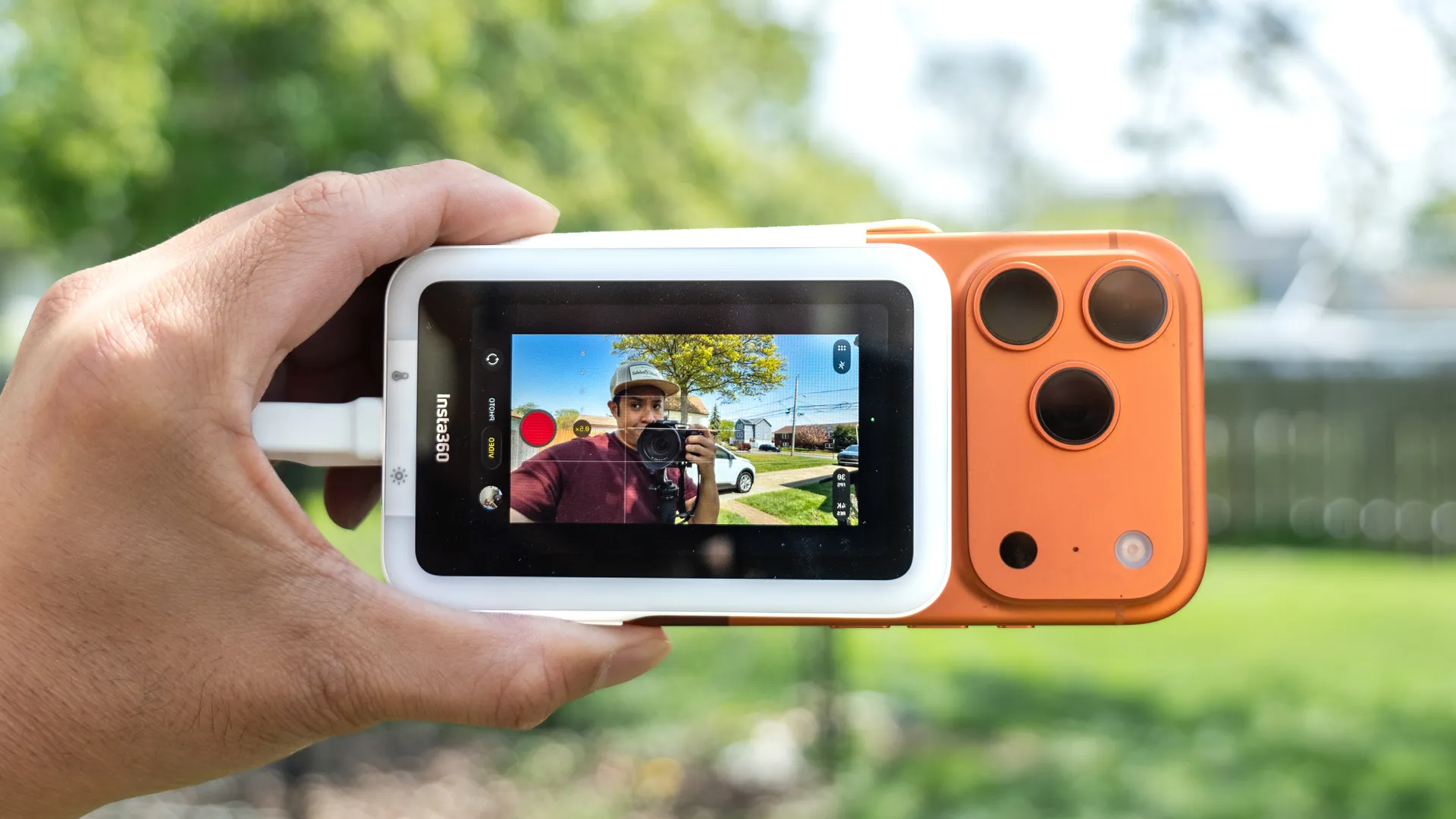
I’m still waiting for the day the iPhone Fold becomes a reality, but until then, the only effective way to shoot vlogs and better-looking selfies with my iPhone 17 Pro is by using a selfie screen. Insta360, the action camera maker, recently launched the Snap Selfie Screen, which adds a display to the back of your phone via MagSafe.
As much as my iPhone 17 Pro’s new Center Stage selfie camera works, it’s still nowhere near as good as the results I get from the rear cameras—and that’s where the Insta360 Snap Selfie Screen saves the day. Having previously tested alternatives like the SYNCO XView M4 and the Dockcase Selfix case, I’ve found Insta360’s accessory might be the perfect blend.
Use it when I need it
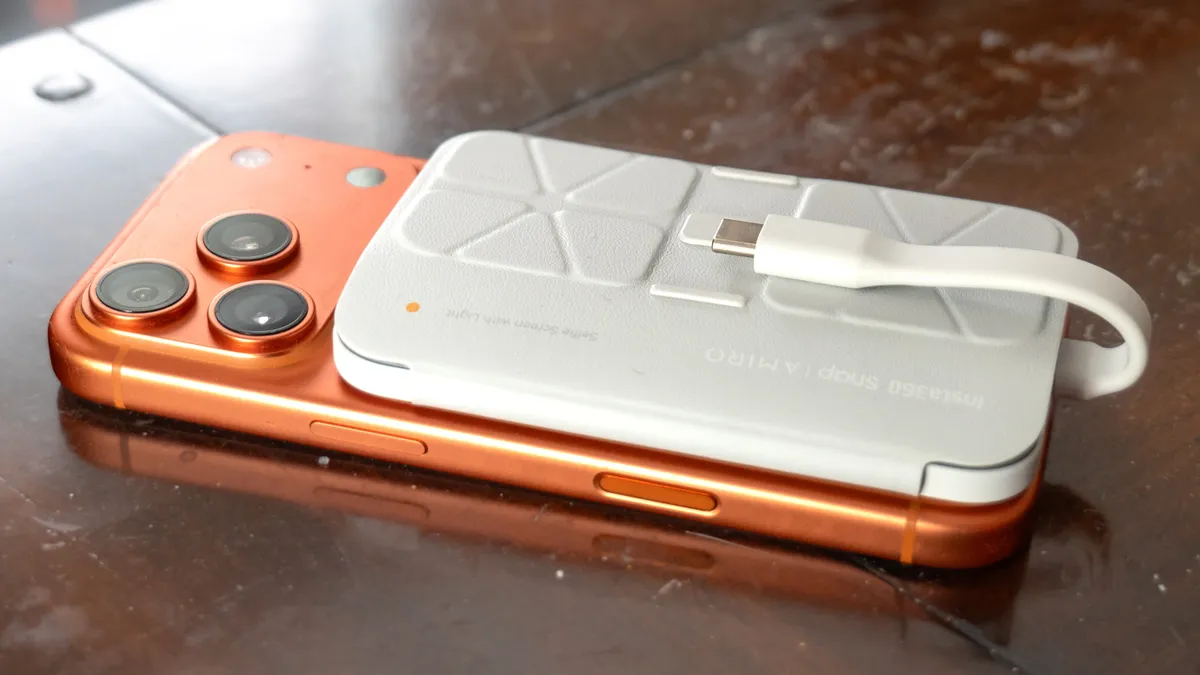
Unlike the Dockcase Selfix, the Insta360 Snap is a removable MagSafe accessory, making it far more versatile. It’s roughly the same size as a standard MagSafe wallet and includes a folio cover that pulls double duty by preventing accidental touches when the screen is not in use.
Because it snaps onto the back via MagSafe and wires directly to the USB-C port, it doesn’t suffer from the interference or lag issues I’ve encountered with the wireless SYNCO XView M4. Furthermore, because it draws power directly from the iPhone, I never have to worry about recharging it. The best part is the modularity: I can keep it on the back of my phone for quick access or swap it out entirely for other MagSafe accessories.
Vlogging made easy
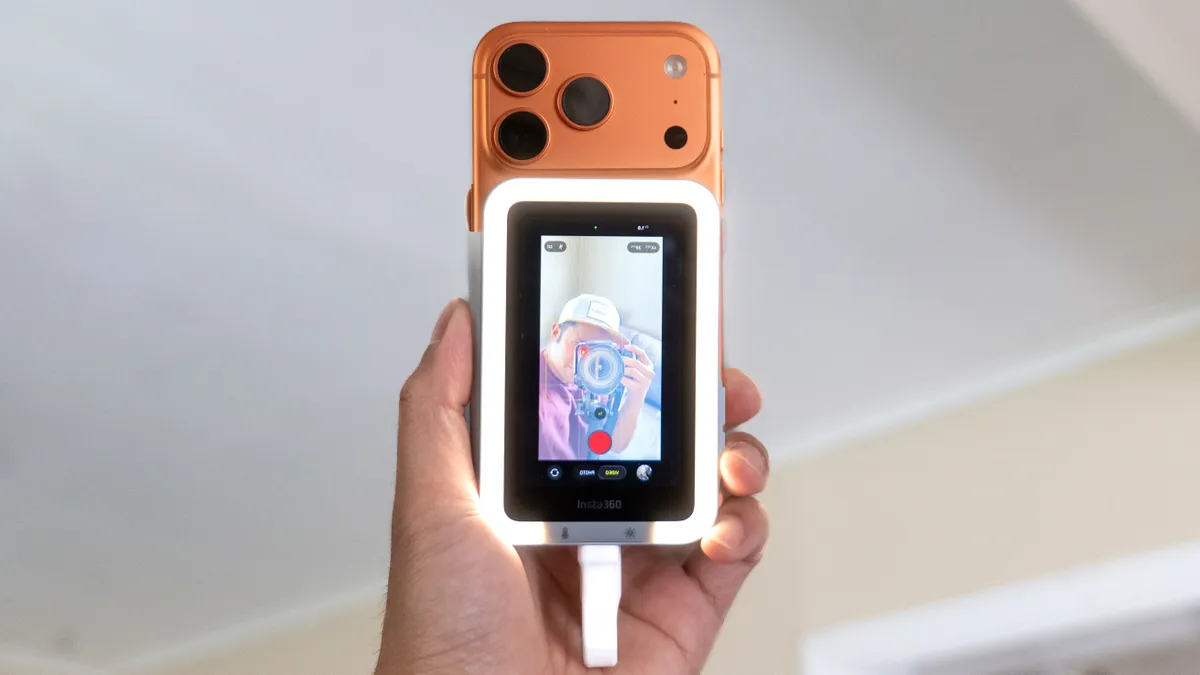
As a professional videographer, I much prefer using foldable phones for vlogging. Devices like the Galaxy Z Fold 7 and Motorola Razr Ultra (2025) allow me to use their superior rear cameras while using the cover displays for framing and previews.
With standard slate phones, I’m usually forced to shoot blind. The Insta360 Snap is a game-changer because it allows me to see myself while using the rear cameras, complete with touch controls for pinch-zooming, switching modes, and snapping photos. Once I enabled touchscreen support by activating the Zoom function within the accessibility settings, I had complete control over the camera app.
This is a major advantage because I no longer need to see my iPhone’s main display, as the Insta360 Snap effectively mirrors it. This means I can run third-party apps like Instagram and TikTok, while maintaining full access to their specific camera settings and features. While the view can occasionally be inverted when shooting in landscape, a quick press of the orientation switch on the side of the Snap fixes it instantly.
Works flawlessly on Android, too
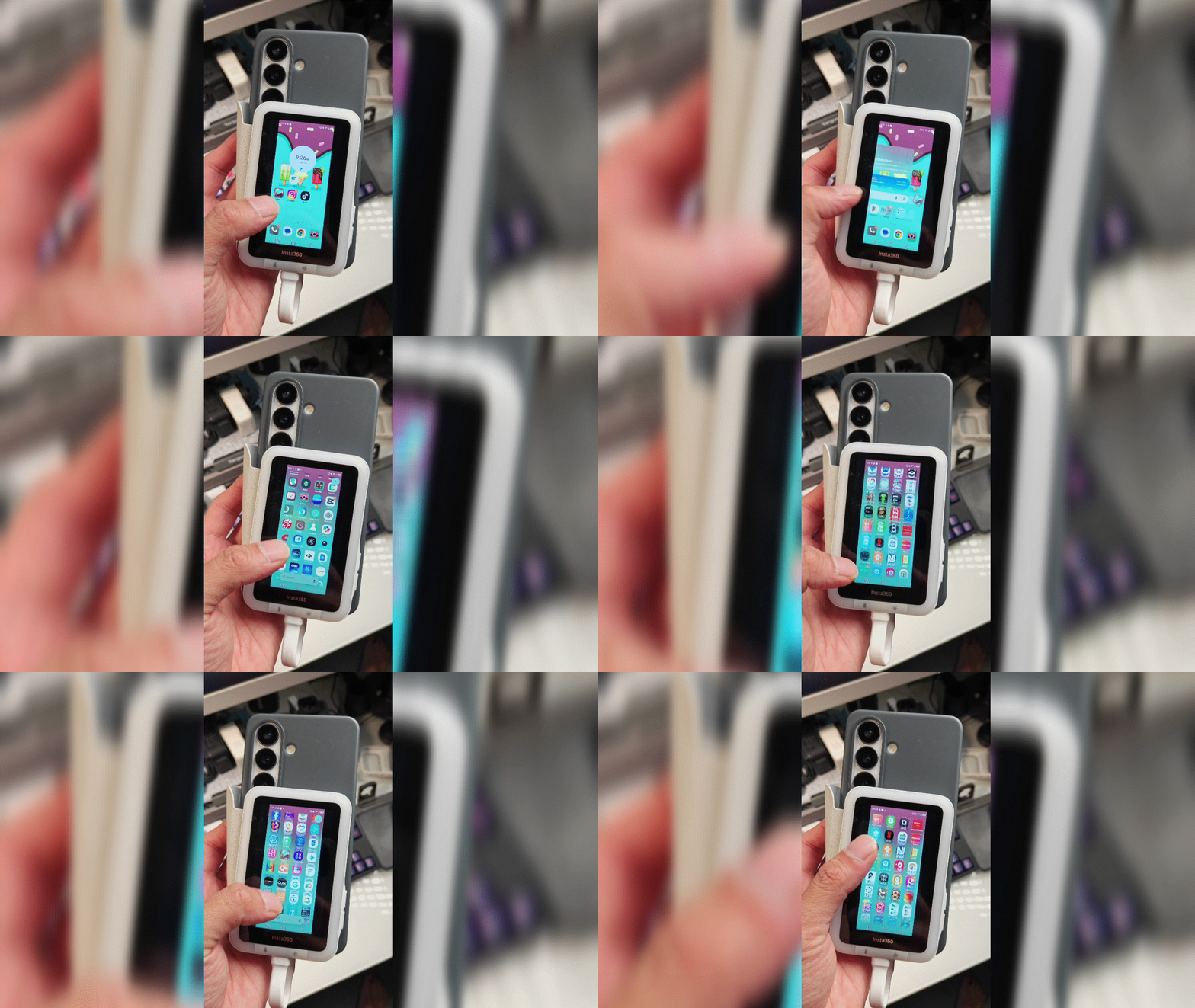
Finally, I connected the Insta360 Snap to my Galaxy S26 — and without any extra setup, it mirrored the interface with full touch support. This gives me even greater control over my workflow, as the Galaxy S26 and S26 Ultra offer manual video modes that allow me to fine-tune settings to my exact preferences.
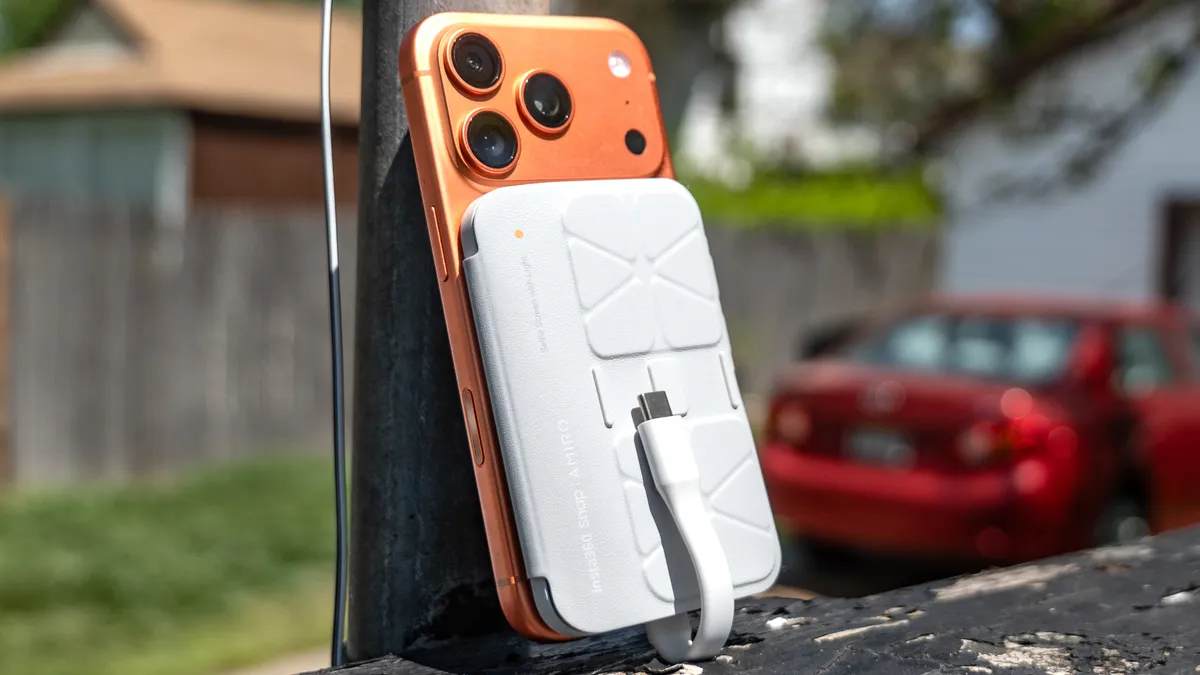
There’s certainly a lot to like about the Insta360 Snap, and I think its $89 price tag is well-justified. My only complaint is that the USB-C cable isn't removable. Because it’s fixed to the device, there isn't much room to connect it to anything other than the phone itself. If it had a longer, detachable cable, I could use the Snap much like a standard external monitor during a video shoot.
Despite this limitation, it’s a versatile tool that stays stowed in my backpack, ready to be used at a moment’s notice.

Follow Tom's Guide on Google News and add us as a preferred source to get our up-to-date news, analysis, and reviews in your feeds. Subscribe to Tom's Guide on YouTube and follow us on TikTok.
More from Tom's Guide

