 Club Benefits





Keyboards. An essential part of any PC, helping you type your way around the internet, power through work and play games with exact precision. I mean it when I say we here at Tom's Guide are obsessed with them (one from our team literally has a wall dedicated to these boards), so if you're after the best keyboard for your setup, we have just the recommendations and advice to help.
Deciding between wired or wireless? Thinking of Hall Effect magnetic switches over classic mechanical ones? Or perhaps you're on the quest for the perfect-sounding "thock"? Well, after testing hundreds of keyboards over the years, from using them daily for work and gaming throughout the night (and, as long as you don't tell our boss, during the day), we're here to get you that keyboard you're after.
For the right price, of course. I adore the Keychron V6 for all it offers at its cost, but that may not suit your style. So, we've rounded up the best of the bunch for all types, and you'll also find other recent boards we've tested that don't quite hit the mark — just so you can see how they compare to our top picks. Now, let's find a keyboard fit for your hands.
Should you go wired or wireless?
While wireless seems like the no-brainer winner, especially if it comes with a Bluetooth or 2.4Ghz dongle, a wired connection offers seamless, instant connectivity without fail. If you pair your keyboard with multiple devices or move it around on your desk a lot, wireless is the way to go. However, if your current keyboard never moves from its spot in your setup, go for the normally unfailing connection reliability of a wired board.
Do you want mechanical, magnetic or membrane?
This is the most important element to consider when it comes to your next keyboard buy in our book. The main difference between mechanical and membrane boards boils down to key travel and noise. The former are much more "clicky" and sound super-satisfying to type on in most keyboard enthusiasts' minds. On the flipside, membrane boards often use silicon keycap switches, meaning they're a better option for users who crave a quiet typing experience. Although that's not to say some mechanical keyboards don't come with quieter switches, it takes some more customization. That's not even getting into Hall Effect magnetic switches, with switches that use a small magnet to trigger without needing to touch anything, that are highly responsive and hugely customizable. But you'll find these more in gaming keyboards.

I've been using an array of keyboards since landing in tech, and despite using everything from mechanical gaming keyboards to quieter switches for typing at work, there are always more keyboards to check out. That's why our team of keyboard experts and I are always testing the latest boards, and we're here to point you in the right direction.
The best keyboards you can buy today
Why you can trust Tom's Guide Our writers and editors spend hours analyzing and reviewing products, services, and apps to help find what's best for you. Find out more about how we test, analyze, and rate.
The best keyboard overall
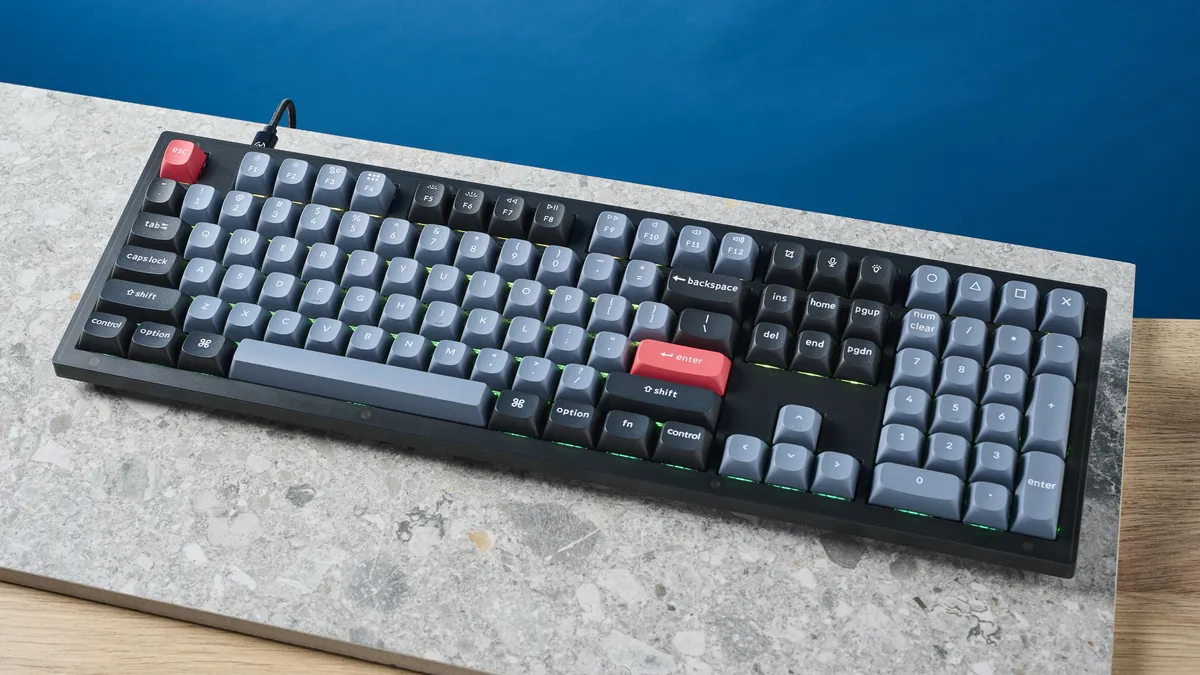

It's still at the top. If you’re after a wired, full-size mechanical keyboard, the Keychron V6 should be your first port of call. It’s built like a tank, using layers of internal insulation that keep the board rigid, as well as dampening the sound for a deep, linear thump. As standard, it comes with lovely doubleshot PBT keycaps that feel wonderful to type on and will stand the test of time (especially versus ABS keycaps).
It has customizable RGB lighting, can be purchased with either red, blue or brown switches, and is fully hot swappable and easy to disassemble, making it a great platform for modding. You can also buy the V6 in a “bare bones” format, without keycaps or switches — the ideal base for a custom build.
Obviously, this is a wired board, so if you want a battery-powered keyboard with wireless connectivity, it won’t be for you. As a full-size, well-insulated keyboard, it’s also quite heavy, but the V6 is really designed to sit at a desk instead of being taken to work. If you find the standard keycaps a little mundane, Keychron offers a range of different keycap sets in spicier colors to customize the board as you like — with all the money you save over rivals, buying extras won’t be a problem.
Read our full Keychron V6 review.
The best mechanical keyboard


The Cooler Master MK770 is one of the best wireless keyboards since it's expressly built for typing comfort.
This board features a gasket-mounted design and Kailh Box V2 switches, which contribute to a comfortable typing experience. Even with the clicky white Kailh Box V2, the keyboard is surprisingly quiet. But if you want, you can change its switches or mod it since it's hot-swappable.
The keyboard comes in Space Gray or "Macaron." The latter features pastel-like green, pink and yellow pastel keycaps, which are quite eye-catching. And since this is a 96% keyboard, it takes up less space on your desk than a full-size keyboard.
The Cooler Master MK770 is a great wireless keyboard for typists and gamers alike.
Read our full Cooler Master MK770 review.
The best magnetic keyboard


After testing the Lemokey P1 HE, you'll come to know how amazing a magnetic keyboard can feel. In fact, it's even outclassing mechanical ones.
Quad-actuation points let you assign up to four commands to a single key, while you can adjust the actuation point of every key on the P1 HE. You also get a 1,000Hz polling rate and Rapid Trigger, both of which ensure there are no missed inputs. Web-based software makes it extremely easy to customize the keyboard as and when you want.
While the P1 HE is compatible with macOS and Windows, it doesn’t come with Mac-specific keycaps. But that’s its only real flaw.
The P1 HE, at the end of the day, is a lovely Hall-Effect keyboard with an undeniable charm. And now, we finally get the hype behind magnetic switches.
Read our full Lemokey P1 HE review.
The best budget keyboard


The Lemokey X1 is a no-brainer if you’re on a budget but crave quality. Priced at just $36, it delivers an awesome performance for both typing and gaming, boasting features typically found in more expensive models. Its body feels premium and robust, and the tactile brown switches we tested offer a delightful typing experience. The keyboard's 1,000Hz polling rate ensures excellent gaming responsiveness, outperforming other budget options like the MageGee Sky87.
The X1 also has red-only backlighting which can be customized via Lemokey Launcher, its intuitive companion software, which can also be used to remap keys, program macros, and more. The keyboard isn’t without its flaws though, as the ABS keycaps feel less than premium and may suffer wear and tear over time. Additionally, it lacks hot-swappable switches which could deter modders. Despite these minor drawbacks, the X1 remains an outstanding choice for anyone seeking a budget-friendly mechanical keyboard with premium features.
Read our full Lemokey X1 review.
The best gaming keyboard
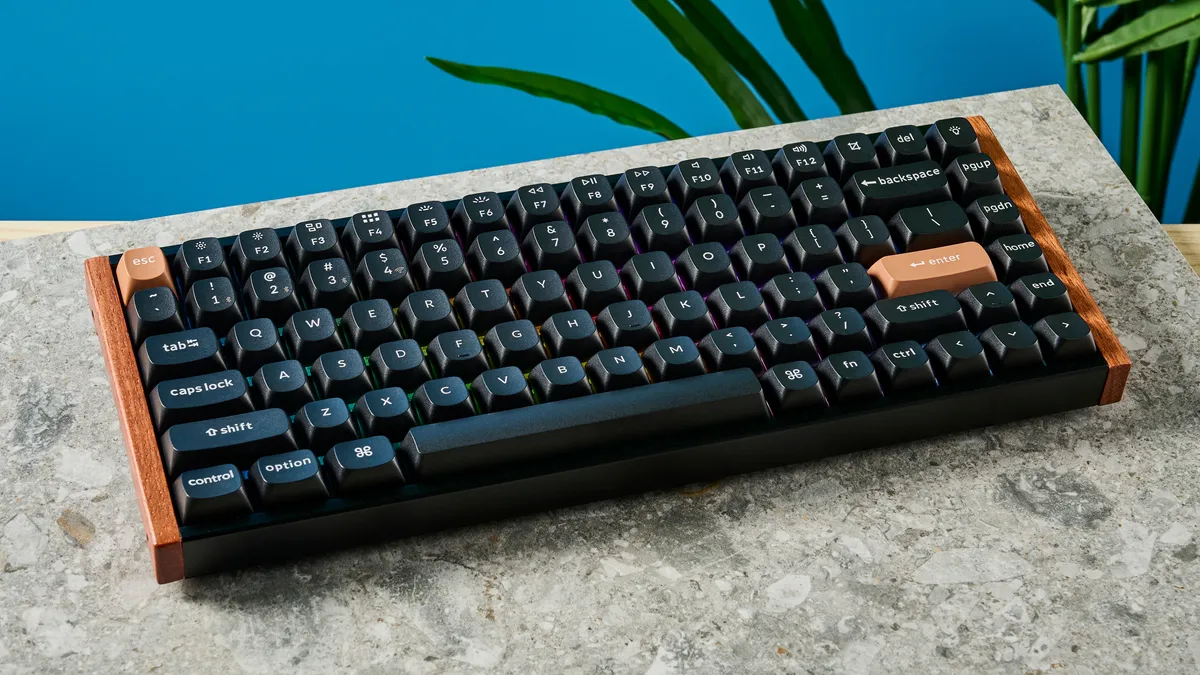

The K2 HE is the latest version of Keychron’s legendary K2. Now equipped with Hall Effect magnetic switches, it makes an ideal peripheral for folks who want a board that’s equally reliable for competitive gaming and productivity.
The K2 HE’s magnetic switches provide a roster of gaming features you’d usually only see in top-tier gaming keyboards. Think Rapid Trigger and last key prioritization, allowing for rapid movements and counter-strafing in FPS games like Counter-Strike or Valorant. It also features multiple actuation points, meaning a single keystroke can have multiple inputs throughout the press cycle.
That said, the K2 HE is still a productivity weapon. Thanks to adjustable actuation points, the Gateron magnetic switches are epic for typing, although we found they weren’t quite as comfortable as tactile switches.
Despite limited switch choices, the K2 HE doesn’t sacrifice the things that made the K2 great in the first place. It looks great, is hot-swappable and remains relatively affordable.
Read our full Keychron K2 HE review.
The best wireless keyboard


The only real flaw the NuPhy Node75 has? Its gray design can look a tad dull. Yup, that's it. And if you want, it comes in a bright pink colorway, so that solves that issue. That really tells you why this is our favorite wireless keyboard right now.
It ticks all the right boxes, including affordability at just $99. It comes in either low-profile or standard-profile (your choice), which both contribute to it being a high-end mechanical keyboard. Regardless, this is a dream to type on, and with the specs it boasts under the hood, it counts as an excellent board for the office and gaming.
The Node75 is extremely comfortable with its gasket mount, offers up a satisfying sound profile with every hit of a key and delivers a premium build quality. For the gamers, it features 1,000Hz polling, without any risk of missed inputs. Oh, and there’s a touchbar, too, which can be customized in the fantastic companion web app, nuphy.io. All in all, this keyboard can do no wrong.
Read our full NuPhy Node75 review.
The best keyboard for productivity


It isn't easy to find a "bargain" wireless keyboard that still boasts all the premium features you'd expect, but the Epomaker Ajazz AK820 Pro has finally found its rightful place in the spotlight. And what a joy this board is to type on.
At $68, you're getting the works: smooth Ajazz Gift or Flying Fish linear mechanical switches, per-key RGB lighting, a sturdy build and even a little TFT screen to show off details like battery levels. Yes, it's a treat for the eyes (in either the light, white/purple or dark gray models), but it's also a treat for your fingers with its double-shot PBT keycaps and super-responsive switches.
For those typing for long hours throughout the day, you'll be happy to know this board takes a load off with its 3.5mm travel distance and 42g activation force (and wonderful thock sound), so no need to go hard for a command to register. Plus, it's hot swappable with support for 3- and 5-pin switches, so you can change switches out to whatever you're after. Sure, the screen could have been more useful, but at this price, you're getting a premium wireless keyboard with plenty of value.
Read our full Epomaker Ajazz AK820 Pro.
The best keyboard for Mac


Aside from the excellent Apple Magic Keyboard, there's more than one option for Mac users to type on. The Logitech MX Keys S is an Apple-esque keyboard that borrows styling cues from the Magic Keyboard, but it’s $20 cheaper.
It offers a similar aesthetic with a robust set of features. With dual-labeled keycaps, the keyboard automatically adapts to both macOS and Windows, so it’s designed for versatility. It features scissor switches and concave keycaps, providing a smooth, quiet, and comfortable typing experience.
The raised-back design eliminates the need for retractable feet, and it’s high enough that you can comfortably type for hours on end. Additionally, the keyboard lasts for up to 10 days with backlighting on or 5 months with it off.
Despite these strengths, the MX Keys S has some drawbacks. The white LED backlighting is dim, and there’s no onboard dongle storage for the 2.4GHz Bolt receiver, making it easy to misplace. The MX Keys S’ hefty size and weight mean it’s best suited for a stationary desk setup.
This is a solid productivity keyboard with a few flaws that you might not expect at this price point. If you can find it on sale, it’s a worthwhile investment for those seeking a reliable and versatile keyboard for their desk.
Read our full Logitech MX Keys S review.
The best ergonomic keyboard


Let's start by stating the obvious: The Epomaker Split65 has a steep learning curve. It's a board split in two, after all! But once you come to grips with how to use it comfortably, this ergonomic keyboard provides superb benefits for how you type, both for work and casual gaming.
Being able to be pulled 13 inches apart, the Split65 gives you the benefit of improving your posture and keeping hand pain at bay. Prefer something more standard? Both modules can magnetically snap back together, so you're getting the best of both worlds here. It helps that this board is extremely well built, being sturdy and boasting an eye-catching design that works for both the office and your at-home desk setup for a splash of style.
But that's not its only benefit; the Split65 is also fully hot swappable for any 3- or 5-pin mechanical switches, delivers a lovely thock-y sound profile that strikes the balance between being too loud and too quiet, along with being an absolute joy to type on. Oh, and you can expect a 1,000Hz polling rate, which stops latency issues, and N-key rollover for multiple input registers. And it's pretty affordable at $119! This one is well worth the investment.
Read our full Epomaker Split65 review.
The best portable keyboard


The Logitech MX Keys Mini is as nimble as they come, weighing in at under 18 ounces and 12 inches. This little productivity weapon is designed for fast typing, and boy does it deliver, thanks to its super low-profile concave keycaps. It’s built well, features strong battery life and is easy to hook up. What’s more, it comes with dual-labeled keycaps for macOS and Windows — a boon for anyone who regularly switches between the two.
All that said, this is a pricey board for what it is. You can get awesome mechanical 75% boards for similar money that offer more features and more customization. It also features a couple of annoying quirks, including Bluetooth keys that completely knock out important macOS functions and a backlight that turns itself off.
Read our full Logitech MX Keys Mini review.
Typing tests
Wondering just how fast and accurate you'll be able to type on our pick of keyboards? We've done the testing using 10FastFingers. Find out how each board compares, but remember, it's all about the type of keys and switches that you'll feel comfortable with! Regardless, here's what you can expect.
Keyboard | Type test speed (WPM) | Type test accuracy |
Keychron V6 | 84 | 87.82% |
Cooler Master MK770 | 56 | 100% |
Lemokey P1 HE | 97 | 92.6% |
Lemokey X1 | 89 | 93.88% |
Keychron K2 HE | 91 | 87.67% |
NuPhy Node75 | 98 | 92.66% |
Epomaker Ajazz AK820 Pro | 93 | 93.07% |
Logitech MX Keys S | 87 | 89.02% |
Epomaker Split65 | 86 | 91.12% |
Logitech MX Keys Mini | 93 | 90.78% |
How to choose the best keyboard for you
There are several factors you should be thinking about when it comes to picking up a new keyboard. The most important ones, in our opinion? Comfort, key type, connectivity, lighting, price and size.
What device do you normally connect your keyboard to?
This will most likely boil down to whether you're a PC or Mac user. Heck, you may even be the sort of niche person who wants a Bluetooth-compatible keyboard to pair with their tablet or handheld gaming PC. The key thing is to do your research on a board's compatibility beforehand, which is most easily achieved by Googling the specs of the typing peripheral you're eyeing up from the manufacturer's official site.
What is the right size for your desk?
When it comes to comfort, bigger is normally better, meaning folks with a large work area should go for a full-sized keyboard. However, if you're working from home on a small desk, you should consider buying either a 70% or 60% form factor keyboard to work around your space limitations.
What's your budget?
You definitely don't need to break the bank to get your hands on a quality keyboard. As you can see in our picks above, you can get a fantastic device to type on for less than $40! If you're a PC prosumer, though, you may well have the budget and desire to fork out as much as $200 for the cream of the crop when it comes to boards.
How much do you value RGB?
Keyboard lighting is a hugely personal preference. For every PC or Mac user out there who's a fan of glowing RGB, there's almost certainly an equal number of folks who want no-frills over flash. Of all the big factors that go into purchasing one of the best keyboards, this one should probably be your lowest priority.
Also tested
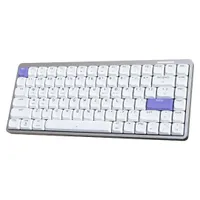
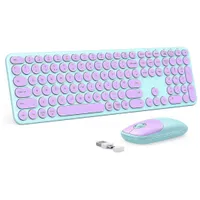
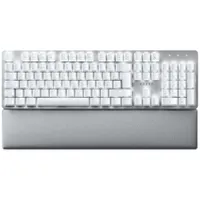
How we test keyboards
When it comes to review time, every keyboard our experts get their hands on is put through a battery of tests. Seeing as most regular users are more likely to use a board for work than gaming, one of our first points of call is to determine typing accuracy through 10FastFingers. The higher our score on said site is, the more reliable the keyboard normally proves to be.
Next up, we evaluate how easy a keyboard's software is to use — ideally, you want a simple app to engage with that just works and doesn't try to befuddle you with polling settings. Robust software options are obviously great, yet they should also be easy to grasp for the average user, too.
The last step is to put a keyboard through its paces when it comes to both productivity and gaming, though with general-purpose decks, we place more importance on the former work-focused scenarios. The very best keyboards normally perform equally well for both work and gaming. Let's be honest, you really shouldn't need two boards to service you on the clock and off hours. The more versatile a keyboard is, the easier it is to recommend.
