




Just like it always does, Lenovo wowed us with futuristic concepts and rollable screens at CES 2026. But behind the hardware was perhaps its most important announcement yet: a cross-device AI tool called Qira.
We’re currently living in an era where every tech giant is shoehorning a new chatbot into every available corner of our digital lives. (I’m looking at you, Microsoft Copilot.) Lenovo’s solution aims to be the antithesis of that "bloated" experience — an ambient intelligence that works quietly in the background, only stepping forward when you actually need it.
The goal? To let you do more with AI without getting lost in it.
Following a brief glimpse of Qira’s potential at Lenovo’s Sphere keynote, I sat down with Ryan McCurdy, SVP and president of Lenovo North America. We discussed how this "AI Twin" approach is designed to break through AI fatigue and why, in his view, the best version of AI is the one that gives you your time back.
An always present AI

While most AI tools these days require you to go out of your way to download or open them, Lenovo is baking Qira directly into the operating system — whether that be Windows or Android. It’s not just another website you have to bookmark; it’s going to be a core part of how your Lenovo laptop and Motorola phone actually work when it rolls out later this year.
"The idea is moving from an AI that you have to have open to something that’s always present... Working across all of those is a more elegant solution."
— Ryan McCurdy, Lenovo
Right now, even for someone like me who loves gadgets, using AI can feel like a chore. You’re constantly jumping between a browser for one tool, a desktop app for another, and then maybe grabbing your phone for a third. It’s a total juggling act.
When I spoke with McCurdy, he explained that this “siloed” approach is exactly what’s holding people back. He doesn't think the future of AI is just another app you have to remember to check. Instead, Qira is designed to be “always present" and “aware of what you’re doing.” It’s not just sitting in a sidebar waiting for you to click on it; it’s working across your ThinkPad and Motorola Razr at the same time.
Think of it this way: with Qira, you won’t have to waste time explaining the context every time you open a new chat window. Since it’s already seeing what you’re working on across your devices, Qira already knows. It’s a much more "elegant solution" that actually feels like it's helping you rather than giving you more work to do.
Not just a chatbot but a personal twin

It’s easy to get stuck in the habit of using just one AI tool, especially when it’s already sitting there on your taskbar. But if you only use Microsoft Copilot, you’re missing out on what Gemini does best, and vice versa. You might want Copilot to handle a massive Excel spreadsheet, but you’d probably rather have Gemini do your deep research.
Instead of trying to build a new chatbot to compete with everyone else, Lenovo is making Qira an "orchestrator." It doesn't want to be your only AI tool — it wants to be the one that picks the best tool for whatever you're doing. It’s also not going to be a total data hog; it uses your laptop’s NPU to handle things locally whenever possible to keep your data private.
"It’s not 'one model, one AI wins.' It’s a whole collection of AIs... Qira is basically acting at the system level to really look across all those devices and choose to interact as a user decides."
— Ryan McCurdy, Lenovo
To make this work, Lenovo has spent the last year buddying up with Intel, AMD, Nvidia, and Microsoft. The goal is to make sure Qira has the "keys" to all the best tech on the market so it can act like a conductor for your digital life. This approach could actually be the cure for AI bloat — instead of you managing ten different AI apps, you just have one "assistant" managing them for you.
This is where the "Personal Twin" comes in. Since Qira is with you on your phone and your laptop, it’s watching how you actually work. Over time, it learns your habits and your tone until it basically becomes a digital clone of your workflow. The idea is that your "Twin" can handle the boring, repetitive stuff across all your different apps and devices, leaving you to focus on the things that actually require a human brain.
More time for what matters
We’ve only just scratched the surface of what Qira can do, but one of the most practical features I saw during Lenovo's Tech World keynote was Catch Me Up. We’ve all been in that position where you step away for a few hours and come back to a mountain of notifications. This tool is designed to summarize everything you missed — from work emails to family group chats — so you don’t have to waste time digging through your inbox or scrolling endlessly through social media.
Even on a normal day, Catch Me Up feels like a massive win for anyone trying to cut down on their screen time. It’s essentially a personalized briefing that gets you up to speed before you even log on for the day.
"I think the best version of AI is one that gives us more time to sit down and have a conversation so we can be present... to free up some cycles for the most important things in life."
— Ryan McCurdy, Lenovo
While McCurdy is busy running Lenovo’s North American business, he’s also a family man with 12 siblings and a big family of his own. When I asked him if he’d be using Qira to keep track of everyone, he didn't give me a "corporate" answer. Instead, he explained that for him, the best version of AI is one that handles the digital legwork so he can actually be present with his friends and family instead of constantly checking his phone.
It’s a bit ironic, but it seems like one of the main goals of Qira is to help you use technology so efficiently that you can finally afford to put it away.
Qira outlook

Unlike Apple Intelligence, which often feels like a "coming soon" teaser, you’ll actually be able to get your hands on Qira sooner than you’d think. Lenovo confirmed that Qira will start shipping on select PCs in the first quarter of this year, with Motorola devices following later this year via over-the-air updates.
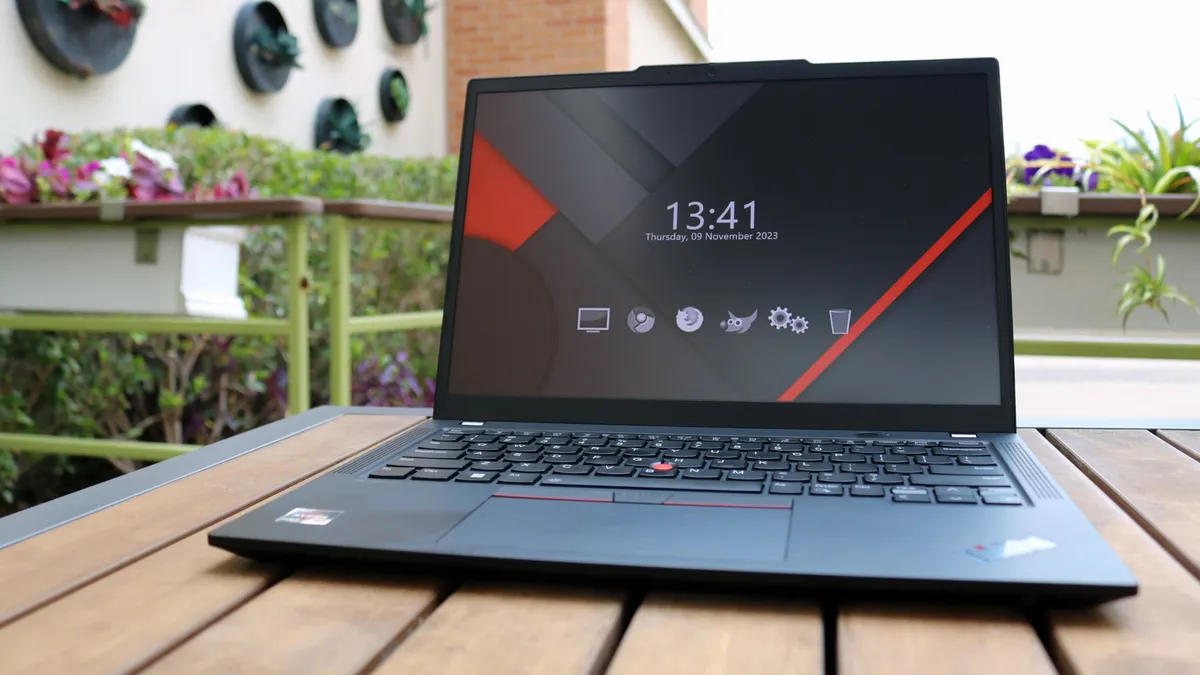
If you’re wondering if your current gear — like my trusty ThinkPad — will work with this new tool, the answer is a hopeful “maybe.” While Qira is launching on flagship devices first, Lenovo is planning to release software updates for select older models, like those already using Lenovo AI Now. However, there is a hardware catch: to handle that heavy "local lifting" and keep your data private, you’ll likely need a newer machine equipped with an NPU.
I’m cautiously optimistic. Lenovo’s presentation at the Sphere wowed me in a way that hasn’t happened for a while in the AI space. If Lenovo and Motorola can really make our PCs and smartphones work together as one unified brain, they might just be the ones to put "AI fatigue" to bed for good.

Follow Tom's Guide on Google News and add us as a preferred source to get our up-to-date news, analysis, and reviews in your feeds.
More from Tom's Guide

