AI tools and services come in many shapes and sizes, but the most exciting part is how this technology adapts to your current workflows — without you having to change a thing.
For every chatbot that can respond to queries, there’s a more useful array of features built into the latest generation of laptops with NPUs (neural processing units). And many of them, you may not even realize they're hard at work in the background.
That's because of the power efficiency of offloading key AI tasks to that NPU, which takes the pressure off that CPU to ensure all-day battery life.
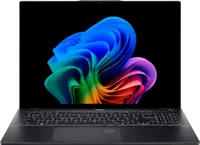
Two such machines that benefit from one are Acer’s Swift 14 and 16 AI. Here are 5 ways that NPU brings serious AI smarts to the table without you even realizing it.
1. Copilot Recall

Microsoft’s push for your screen to be recorded at all times is still enough to raise the eyebrows of anyone concerned with privacy, but the feature can be particularly useful.
Screenshots it grabs are encrypted locally, not shared to OneDrive or beyond (unless you choose to), and it essentially allows you to search ...a sort of visual time machine to instantly find what you were looking for.
Lost a product listing? An email contact? Or even a file you put in a folder? Recall can help you find it.
2. Live Captions

Whether it’s for watching content in other languages or a way to make your own content more accessible, Live Captions is a game-changer for anyone consuming or creating video content online.
Copilot tools allow you to create Live Captions for just about anything you’re watching, even when you’re offline, translating over 40 languages into English.
If you’re a creator, it can be used within third-party apps to power transcription for podcast conversions, video assignments, and even training courses you may be building for work.
3. 365 Copilot

Microsoft Office remains arguably the king of enterprise solutions whether you’re using Word, Excel, PowerPoint, Outlook, or just about anything else.
With the arrival of 365 Copilot, it’s been infused with additional features that make the act of scouring tiny toolbars for the button you need a thing of the past.
Now, Copilot permeates just about any layer of the Microsoft Office experience, starting with the creation of a new file. You can explain to Copilot what data you need to show in an Excel sheet, or how best to lay out a Word document, and it can get straight to it to save you setting up your initial template.
Once you’re actually using the included apps, you can use tools like Copilot Chat to ask questions about the work, share content with colleagues, or use AI-powered features like meeting recordings and Microsoft ToDo to keep focused.
Copilot makes Microsoft Office feel less like a series of apps and more like a deeply integrated ecosystem.
4. Look better in meetings

We’ve all been there: The house is a mess, your hair’s still wet from the shower, or you just want to lock the view to yourself for something important.
Windows Studio Effects are a collection of features that can have you looking more professional in just about any scenario, like keeping your face centered in the frame on a call.
Portrait light brightens your face during calls, even in darker rooms, and Eye Contact subtly adjusts your gaze to keep your gaze squared with the webcam lens, making you feel more connected to the person you're chatting with.
Then there are the usual background blur effects you may find elsewhere, except that they’re much more useful because they tap into the power of the NPU - avoiding those jagged lines more often than non-AI options. That applies to both Standard Blur (for your messy room) or Portrait Blur (for appearing more professional).
Finally, if you’re looking to call the family with the kids, Creative Filters are a great way to add some personality, like turning your video call into an illustrator’s canvas or watercolor painting.
5. Semantic Search in File Explorer

Another AI-powered feature that feels so simple it’s almost a miracle it hadn’t been done before, users can turn on Enhanced Search Settings to be able to search for files with just about any terminology they want.
‘Find my budgeting spreadsheet’ can be used to find the relevant file without needing to dive into endless folders. It can take some time to index those files, but it’s worth doing to have them at your fingertips without needing to remember specific names or locations.
Bottom line
So, there you have it - five ways to use AI to assist your workflow and keep you more productive, rather than having to bend your workflow around AI.
All of the features above are available on the Acer Swift 14 AI, which we used for testing purposes.
It weighs just 1.26kg at the low end but has up to 29 hours of battery life, 48 TOPS AI performance in the NPU, and can be configured with an up to 3K OLED display.

Follow Tom's Guide on Google News and add us as a preferred source to get our up-to-date news, analysis, and reviews in your feeds.
More from Tom's Guide