




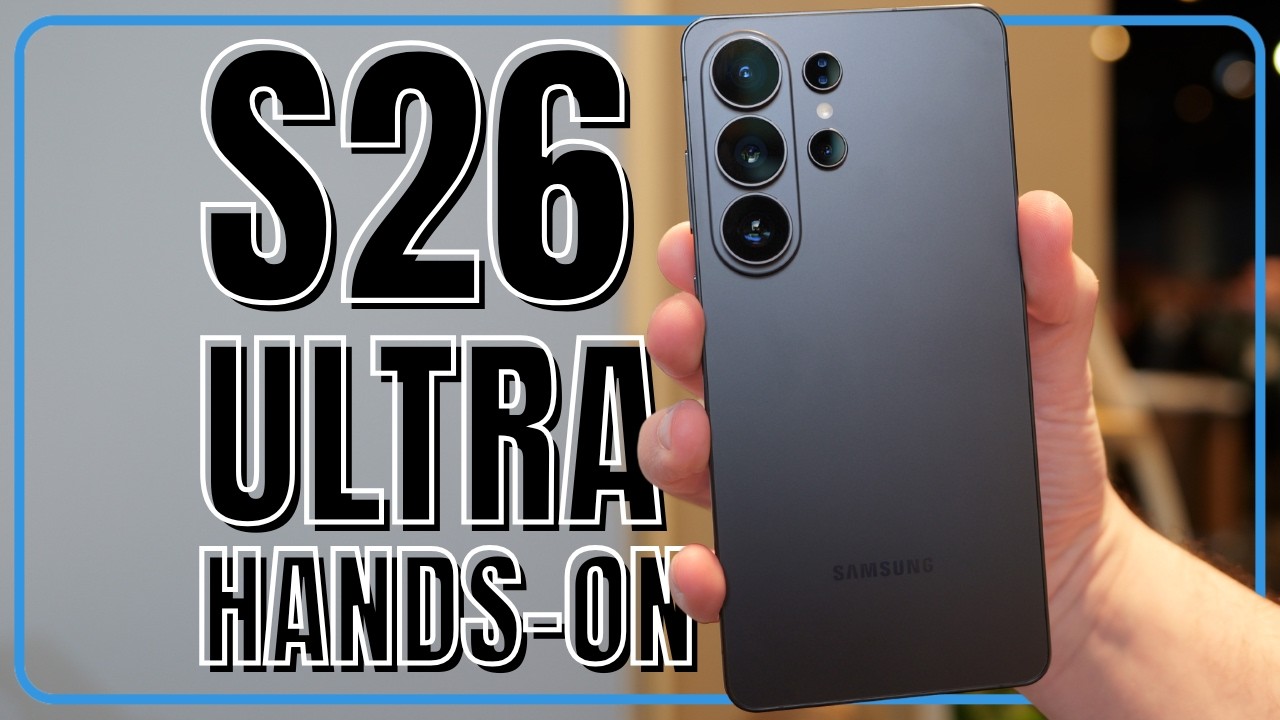
Imagine having to only open one app on your phone ever again. That's the promise of a new Gemini-powered AI tool being launched on the Samsung Galaxy S26, just one of several new AI features coming on Samsung's newest smartphone. From booking your Friday night Uber to auto-filling your grocery cart based on a recipe, the S26 is debuting "agentic" task automation that promises to change how we interact with our devices forever.
However, Samsung is also introducing other AI features with the S26 that should make it easier for you to take and edit photos, monitor who's calling you, and get more personalized daily briefings. Here are the new AI features coming to the Galaxy S26, and the one game-changer I’m most excited about.
1. Gemini now finishes what you start

Google has moved Gemini beyond the chatbot phase, and now lets your AI assistant actually use your apps for you. Codenamed "Bonobo" in recent beta builds, this update allows Gemini to handle multi-step tasks that previously required jumping between three or four apps.
So, if you have screen after screen of apps, you'll no longer have to go hunting for the one you want. However, there's a catch: This new agentic version of Gemini will only be available on the just-announced Samsung Galaxy S26 series and the Google Pixel 10.
Long-press the power button and say, “Book me the cheapest Uber home,” and Gemini takes it from there. The assistant opens a secure virtual window, compares ride options and prepares checkout while you keep browsing or texting, then sends a notification when it’s ready for your final “OK.”
At launch, the beta — rolling out first in the U.S. and Korea — focuses on three high-frequency tasks: reordering your usual from DoorDash or Uber Eats, comparing and booking rides across supported platforms, and building grocery carts from a recipe or past purchases through partners like Kroger and Walmart.
2. Circle to Search gets a huge update

Circle to Search is evolving from a quick lookup tool into a full “AI Mode” experience that can interpret an entire scene at once. Instead of identifying a single object, you can circle an influencer’s outfit to surface every item in the look, then step into a virtual try-on room to see how each piece appears on your digital likeness.
The same scene-level understanding applies beyond shopping: circle a cluster of plants or animals in a photo and Gemini can generate a combined overview of the ecosystem, eliminating the need to search each element individually.
3. Photo Editing and Now Nudge

Samsung has made improvements to its AI-powered image signal processor, which is now used on the S26's selfie camera. Now, it should deliver more natural skin tones and sharper detail even in tricky, mixed lighting. Editing photos and videos is promised to be easier with AI tools baked in.
The upgraded Photo Assist suite takes things a step further with natural-language editing: just describe what you want to change. You can turn a bright daytime shot into a moody nighttime scene, add elements or restore missing details (yes, even the bite someone took out of the cake before you snapped the photo).
It can clean up small distractions like stains and even change outfits in photos. Edits can be applied continuously, reviewed step by step and easily undone.
Another feature that can be used with images or elsewhere is Now Nudge. Users receive relevant suggestions designed to handle tasks and prevent distractions. For example, if a friend asks for photos from a recent trip to New York, the Galaxy S26 can automatically surface the most relevant images from the Gallery, eliminating the need to dig through albums or switch between apps.
4. Now Brief

Now Brief is evolving into a more proactive, personalized assistant that surfaces timely reminders based on your daily context. Instead of waiting for you to check calendars or emails, it highlights important events like reservations, travel updates and schedule changes as they become relevant, helping you stay organized and on track throughout the day.
5. Bixby
Samsung is still trying to make Bixby, its own voice assistant, a thing. It's improving Bixby into a highly intuitive, conversational device agent that understands natural language, allowing users to navigate their devices and adjust settings as easily as they would speak to a friend.
Beyond Bixby, you'll also be able to use other AI agents, including Gemini and Perplexity, which can be activated with a single button press or voice prompt.
6. Control and privacy

To address the potential “creepy factor” of an AI clicking through tasks on your screen, Google has built in several guardrails focused on control and transparency.
You can take the wheel at any point during an automated action, and Gemini will never hit “Pay” or “Confirm” without your final manual tap.
Because the system relies on screen automation, Google also notes that screenshots from these interactions may be reviewed by human trainers to improve accuracy, though users can opt out of this review in their settings.
7. Call screening

This is a feature we can all appreciate because who's a fan of spam calls? The S26's AI-powered Call Screening will proactively identifies unknown callers and provides concise summaries of their intent to help you better manage communication.
The transparency extends to Privacy Alerts, a machine-learning tool that monitors apps with device admin privileges in real time. You'll get notified when these apps attempt to access sensitive data — such as precise location, contacts or call logs —without a clear necessity, the system empowers you to understand deeper access requests and manage permissions with much greater control.
What I'm most excited about
The Agentic AI being introduced with the Galaxy S26 (and Pixel 10) represent a fundamental shift for how people could use their smartphones.
By leveraging Android 16’s new screen-automation capabilities, Google is effectively eliminating the "app-switching tax"—the tedious task of manually navigating between multiple apps to finish a single real-world task. This "intent-first" approach, creates a proactive agent capable of executing complex errands.
Ultimately, it could signal the end of the traditional app grid's dominance, turning the phone into a helpful assistant that prioritizes your tasks.

Follow Tom's Guide on Google News and add us as a preferred source to get our up-to-date news, analysis, and reviews in your feeds.
More from Tom's Guide

