Ever woken up from what you thought was a solid eight hours sleep, expecting to find an excellent sleep score on your Apple Watch, only to find one lingering in the low 50s?

Our guide to the best sleep trackers of 2026 can help you find the right one.
Firstly, don’t be disheartened. There are several valid reasons why your score may be lower than you expected. It may well mean the sleep you had wasn’t great quality, or you’re making some common sleep hygiene mistakes.
It can also be caused by a device error.
More importantly, there’s plenty you can do to fix these things to improve your sleep health, sleep tracking, and your sleep score.
To help you get to the bottom of why your Apple sleep score may be low even after clocking the CDC-recommended at least 7 hours sleep a night, this Sleep Awareness Week I’ve called upon sleep specialist at Empower Health, Dr. Sahil Chopra, and medical director at digital sleep clinic Dreem Health, Dr. William Lu.
- Read more: Forget your daily sleep score — here’s the sleep tracker metric a doctor wants you to focus on
3 reasons your Apple Watch sleep score is low even if you had enough sleep
- 1. Your sleep was light or fragmented
- 2. You're sleeping at irregular times
- 3. You drank alcohol the night before
Dr. Chopra says that, outside of sleep duration, inconsistency and interruptions are the two drivers of a low score.
The California-based intensivist and pulmonologist explains: “Even if someone slept a full 7 to 8 hours, their score can still come in low if their bedtime and wake time have been inconsistent over the past two weeks, or if their sleep was frequently interrupted, even by brief arousals they don't remember.”
Let's dig into why...

1. Your sleep was light or fragmented
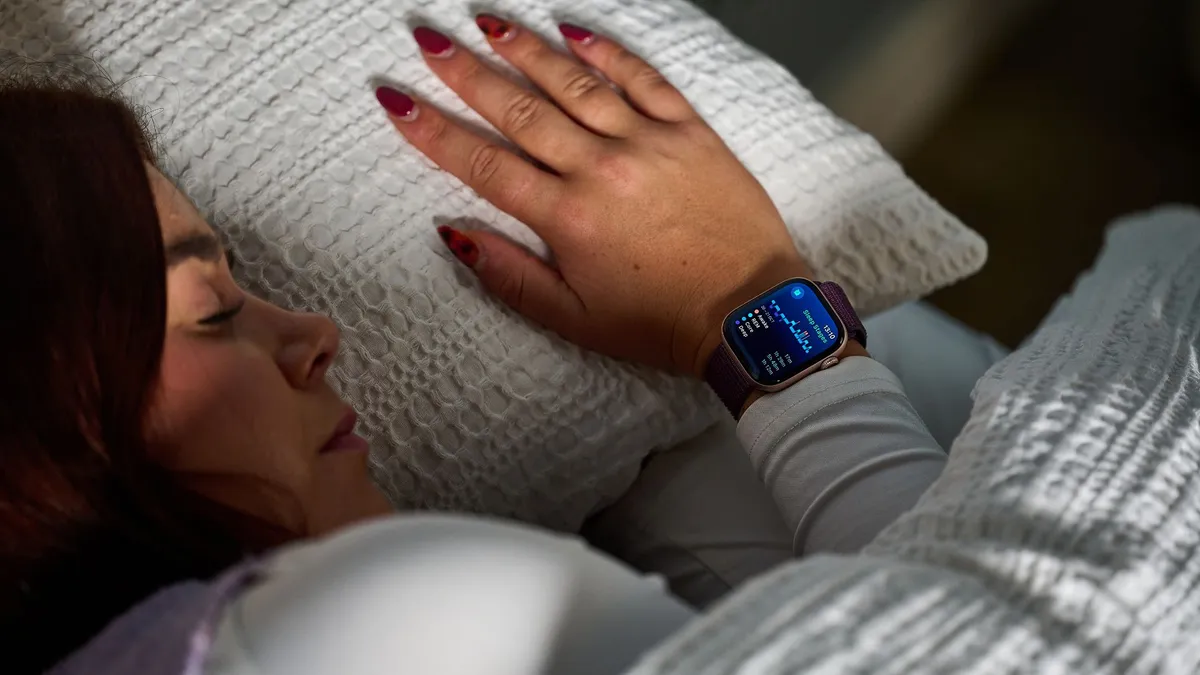
Your Apple Watch may report a ‘low’ sleep score despite eight hours in bed because the score heavily weighs sleep quality over total duration — as it should considering research shows sleep quality matters as much as quantity.
“Devices like the Apple Watch look at restlessness, time awake, heart rate, and breathing patterns, not just total time in bed,” explains Dr. Lu. “If you were tossing and turning, waking up frequently, or spending less time in deep and REM sleep, your score will reflect that.”
For your sleep to be of good quality, you must spend ample time cycling through restorative sleep stages like deep and REM sleep (where your mind and body really recovers), rather than coasting through light sleep, or ‘core sleep’, as Apple terms it.
As your watch deducts points for low amounts of REM or deep sleep, your score can drop regardless of total sleep time.
How to fix it
To improve deep and REM sleep, you must follow healthy sleep habits like getting plenty of sunlight during the day, stick to a consistent sleep schedule (more on that below), avoid caffeine late in the day, and follow a calming bedtime routine.
It’s also worth keeping in mind that the Apple Watch is proven to underestimate the duration of deep sleep by an average 43 minutes and overestimate light sleep by an average of 45 minutes compared to polysomnography.
This is according to a 2024 study by researchers in the Division of Sleep Medicine at Harvard Medical School. So, there’s the possibility of a discrepancy between the sleep you actually had and the data you’re given.
2. You’re sleeping at irregular times
Sure you may be clocking eight hours a night, but experts continually say sleep regularity (going to bed and waking up at roughly the same time night in, night out) is crucial to getting good sleep and maintaining good health — and your Apple Watch knows this.
Why so much emphasis on regularity? “Because your body runs on a circadian rhythm that thrives on consistency,” says Dr. Lu. Therefore, “a consistent seven and a half hours will leave you feeling better than an erratic eight or nine,” advises the physician.
Consistent sleep timings help regulate your internal clock, so that your body gets used to releasing sleep-inducing hormones at the right times of day.
A well regulated circadian rhythm helps you fall asleep fast, sleep soundly through the night, and wake up on time, feeling restored; hence why it is such an influential factor in your Apple sleep score.

How to fix it
Dr. Chopra adds: “The absence of regularity is associated with a dysfunctional circadian system, and the downstream consequences are significant: cognitive decline, cardiovascular disease, metabolic dysfunction, and mental health issues.”
A 2023 study in SLEEP Journal found sleep regularity is actually a stronger predictor of all-cause mortality than sleep duration. The results showed people with the most consistent schedules had a 20% to 48% lower risk of death.
From a longevity standpoint [sleep consistency]... is one of the highest-leverage behavioral targets we have
Dr. Chopra, Harvard Medical School
Therefore, experts including Dr. Chopra agree that sticking to a consistent sleep schedule is the single most important thing you can do, not only to improve your sleep health and ace your Apple Sleep Score, but to boost your longevity, too.
“From a longevity and precision medicine standpoint, this is one of the highest-leverage behavioral targets we have,” concludes the Harvard Medical School fellow turned CEO.
3. You drank alcohol the night before

“Alcohol, late meals, stress, or heavy workouts close to bedtime can disrupt sleep architecture, which wearables pick up through changes in heart rate variability and movement,” explains Dr. Lu.
Alcohol is specifically harmful to sleep quality because it acts like sedative, so you fall quickly into what you think is a deep sleep. But plenty of scientific studies suggest the initial sedative effect of alcohol will wane as its levels in the blood decrease.
After drinking, your nighttime heart rate increases, which can fragment sleep
This means that while there may be a reduction in sleep onset latency (the time it takes to fall asleep), your sleep is more likely to be disrupted later in the night.
After drinking, your nighttime heart rate increases (your body must work harder to get rid of the alcohol), which can fragment sleep and stop you entering those restorative and REM stages.
Therefore, your sleep is not helping to flush out toxins in the brain or repair muscles, so you wake up groggy rather than well rested.
Your Apple Watch identifies potential alcohol consumption by tracking significant overnight changes to physiological metrics like elevated heart rate and decreased heart rate variability (HRV). When these metrics deviate from your baseline, your sleep score decreases.

How to fix it
If you want to have an alcoholic drink, or eat a heavy meal, do so earlier in the evening and well away from bedtime.
This will give your body enough time to stop breaking down the alcohol, and to digest your food, so that come bedtime it can focus on the business of helping you to sleep, rather than spending energy getting rid of toxins and aiding digestion.
Low-alcohol beer or red wine, which are lower-strength drinks, will interfere less with sleep than stronger liquors
Dr Paul Diadone
According to Clinical Psychologist Dr Leah Kaylor: "It's best to stay away from alcohol at least three to four hours before your usual bedtime."
Some drinks are worse for your sleep than others. Dr Paul Daidone, Medical Director at True Self Recovery told us this when speaking about the effects of alcohol on sleep: "A very small amount of alcohol — one serving (5 oz) of wine, one bottle (12 oz) of beer, or one small serving (1.5 oz) of liquor — is less likely to interfere with sleep significantly if taken earlier in the evening.
"Low-alcohol beer or red wine, which are lower-strength drinks, will interfere less with sleep than stronger liquors," he explained.

Eating your largest meal of the day for breakfast (known as breakfasting like a king, a metabolism hack that helps avoid 3am wake ups), and your smallest at dinner, can also help you sleep better.
Digesting food raises your core body temperature, which can make it harder to fall asleep
Digesting food raises your core body temperature, which can make it harder to fall asleep. Digesting spicy, rich foods can also wake you up through the night, especially if you have GERD symptoms.
So eating lighter meals in the evening helps make this process easier and doesn't raise your temperature too much right before bed.
The best foods to help you sleep are those naturally brimming with sleep-friendly nutrients and minerals such as magnesium, b vitamins, and tryptophan.
Aim to load up your dinner plate with foods like spinach, peppers, black beans, turkey, and roasted veggies, and banana for pudding.
What your Apple sleep score means
Every morning, the Apple Watch — worn by over 129 million people globally from serious fitness enthusiasts to people interested in their general health — rates your rest on a scale of 0 to 100.

That means, nowadays, the first thing many people do in the morning is check Apple’s verdict on last night’s sleep. But what does this score mean and what goes into calculating it? Let’s dig in…
Apple was in fact late to the sleep score party, only introducing the feature with the drop of watchOS 26 in September 2025.
The score, out of 100, is calculated by analyzing several different sleep metrics — overall sleep duration compared to time spent in bed, the frequency and duration of wake periods through the night, and how close your bed and wake-up time is compared to your average.
Apple categorizes your score in one of five categories from ‘Very Low’ (0-40) to ‘Low’ (41-59), ‘OK’ (60-74), ‘High’ (75-89), and ‘Very High’ (90-100).
The score is built from three key factors, each with a different weighting:
- Sleep Duration (up to 50 points): The biggest contributor to your score, your Apple Watch measures how long you actually slept, rather than time spent in bed, and compares it to your sleep goal. The amount of points you collect (out of 50) depends on how close you are to that target.
- Bedtime Regularity (up to 30 points): Apple tracks how consistent your sleep timing is from night to night. Going to bed at wildly different times — even if you get eight hours shut eye — will cost you points.
- Interruptions (up to 20 points): Brief awakenings through the night are a normal part of a healthy sleep cycle, but too frequent or long periods awake reduce the restorative nature of sleep. Hence, Apple measures the number and duration of interruptions in your sleep and scores accordingly.
Perceived sleep quality > Sleep tracking data
As mentioned above, you shouldn’t take the data as the be-all and end-all. “The Sleep Score is a crude composite metric that gives you a rough sense of the relative health of someone's sleep. But it also has blind spots that we need to be aware of,” Dr. Chopra reminds us.
Therefore, these wearables shouldn’t absolutely govern your perception of your health and performance. Your energy levels and mental clarity give a strong indication of how well you slept, despite what the data says. No orthosomnia here.
Wearable trackers are, however, helpful tools to keep you accountable around your sleep hygiene and activity levels.
Your Apple Watch can help you monitor your sleep patterns from night to night and understand how your habits may help or hurt your sleep.

Explaining its sleep score, Apple itself states: “The classification is not necessarily an indication of how you feel when you wake up, but can give you a sense of whether or not your body got the sleep it needed to rest and restore itself.”
Dr. Chopra emphasises they should be used as a tool for self-awareness, not as a diagnosis. “Sleep trackers are good at surfacing patterns. Maybe you notice your score drops every time you have alcohol, or that your consistency falls apart on weekends. That kind of data-driven behavioral feedback is very valuable,” he says.
“But don't let the number become a source of anxiety. We see patients who lose sleep worrying about their sleep score, which is counterproductive.
"Focus on the fundamentals: consistent bed and wake times, a cool and dark sleep environment, limiting alcohol and screens before bed.”
How to check your Apple sleep tracking settings are accurate
If your sleep quality and schedule are both in check, you feel like you’re sleeping well and waking up with energy, the other explanation for your low score could be a wearable error.
From getting the right fit to enabling six crucial sleep settings, there are several things you can fine tune to ensure you're getting the best sleep tracking from your Apple Watch.
First you want to make sure your watch is sitting securely, and comfortably, through the night. Poor sensor contact can skew your sleep data as the built-in accelerometer may interpret your movements and any restlessness through the night as awakenings, decreasing sleep efficiency and, therefore, your overall score.
Moreover, you can turn on settings like Wrist Detection (enables overnight heart rate tracking) and blood oxygen monitoring in the Apple Health app.
Both these features are vital for detecting different sleep stages, which shape the quality of your sleep. Without this recording and data being accurate, your sleep score won’t be a true reflection of your rest.