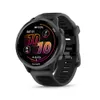
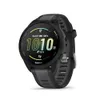
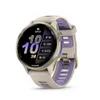
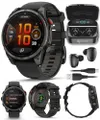
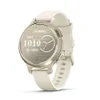
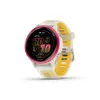
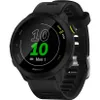
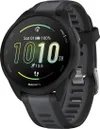
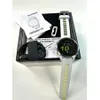
If you run solo and wear one of the best running watches, you probably set up the safety features once and then mostly forget about them. You do it early on, eager to get stuck into the stats and training tools, take a bit of comfort in knowing those boxes are ticked, and then get on with your run. That’s always been my approach.
Even though my Garmin Fenix 7S Solar has fall detection and emergency contacts set up, I still always choose to carry my phone with me for every run. Part of me does this because I don’t go anywhere without my phone. I also think that, subconsciously, I haven’t placed my full trust in my watch to get help if I have a fall or get into any trouble on a run.
Earlier this year, that hunch became a reality when I had a nasty fall near the end of a long run. Nothing too dramatic, but two bloody knees, a scratched watch case after three years of keeping it pristine, a bruised ego, and, more significantly, no fall detection alert or message sent to my emergency contacts. Naturally, the one time I actually needed it.
Experiencing a fall firsthand made me think about how these features actually behave in real life. It also reminded me that no tech is perfect, and that there’s more to consider if you want to run safely with confidence.
False alarms happen

Even before my fall, I’d noticed that the safety features on my watch don’t always get things right. On two occasions, I jumped up while mucking around or posing for a photo, and my Garmin flagged a “fall detected.” I immediately texted my mum to reassure her I was fine, only for her to reply saying she hadn’t received anything at all.
At the time, I took that as a mixed signal. On one hand, it was reassuring that the watch was sensitive enough to pick up sudden movements, even if it got the context wrong. On the other hand, the fact that no alert was actually sent didn’t fill me with confidence. If it wasn’t triggering in those moments, I quietly wondered how it would behave if I ever did have a proper fall.
What a Garmin watch can and can’t do

Garmin watches come with safety features to support anyone recording activities outdoors, whether running, hiking, cycling, or exploring trails.
On paper, they are designed to detect falls, send alerts to your emergency contacts, let you trigger manual S.O.S. messages, and allow others to follow your activity in real-time with LiveTrack. Many models also include navigation tools, like “Back to Start” and breadcrumb trails, which are useful if you get lost or stray from a familiar route.
As I learnt the hard way, there are limits.
Fall detection may not trigger for every stumble or fall; alerts can sometimes misfire, and notifications rely on a connected phone. Battery life is another factor, and not all models include every feature.
Unlike a human, a Garmin watch cannot call emergency services directly, assess the severity of an incident, respond if you’re unable to, or notice general hazards like traffic or slippery surfaces.
How to cover your bases beyond your watch
In a dream world, you wouldn’t feel like you have to carry your phone while running, but for most people, it’s still the most reliable safety net.
Over time, you can figure out ways to make it less intrusive. This year, I found my favorite running shorts for practicality, with a pocket that holds my phone securely and makes it easy to access.
If your shorts don’t have suitable storage, one of the best running belts is another simple solution. I find belts tend to feel less intrusive than vests and help avoid overpacking, but some prefer the pocket space you get with a run vest.
Aside from carrying your phone, there are a few practical steps that can make every run safer. First, plan routes you feel most comfortable on, and on darker winter days, consider doing a session or two on a treadmill.
Let someone in your household know where you’re going and when you expect to be back, and stick to well-lit streets or paths if it’s dark. Make sure your phone is charged, location services are on and any safety apps are ready.

Follow Tom's Guide on Google News and add us as a preferred source to get our up-to-date news, analysis, and reviews in your feeds.
More from Tom's Guide
- My Garmin watch alerted me to a heart issue I didn’t know I had — here’s how
- Ditch the push-ups — this dumbbell workout will help you carve out a stronger upper body and core in just 30 minutes
- I've been using these 2 banded side plank exercises to improve hip stability and build core strength — here are my results