



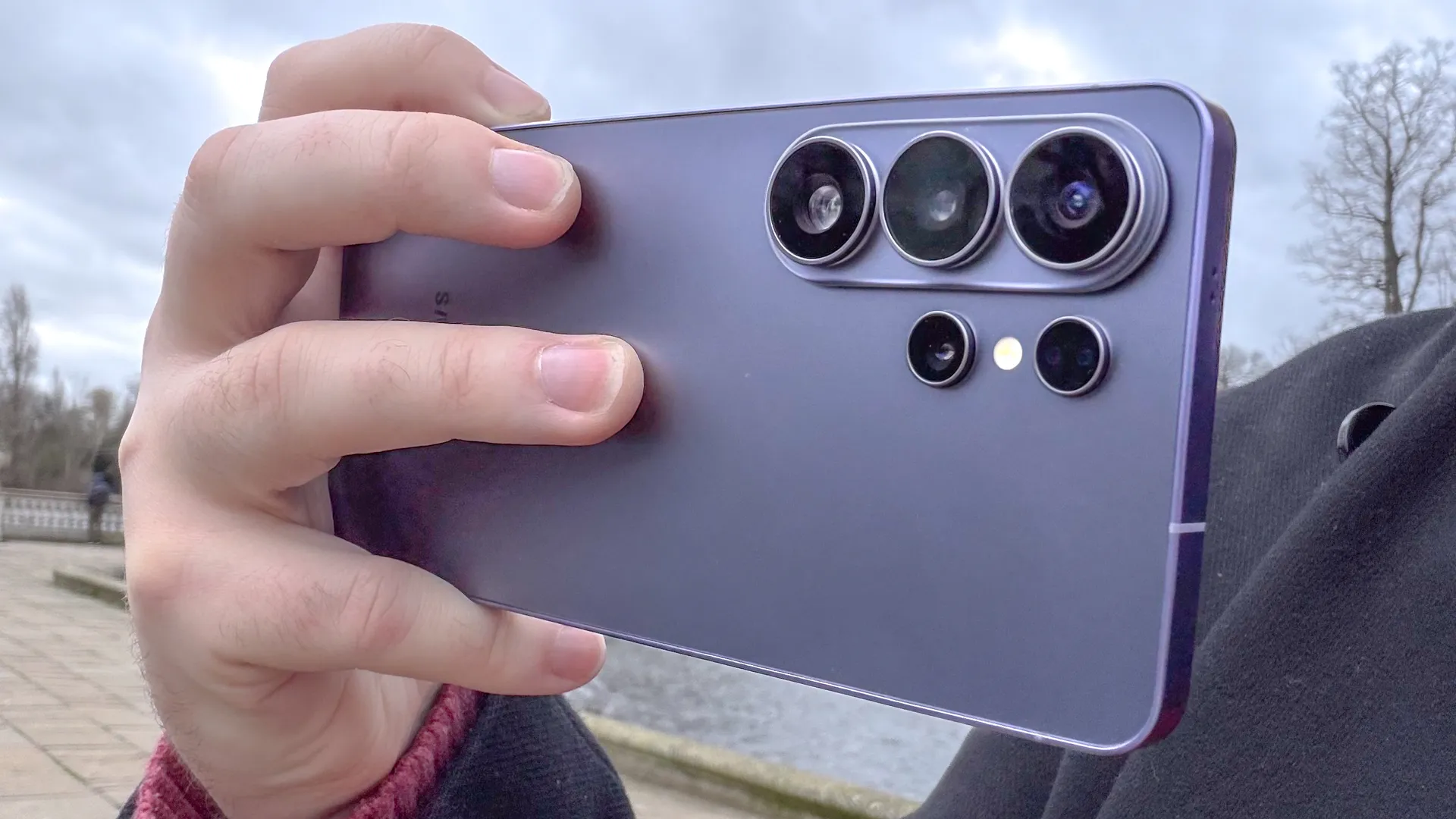
If you've been paying attention to viral TikToks recently, you might have seen a video claiming that the Samsung Galaxy S26's flashlight is able to melt through a black plastic trash bag. We had to see whether this was actually true or not, and it turns out that it is.
Not only can a Galaxy S26's flashlight melt through a heavy-duty black trash bag, but it's also able to do it quite quickly. It's not the only phone flashlight that can melt holes through a trash bag, but it was the fastest of the three that we tested. The iPhone 17 Pro Max and Google Pixel 10 Pro flashlights bore out their own holes, but at slightly slower speeds.
It's all down to the heat the LED flash produces, and it can cause a lot more damage than burning some holes in a garbage bag. People have reported receiving first and second-degree burns after prolonged exposure to their phone's flashlight, and I can tell you burns are not a fun experience.
Thankfully, there is a secret way to dial down the intensity of your S26's flashlight — and potentially mitigate any accidental damage caused by it.
1. Open your Quick Settings panel
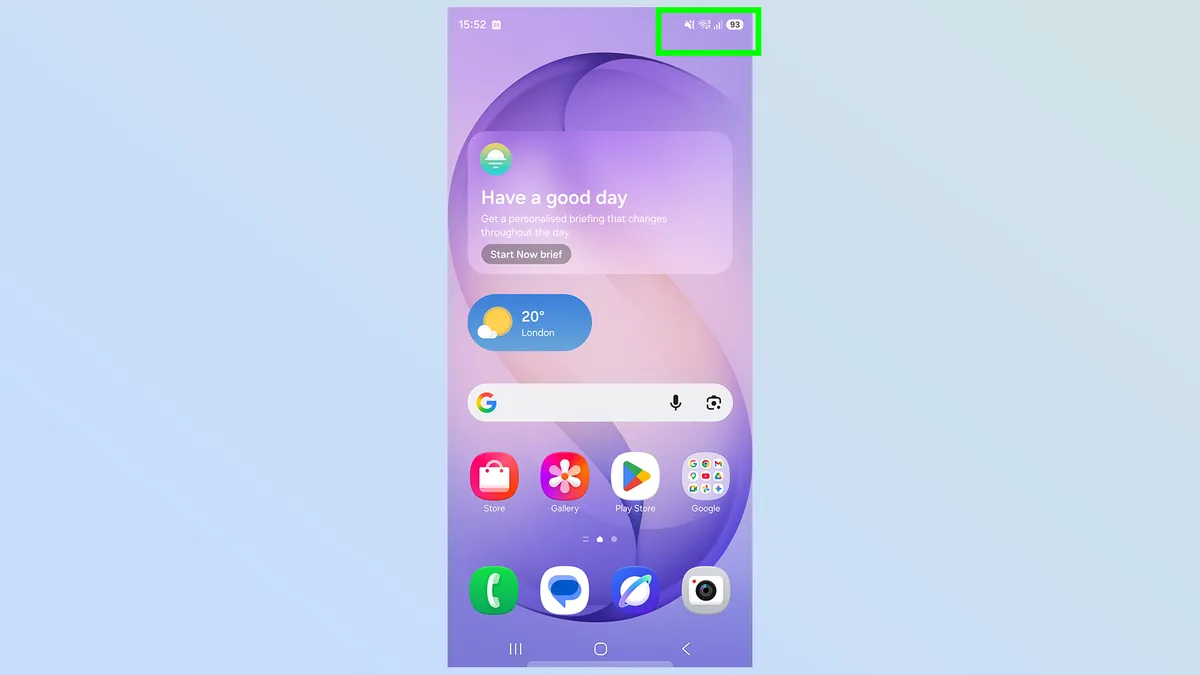
First thing you need to do is open your Quick Settings panel by pulling down on the top right corner of your screen. If your notification list opens instead, you're too far to the left, so go back to the home screen and try again.
2. Press and hold the flashlight icon
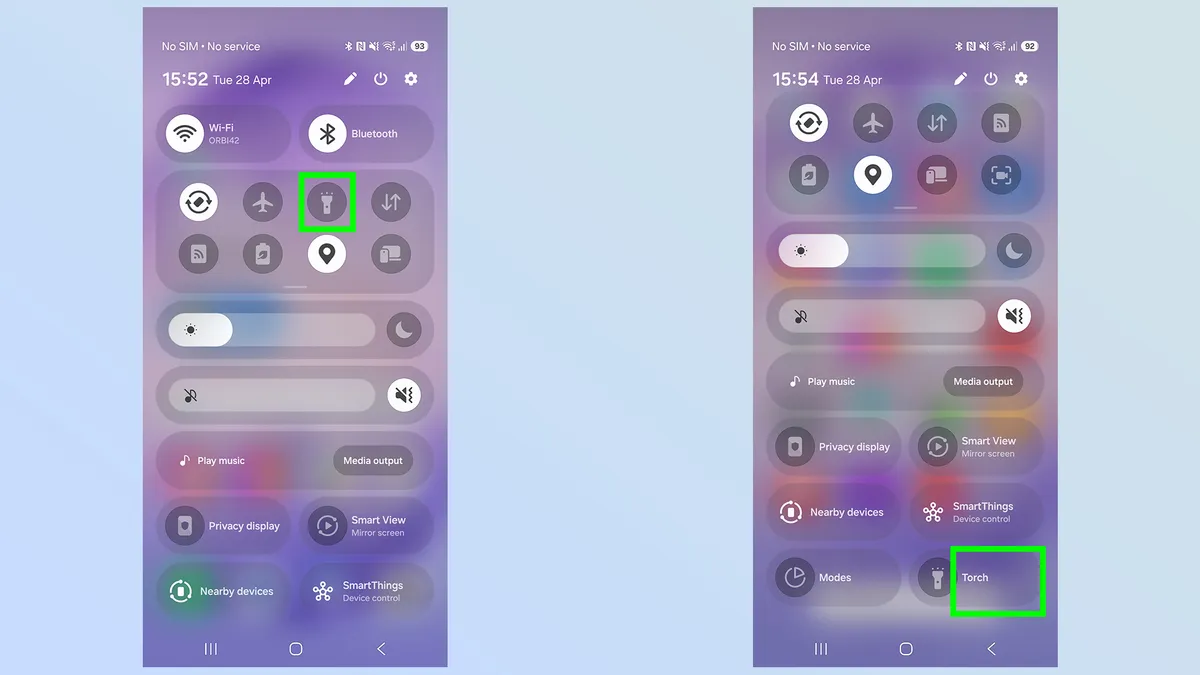
If you have a small, round circular flashlight icon in your Quick Settings, you'll need to press and hold the icon to open up the full flashlight menu.
However, if you have the extended pill-shaped icon instead, you simply need to tap the right side of the button for the same effect. Any part of the pill that doesn't feature the flashlight symbol.
3. Adjust the intensity of your beam
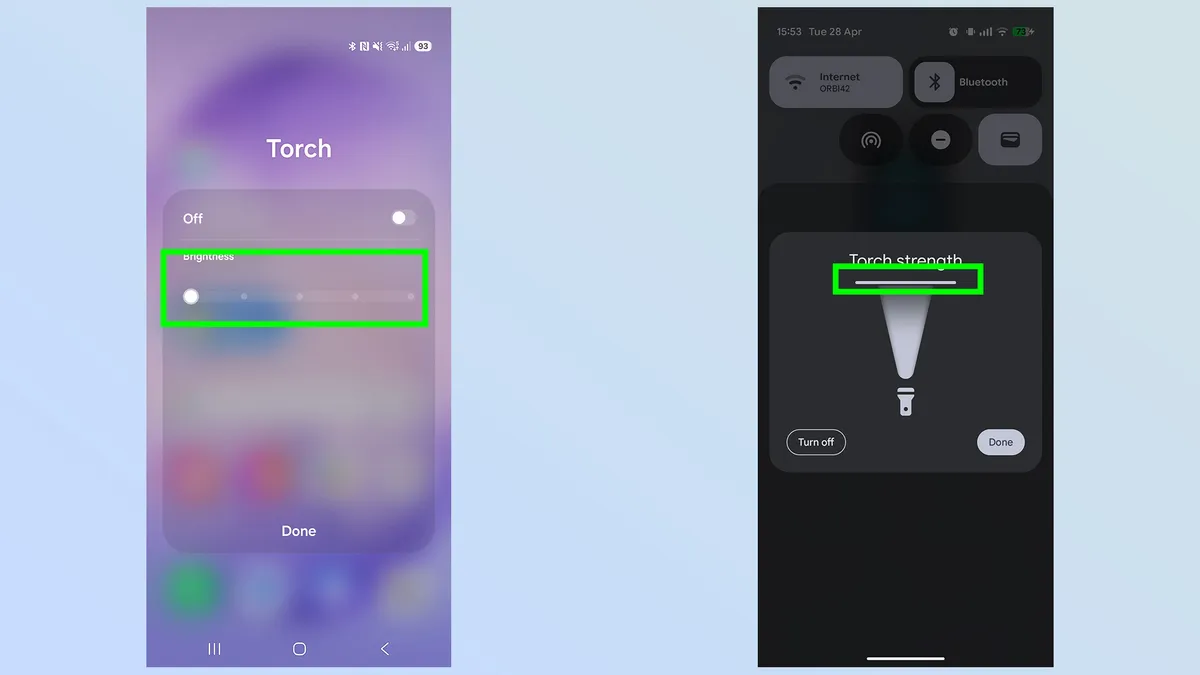
Samsung Galaxy S26 has five levels of flashlight brightness to choose from, plus the option to switch it off completely. Select one and tap Done.
Other Android phones (right photo) may have an adjustable slider which allows much finer control over the flashlight beam. If you have one of those phones, rather than a Galaxy device, you simply need to move the slider up and down to adjust the beam to your liking. iPhones work similarly, though they have the added benefit of letting you widen or narrow the beam.
I can't guarantee that a dimmer phone flashlight will cause burns after prolonged exposure. So even if you do dial back the intensity, it doesn't give you permission to start being careless with your phone's flashlight. You still have to be careful not to leave it switched on unnecessarily, because you could still cause some damage if anything comes into prolonged contact with the flashlight.
But this does make it a little less likely to happen, and in the process emphasizes how effective a phone flashlight is at lower brightness settings. This means you're less likely to dazzle people by mistake or draw extra attention to yourself when you try and navigate in the dark.

Follow Tom's Guide on Google News and add us as a preferred source to get our up-to-date news, analysis, and reviews in your feeds. Subscribe to Tom's Guide on YouTube and follow us on TikTok.
More from Tom's Guide

