







Disney Plus and Hulu have been slowly merging into one behemoth app like a streaming version of 'The Thing'. Starting today (May 20) though, Disney is adding several Hulu-related features to your Plus profile.
This involves linking your Hulu profile to Disney Plus. Linking the two adds your watch history, watchlist and Hulu recommendations into the Disney app. It makes one of the best streaming services even better.
Disney has plans to fully merge Hulu and Disney Plus onto the same technical platform per a report from Variety. For now though, the Hulu app lives on.
A spokesperson told the magazine that "there are no current plans to sunset the Hulu app."
How to link your Hulu profile with Disney Plus
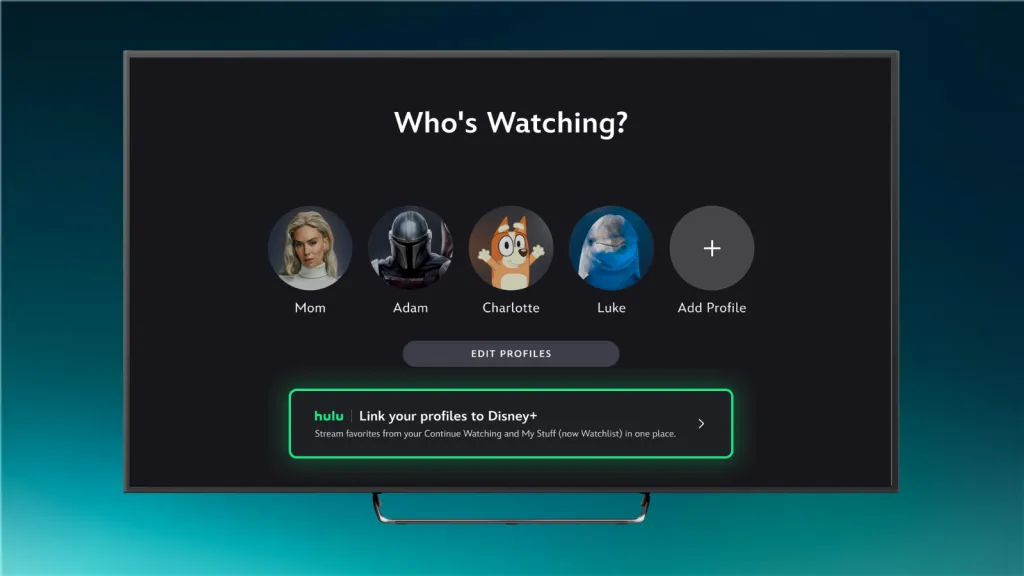
You need to download the Disney Plus app or go to the disneyplus.com website. Once there sign-in with the same MyDisney login that you use for Hulu.
The app should prompt you to link your Hulu profile to an existing Disney Plus profile. One you've linked your profiles, you'll be able to choose avatars from Hulu alongside the existing Disney Plus ones.
According to Disney, 18+ Hulu profile linking isn't available yet but should arrive in the coming days. This will be available for eligible Disney Plus and Hulu bundle, and Disney Plus, Hulu and ESPN bundle subscribers. Linking for all bundle subscribers is coming later this year.
Apparently, you do not need a Disney Plus subscription to link. However, if you don't have one you'll get a "small sampling" of Disney Plus and ESPN content. This is mostly to get you to sign up for one of the Disney Plus bundles.
Finding your Hulu content in Disney Plus

One your profile is linked, you'll be able to see your Hulu watch history and recommendations in the "For You" tab on the Home screen. Hulu already has a dedicated hub on Disney Plus that you can find in the Hulu tab in the navigation bar.
Shows and movies you've already started in Hulu will appear in the "Continue Watching" section of the app. Media you've put in the "My Stuff" list on Hulu will now appear in the Disney Plus "Watchlist" section too.
Disney says that it will start testing a new "Live Guide" to find live content which will include the ABC News Live and Disney Plus Playtime streams as well as ESPN networks. Hulu adds-ons like Live TV will stay in the Hulu app for now though.

Follow Tom's Guide on Google News and add us as a preferred source to get our up-to-date news, analysis, and reviews in your feeds. Subscribe to Tom's Guide on YouTube and follow us on TikTok. Finally, you can visit our dedicated Tom's Guide Savings Squad hub for expert help on getting the best products for less.
More from Tom's Guide

