Over the past few months, I’ve found myself testing out a lot of foldable products. While making a foldable version of something isn’t exactly a new trend since we have things like foldable phones, collapsible drones, and — obviously — laptops, I feel like I’m seeing a surge in the market.
Just in the last month, I’ve tested a foldable webcam and a foldable mouse, and it got me thinking, “What if I only used foldable tech?” Would I eventually start leaving everything unfolded in a display of laziness, or would an origami-style life actually be useful?
So, I gathered up my foldables, which include my laptop, mouse, webcam, keyboard and walking pad, and started working. Here’s what happened.
The products I used
Adding to the routine
In the first days of using the foldable gadgets, I had to remind myself to fold everything away. It seems obvious, but adding a new step to my routine in the morning and evening took a bit of getting used to; after all, it takes an average of 66 days to build a habit.
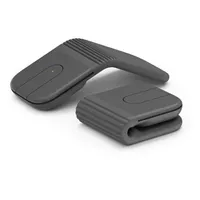
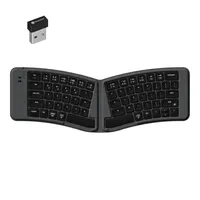
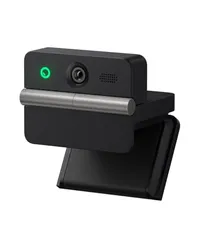
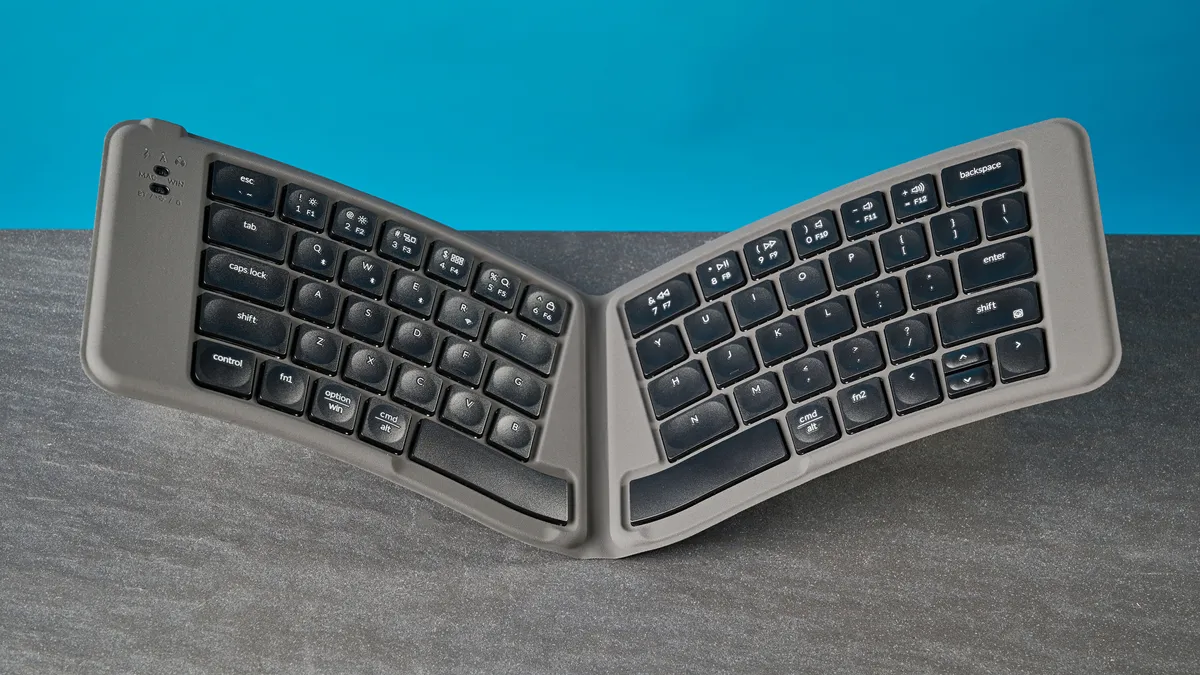
Once I was in the flow of folding everything away, it became second nature. I could easily snap the Logitech Mobi Fold together to put the mouse away, flip the Keychron B11 Pro over and push it to the side, and clip the Obsbot Meet Flip together.
What I liked

I especially liked the Logitech Mobi Fold as it was extremely comfortable to hold. The folded shape means it has a slight lift in the middle, which offered my hand support. The Keychron B11 Pro looks a little more getting used to as it effectively splits up typing, but once I was used to it, I found I was being more efficient and more comfortable.
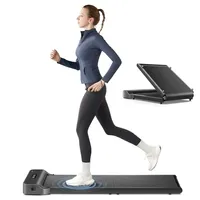
The Obsbot Meet Flip will be a staple in my setup for the flexible angles and simple storage. I can take it with me when I’m commuting or put it to the side on my desk without taking up too much room. My favorite gadget is the foldable WalkingPad Z1. This allows me to get my steps in at my desk, stay active, and keep me engaged with my work. But the best part? Being able to fold it all away at the end of the day. Out of sight, out of mind.
Work-life boundary shift

Ultimately, the big takeaway for me was having a clear boundary between work and my personal life when working from home. It happens to all of us, where you can see your desk with your laptop, mouse and keyboard out of the corner of your eye on your day off, and you start thinking about work. Having everything small enough that it can be stored away has made all the difference.
Spending time at the end of my workday to fold away my keyboard and mouse before storing them away has set a clear boundary between what my desk looks like when I’m working and when I’m not. There is now a clear distinction in my mind between how a room looks when it’s an at-home office and when it’s just my home.

Follow Tom's Guide on Google News and add us as a preferred source to get our up-to-date news, analysis, and reviews in your feeds.
More from Tom's Guide
- Bose announces active Sport Open Earbuds and upgrades the Ultra Open Earbuds — here’s what to expect (and what could still be missing)
- I moved my ChatGPT context to Claude — and it actually worked
- 'The Weight' pits Ethan Hawke against Russell Crowe in a dark heist movie that's a must-watch this weekend