Roblox launched in 2006 and has only been growing in popularity since. However, with this rise in popularity, there's also been a rise in countries outright banning Roblox. This has led users to search for the best VPNs for Roblox in order to access the platform.
Countries like Jordan, Guatemala and, most recently, Russia, have banned Roblox. Additionally, while it may not be country-wide, other places like colleges and workplaces restrict access to Roblox.
Here, we'll take you through the top 5 best VPNs for Roblox. However, if you're in a hurry, you can check out the top 3 – NordVPN, Surfshark and ExpressVPN – below.
The 3 best Roblox VPNs at a glance

How we chose the best Roblox VPNs
Why you can trust Tom's Guide Our writers and editors spend hours analyzing and reviewing products, services, and apps to help find what's best for you. Find out more about how we test, analyze, and rate.
At Tom's Guide, our experts have over a decade of hands-on experience with VPNs, and we've drawn on that expertise – as well as the results of our most recent VPN testing – to prepare this guide to the top five gaming VPNs that work flawlessly for Roblox.
For this specific guide, the top factors we looked into included the VPN's connection speeds, server network, obfuscation and encryption, privacy and security, ease of use, customer support, and lastly, its unblocking capabilities to ensure you get a well-rounded VPN you can also use for streaming.
We tested dozens of VPNs across these categories. We downloaded their apps on every platform they’re compatible with, including Android, iOS, Windows, Mac, and Linux. Then we assessed how easy or difficult the apps are to use on these platforms and whether all of the features they claim to offer are indeed present and working well.
Next, we launched Roblox to find out first-hand whether there were any performance issues. Of course, all of the VPNs you'll find in this list worked well with Roblox.
To get an accurate reading of how speedy these VPNs are, we performed multiple rounds of testing from various locations around the world, including the US and the UK. Lastly, we tried accessing various region-restricted content from popular streaming services to find out which VPNs had better unblocking capabilities.
The 5 best Roblox VPNs overall
What we like:
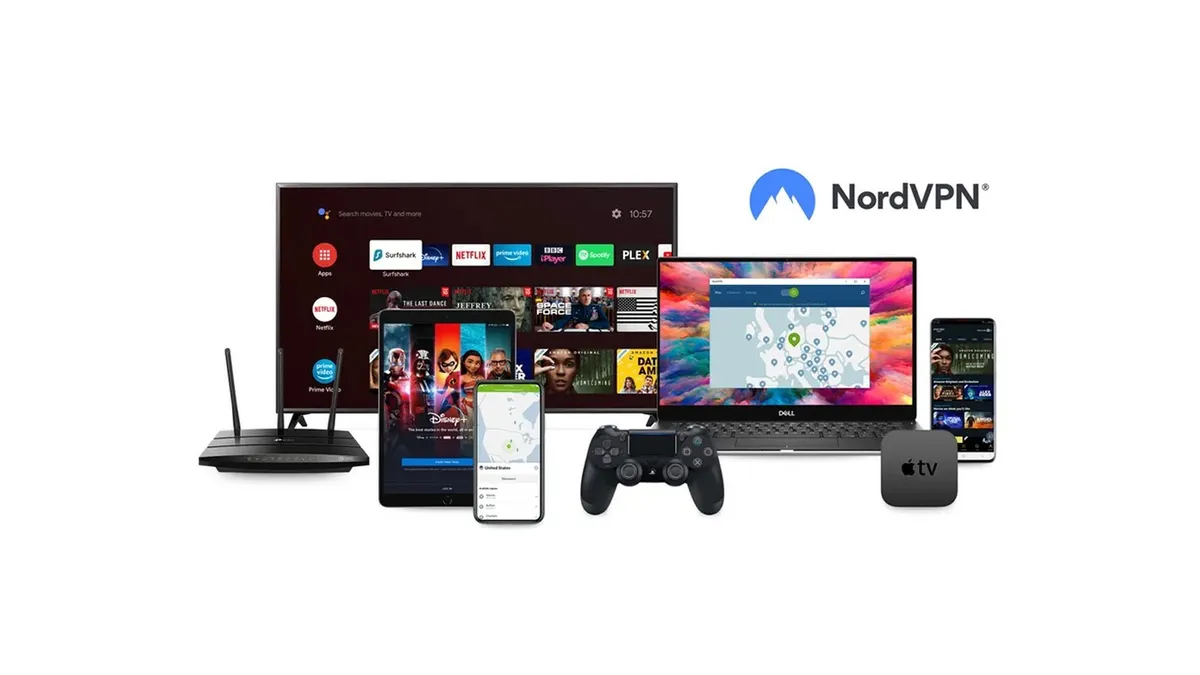
We rate NordVPN as the best gaming VPN on the market, and it lives up to its reputation with strong Roblox performance. For starters, when we tested it on a 10 Gbps connection, we saw peak speeds of over 1,250 Mbps. No matter where you are or where you're connecting to – and you’ll have plenty of options because NordVPN has over 8,000 servers in its kitty – you won’t find it slowing down your gameplay in the slightest.
NordVPN is very secure. Its VPN obfuscation technology, which it calls NordWhisper, will come in handy if you’re in a location like Russia or Guatemala that not only bans Roblox but also clamps down on VPN traffic. NordWhisper makes your VPN traffic look like regular internet traffic, effectively hiding your VPN usage from snoopers and ISPs.
Speaking of regions that restrict the internet, it’s worth mentioning that NordVPN boasts some of the strongest unblocking capabilities. It’s the best streaming VPN we’ve tested, breezing past every big and small streaming platform – from Netflix and Amazon Prime Video to 9Now and 10Play – without breaking a sweat.
Then there’s the Double VPN feature, which routes your traffic through two servers for extra security. Plus, Threat Protection Pro – Nord’s all-in-one security suite with built-in blockers for ads, malware, and phishing attacks – can shield you from DDoS attacks, which is especially useful when playing games like Roblox.
As one of the most private VPNs, NordVPN also regularly submits its no-logs policy for independent audits and comes out with flying colors each time.
What could improve:
If you like playing Roblox on mobile, it’s worth remembering that NordVPN’s mobile apps aren’t as user-friendly as its tablet or desktop versions, largely due to its map-style interface, which feels cramped on smaller screens. If you’re looking for the best mobile VPN app, consider ExpressVPN.
At less than $3 per month for a two-year subscription, NordVPN offers excellent value, but that’s true only for new users – the price hikes NordVPN imposes upon renewal are quite steep and worth watching out for. If you already have a subscription live, though, you can "stack" a new plan by buying a deal with the same credentials.
Lastly, although NordVPN’s 10 simultaneous connections are more than enough to service even a fairly large household, if you plan to share the love with more people, including your Roblox friends, we recommend Surfshark, which offers unlimited simultaneous connections on a single plan.
🔒 Read our in-depth NordVPN review for all the details.
Buy NordVPN if:
✅ You want a gaming VPN with lots of servers. With 8,000+ servers in 166 locations, NordVPN won’t leave you searching for a quick server for long.
✅ You also love to binge watch. NordVPN unblocks everything with ease, including Netflix, Prime Video, Disney Plus, and BBC iPlayer.
✅ You want comprehensive security. With built-in blockers for trackers and malware, a password manager, and dark web monitoring, NordVPN ensures virtually foolproof security.
Don't buy NordVPN if:
❌ You dislike price hikes. NordVPN is quite reasonably priced for new users, but you’ll have to put up with steep hikes upon renewal.
❌ You play Roblox on mobile. NordVPN's map interface isn’t as user-friendly on mobile apps as it is on desktop.

What we like:
We consider Surfshark the best cheap VPN on the market right now. But don’t let that fool you into thinking it skimps on performance. In our Surfshark review, we found the provider outpacing many of its more expensive rivals, and this is also the case as a Roblox VPN.
With 4,500+ servers in over 141 locations around the world, Surfshark spoils you for choice, and you’ll easily be able to find one near you that doesn’t block Roblox – or any other games or streaming content, for that matter. With peak speeds of 1,615 Mbps in our latest tests, Surfshark is easily one of the quickest VPN services around, and you won’t have to worry about keeping up with your friends on Roblox.
We especially like its NoBorders feature, which automatically identifies VPN restrictions on your current network and suggests a special list of servers to help you bypass those restrictions in just a couple of clicks.
Other features include Dynamic MultiHop, which, like NordVPN’s Double VPN, routes your traffic through two servers to encrypt your data twice. Combined with its Camouflage Mode, which hides your VPN traffic to protect against online censorship, Surfshark ensures you can jump into Roblox in regions that try to block it.
One of Surfshark’s most unique selling points is unlimited simultaneous connections – so you’ll be able to cover as many devices as you want on a single Surfshark VPN plan.
As well as straightforward and easy-to-use VPN apps, Surfshark’s rich web knowledgebase hosts plenty of no-nonsense installation guides. So even if you or someone on your plan isn't adept with VPNs, getting cracking with Surfshark will be a smooth process.
What could improve:
Although Surfshark is easily the #1 VPN we recommend to anyone looking for a bargain deal, it can turn pretty expensive once your initial subscription is up. Returning customers might have to pay 3x the initial price.
Also, while Surfshark’s ease of use is great for anyone looking for a simple experience, its lack of customizability could be a negative if you’re someone who likes to play around with their VPN settings. For VPN pros, we suggest Private Internet Access.
🔒 Read our in-depth Surfshark review for all the details.
Buy Surfshark if:
✅ You’re looking for a bargain deal. At less than $2 per month and loads of pro VPN features, Surfshark offers the best VPN deal.
✅ You want to cover a lot of devices. Surfshark offers unlimited connections, so you can protect all your friends and family on a single plan.
✅ You're a VPN newbie. With straightforward setup and app interfaces, Surfshark is a perfect match for those new to VPNs.
Don't buy Surfshark if:
❌ You like consistent prices. Surfshark is one of the cheapest to get started with, but there's a steep price hike after the first term.
❌ You want a customizable VPN. Although it’s great for beginners, Surfshark’s simplicity means it loses out on many advanced settings.
What we like:
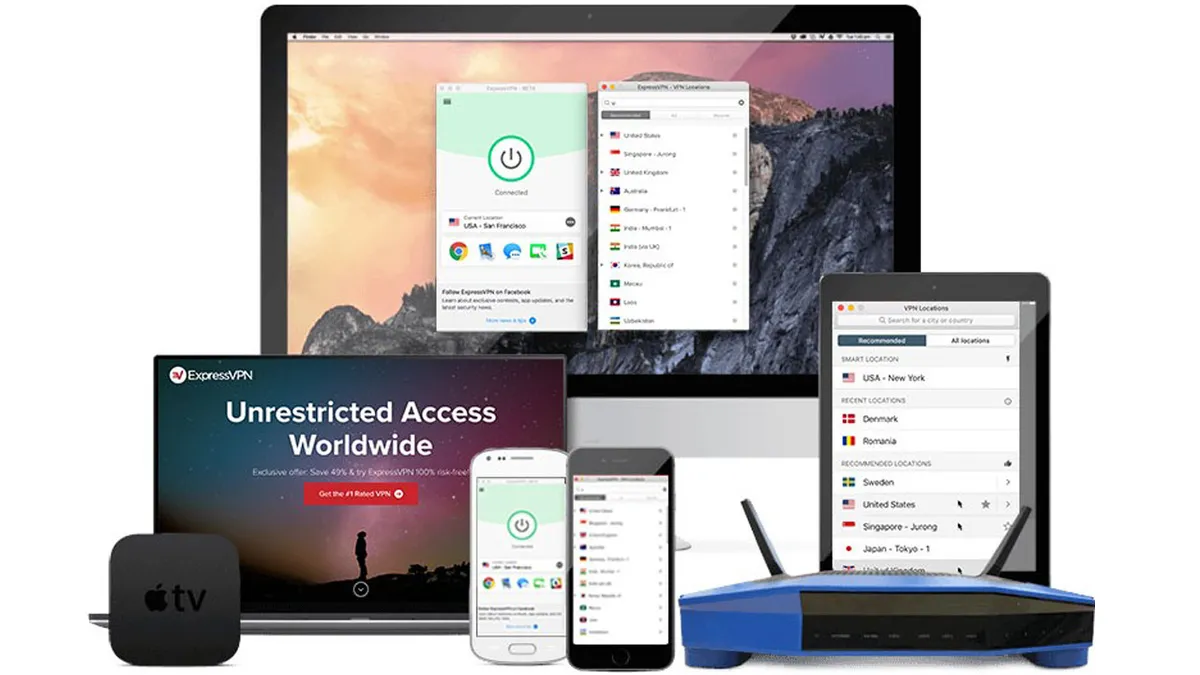
If you're a big Roblox fan, chances are you appreciate how accessible the game is. And if that simplicity resonates with you, ExpressVPN might be a great pick. As the best VPN for beginners, it offers some of the simplest and most intuitive VPN apps we've tested.
You can get started with just the click of a button (right on ExpressVPN’s home screen), and there’s also a handy auto-connect option you can use to ensure you're automatically connected to the fastest server every time you launch Roblox.
If you’re a console player, you’ll be delighted to learn that ExpressVPN is one of the best router VPNs out there. While setting up a VPN on a router isn’t as straightforward as on other devices, we found ExpressVPN to offer the simplest router experience of any VPN.
Using the proprietary Lightway Turbo encryption protocol (currently only available on Windows), ExpressVPN delivers superfast connection speeds, regularly hitting over 1,400 Mbps in our testing. Plus, it has strategically spread its servers across a whopping 160 locations, ensuring excellent access from and to virtually everywhere.
Another area ExpressVPN really excels at is privacy. It has had its no-logs policy independently audited over 18 times now, the most of any VPN provider. It was also one of the first VPNs to employ post-quantum encryption and uses its TrustedServer technology to make all of its servers RAM-only, meaning they wipe out data with every reboot. This means your data will never be stored longer than necessary.
What could improve:
As mentioned earlier, ExpressVPN's Lightway Turbo protocol is only available on Windows. And while that by itself isn't really a disadvantage, what’s disappointing is that the base Lightway protocol only churned out a maximum speed of 359 Mbps in our testing on other platforms.
Also, despite ExpressVPN introducing three new pricing tiers and dropping its prices to around $3.50 per month (compared to the earlier $5-ish subscription rate), it’s still very much on the premium side. Bargain hunters would be far better off with the likes of Surfshark or PrivadoVPN.
What's more, while older ExpressVPN tiers, even the base one, included all of its features, that’s no longer the case. Now, if you want to get extras like a password manager, Threat Manager, and Identity Defender (including ID theft insurance and data broker removal), you'll have to opt for the $4.49 per month plan, which, although better value, is quite pricey.
🔒 Read our in-depth ExpressVPN review for all the details.
Buy ExpressVPN if:
✅ You play Roblox on consoles. ExpressVPN has a dedicated router VPN app, which is arguably the simplest of all VPNs.
✅ You want the simplest VPN experience. With clean, consistent apps across different platforms and 24/7 customer support, ExpressVPN is a delight for new VPN users.
✅ You’re a Windows user. ExpressVPN’s Lightway Turbo encryption protocol (available only on Windows) delivers the best VPN performance on Windows.
Don't buy ExpressVPN if:
❌ You're on a tight budget. Despite dropping its prices, ExpressVPN is still among the priciest VPNs going around.
❌ You want the fastest speeds on every device. While it’s excellent on Windows, ExpressVPN’s base Lightway protocol is a lot slower on other devices.
What we like:
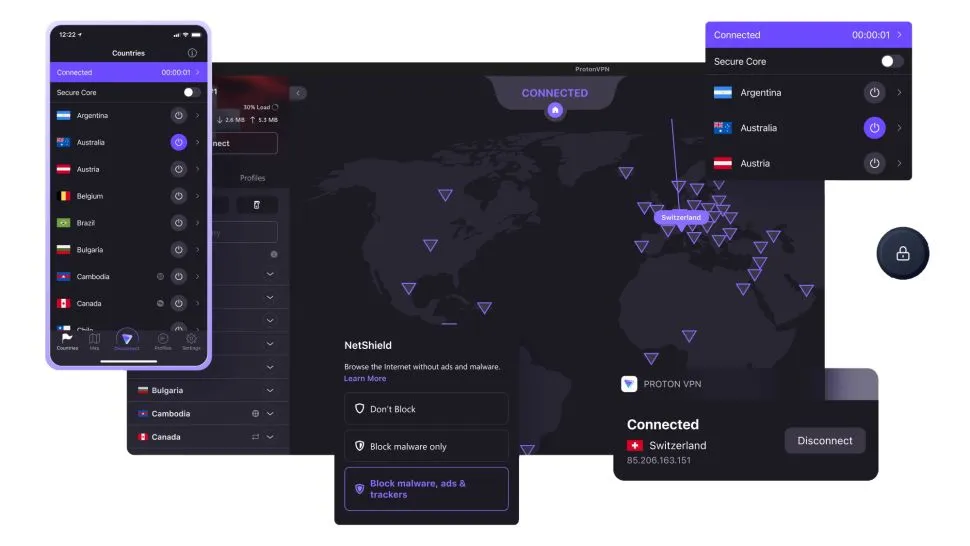
Proton VPN is widely known as one of the most secure VPNs on the market, but it doesn't limit itself to just protecting you and your data from snoopers – it also comes with some of the best gaming VPN credentials we've seen.
Chief among them is its connection speeds. We recorded top speeds of over 1,500 Mbps on a 10 Gbps line in our latest round of speed tests, which makes Proton VPN one of the fastest VPNs one the market right now. Even better, unlike ExpressVPN – which is incredibly fast on Windows and then simply decent on other platforms – Proton VPN delivers consistent performance across all of its apps.
On top of that, you get access to a mind-boggling 16,000+ servers across 127 countries, meaning you'll never be more than a couple of clicks away (that’s how easy it is to switch servers with Proton VPN) from finding a fast and stable connection for your Roblox session.
Speaking of servers, ProtonVPN comes with a unique Secure Core technology that routes your internet traffic through a super-private VPN server in either Sweden, Iceland, or Switzerland before finally connecting you to your destination of choice.
Moreover, if you're traveling to a region where Roblox or VPN access is restricted, don’t worry – ProtonVPN boasts one of the most well-rounded suites of anti-censorship tools, including its Stealth encryption protocol, which can completely hide your VPN use.
Though a beefed-up server fleet and fast speeds are never a guarantee for streaming success, Proton VPN does indeed excel at streaming. In our latest test, it completed a clean sweep of streaming platforms, from Netflix and Prime Video to BBC iPlayer and even regional platforms like HOOQ.tv.
What could improve:
There's not much to nitpick about Proton VPN. However, one of the very few yet noticeable downsides is its expensive pricing. After ExpressVPN introduced its new pricing tiers, Proton VPN has become the most expensive VPN on this list at just over $3.50 per month for a two-year subscription.
Additionally, while ProtonVPN is relatively straightforward to use, the lack of 24/7 customer support is indeed noticeable. Sure, you have tons of helpful articles on its website, but if you happen to run into a slightly more sophisticated issue that needs human agent interaction, you might have to wait several hours to get it resolved.
🔒 Read our in-depth Proton VPN review for all the details.
Buy Proton VPN if:
✅ You want the fastest Roblox VPN. With top speeds of around 1,500 Mbps, Proton VPN is one of the fastest VPNs we’ve tested.
✅ You want plenty of server options. Proton VPN has over 16,000 servers across 127 countries, so you’ll never be short of action no matter where you are.
✅ You want class-leading privacy. With Swiss heritage, audited no-logs policy, open-source apps, and features like Secure Core and Stealth, Proton VPN is a privacy behemoth.
Don't buy Proton VPN if:
❌ You’re looking for a bargain. At $3.59/month for a two-year subscription, Proton VPN is the most expensive option on this list.
❌ You want 24/7 support. Proton VPN lacks round-the-clock live chat or phone assistance, so you’ll have to wait to get your issues resolved.

What we like:
We've been really impressed with how far PrivadoVPN has come in the last couple of years. With consistently fast speeds and the absolute lowest price tag of any VPN on this list, it now offers a tempting proposition for gamers and everyday users alike. It has even pulled ahead of the likes of Private Internet Access and CyberGhost to occupy 5th place in this Roblox VPN guide.
Speaking of speeds, PrivadoVPN delivered over 806 Mbps in our latest tests, which is more than fast enough for both online gaming and 4K video streaming. Even though the provider has a relatively smaller fleet of servers, we were able to easily access a wide range of content, including Netflix, Amazon Prime Video, Disney+, BBC iPlayer, and ITVX. Sure, it won't quite give you the sweeping performance of the other top streaming VPNs, but we're happy to say that it leaves very little to be desired on that front.
We were also pleasantly surprised to see P2P support on all its servers, which, combined with the SOCKS5 proxy (helps you maximise torrenting speeds), makes PrivadoVPN one of the best torrenting VPNs. PrivadoVPN's apps are similar to most other VPNs and are generally easy to understand. Plus, there’s a helpful online knowledge base and the option to log a support ticket if you run into any issues.
Lastly, it is worth mentioning that although PrivadoVPN offers what we rate as the best free VPN service on the market, PrivadoVPN Free, if you’re looking for a VPN to support your online gaming adventures, we suggest going for the paid plan since the free plan caps your data and only works on one device.
What could improve:
PrivadoVPN is good, but it's not perfect. First, it has servers in only 67 locations across 50 countries, which is less than half the size of what other VPNs on this list offer. This could be an issue for Roblox players since a smaller server network means fewer nearby locations to connect to, which can lead to higher ping and less stable gameplay.
On top of that, PrivadoVPN's features are not consistent across all of its apps. For instance, there’s no WireGuard encryption on Mac, no kill switch on its Android VPN and iOS apps, and we also experienced some connection issues with its Windows VPN, which turned out to be somewhat sluggish compared to the others.
Finally, while PrivadoVPN doesn't skimp on important security features – there's DNS leak protection, an effective kill switch, and all the latest VPN protocols – it's still disappointing that it hasn't yet put itself through any no-logs audits.
🔒 Read our in-depth PrivadoVPN review for all the details.
Buy PrivadoVPN if:
✅ You want the absolute cheapest VPN. At just over $1 per month for a two-year subscription, PrivadoVPN undercuts even the likes of Surfshark and PIA.
✅ You want a free Roblox VPN. Although it caps your monthly data, PrivadoVPN has one of the best free VPN tiers, with access to a dozen locations.
✅ You want a VPN for streaming. It’s not perfect, but PrivadoVPN now unblocks the vast majority of streaming platforms.
Don't buy PrivadoVPN if:
❌ You want lots of server locations. With servers in just 67 locations across 50 countries, PrivadoVPN has the smallest fleet of servers on this list.
❌ You want extra security features. PrivadoVPN lacks some of the bells and whistles found in other VPNs, missing features like split tunneling, multi-hop, and auto-connect.
Can you get banned for using a VPN on Roblox?
Yes – although that depends on what you're using your Roblox VPN for.
If you've committed a serious offence, Roblox will serve you a 7-day IP ban. If you use a VPN to get around this and you're caught, you can expect your account to be permanently deleted and your IP permanently banned.
However, if you're just using a VPN to access Roblox on a restricted network, you're unlikely to be in danger of a ban. We'd still read the small print ourselves, though.
Which is the best VPN for Roblox?
Based on our testing, NordVPN is the best Roblox VPN overall, however all the VPNs on this list are definitely worth your consideration.
If you're unsure of which one to go for, many of the VPNs on this list are featured in our ranking of the best VPN free trials, so you can test them out before committing.
Is using a Roblox VPN illegal?
No, it is not illegal to use a VPN while gaming. However, if you get up to illicit activities while using a VPN, these activities are still illegal.
For example, if you use your VPN to spoof your location to a different country in order to buy games at a lower price, this is likely against the developer or distributor's terms and conditions. This means that, if you get caught doing this, your account may be suspended, or worse.
Additionally, if you are in a country that bans Roblox and you use a VPN to access it, you may face penalties both from Roblox and the country you are using it in.
However, if you're just using a Roblox VPN for something like avoiding throttling by your ISP during gaming sessions, then you should be good to go.
Should I use a free VPN for gaming?
You can use a free VPN for gaming, however, you'll likely find that it just doesn't have the power you need for stable gaming sessions.
Even the best free VPNs either impose data limits, which you'll likely run into very quickly. They also tend to have restricted speeds, leading to lag and buffering when you try to do any high-bandwidth activities.
Additionally, many free VPNs have a much more limited server spread as compared to premium VPNs. So, if you are trying to connect to a server in a specific country, you'll likely find that you're unable to.
How does a VPN work for Roblox?
A VPN works by creating an encrypted tunnel between your device and the internet. This means that your online activities are kept completely private. By doing so, it hides the fact that you are gaming from your ISP, meaning that you can't be throttled for engaging in high-bandwidth activities.
As the encrypted tunnel is created via connecting to a VPN server, you can also virtually appear to be a different country simply by connecting to a VPN server in that country.
This will allow you to browse the web as though you are in that country, and even connect to Roblox servers within it.
Back to the best Roblox VPNs ^
How to choose the right Roblox VPN
When picking a Roblox VPN, there are a few things to keep in mind.
First is speed. While a VPN cannot increase your base internet connection speed, a fast VPN can ensure that your connection is not slowed down while using it. This is ultimately beneficial when doing something like gaming, which uses a lot of bandwidth.
Secondly, is server spread. By having a large server network, the VPN ensures that you won't struggle to look for a server to connect to, no matter where it is you want to virtually appear.
Price is another thing to consider. While you may be tempted to go for the absolute cheapest VPN, you should consider what you get for the price you pay. For example, while PrivadoVPN is the cheapest VPN on this list, its server network is half the size of all other VPNs on this list.
Finally, are any other features you need out of your VPN. For example, if you like to play Roblox while watching TV or movies, you'll want a VPN that can access streaming sites.
Back to the best Roblox VPNs ^
The experts that test VPNs at Tom's Guide

Mo has written about VPNs for Tom's Guide, day-in, day-out, for five years. He's an expert when it comes to what makes a VPN truly usable, and loves it when a VPN makes staying safe online as easy as possible. He is also a contributor to TechRadar, T3, and What Hi-Fi?.

Anthony Spadafora is the Senior Security and Networking Editor at Tom’s Guide where he covers everything from data breaches and malware to password managers. He also undertakes VPN testing for Tom's Guide and TechRadar, which includes running all of our US-based speed tests.
We test and review VPN services in the context of legal recreational uses. For example: 1. Accessing a service from another country (subject to the terms and conditions of that service). 2. Protecting your online security and strengthening your online privacy when abroad. We do not support or condone the illegal or malicious use of VPN services. Consuming pirated content that is paid-for is neither endorsed nor approved by Future Publishing.