







It used to be that if you wanted the best TV, you had to spend more. That's still sort of true, but it's more complicated now, as each set comes with different software, smart features and access to dedicated gaming or picture modes.
My best TV right now is the LG B6, an incredible value TV that really makes colors pop off the screen. It's a lot like the LG C6, but with better color accuracy and lower input lag, and the same four HDMI 2.1 ports as its more expensive sibling.
It's still not cheap, though. If you're working on a budget, the Hisense QD7 is the best TV for under $500 you'll find. It holds its own on brightness and contrast against far more expensive sets, and is a steal if you can get along with Amazon's Fire TV platform.
Although I think both are fantastic choices, if you need a TV for gaming, sport or bright, sunny rooms, I've rounded up the best TVs we've tested. Plus, I added a few other models that we liked but that didn't quite make the cut if you need more options.
AI is so hot right now. But aside from upscaling, most of these features on TVs are unnecessary at best, and don't add to your experience. Don't buy a TV based on these tools; software will change over the life of the TV, so the hardware and picture quality are the most important things to consider.
The best TVs available right now
Why you can trust Tom's Guide Our writers and editors spend hours analyzing and reviewing products, services, and apps to help find what's best for you. Find out more about how we test, analyze, and rate.
Best TV overall


For the first half of this year, I ranked the LG C5 as the best TV overall, despite being an older 2025 model. That was, until we tested the LG B6, which is an incredible value, high performance TV from LG's most recent lineup. It's a companion to the flagship LG C6, but given what we found in testing, I'd pick the B6 almost every time.
Partly, this is because it shares a lot of the DNA of the C6, with a similar design, the same four HDMI 2.1 ports, and it matches its 120Hz refresh rate. While testing, the only physical difference that stood out was the dual-leg stand on the B6, which takes up more space than the central pedestal on the C6.
But it's the colors where the B6 really shines. Everything we watched looked so vivid and clear, whether we were using the standard settings or switched to Filmmaker or Vivid modes. The bright, multicolored beach sands in "Send Help" looked tremendous, and the island's landscapes and flora were beautifully green.
Our lab testing found that it's not as bright as the C6, and that's the major difference between the two sets. But the B6 has a lower input lag (for gaming) and better color accuracy. It is still bright, just not as bright as the C6 or TCL QM9K; so long as your room isn't always bathed in light, you should be able to see everything on the display.
Like the C6, the B6 ships with LG's webOS 26 smart TV software. Along with Google TV, webOS is our favorite platform as it's just so easy to use. webOS 26 has a load of small improvements on last year's webOS 25, but with lots more AI. Mostly, these AI features are novelties and you can ignore them, but I'd prefer if they weren't there at all.
But when the downsides to the LG B6 are that it's not as bright as the more expensive model and it has a bunch of features you might not use, it's almost too easy to recommend the B6 as the best TV for most people right now. But if you're looking for a similar experience with a cheaper price tag, I'd still suggest last year's LG C5.
- Read our full LG B6 review
Best TV under $500


It's rare that you find a TV quite as good as the Hisense QD7 at less than $500. Normally, there are compromises you have to make to bring the cost down, but the QD7 has impressively few, meaning that for most people, this is the TV to buy if you want to upgrade your setup without breaking the bank.
The colors come out very well, thanks to the TV's quantum dot crystals. This sounds complicated, but these absorb some of the backlight and re-emit it as red and green light to improve the vibrancy of color. And the LEDs on the QD7 are individually controllable, which means the TV can dim specific areas of the display.
We saw this effect most clearly in shadowy, dark moments in Stranger Things and Dune, where it was easy to pick out the detail thanks to the color performance, even with the deeper blacks, and this local dimming. Although, it was surprising that the dynamic range was worse when we switched to Filmmaker mode.
While it excels at much, the Hisense QD7 isn't ideal for fast-moving scenes, like in live sports. The 60Hz refresh rate finds it hard to keep up, even with motion smoothing on (which did help). If you watch casually, it'll do a decent job, but if you're looking for a TV specifically to watch sports, I'd recommend the TCL QM8L instead.
The Hisense QD7 runs Amazon's Fire TV software, and it's not very good. This isn't really anything to do with the TV itself, which I think delivers great value performance for a very good price. But it's a shame that Hisense opted for Fire TV in North America, as there are international versions with Google TV, a superior platform in every sense.
We tested the 65-inch model, but if you make the jump to the 75, 85 or 100-inch sets, then there are a few improvements that make a big difference to gamers. The larger editions include a 144Hz refresh rate (compared to 60Hz) and two HDMI 2.1 ports, almost tripling the data bandwidth for high-performance consoles and gaming PCs.
- Read our full Hisense QD7 review
Best TV for gaming

There's a lot that we really liked about the Samsung S90F, like it's incredible contrast that makes each picture look explosively colorful and vivid. This makes it a great option whatever you plan to play on it, but if you're after the best TV for gaming, there's a reason that I recommend this specific set.
Samsung's Tizen software includes a dedicated gaming hub and specific settings that you can customize to improve the performance and responsiveness of your games. On this model specifically, you get four HDMI 2.1 slots (so it's great for gaming PCs and console gamers) and a 144Hz refresh rate.
We put it through its paces with the PS5 Pro and Nintendo Switch, playing games like Elden Ring Nightrein and Armored Core 6. The fast-paced action scenes didn't lag and the colorful highlights really stood out. Plus, even the darker moments (and I mean color-wise, not in an emotional sense) looked fantastic.
We particularly found that the S90F handled these deep, varied blacks well across games, TV shows and films, which is fortunate, as filmmakers currently love dark, dark scenes. Yet, the darker details in everything we watched and played on the TV stood out and the blacks never ran into each other.
If you opt for one of the smaller models (42, 48-inch), the brightness isn't quite as good. These two versions use different panel technologies, and while there are some technical differences between WOLED and QD-OLED displays, the upshot is that the 42 and 48-inch TVs aren't quite as bright as the others.
You might notice a theme that I generally recommend the 2025 variants of most TVs, and it's the same here. Samsung announced its follow up to the S90F in early April, and as we found in our Samsung S90H review, it's a fantastic successor OLED, but far too expensive and with only minor upgrades to recommend over the S90F right now.
- Read our full Samsung S90F OLED TV review
Best TV for bright rooms
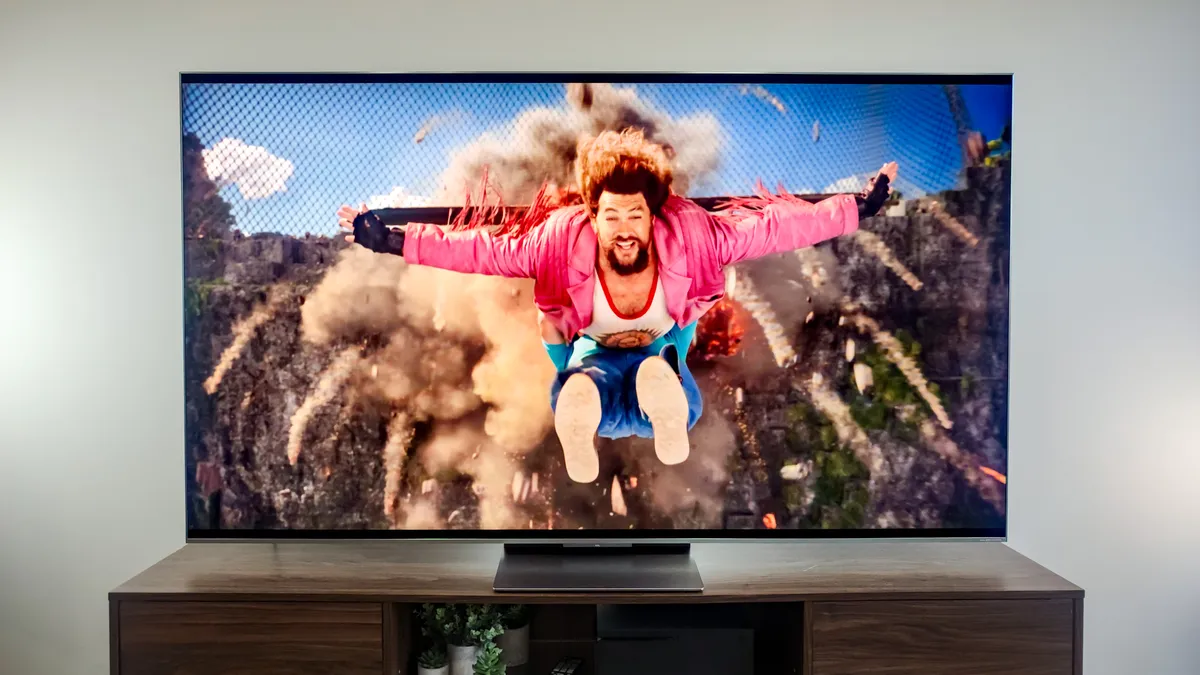
The TCL QM9K is one of the brightest TVs you can buy right now, so its a great option if you need a new set for a sunny or well-lit space. This TV has a lot more going for it, but it's the brightness that really stands out, leaping over other high-performing models like the LG B6, with the $8,000 TCL X11L the only TV we've tested that outperforms it.
There are other reasons to bring the QM9K home, though. Technical content warning (I'll be kind): It is one of the best TVs we've tested for off-axis viewing (ie. when you're not directly in front of it) with great contrast levels, partly due to the Wide High-vertical alignment (WHVA) panels on the display.
But the 75-inch model we tested also has 2,160 local dimming zones, which gives better contrast control. So when we watched Spider-Man: Across the Spider-Verse, which has a lot of vibrant colors next to blocks of grey and black, it really looked phenomenal, and even better than on more expensive Samsung QD-OLEDs.
Where it succeeds with vibrant colors, it struggles a bit with darker scenes and deep blacks. Not in a way that distracts from the scene, but it is slightly noticeable compared to other TVs on this roundup, like the Samsung S90F. And you do get a bit of blurring on fast-paced movements, which is why the TCL QM8L is a better choice for sport.
To my mind, LG's webOS platform is one of the easiest to use smart TV systems, but Google TV is a close second, so it wasn't a surprise that doing things (when you're not actively watching something) on this Google-powered TV was quick and easy. Of course, like most things now, Gemini (Google's AI) was jammed into everything.
And also like every other AI app, it wasn't very useful. Fortunately, you can just not use it. Over time, maybe it'll improve, but in a world where you already have dozens of digital devices with internet access, there are better ways to interact with the online world than on your TV. Still, it's nice to have voice controls.
- Read our full TCL QM9K review
Best TV for sport

The refresh rate of a TV (or any display) is one of the most important factors if you plan to watch fast-paced scenes or game, which is why the TCL QM8L is the best TV right now if you want to watch live sports. It has a 144Hz refresh rate, compared to the 120Hz native on the LG B6 or 60Hz on the Hisense QD7.
That's one of the technical reasons this TV is great if you want to watch the soccer World Cup this summer or get prepared for the football season later in the year (or any other live sports you enjoy), but it's not the only reason I recommend it — it's bright, handles deep blacks with skill and has an impressive dynamic range.
This is particularly important for live outdoor sports like soccer, as you're likely to have portions of the pitch bathed in sunlight, with another part of the stadium in shade all in a single image. The TCL QM8L has more than 2,500 illumination zones, which the TV can adjust to individual brightness levels, helping even out that juxtaposition.
But you probably also want to use your TV for other things than just sport. This degree of control also means it performs really well in the dark blacks you find in a lot of recent films. We tried our best to push the TV, but we never spotted the 'halo' effect or blooming, where colorful spots and dark patches bleed into each other.
Like the other TCL set I talked about earlier, the QM9K, this model also runs Google TV, with the same speedy, easy performance and navigation. And it also has the same distracting and pointless Gemini features. It's a whole heap better than Amazon's Fire TV platform, though, which is a downside to something like the Hisense QD7.
And, much like every TV in this list, the audio is good, but not exceptional. The sound reproduction is a smidge above average for built-in speakers, thanks to TCL's partnership with Bang & Olufsen. But I still think that if you're invested in immersive, detailed audio, then you'll want to pair the QM8L with one of the best soundbars.
- Read our full TCL QM8L review
Also tested
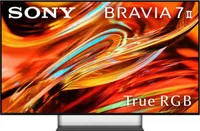
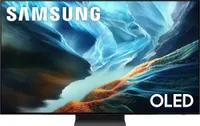
Not every TV can be the best, but some are still really good. We test more TVs than we include in our roundup to make sure we recommend the sets we really believe in. But if you need more options, here are a few that didn't quite make the cut but could still be the right TV for your home.
How we test the best TVs
There are two parts to our TV testing process. First, we get the set delivered to our lab, where we perform a range of technical tests with industry-standard equipment to see whether the manufacturer's performance claims stack up.
You can read more about how we test TVs, but, in short, we perform benchmarks with a spectroradiometer, colorimeter, pattern generator, input lag testing and TV calibration software. This gives us objective data to compare TVs against each other.
Once the lab tests are done, we move the TV to our home, usually in a living room. This is the fun part of the test, where we watch TV shows, compare movie performance between sets and game on the TV to see how it handles fast-paced scenes.
This is the time where we see what it's like to use, which can sometimes be more important than the pure numbers. If the software on a TV is easy to use and you can quickly find what you need, it could be better overall than a TV that's, say, 10% brighter.
One of the most critical tests we do at home is based around the TV's brightness. It's one thing to measure this in a lab setting, but we want to see what it's really like in a bright, sunny room and check if you can actually still see the display properly in these conditions, since some TVs have anti-glare coatings too.
How to choose the best TV for your home
Before you dive too far into the best TVs, you should check out our guide to choosing the perfect TV size for your room. The larger models won't always be better for your space, so if you can save money on a smaller set, then you definitely should.
Often, there's little compromise either by reducing the size, except when you go below 50 inches and the power drops to avoid overheating, reducing the brightness. This also helps if you're working on a budget and need a TV that offers good bang for your buck.
Then you want to consider what you mostly want to do with your new TV. If you're putting it in a bedroom for nighttime binging, you need a model where you can dial down the brightness. For background viewing, maybe ease of use is more important.
Of course, we're also looking at the best TVs here, so if you're interested in the top-of-the-range performance for a specific type of content, then you want to look at what technical features makes a difference there.
For sports, good contrast and a high refresh rate are key. Likewise, gamers want a higher refresh rate and access to HDMI 2.1 ports. For modern movie lovers, you'll need a set that can handle the deep blacks filmmakers love so much.
Although each manufacturer will play up the audio performance, our years testing the best TVs has taught us that the limited space inside the TV for a decent audio setup means that you'll always want to pick up one of the best soundbars for detailed sound.
FAQs
Do modern OLEDs still burn-in?
Burn-in is where an outline of an image is semi-permanently etched onto the TV's display. It was a common feature on plasma TVs, especially if you had a similar image on the screen for several hours, like if you were using the TV as a computer monitor.
However, the idea that modern OLEDs suffer from burn-in is (mostly) a TV myth. It's not that it's impossible, it's just very unlikely you'll have this problem. But it is rooted in an element of truth that early OLEDs did have burn-in.
And OLEDs were, and still are, some of the most expensive TVs you can buy. So you can imagine that if you'd spent upwards of $1,000 on a TV, you'd be pretty annoyed to see a ghost image stuck on the screen interrupting everything else.
This early misstep hit the reputation of OLEDs pretty hard, and meant that brands put a lot of engineering resource into overcoming the problem, which has largely worked. Almost all recent OLED TVs now have tools to prevent burn-in taking hold.
LG has features like Pixel Cleaning (which can run on a schedule), Screen Move (which prevents an image staying in exactly the same place for too long) and Adjust Logo Brightness, which detects on-screen logos and turns down the brightness.
Although LG is good at naming these features to make it easy to understand what they're doing, all the major OLED brands have similar tools to prevent burn-in. So for most people, most of the time, this isn't a problem you're likely to have anymore.

