Tom's Guide Verdict
It may not be the fastest or have the most features, but budget Wi-Fi 7 routing is the name of the game with Netgear’s Nighthawk RS150.
Reasons to buy
- +
Inexpensive
- +
2.5 Gbps input port
- +
Excellent range and mid-house throughput
- +
Add-on Armor security with device scanning
Reasons to avoid
- -
Lacks some ports
- -
Variation in throughput
- -
1 year warranty/90 days of support
Why you can trust Tom's Guide Our writers and editors spend hours analyzing and reviewing products, services, and apps to help find what's best for you. Find out more about how we test, analyze, and rate.
Wi-Fi Spec: BE5000 (802.11be)
Number of Antennas/Removable: 3/No
Ports: One 2.5 Gbps WAN, three 1 Gbps LAN
Processor/Memory/Storage: Quad-core 2.0 GHz/1GB/512MB
Wi-Fi chip: Broadcom BCM6766
Peak 802.11ac performance: 1.437 Gbps (at 15 feet)
Range: 115 feet
Size: 9.8 x 5.9 x 4.0 inches
Estimated Annual Electricity Cost: $13.80
As Wi-Fi 7 routers take over as the spec of choice, Netgear reduces the entry point for creating a competent up to date home network to $180 with its Nighthawk RS150. It may not be the fastest, nor does it cover all three Wi-Fi 7 transmission bands but the RS150 provides speedy data service at a budget price. Its dual-band approach to wireless data hits the spec’s hot buttons except for 6 GHz transmissions and the ultra-wide 320MHz data channels that come with it.
At less than $200, is this the best Wi-Fi router or even the best Wi-Fi 7 router for you? Find out in my full review.
Netgear Nighthawk RS150: Pricing and availability
With a list price of $200, the Netgear Nighthawk RS150 tempers performance with price. It can be found online for $180. By contrast, the 2025 Editor’s Choice winner, the TP-Link Archer BE3600, is similar in scope at $120.
The lower output BE3600 Nighthawk RS90 can be had for closer to $100 if you’re on a tight budget but still need to upgrade your Wi-Fi.
Netgear Nighthawk RS150 review: Design
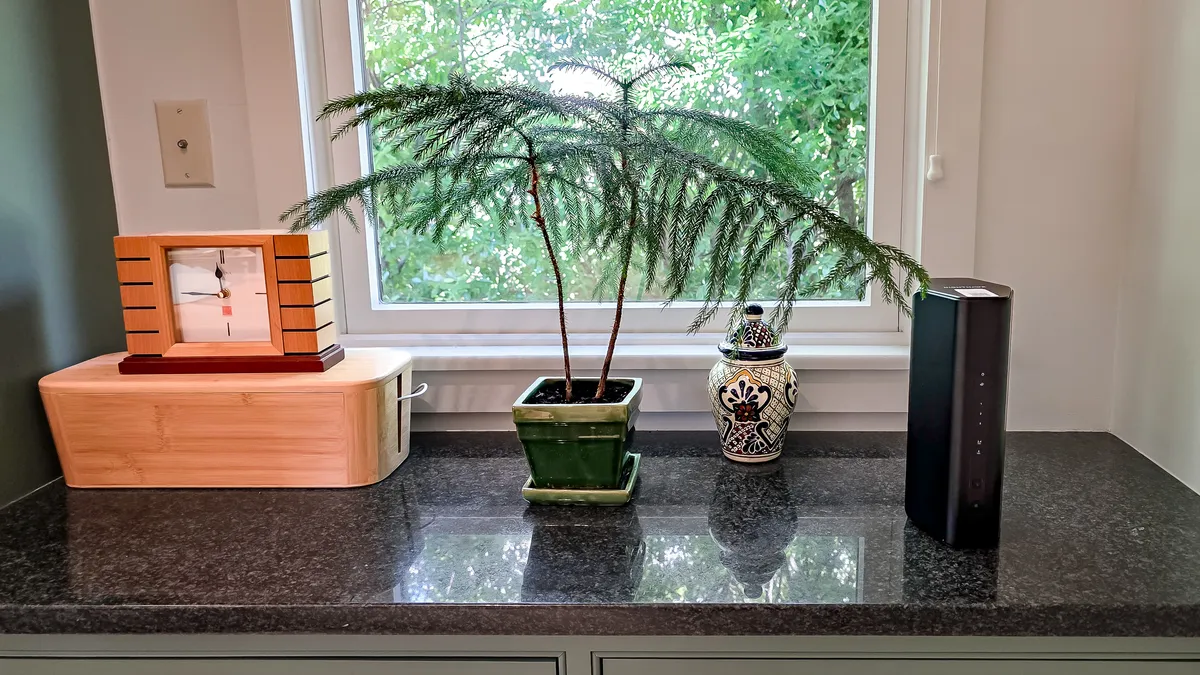
Looking a lot like the rest of the Nighthawk RS family, the RS150 has an octagonal tower design. At 9.8 x 5.9 x 4.0 inches, it’s three times as big as the TP-Link Archer BE3600, although it takes up only half of its desktop space.
Inside, the RS150 has three antennas and a Broadcom BCM6766 for 2x2 data movement for the 2.4 GHz band and 3x3 for the 5.0 GHz band. It relies on many of Wi-Fi 7’s tricks to move more data, including 4K Quadrature Amplitude Modulation (QAM). It does without Multi-Link Operations (MLO) and use of Wi-Fi 7’s 6 GHz band and the associated 320MHz data channels, though.
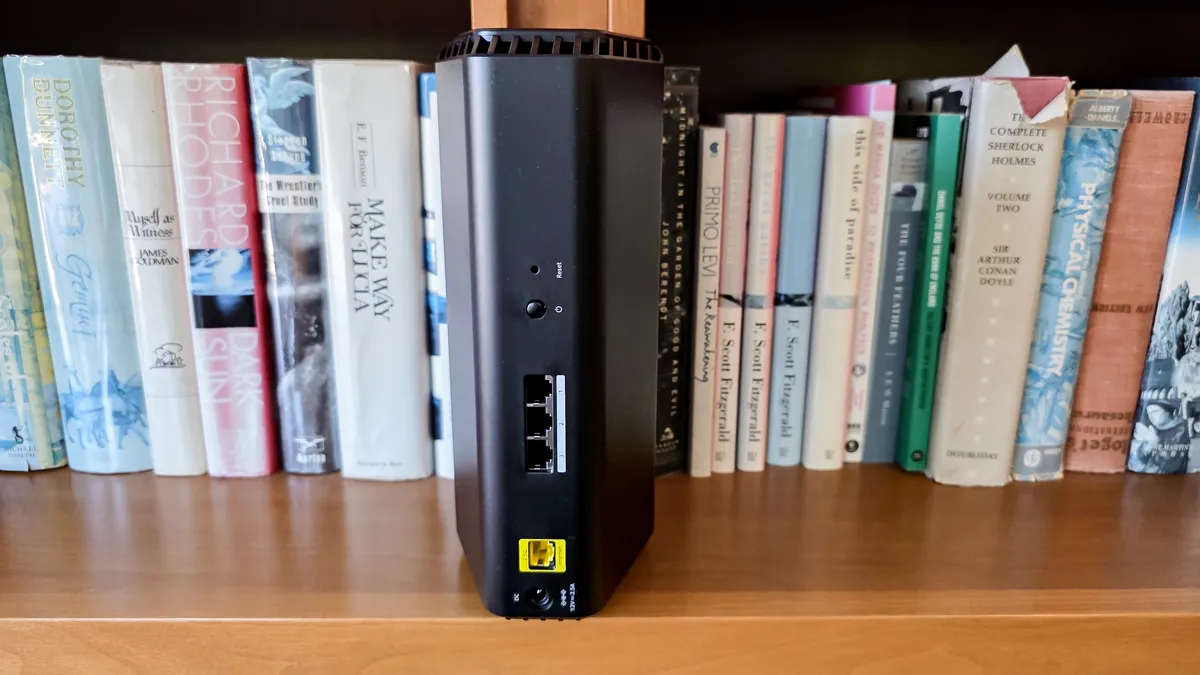
The router’s quad-core 2.0 GHz processor, 1GB of memory and 512MB create a mid-range home LAN to theoretically move up to 700 Mbps over the 2.4 GHz band as well as 4.3 Gbps on the 5.0 GHz band for a BE5000 rating. It falls short of the best with a 2.5 Gbps WAN input and three 1 Gbps LAN ports versus 5 or 10 Gbps inputs and higher-speed downstream connections.
Most will never miss the fourth networking port but if you need it, the best approach is adding a network switch. It does without the Archer BE3600’s USB port for connecting a data drive too.
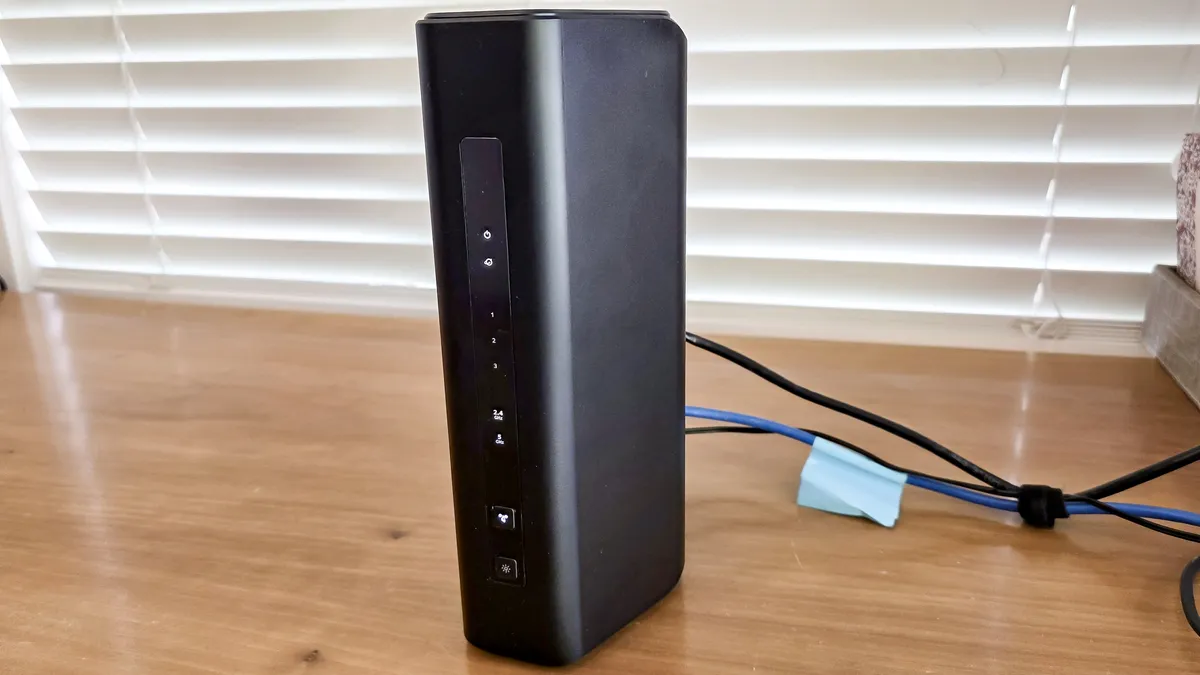
Up front, the router’s LEDs show the RS150 status for power, Internet, action on its two bands and three wired connections. There’s also a light for using Wi-Fi Protected Setup (WPS) and, happily, a button for turning off the lights.

Unlike many of its Wi-Fi 7 brethren, the RS150 runs cool. Its passive cooling scheme pulls room air into the device with warm air exiting the top vents. Even when running hard, the RS150 never got above 87.2 degrees Fahrenheit compared to 20 degrees hotter for its competitors.
The router includes a 30-day trial for Netgear Armor comprehensive security software that uses Bitdefender software and services. After that, you need to pay. It includes virus scanning for a variety of connected devices along with Dark Web monitoring and heightened analysis of the data flow for malicious sites and unauthorized entry.
The standard plan costs $100 a year along with an extension of the product’s one year warranty to three years with service and support; without it the personalized service ends at 90 days.
There’s also the $150 Armor Plus plan that adds Bitdefender’s Virtual Private Network (VPN) in a variety of protocols, including WireGuard and OpenVPN. The subscription also includes anti-tracking and ad blocking.
Netgear Nighthawk RS150 review: Performance
Based on testing over several weeks of daily use with Keysight’s IxChariot networking benchmark set to mimic 10 high-performance users and an HP Envy x360 test notebook, the RS150 started out strong. Able to connect at 1.467 Gbps with the test system next to the RS150, it offers 15% higher throughput compared to the TP-Link Archer BE3600’s 1.234 Gbps.
Later, with a 15 foot length of Cat 7 cable connecting the two, the network provided 1.527 Gbps. That’s a big step up from the Archer BE3600’s 1.103 Gbps.
It did just as well at real-world wireless distances, starting at 15 feet, where the RS150 moved 1.437 Gbps. This is a nice upgrade over the Archer BE3600’s 1.138 Gbps but well short of the Nighthawk RS700 at 1.773 Gbps or the TP-Link Archer BE9700 at 2.201 Gbps, both of which use all three Wi-Fi transmission bands.
Its mid-range figures fluctuated but ended up at an impressive average of 1.057 Gbps at 50 feet. This scatter might feel like extra latency when the router is stressed but the test system never dropped a connection. Still, it’s a large speed boost over the Archer BE9700 (at 700.7 Mbps), Nighthawk RS700 (691.8 Mbps) or Archer BE3600 (702.3 Mbps).
|
Netgear Nighthawk RS150 |
TP-Link Archer BE9700 |
Netgear Nighthawk RS700S |
TP-Link Archer BE3600 |
|---|---|---|---|---|
15 feet |
1.437 Gbps |
2.201 Gbps |
1.773 Gbps |
1.138 Gbps |
50 feet |
1.057 Gbps |
700.7 Mbps |
691.8 Mbps |
702.3 Mbps |
75 feet |
440.8 Mbps |
146.9 Mbps |
187.6 Mbps |
205.2 Mbps |
90 feet |
44.7 Mbps |
191.1 Mbps |
40.6 Mbps |
15.5 Mbps |
At 75 feet, the throughput fell to 440.8 Mbps, double that of the Archer BE3600, but, again, with lots of variation. The router had a range of 115 feet and delivered 44.7 Mbps at 90 feet – nearly three times the data flow of the Archer BE3600 at the same distance.
At 1.259 Gbps, the RS150 did well on the wall penetration test where the signal travels across a 20 foot room and then through a wall. That’s just ahead of the Archer BE3600’s 1.114 Gbps.
Over three weeks of daily use, the RS150 proved to be an online home body with the ability to move emails, serve up video and serve up online games. Along the way, it used 9.0 watts as it lacks a power-saving idle mode. If it runs 24/7 and you pay the national average of 17.5 cents per kilowatt hour of electricity, the router might cost $13.80 over the year. That’s a couple dollars a year more than the Archer BE3600’s $11.80 annual electricity estimate.
Netgear Nighthawk RS150 review: Setup
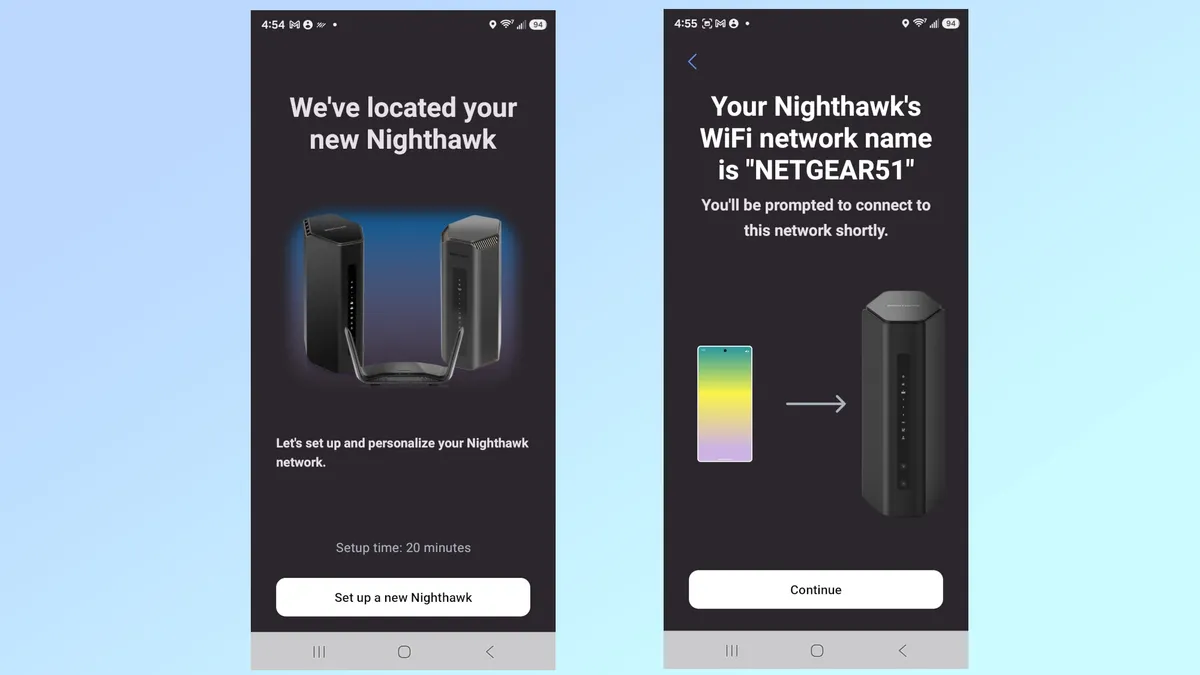
I used the Nighthawk app to get the RS150 online, starting with installing the Nighthawk app on my Samsung Galaxy S25 phone. I snapped the router’s QR code, added my own network name and password and admin credentials. Then I needed to answer two challenge questions and verify my email.
The router connected on the first try and took a little over 11 minutes to set up.
Netgear Nighthawk RS150 review: Configuration
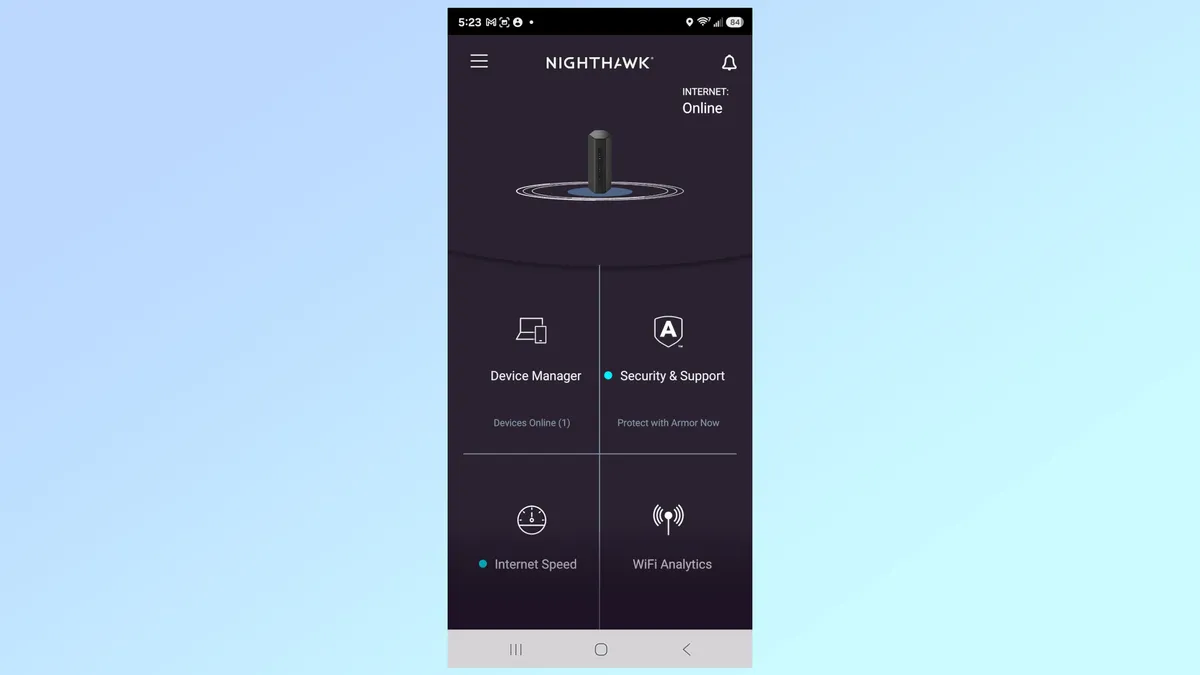
To personalize the RS150, I started with the Nighthawk app updating the system’s firmware.
Later I used the Device Manager to see who was online, the Internet Speed to check my connection and WiFi Analytics to check on the connection’s signal strength. There are settings for changing the Wi-Fi details and using the guest LAN.
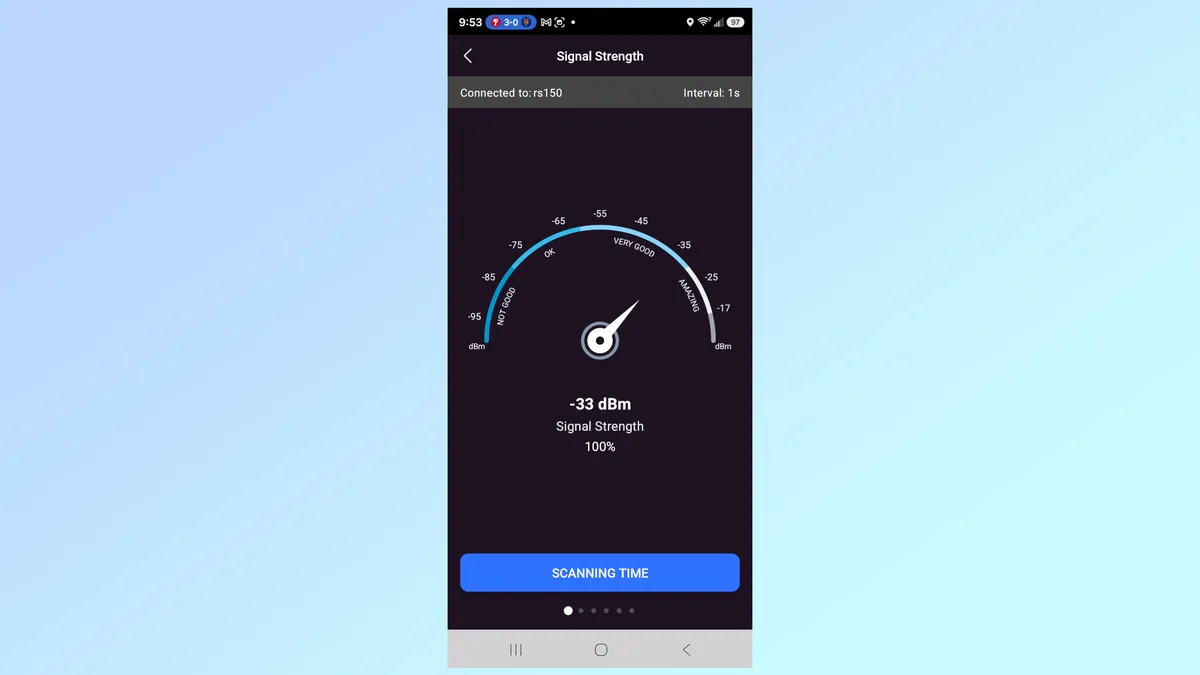
The router’s Traffic Meter shows daily, weekly and monthly data use. Unfortunately, the app squeezes this data into a portrait mode page and does not spread it out in landscape orientation.
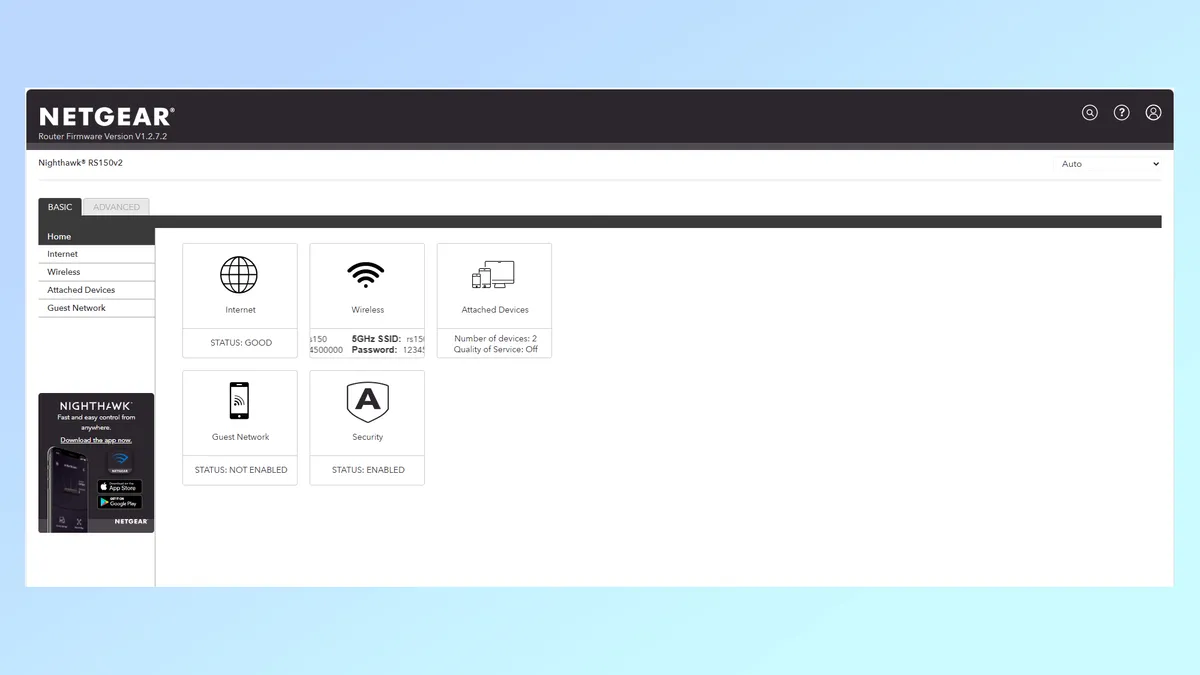
I also tapped into the router’s interface with a web browser with a functional yet basic page that has a scrolling ticker for the network names and passwords. In other words, don’t let just anyone see it.
The Advanced pages range from running the hardware as an access point to turning off the LED lights.
Netgear Nighthawk RS150 review: Verdict
As Wi-Fi 7 matures and the gear to enable it comes down in price, Netgear’s Nighthawk RS150 hits a sweet spot with a nice price and superior performance compared to other budget routers. It excels at mid-range distances and range where competitors can’t keep up.
Sure, there’re compromises, like the lack of 6GHz data transmissions, presence of only three downstream wired networking ports and having to pay for personalized support for more than three months. That said, those items pale in comparison to the RS150’s ability to move data around the house and at a peak of over 1.4 Gbps and stay online at 115 feet.
In other words, the Nighthawk RS150 should satisfy most home networkers with performance that’s hard to beat at $180.

Follow Tom's Guide on Google News and add us as a preferred source to get our up-to-date news, analysis, and reviews in your feeds. Alternatively, you can read our content on the Tom's Guide app available now for iOS and Android.