




If you’ve tried to price out a PC build lately, you’ve probably noticed that your budget isn’t going nearly as far as it used to. As I’m sure you’re aware, we’re currently living through "RAMageddon." In short, AI data centers are gobbling up global memory supply, which is causing DDR5 prices to skyrocket.
When a single 32GB kit of RAM starts costing as much as a mid-range GPU, it’s time to stop looking at the latest and greatest and consider something that meets your needs without destroying your bank account.
Enter DDR4. While this is an older memory standard, it’s quickly becoming a viable option for anyone trying to build a decently powerful gaming PC without taking out a second mortgage.
So whether you’re building a brand-new system from scratch or looking for a way to squeeze more life out of your current rig, DDR4 offers a value proposition that’s hard to ignore in today’s inflated market.
Below, I detail why DDR4 is a smart option in 2026 and list some kits you should consider buying, along with some compatible motherboards.
DDR4 RAM basics
In 2026, the "sweet spot" for DDR4 is 3600MHz CL16 or CL18. While 3200MHz is technically the baseline, the price difference is usually so small that it’s worth paying the extra few bucks for the added snappiness.
If you’re building a gaming rig today, I strongly recommend aiming for 32GB (2x16GB). While 16GB used to be the gold standard, modern titles and even Chrome tabs are getting hungrier by the day.
A word of warning before moving on. In this market, “cheap” is a relative term. Most of the kits I listed below have seen a 50%–100% markup over last year. However, compared to the $400+ DDR5 kits, they remain your best bet for a budget build. If you find a kit at a reasonable price, it’s best not to wait.
Here are five DDR4 kits that offer the best bang for your buck right now.
Quick list
- Timetec Pinnacle Konduit 16GB (3200MHz): $123 @ Walmart
- Silicon Power 32GB (3200MHz): $227 @ Newegg
- Silicon Power XPOWER RGB 32GB (3200MHz): $242 @ Newegg
- Crucial Pro 64GB (3200MHz): $396 @ Newegg
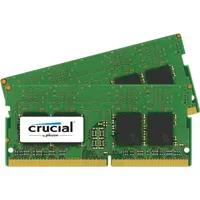
- Crucial 32GB (2x 16GB DDR4): $187 @ Newegg
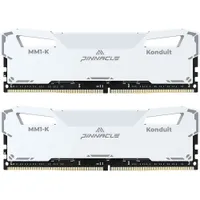
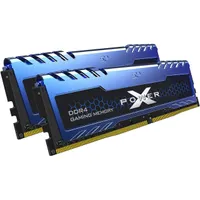
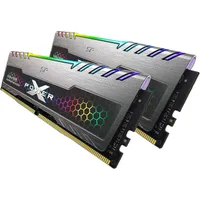
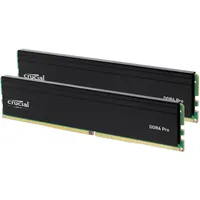
DDR4 compatible motherboards
Now, you can’t just buy sticks of DDR4 RAM and call it a day. You need to make sure you have the right motherboard. The motherboard is the foundation of your build, and when you’re going the DDR4 route, you need to be extra careful about compatibility. Remember: DDR4 RAM will not fit in a DDR5 motherboard.
You’re looking for boards that explicitly mention "D4" or "DDR4" in the name. For AMD, you’ll be sticking with the AM4 socket (B550 or X570), and for Intel, you’re looking for LGA 1700 boards (B760 or Z790) that support the older memory standard.
Like with DDR4 RAM, keep an eye on prices, as they might have changed by the time this post is live. Also, note that AM4 boards are seeing renewed demand/production. Gigabyte released new ones last month. This could be a potential saving grace when seeking motherboards compatible with DDR4.
Here are some DDR4-compatible motherboards worth considering.
Quick list
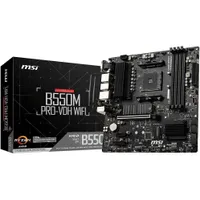
- MSI B550M PRO-VDH WiFi: $102 @ Amazon
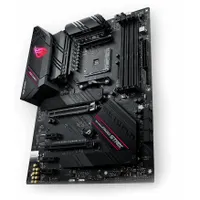
- ASUS ROG Strix B550-F Gaming WiFi II: $139 @ Asus
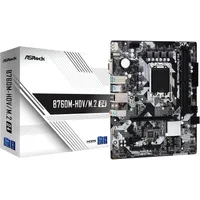
- ASRock B760M-HDV/M.2 D4: $127 @ Amazon
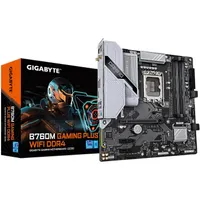
- Gigabyte B760M Gaming Plus WiFi D4: $139 @ Amazon
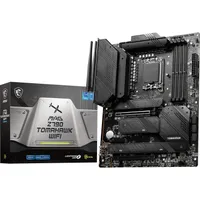
- MSI MAG Z790 Tomahawk WiFi DDR4: $209 @ Amazon
The best DDR4 motherboards right now
DDR4: Pros and Cons
Deciding to stick with DDR4 in 2026 is about weighing your immediate needs against your future goals. Here’s a quick breakdown of the trade-offs you’re making when you opt for the older memory standard.
Pros:
- Savings: This is the big one. Going with DDR4 can save you anywhere from $200 to $400 on a total build cost.
- Reliability: DDR4 is a mature technology. You won't deal with the stability headaches or long boot times that sometimes plagued early-adopter DDR5 platforms.
- Low latency: High-quality DDR4 kits often have much lower latency than budget DDR5, making them incredibly snappy for day-to-day tasks.
- Platform variety: There’s a considerable secondary market for DDR4 parts, making it easy to find great deals on used motherboards and CPUs.
Cons:
- A dead-end path: This is the biggest downside. Once you commit to a DDR4 motherboard, you’ve reached the end of the line for that platform. You won't be able to upgrade to the latest chips from AMD or Intel without a full swap.
- Lower bandwidth: While the gaming impact is minimal at 4K, professional creators will notice that DDR5 is much faster for things like heavy video rendering or complex 3D work.
- Slightly higher power draw: DDR4 runs at a slightly higher voltage (1.2V vs. 1.1V) compared to DDR5, though the impact on your power bill will be negligible.
Bottom line
Building a PC in 2026 feels like a high-stakes game of budget Tetris, but DDR4 remains one of the best tools in your arsenal. Is it the fastest technology on the market? Nope. But is it more than enough for the vast majority of gamers and home office users? Absolutely.
If you’re a hardcore gamer who needs the absolute best performance and a clear path to future CPU upgrades, you’ll just have to bite the bullet on DDR5. But for everyone else—especially those trying to put a decent gaming rig together in a tough economy—DDR4 is a sensible way to beat the price crunch.
You get a stable, high-performing system today, and you save enough money to buy games and peripherals. That’s a win in my book!

Follow Tom's Guide on Google News and add us as a preferred source to get our up-to-date news, analysis, and reviews in your feeds.
More from Tom's Guide

