Tom's Guide Verdict
The Dell 24 AIO isn’t exactly a performance powerhouse, but its ability to handle everyday tasks efficiently makes it a reliable match for basic work. Plus, the great built-in peripherals and variety of ports sweeten the deal. However, if you’re a creative type or a gamer who’s looking to push your machine to its limits, this isn’t the desktop for you.
Pros
- +
User-friendly design
- +
Solid performance
- +
Sharp built-in webcam
Cons
- -
Not ideal for demanding tasks
- -
1200p display is lackluster
- -
Mushy-feeling keyboard
Why you can trust Tom's Guide Our writers and editors spend hours analyzing and reviewing products, services, and apps to help find what's best for you. Find out more about how we test, analyze, and rate.
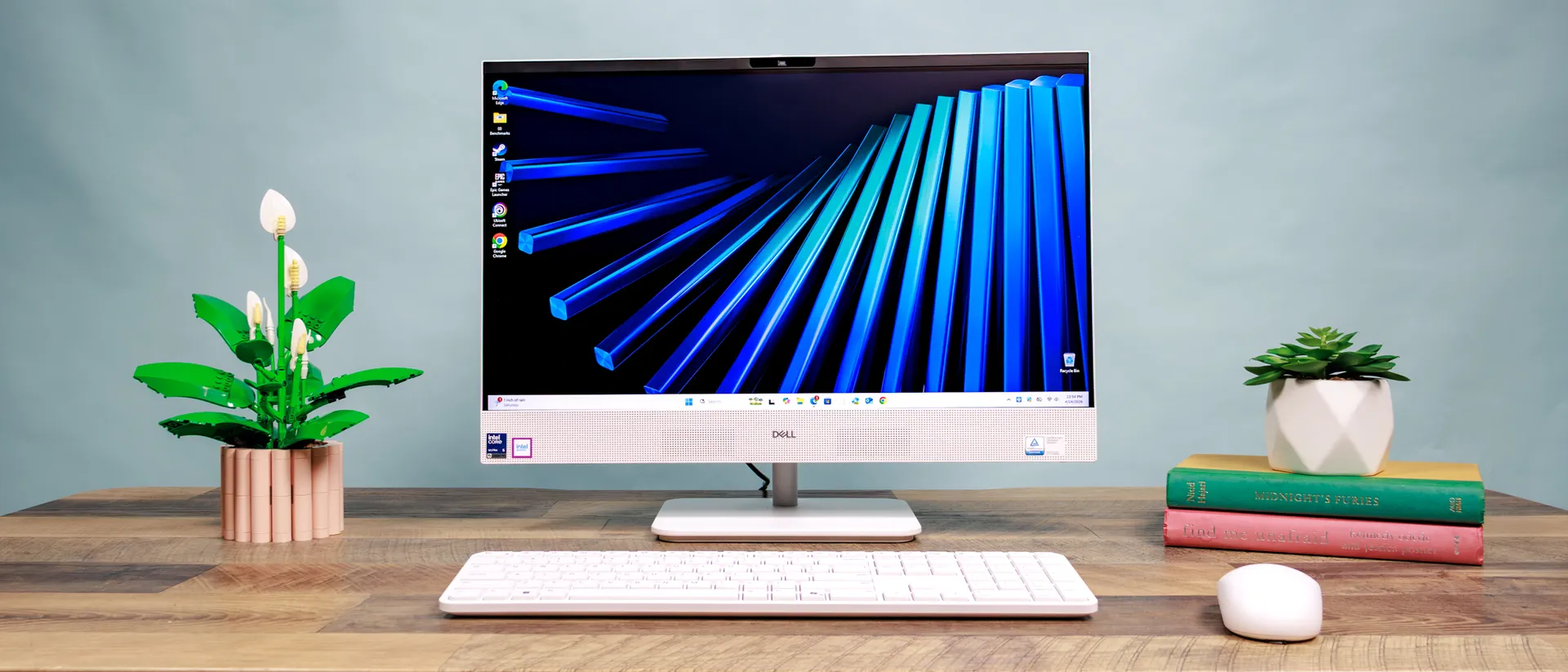
Let’s get this out of the way: The Dell 24 AIO is no iMac, especially when it comes to performance. That said, I don’t think Dell’s all-in-one desktop should be immediately dismissed. That’s because it's a solid, no-fuss productivity machine that nails the basics and exceeds expectations for entertainment.
It's not a powerhouse capable of handling demanding games or video editing, and its display leaves much to be desired. However, this minimalist all-in-one is a perfect fit for those who don't need all the bells and whistles of a more powerful rig, such as students and remote workers.
Simplicity, convenience, and reliability are all things the Dell 24 AIO brings to the table, and it delivers on all of them quite well. However, its shortcomings prevent it from being an instant recommendation. Find out more in my full review.
Dell 24 AIO review: Cheat Sheet
- What is it? The Dell 24 AIO is an all-in-one desktop designed to save space and deliver great performance for everyday tasks like web browsing and document editing.
- Who is it for? Remote workers, students, and home-office-havers who are only looking to tackle basic productivity tasks, listen to music, and watch content.
- What does it cost? The most budget-friendly configuration we reviewed starts at $1,349. If you want all the highest-end specs, the all-in-one desktop can run you up to $2,549.
- How are the speakers? While all-in-one stock speakers don’t typically impress, the Dell 24 AIO stands out for its crisp, punchy sound system.
- Can it handle gaming? The Dell 24 AIO is not well-suited for power-hungry tasks like gaming and photo/video editing.
Dell 24 AIO review: Specs
| Row 0 - Cell 0 | Dell 24 AIO |
Price |
$1,349 |
Display |
24-inch FHD (1920x1200) Touch Display |
CPU |
Intel Core Ultra 5 322 |
GPU |
Intel Graphics |
Memory |
16GB |
Storage |
512GB |
Ports |
2x USB-A, 3x USB-C, 1x HDMI out, 1x HDMI in, 1x 3.5mm headphone jack, 1x Ethernet port, 1x power adaptor port |
Webcam |
8MP IR UPD Camera |
Dimensions |
21.2 x 2.3 x 14.2 inches |
Weight |
10.9 pounds |
Dell 24 AIO review: The ups
The Dell 24 AIO impresses thanks to its strong performance, sharp display, and generous port selection.
Great performance
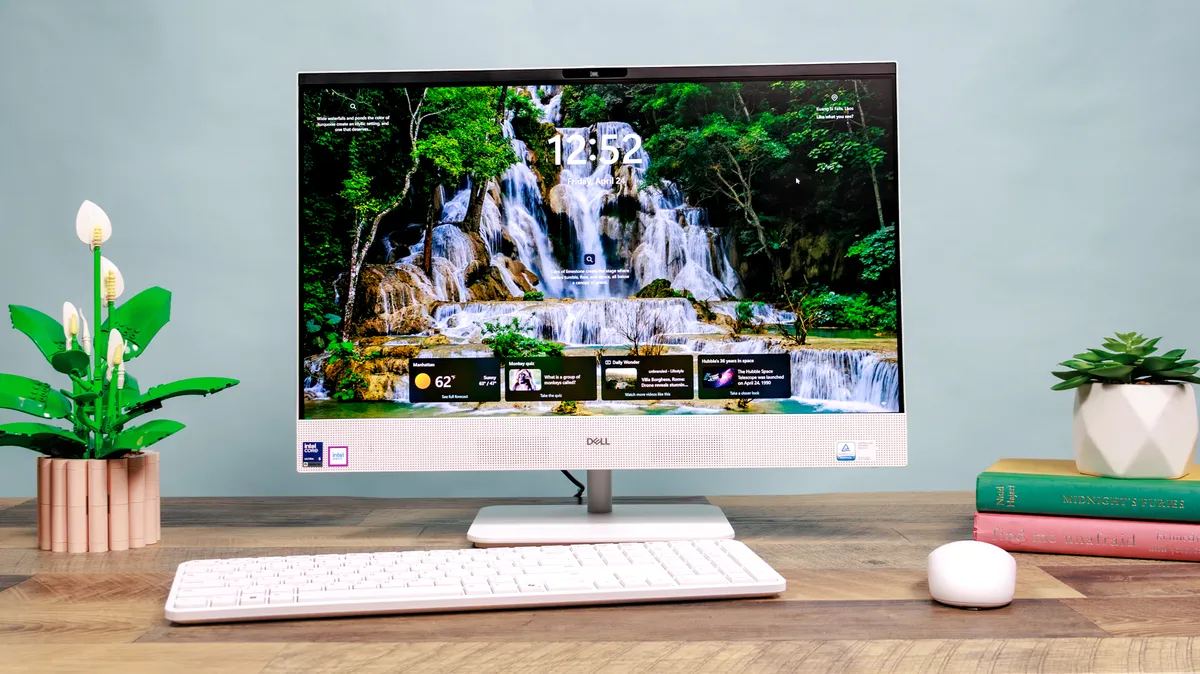
Every day, productivity tasks are the Dell 24 AIO’s bread and butter.
During my testing, I used it for most of my work, including writing reviews, sending emails, filling out spreadsheets, and basic web browsing. It handled all those things swimmingly, and I never noticed any slowdown, even when having a bunch of tabs open at once.
| Row 0 - Cell 0 | Dell 24 AIO |
iMac M4 |
Lenovo Yoga AIO 27 |
Geekbench 6 (single/multi-core) |
2,567 / 7,789 |
3,646 / 15,550 |
2,889 / 14,724 |
Handbrake |
8:43 |
5:03 |
3:58 |
Our Geekbench 6 CPU performance data aligns with this. Single-core performance, which handles those low-lift tasks I mentioned above, is strong at 2,567. That’s nowhere near the 3,646 score of the M4 iMac, but still comparable to the impressive Lenovo Yoga AIO 27, which scored a 2,889.
The multi-core scores paint a different picture, though, and show why the Dell 24 AIO is worse at handling more demanding tasks like gaming and photo/video editing. The Dell AIO scored 7,789, while the Lenovo and iMac scored 15,550 and 14,724, respectively.
While the Dell 24 AIO’s multi-core scores don’t touch those of the M4 iMac and Lenovo Yoga AIO 27, you still shouldn’t have any issues with the basics when using the AIO. Once you start taking on more demanding projects, that’s when you’ll run into trouble, but I’ll get to that later. Otherwise, you can expect the Dell AIO to be a reliable daily driver desktop.
Space saving design
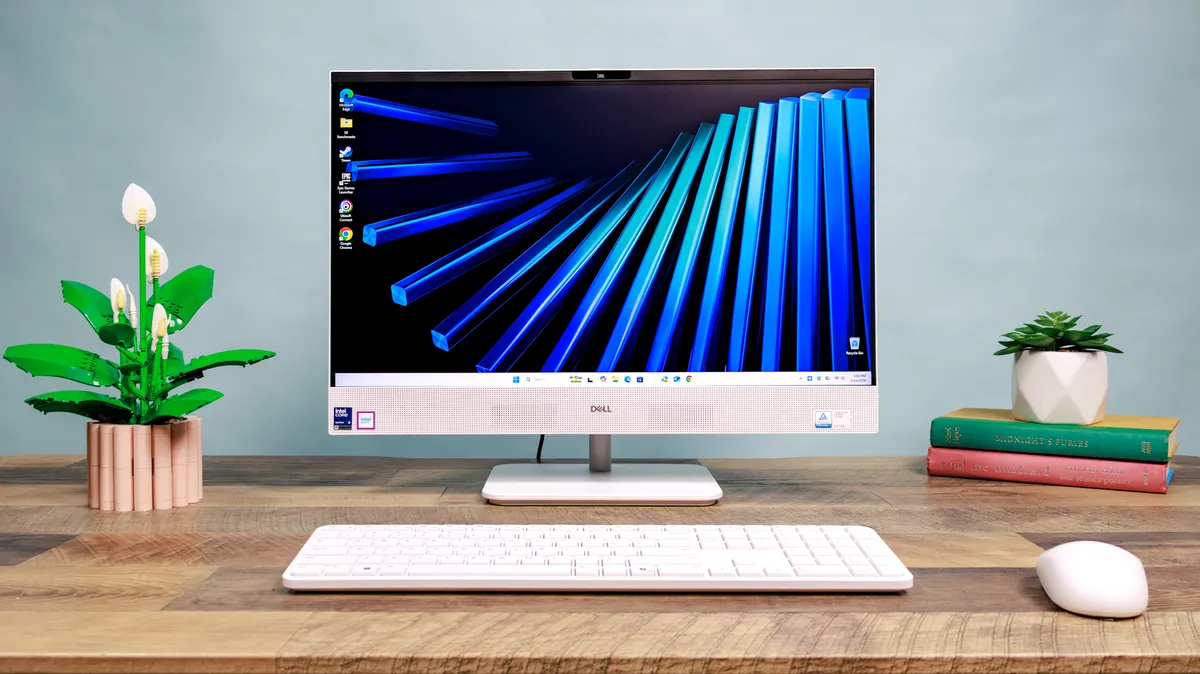
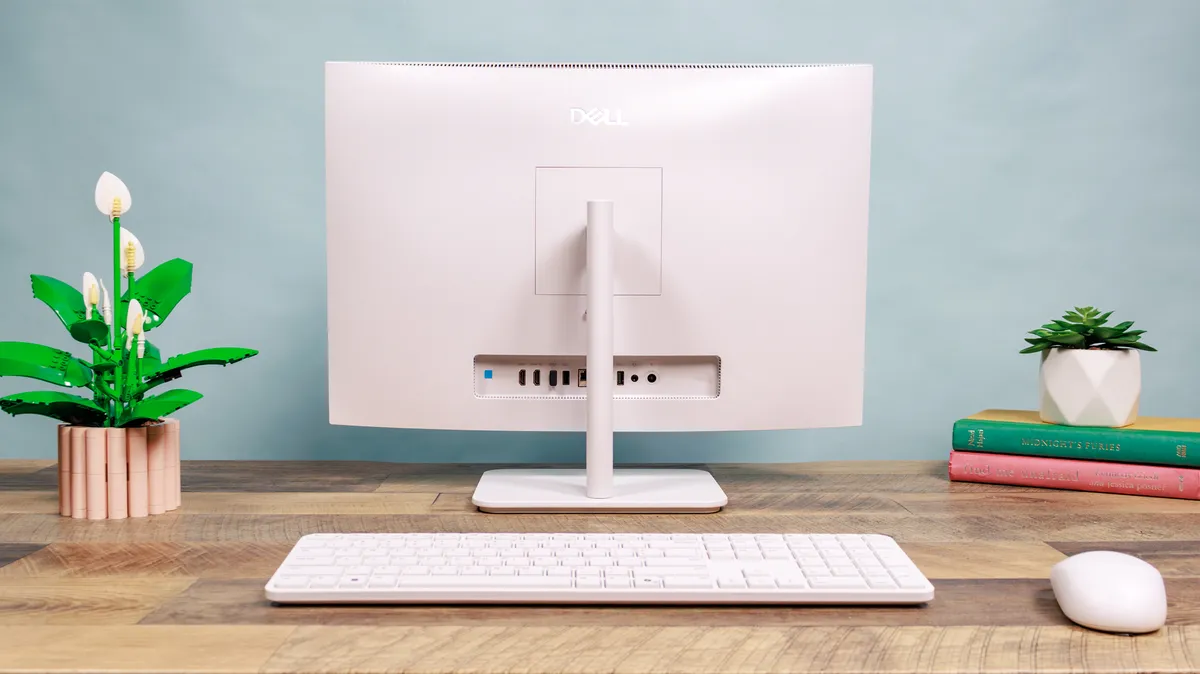
One of the main reasons to buy an all-in-one desktop is to save space, and the Dell 24 AIO does just that. The entire setup is just three pieces: The monitor/PC, keyboard, and mouse. So, no matter what kind of real estate you’re working with, you should absolutely have room to fit the AIO into your workspace comfortably.
After placing it on your desk, setting up the AIO is a breeze — it’s as simple as plugging in the included power adapter and booting it up. From there, you’re off to the races.
Beyond the space it saves, the Dell 24 AIO also looks great. I usually prefer a more minimalist look for my tech, and to me, this AIO nails it. The all-white body forgoes flashiness but still has some character.
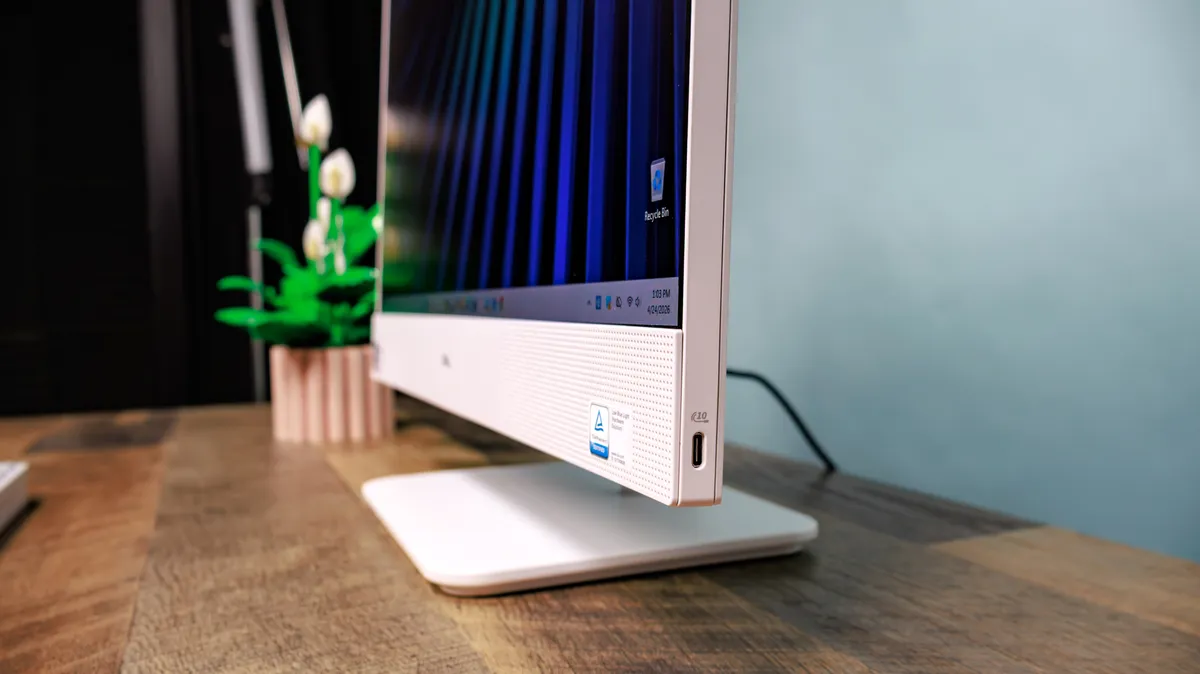
I also really like that the monitor’s speaker system is on the front of the computer. It makes for a way better audio experience than other desktops that opt for back-facing speakers, which shoot directly into the wall behind it and distort the finer details you probably wouldn’t want to miss (more on those speakers in a bit).
For me, the only downside of the Dell 24 AIO’s physical design is the fixed stand, which only allows tilt adjustments. If you’re looking to change the height of the display or swivel it from side to side, you’re out of luck. I found the fixed height okay for me, but the lack of swivel made it unnecessarily difficult to access the back of the computer, where all the ports are. A slight annoyance, but definitely worth considering.
Impressive speakers and webcam
I’m not normally impressed with stock speakers. That goes for monitors, laptops, and even TVs. But the Dell 24 AIO shocked me with how great its built-in speakers sound.
High and midtones sounded super crisp, and I could even hear a decent amount of bass, whether I was listening to music or watching a film. And because the sound system supports Dolby Atmos, I was able to get a much more immersive surround-sound experience from whatever content was on the screen.
I’m more accustomed to the tinny, crackly built-in speakers you’ll find in many laptops and monitors today, so the full-bodied audio experience of the Dell 24 AIO was a pleasant and welcome surprise.

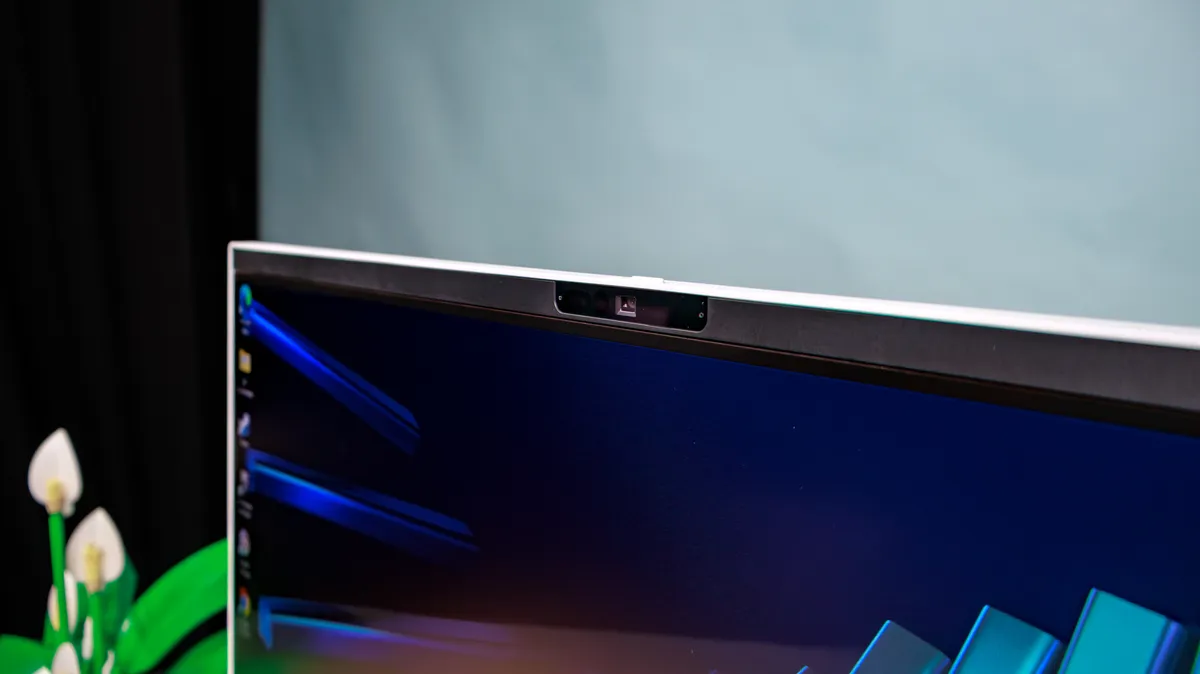
The monitor’s 8MP webcam is also a highlight. It looks crystal clear during video calls, and even has facial recognition support for logging in to your various accounts faster.
Fantastic port variety
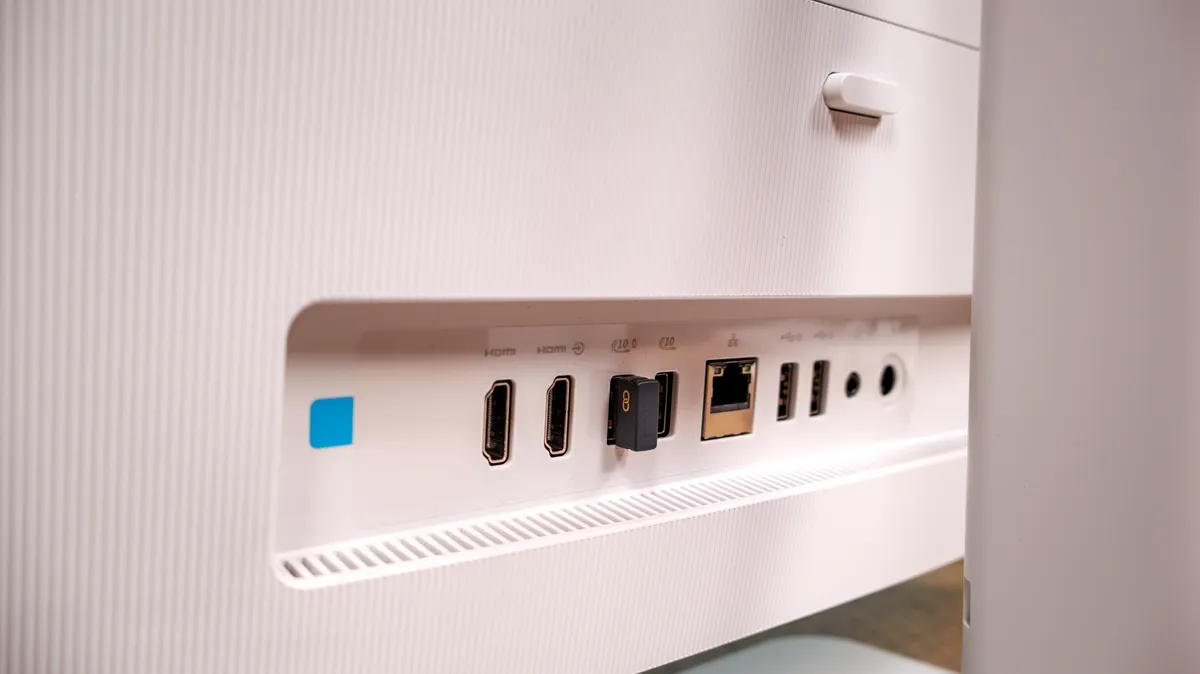
The AIO has a really nice selection of ports that should cover most people's needs.
You’ll get a bunch of USB ports, including a USB 2.0 duo and three USB 3.2 ports. An Ethernet port is also here if you want to plug in for faster internet speeds, and a 3.5mm jack in case you don’t have a pair of Bluetooth headphones.
What I really liked having, though, was the desktop’s pair of HDMI in and out ports, which allows you to connect another laptop or monitor to use as an extended display. I had my laptop connected to the AIO for most of my review period, and it was really convenient to have a second screen that I could pop in and out of on the fly while getting work done.
Dell 24 AIO review: The downs
The Dell 24 AIO has a lot going for it, but it also has some serious setbacks.
It’s no powerhouse
As I mentioned earlier, the Dell 24 AIO isn’t exactly a performance workhorse. Even though it's not meant for that, it’s still a downside that it can’t handle even light gaming or larger creative projects.
Every game we tested looked like a slideshow if it didn’t crash completely, and the AIO struggled to run demanding apps like those in the Adobe Creative Cloud suite (which aligns with our Geekbench 6 testing data in the performance section above).
This desktop is definitely better for the basics, and if that’s all you need, you should have no problems here. But if you’re a creative who requires more from your desktop, you’re probably better off looking elsewhere. When you can get an iMac at a similar price point that can handle a much heavier workload, it’s hard to look past the AIO’s shortcomings in this area.
Display lacks detail
The Dell 24 AIO’s display is a bit of a mixed bag. When it comes to color accuracy, it actually performs really well, and yielded a Delta-E result that was on par with both the M4 iMac and Lenovo Yoga 27 all-in-one desktop. Delta-E is how we measure color accuracy during testing, and the lower the number we get, the better.
The Lenovo Yoga scored a Delta-E of 0.21, the M4 iMac a 0.22, and the Dell 24 AIO a 0.22 as well. So, it’s hanging right there with some heavy hitters in that regard.
| Row 0 - Cell 0 | Dell 24 AIO |
iMac M4 |
Lenovo Yoga AIO 27 |
Nits (brightness) |
228.8 |
450 |
352.6 |
sRGB |
123.6% |
111.8% |
116.5% |
DCI-P3 |
87.6% |
79.2% |
82.6% |
Delta-E |
0.22 |
0.22 |
0.21 |
But that’s really where the highlights of this display end. When we conducted our brightness tests, the Dell AIO immediately fell behind, scoring an average brightness of just 228.8 nits compared to the Lenovo’s 352.6 nits and the iMac’s 450 nits. It’s pretty apparent just looking at the screen with your naked eye, too.
During my review period, I couldn’t help but feel like the display was a little bit dim, even with the brightness settings jacked up. There are a few different display presets that you can cycle through to try to tweak it to your liking, but the standard mode has the highest average brightness out of all of them, so don’t expect it to get much better than that.
The FHD panel can only handle up to 1200p resolution, and while it’s not a complete dealbreaker, I did notice some artifacting when I got closer to the screen, especially around smooth-edged logos or highly detailed images. Again, if you’re just using this computer to take on super basic tasks, this probably won’t be as glaring an issue. But if you’re a stickler for image quality, you’re definitely going to notice the imperfections in this lackluster display.
Disappointing keyboard

While it’s nice that the Dell 24 AIO comes bundled with a mouse and keyboard, one of the latter was a huge issue for me.
The AIO’s keyboard is perfectly serviceable in terms of size and form factor, but the feedback I got while typing on it really missed the mark. The keys are missing that tactile, clicky sensation that I want from a keyboard. Instead, they just feel kind of mushy, and it really affected how quickly I could type on them.
The keyboard feel is subjective and specific to each person, so your mileage may vary with this one, but I personally couldn’t get with the included keyboard on the AIO. If I owned one of these all-in-one desktops, I’d probably connect one of my other keyboards.
Dell 24 AIO review: Verdict
Even though I would personally want a more powerful all-in-one desktop for my demanding workflow, I still think the Dell 24 AIO is a great option for a very specific type of person.
The Dell AIO is easy to set up, and its minimalist design makes it simple to use with little friction. It handles the basics with flying colors, has great built-in peripherals, and features a diverse array of ports that’ll allow you to get even more mileage out of your machine.
For those reasons, it’ll most likely be a match for someone who isn’t seeking luxury, but something that’s uncomplicated and reliable when it comes to tackling whatever the day throws at them.
Creative types and gamers will probably want to steer clear of this all-in-one due to its display and performance pitfalls, but students and remote workers who value the bare necessities should keep the Dell 24 AIO on their radar.

Follow Tom's Guide on Google News and add us as a preferred source to get our up-to-date news, analysis, and reviews in your feeds. Subscribe to Tom's Guide on YouTube and follow us on TikTok.