







MagSafe has been a staple part of the iPhone experience since the release of iPhone 12, offering the kind of wireless charging experience that most Android phone owners can only dream of. As the name suggests, it's a magnetic system designed to offer a safe and secure way to wirelessly charge. But there's a lot more to it than that.
The magnetic ring inside the iPhone is what makes MagSafe work, and it doesn't discriminate. So while Apple may have designed MagSafe to work with magnetic chargers, you can clip just about anything onto the back of your phone — so long as the magnets all line up. It opens up a whole new range of uses that you might not even have realized were possible.
Even if you don't like wireless charging, there's plenty to love about MagSafe. Here's how it all works, and which phones actually support it.
What is MagSafe?
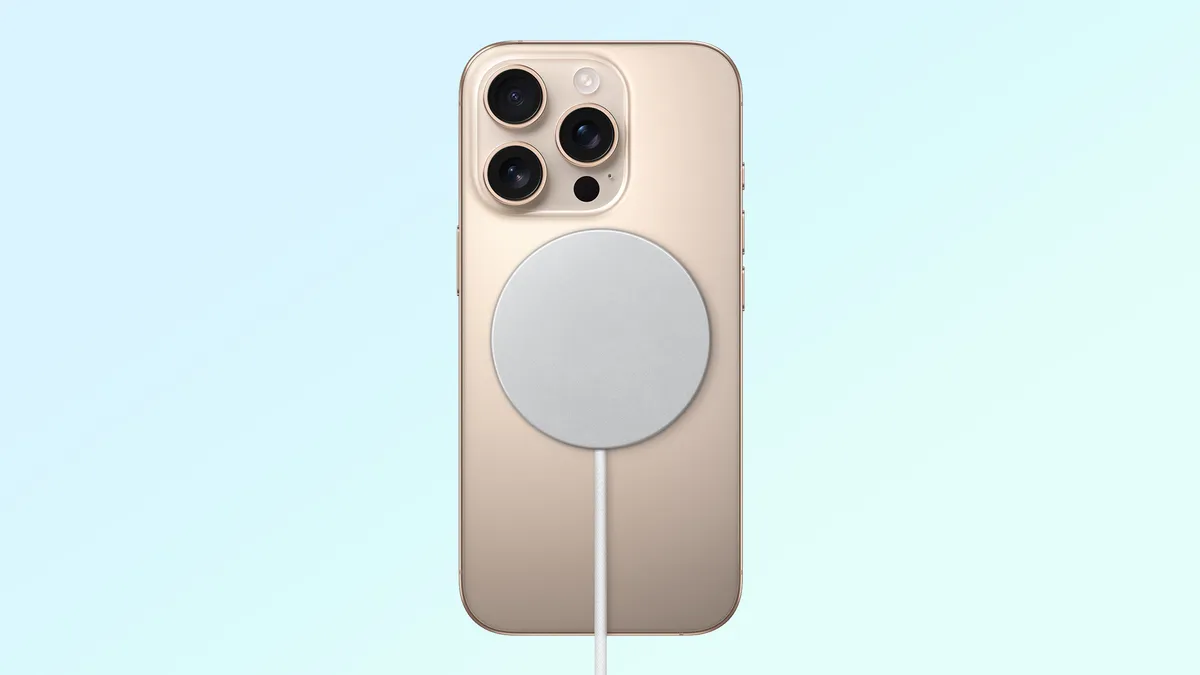
MagSafe is Apple's proprietary wireless charging platform, based on the same Qi standard that powers wireless charging on other phones. However, while Qi chargers require devices to be precisely placed on the wireless charging mat, MagSafe chargers snap onto the back of compatible iPhones using a pair of magnetic rings — one in the charger, and another inside the phone in question.
MagSafe magnets also allow the iPhone to connect to a bunch of different accessories that would otherwise rely on special cases or adhesives. We're talking things like phone grips, wallets, battery packs, and even stands and tripods. No sticking them down or dealing with fiddly holding mechanisms. Just snap them together with magnetism.
The original version of MagSafe was able to charge at up to 15W, which is double that of the original Qi1 standard. Apple has since upgraded the tech to offer up to 25W wireless charging speeds on the latest iPhones, which is on a par with the new MagSafe-inspired Qi2 wireless charging protocol.
What are the benefits of MagSafe?
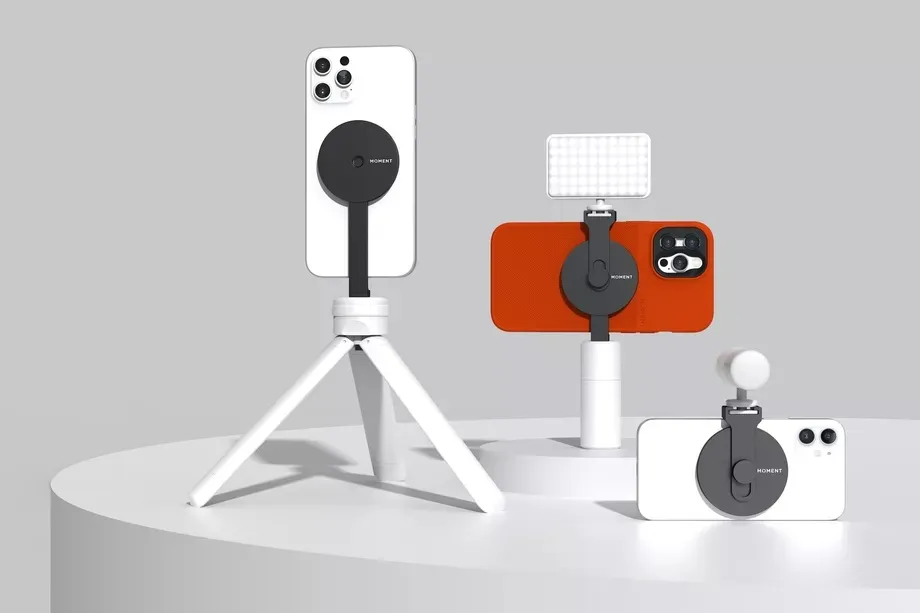
The main benefit of MagSafe was that it was faster than standard Qi charging, though Qi has since caught up. The real benefit comes from the magnets that give MagSafe its name.
The first major benefit is that it ensures perfect alignment of wireless charging coils in both the phone and charger. Having the coils properly aligned boosts efficiency, charging speed and minimizes the amount of energy lost as heat. Without the magnets, alignment is basically guesswork, and just because the phone is charging doesn't mean the coils are properly aligned. Magnets take away all the hassle and guesswork.
Those of you familiar with MacBook chargers will know that there's a version of MagSafe available there too. But this MagSafe is a breakaway cable designed to protect the charger and laptop from any unintentional damage. This isn't really the case with iPhone MagSafe, and the magnetic connection is a lot stronger than you might realize. So don't expect a MagSafe charger to actually make your iPhone any safer.
It's also worth reiterating how useful MagSafe is for accessories. In the past, anything you'd use with your phone would need to be attached somehow, and just about everyone did it differently. Either they'd use adhesives, which were a one-time use and would slowly degrade over time, or they would rely on some other way of holding onto your iPhone, either with a grip or as part of a case. MagSafe allows those accessories to connect magnetically, in a way that remains secure and temporary.
How does MagSafe differ from Qi2?

Qi2 wireless charging has slowly been popping up over the past couple of years. And while still very much a niche feature, it functions as a MagSafe alternative for Android phones. Qi2 is based on MagSafe, and while its execution is slightly different, the two are functionally identical — right down to the fact that MagSafe accessories work with Qi2 and vice versa.
In fact, every iPhone from iPhone 13 onwards also supports full Qi2 wireless charging, meaning Apple phone owners have a lot more choice when it comes to chargers and accessories. However, this doesn't work both ways, and Qi2-compatible phones like Pixel 10 aren't fully compatible with MagSafe. The magnets will connect, and the phone will charge, but you'll be limited to no higher than 7.5W charging speeds.
MagSafe also features an NFC chip that allows iPhones to communicate with and remember MagSafe chargers. Essentially, it lets you set up different settings for different chargers you may have in your house. Qi2 chargers don't offer this.
Which phones support MagSafe?
Since MagSafe is an Apple-made thing, the only phones that fully support it are iPhones. Which should be no huge surprise. Those phones are:
- iPhone 12 series (including mini, Pro and Pro Max)
- iPhone 13 series (including mini, Pro and Pro Max)
- iPhone 14 series (including Plus, Pro and Pro Max
- iPhone 15 series (including Plus, Pro and Pro Max)
- iPhone 16 series (including Plus, Pro and Pro Max)
- iPhone 17 series (including Air, Pro and Pro Max)
It's also rumored that the upcoming iPhone 17e will support MagSafe, something that was noticeably missing from the iPhone 16e and iPhone SE. Various AirPod cases also support MagSafe charging, including AirPods Pro and AirPods 3.

Follow Tom's Guide on Google News and add us as a preferred source to get our up-to-date news, analysis, and reviews in your feeds.
More from Tom's Guide

