My very first smartphone was an iPhone, the humble iPhone 3GS to be precise, but I quickly moved onto Android phones after my initial 2-year plan was over. It's been 15 years since that happened, and every personal phone I've used in the years since has been some kind of Android device.
I've often wondered what it would take for me to make that switch back to iPhone, and with the impending launch of iPhone 18 Pro it's been on my mind more than ever. I'll never say that I won't return to iPhone and iOS, but after all these years there are still things missing from iOS that I wouldn't want to live without.
Here are all the things Apple needs to bring to iPhone 18 Pro to make me even consider switching from Android phones.
Back button navigation

The biggest obstacle between me ditching Android and sticking to an iPhone for the first time in 15 years is the lack of consistent backwards navigation on iOS. Sure, Apple has the left swipe that brings you back in certain situations, but in my experience it's a gamble as to whether it will actually work.
It certainly doesn't work across the entire platform, at which point you're restricted to whatever UI features are available. More often than not those are in the top left corner of the screen, and getting to them is a lot harder than simply swiping from the left side of your screen. This is especially true if you have a larger phone, like the 6.9-inch Pro max iPhones.
It makes navigating on an iPhone an absolute chore, and it's exactly the kind of thing that puts me off using one on a daily basis.
Better File management

The Files app has been available on iPhone for almost a decade now, but the actual file management system is pretty basic in the grand scheme of things. You can access folders and store files on your iPhone, but you're only getting the absolute bare minimum of access.
Android, on the other hand, gives you full access to the entirety of your phone's system files. This can be a bad thing, if you're prone to messing with things you don't understand, but it gives you the freedom to store and access files however you like. Most importantly, it means your apps can too.
I can't tell you the number of times I've forgotten how VLC works on iOS and iPadOS, and that files need to be stored in a specific place and synced correctly. All while the Android version of the app can hunt down every scrap of media on your phone automatically — regardless of where it's kept.
Desktop mode

Desktop mode has been a rarity on a lot of platforms, and it was practically exclusive to Samsung DeX for a long time. But now it's spread to other Android devices, and it's about time Apple took note of this.
Admittedly, desktop mode is not something I use particularly often, but it is a very useful feature to have in a pinch. Plus, your phone is an exceptionally powerful device more capable than some laptops I've owned — so it makes sense that you should be able to put that performance to good use on a larger screen.
Launchers

There's a lot of variety when it comes to Android software, but if none of the stock options appeal to you then you can jazz things up with one of the best Android launchers.
These apps take over your phone, and offer a totally different experience straight from Google Play. There's no need for changing software or tinkering with settings on your phone, and reversing the process is as easy as uninstalling an app.
Apple has come a long way in allowing better customization of iOS in recent years, but we haven't got to the level where launchers are available. Which is a shame, because there doesn't seem to be any major ideological reason why Apple wouldn't allow it.
Sideloading

I know this isn't going to happen, but a guy can dream.
While Google seems to be testing the waters for limiting sideloading, Android's inherent openness is one of the best things about it. The software you use isn't beholden to the whims of a trillion-dollar company, and you have the ability to sideload whatever apps you like — regardless of whether it was approved to be in Google Play or not.
Apple has not been particularly forthcoming with this sort of freedom. The walled garden is ostensibly there for security purposes, but opening up iOS to unapproved installs potentially means ceding control of the iOS platform. Not only would users be able to avoid Apple's rules on what kind of software and content is permissible on iPhone, it would also help developers bypass the fees and commissions associated with the App Store.
Even in the EU, where Apple has been forced to open up to third-party app stores, there are measures in place to avoid offering too much Android-style freedom. Sideloading hasn't been given the green light, and the app stores in question still have to deal with Apple's red tape.
Sure, sideloading does put your device security at risk. But the same is true for installing any software on machines since the dawn of the personal computer. I don't mind security measures to protect from malware and other malicious software, but we don't need a giant company holding our hands and deciding what is or isn't ok.
The one thing Android still needs
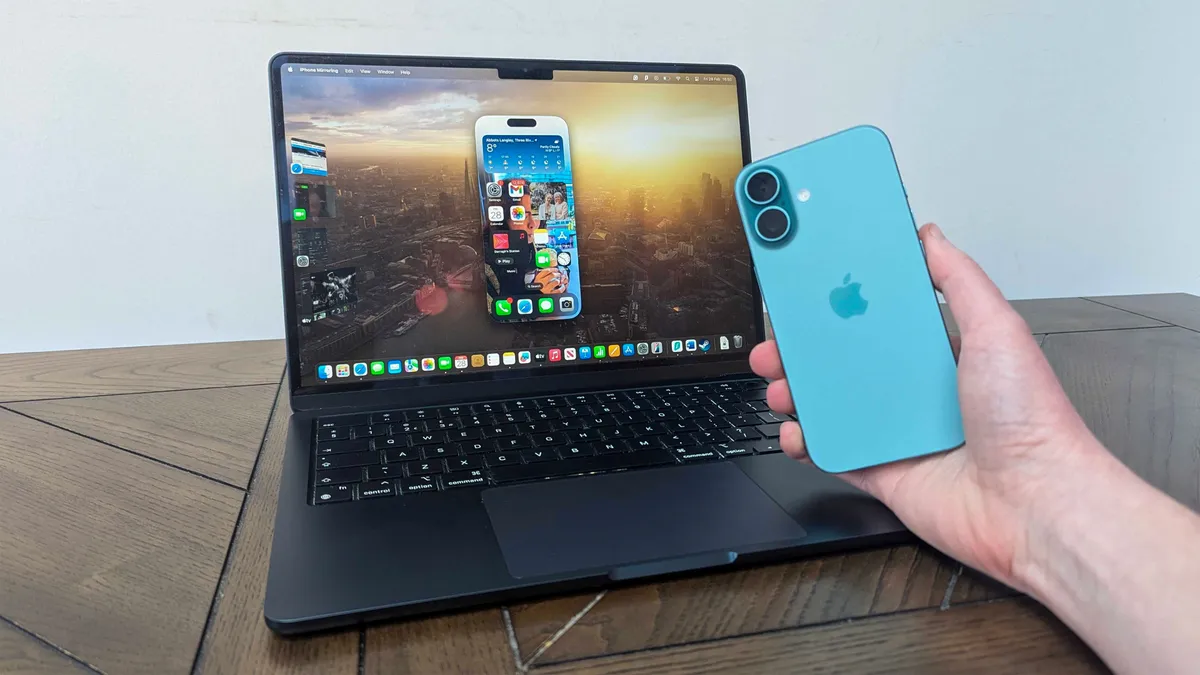
Admittedly, Android is far from a perfect ecosystem, especially when you consider the nonsense Google seemed to be trying to pull with sideloading this year. But there is one thing in particular that Google desperately needs to steal from iPhones for Android: desktop connectivity.
The great thing about Apple products is that if you buy into the entire ecosystem, there are a bunch of extra benefits that you wouldn't otherwise get. The links between iPhones and Macs is the thing I'm most envious of, especially thanks to Apple's Handoff feature and the fact it lets you push content from one device to another almost seamlessly.
Granted, Google did have its own ecosystem with some Android support. But if we're being totally honest we know that ChromeOS was not great. There's a reason Googlebooks are coming, running their own version of Android, and we know that they will have better support for multi-device users. But we don't know a lot of the specifics yet, or how well they'll actually work
I'd also like to see closer links between Android and Windows, too. We have QuickShare and Windows Link, which are fine, but having smarter collaborative features would benefit my work and a bunch of other people who have the same Windows/Android device combination as me.
I don't think it's likely, considering that Google and Microsoft would have to collaborate, and the results of that team-up would not be as effective or efficient as a solo endeavor. But I can certainly dream, because I don't plan on buying a Googlebook (or a MacBook) anytime soon.

Follow Tom's Guide on Google News and add us as a preferred source to get our up-to-date news, analysis, and reviews in your feeds. Subscribe to Tom's Guide on YouTube and follow us on TikTok.
More from Tom's Guide
- iPhone Ultra is Apple's biggest product in years, but supply chain issues mean many could miss out at launch
- Apple's iPhone 18 Pro launch event is coming — but don't expect these 5 products
- Apple may have accidentally teased its own roadmap with 14 unreleased devices revealed — but this long overdue update has me most excited