




There has been a lot of hype surrounding Googlebooks, since these new high-end devices are expected to compete with the best MacBooks and best Windows laptops. But if you’re tired of waiting for the new hardware to launch, there’s a way to see what’s in store.
And how do you do that? By plugging any of the more recent Pixel phones, like the Pixel 11 Pro, into a monitor and trying Android 17’s beta desktop mode. It’s pretty similar to the Googlebook experiences and leaks we’ve seen so far. So while the experience likely won't be the same, you basically have a Googlebook in your pocket right now.
Android 17 desktop mode with a skin

From everything we know about the devices so far, Googlebooks will be powered by Android. Reading past the AI hype and the fancy features like Magic Pointer, leaked images show the underlying experience looks a lot like the Android 17 desktop.
Of course, there are a few custom layers and touches that we have yet to see in action. Overall, it doesn’t seem too different from anything you can’t already try today.
The basics from Android 17 are there


I plugged my Pixel 9 Pro XL into a monitor in our test lab and chose the “Desktop” option for display mirroring. The similarities between the leaked Googlebook experience were noticeable right away.
On my Pixel in desktop mode, I have the taskbar on the bottom for pinning apps, as well as a button to access the apps. It seems, though, that for Googlebook, Google has removed Android’s multitasking buttons from the right side of the screen, which isn’t too surprising, since the UI is likely optimized for keyboard and mouse.
More interestingly, apps open and surface in a similar windowed experience in both Android 17’s desktop mode and the leaked Googlebook interface. You get an app window with a title bar, and options to resize and arrange. To access apps, you get the same centered-facing app launcher that the Android 17 desktop mode has.
In apps like Gmail, you even get the foldable-friendly two-pane layout. You even have the same. So clearly, Google has been putting thought into this behind the scenes and right under our noses.
But some things are missing
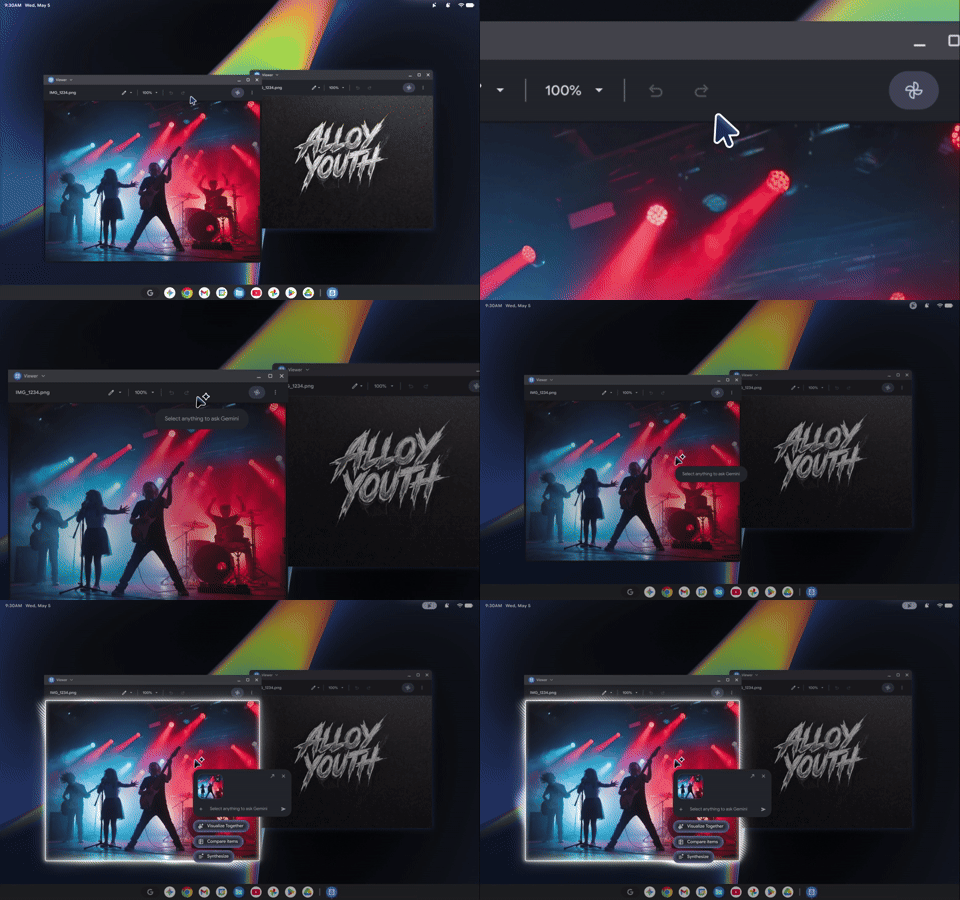
Of course, Google will not just roll out the Android 17 desktop experience to everyone and call it a Googlebook. There are a lot of things missing right now from the Android 17 desktop experience that I look forward to trying on a Googlebook.
Based on leaks, it seems you’ll be able to pin apps to the desktop, customize the OS colors, assign corner shortcuts, and much more. Notifications also seem to work differently, with a dedicated notifications drawer, similar to Samsung’s DeX.
That could help Googlebook feel more like a full-fledged desktop operating system rather than simply Android running on a bigger screen, like Android 17’s desktop mode does today.
I'm excited for Googlebook
Android 17’s desktop mode definitely reveals the foundation of Googlebook, and I'm excited.
Google’s upcoming hardware in September will likely add the polish and desktop-specific features that we’re not seeing in Android 17’s desktop mode today. With features like folders on the desktop, this can turn it into a true Windows and macOS competitor backed by Android. In the meantime, I’ll keep using the Googlebook in my pocket.

Follow Tom's Guide on Google News and add us as a preferred source to get our up-to-date news, analysis, and reviews in your feeds.
More from Tom's Guide

