Tom's Guide Verdict
The Ring Spotlight Cam (2nd gen) is a good addition to Ring's suite of outdoor security cameras, but there's not much here that you wouldn't get with Ring's existing spotlight cam, and like all Ring devices, you need a subscription to make it worth anything.
Pros
- +
Easy to install
- +
Good video quality
- +
Bright spotlights
- +
Extra battery compartment
Cons
- -
Subscription required to save video
- -
Older Ring cameras might be the better buy for now
- -
Video not as crisp as floodlight camera
Why you can trust Tom's Guide Our writers and editors spend hours analyzing and reviewing products, services, and apps to help find what's best for you. Find out more about how we test, analyze, and rate.
There was a time when the prospect of 2K resolution in a security camera would move it to the top of our rankings. Now, it’s the bare minimum, given that many of the best home security cameras record in 4K.
Ring’s newest outdoor camera, the Ring Spotlight Cam (2nd gen) updates its design and sports a new, higher resolution 2K camera that not only delivers a crisper image, but also lets you zoom in closer (somewhat) to view details. It also has improved low-light performance, brighter spotlights, and can accommodate a larger battery than its predecessor.
So is this the best home security camera for those in the Ring ecosystem looking for a spotlight? Yes, but as I found out while testing the Ring Spotlight Cam, there are a few caveats.
Price and availability
The second-generation Spotlight Cam was released on June 3, 2026 for $169. It’s available as either a battery-powered or plug-in model, with solar and wired versions coming soon. Like other Ring cameras, this one also comes in white and black.
Ring launched its second-gen Floodlight Cam ($199) too, which also has a Retinal 2K camera; this model only comes in a wired version for now, but it has two 2000-lumen floods.
What I liked
Design

Resolution: 2K
Size: 4.84 in x 3.15 in x 3.27 in
Field of view: 140° Horizontal, 85° Vertical
Spotlights: 550 lumens
Wi-Fi: Wi-Fi 4 (2.4GHz)
Operating temperature: -4°F to 122°F (-20°C to 50°C)
Weather resistance: IP65
The 2nd-gen Spotlight Cam looks similar to the first, but that’s not a bad thing. It’s more or less a cylinder, the face of which has a black cutout running the length for the camera, IR sensors, and microphone. Flanking this are two LED light strips.
The bottom of the camera twists off to reveal the battery compartment. The camera ships with one battery, but there’s a compartment for a second. An extra battery costs $50. Each compartment is spring-loaded, and each battery has a metal tab to lock it in place. It’s a neat mechanism, but feels a little over-designed. A single screw secures the battery compartment cover; it’s a traditional Philips head, though.

The rear has two slots to attach the included mounting bracket; below that is a small recess with a USB-C port, which you can use to either recharge the camera, or connect a solar panel.
In all, it’s a sensible-looking camera. It’s perhaps not as sleek as Google’s Nest outdoor camera, but not as ungainly as other devices from, say TP-Link or Eufy, which have multiple, bulbous lenses protruding from their cameras.
Good — but not great — video
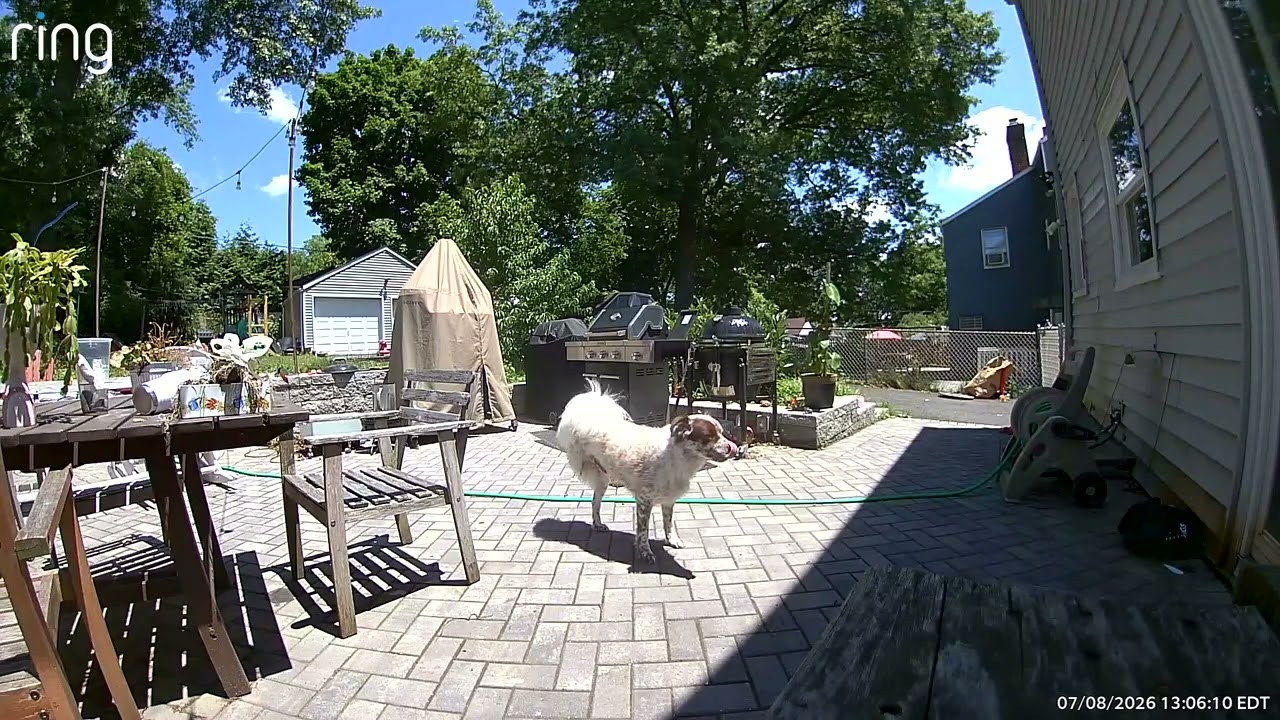
The Spotlight Cam’s daytime video was colorful and detailed enough so that I could make out some features of individuals (such as me) walking across my lawn from a distance of about 20 feet away. However, if my face was in shadow — like on a bright day — it was very hard to make out some facial features.
While the Spotlight Cam can record detailed video, it’s not as good as that of Ring’s Floodlight Cam. For example, in a sample video of my backyard and house, I could make out individual roof shingles in the Floodlight cam’s video; in the Spotlight cam’s video, the roof was an undistinguished gray.
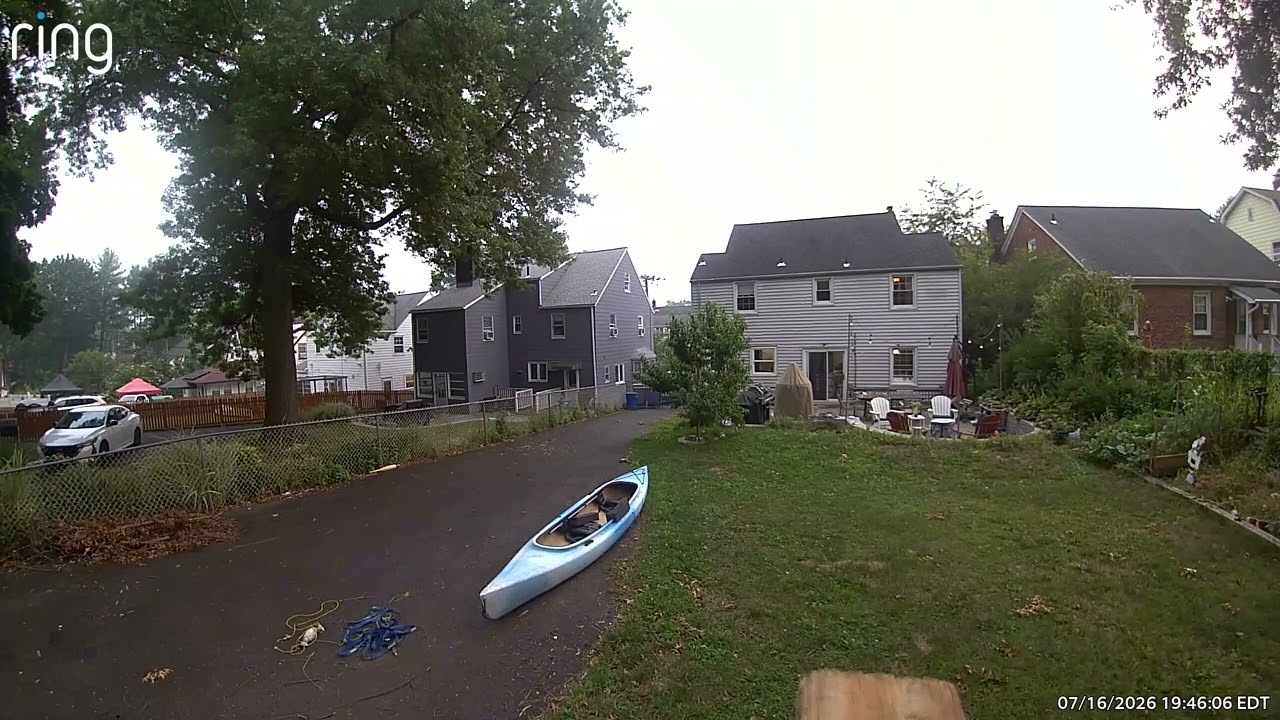
Initially, I had both cameras set up near my garage, and about equidistant from my router (a Netgear Orbi). The Floodlight Cam did receive a marginally better signal — rssi -50, as opposed to -59 for the Spotlight Cam (numbers closer to 0 are better).
Ring sent me a second Spotlight Cam to test, but I saw similar results. I also moved the Spotlight Cam much closer to my house (and the router) to see if that would have an effect, but while the video was fine, it wasn’t as crisp as I thought it would be.
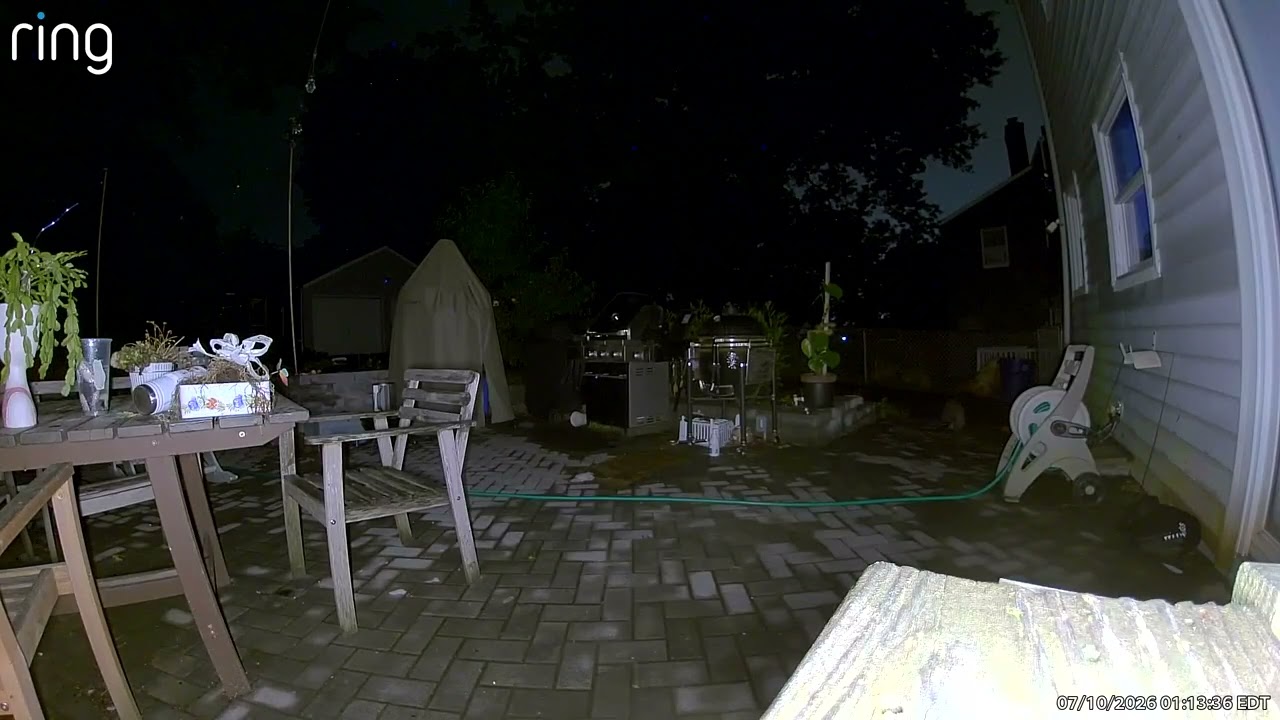
The Spotlight Cam only shoots infrared video at night, which to be fair, was of generally good quality, but was lacking the detail you’d get from color night vision. Then again, you can also program the Spotlight Cam to turn on its lights when it detects movement, which illuminates the scene. In my testing, it was able to add color back to objects as far away as 15 feet.
AI descriptions are neat, but not perfect

If you’re willing to pay up, Ring’s AI does have some pretty neat tricks. For starters, it provides detailed descriptions of any movement it sees. For example, I would get notifications such as “a child riding a bike in the driveway”,“a squirrel hopping across the yard,” or “a raccoon walking across the grass.”
Sometimes, it would miscategorize things to hilarious effect. Once, for example, it thought my dog was a goat wandering around my patio, and misidentified my cat as a bobcat. He's big, but not that big.
And, you can also use natural language search to look for specific events. I could just type in “raccoon,” for instance, and every video of a trash panda would appear. What’s more, this isn’t limited to Ring’s newer cameras; it works across all its devices.
However, this feature doesn’t come cheap, as you’ll see in the next section.
What I didn’t
You need a subscription
Like all of Ring’s cameras, the Spotlight Cam requires a subscription if you want to use most of its features, including the most basic, saving video. Ring’s subscriptions start at $5 a month for a single camera, and $10/month for unlimited cameras at one location. With that, you get, among other things, 180 days of video history, which is the most generous among security camera companies. However, there are plenty of equally capable security cameras that don’t require a subscription to save video.
If you want all the fun AI features — such as being able to see descriptions like “child riding a bike in the yard” or “raccoon walking on the driveway” you’ll need to drop $20 per month on Ring’s premium plan. That’s a lot to ask.
To be fair, it’s the same amount that Google charges for its AI features on Nest cams, but there are plenty of other AI-enabled security cameras that charge less.
MicroUSB and Wi-Fi 4? In 2026?
Confoundingly, the batteries still use a micro USB connector, rather than the newer USB-C. This is a small annoyance, to be sure — you can easily recharge the batteries using the USB-C port on the camera itself, and Ring also ships a USB to microUSB cable with the device.
It's also a bit surprising that the Spotlight Cam is still using Wi-Fi 4, and can only operate on the slower 2.4GHz band. The 4K Spotlight Cam Pro uses Wi-Fi 6 and both the 2.4 and 5GHz bands.
How the Spotlight Cam (2nd gen) compares to Ring's outdoor cameras
With the launch of the Spotlight Cam (2nd gen), Ring now has 11 outdoor cameras from which you can choose — including some that have the same name — though I suspect the older models will be slowly discontinued.
Even I, as someone who reviews these things for a living, was a bit confused, so here’s a cheat sheet. I’ve included the list price, though you can often find the older models at a significant discount. To keep things simple, I’ve only listed the spotlight cameras.
| Row 0 - Cell 0 | Price |
Resolution |
FOV |
Power |
Spotlight Cam Plus |
$149 |
1080p |
140° Horizontal, 78° Vertical |
Battery, plugin, solar, wired |
$169 |
2K |
140° Horizontal, 85° Vertical |
Battery, plugin, solar, wired |
|
Spotlight Cam Pro (1st gen) |
$199 |
2K |
140° Horizontal, 80° Vertical |
Battery, plugin, solar, wired |
Spotlight Cam Pro (newest model) |
$249 |
4K |
140° Horizontal, 85° Vertical |
Plugin, wired, PoE |
Bottom line

There aren’t a lot of outdoor security cameras with spotlights as powerful as Ring’s; most other companies either have much smaller lights, or much bigger floodlight cameras. The Wyze Battery Cam Pro is one of the few exceptions. It too has a 2K camera and supports local storage, but has a smaller field of view, a less powerful spotlight, and only one battery compartment.
The Ring Spotlight Cam (2nd gen) is a clear upgrade over the previous model, in that it offers a higher resolution camera and a wider field of view. But it’s not a huge upgrade over the first-gen Spotlight Cam Pro, which has a 2K camera, dual-band Wi-Fi, 3D motion detection (the newer Spotlight Cam only has customizable motion detection), and two-way talk with audio+.
However, the newer camera has better low-light performance, brighter spotlights, and can use the higher-capacity quick-release battery, so you can go longer between recharges — unless you buy the solar panel.
Ring often offers discounts on both models, especially during holidays and other events. It’s only a matter of time before the 1st gen Spotlight Cam Pro is discontinued, so it might be worth seeing which is on sale for the lower price before you buy.