




I test the best vacuum cleaners for a living, but there's one thing that 99% of them have in common which I hardly ever use: an Auto setting. While it seems like every minute a new vacuum cleaner is being released, promising super power and advanced settings to make life easier, more often than not, I skip past this commonly used setting.
I’ve spent hundreds of hours reviewing all types, brands, and price brackets (so you don’t have to). And while I’ve been impressed with the latest, high-spec models, there is one advanced setting that hasn't quite lived up to my expectations.
The ‘Auto’ setting is designed to make our cleaning tasks (and lives) easier, but is it really worth the hype? Here’s why I hardly use this setting at home.
What is the 'auto' power setting?

Essentially, the 'auto' clean setting does exactly that. It’s designed to automatically adjust the suction power to match various floor types and mess levels, without the need for manual setting changes.
This usually works by sensors on the floorhead to assess the level of resistance between the brush bar and the floor, and track how much embedded dirt and dust is being sucked up.
What’s more, this means you can easily navigate between hard flooring and low/high-pile carpets with zero fuss. And it ensures the vacuum lifts everything from the surface well and doesn't get stuck.
In fact, ‘auto’ mode has become commonplace for top brands like Dyson, Shark, and Tineco, who have all integrated this into their latest vacuums. But is it worth the extra cost? And how effective is this mode in reality?
Why I hardly use the 'auto' setting to clean my floors

Now, don’t me wrong, I do love an automated appliance or gadget that can literally do all the guesswork for me. Not only are they super convenient, but also saves me the time and hassle of having to keep adjusting the suction power to suit my various floor types.
What’s more, this is a good way to save on battery life, since the vacuum will only boost its suction power when necessary.
But having tested this setting on various vacuum cleaners, I came to realize that not all ‘auto’ modes are created equal. While certain premium models such as the Dyson Piston Animal cordess performed incredibly well in sucking up dirt and dust (or anything else) in its path, other vacuums were not as effective for deep cleaning.
In fact, I have better results sticking my cordless to a medium power or even ‘boost’ to thoroughly remove ingrained dirt or hair. Bearing in mind that ‘boost’ will quickly drain your battery, I still find this to be more effective at cleaning than in ‘auto.'
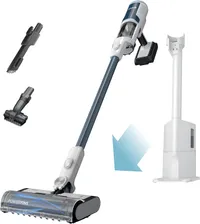
Another reason why I hardly use the ‘auto’ setting is down to the fact it’s not always consistent. For instance, it might work well on my hard floors, but it will still leave behind debris on my carpeted stairs.
Additionally, other factors like suction power, design, type of brushroll and even battery maintenance can all affect cleaning performance on this setting. Which is why it's so important to know how to deep-clean every part of your vacuum for peak performance.
With that said, if you have very light-duty clean-ups, then sticking it on ‘auto’ will do a decent job. However, automated cleaning modes do not always guarantee a deeper clean — despite sounding very appealing.

Follow Tom's Guide on Google News and add us as a preferred source to get our up-to-date news, analysis, and reviews in your feeds.
More from Tom's Guide
- Avoid these 9 vacuuming mistakes you’re probably making
- Are robot vacuums worth it? Here's what you need to know
- Plus, 7 mopping mistakes which are ruining your floor

