





Tom's Guide Verdict
The Secretlab Magnus Evo is a sleek and stable standing desk that brings the brand’s premium magnetic ecosystem to a more accessible price point. While the hybrid laminate desktop is more susceptible to micro-scratches than the all-metal Magnus Pro, it retains essential features like the integrated power column and quiet dual-motor operation. It’s an excellent choice for a clean, professional setup, provided you’re willing to invest in first-party accessories to unlock its full potential.
Pros
- +
Integrated power supply column
- +
Simple and straightforward assembly
- +
Metal rear edge for magnetic accessories
- +
Drop-down cable management tray included
Cons
- -
Limited to low-profile monitor arms
- -
Soft-touch laminate finish scratches easily
Why you can trust Tom's Guide Our writers and editors spend hours analyzing and reviewing products, services, and apps to help find what's best for you. Find out more about how we test, analyze, and rate.
The Secretlab Magnus Evo is a dual-motor, electric standing desk that offers many of the "Pro" features of its predecessor at a more approachable price. Starting at $749 without accessories, it’s still a serious investment, but its sleek, less "gamer-focused" aesthetic allows it to work just as well in a professional home office as it does in a game room.
The most significant departure from the Secretlab Magnus Pro — which I consider one of the best gaming desks overall — is the desktop itself. Instead of an all-metal surface, the Evo features a two-tone top with a soft-touch, ultra-matte laminate finish. Additionally, while the Pro integrates a massive full-length cable tray into its frame, the Evo uses a smaller version that attaches to the underside. More importantly, the Evo retains a full-length metal edge at the back along with its metal legs and frame, which makes it compatible with Secretlab’s existing ecosystem of magnetic cable management accessories.
After using the Magnus Evo daily for the past six months, I’m impressed by how well it holds its own. You do lose the premium 3-stage legs and the ability to quickly transform the look of the entire desk with one of Secretlab’s magnetic MagPad desk mats, but the overall experience remains quite premium. However, there are a few downsides: the optional accessories add up quickly, and while that matte finish feels great, it is noticeably prone to micro-scratches.
My Secretlab Magnus Evo review will help you decide if this is the best standing desk for your setup, or if you’re better off with a simpler desk and putting that extra cash toward your gaming PC.
Secretlab Magnus Evo: Cheat Sheet
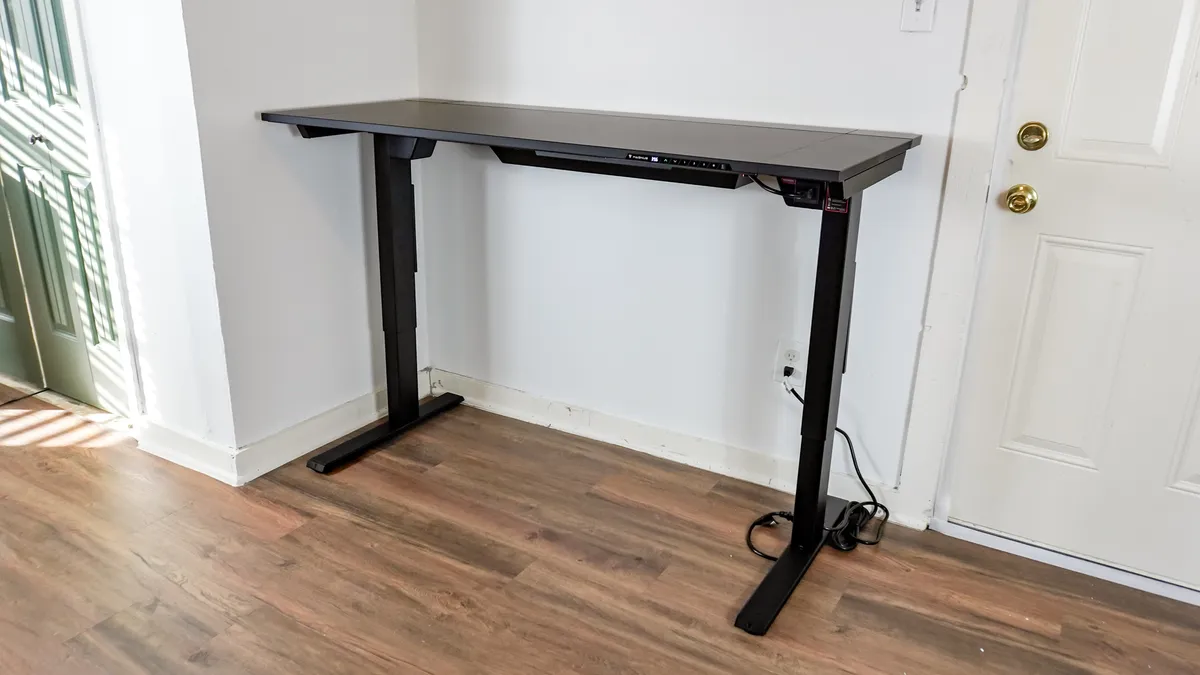
- What is it? An electric, sit/stand desk with a focus on cable management and magnetic accessories.
- Who is it for? It’s targeted at gamers but subdued enough to make it a good fit for anyone working from home that wants a high-tech standing desk.
- What does it cost? The Secretlab Magnus Evo costs $749 while the larger Secretlab Magnus Evo XL costs $849.
- What do we like? The simple and straightforward assembly process, the included cable management tray, the metal strip at the back of the desk for magnetic accessories and the integrated power supply column.
- What don’t we like? That its soft-touch ultra matte laminate finish is prone to scratches, how you’re limited to low-profile monitor arms and that the optional accessories can get expensive.
Secretlab Magnus Evo: Specs
| Header Cell - Column 0 | Magnus Evo (as tested) |
Magnus Evo XL |
|---|---|---|
Desktop size |
59.2 x 25.2 inches |
70 x 25.2 inches |
Desktop style |
Soft-touch ultra matte laminate with full metal rear edge |
Soft-touch ultra matte laminate with full metal rear edge |
Leg colors |
Black |
Black |
Min/max height |
28.3-46.1 inches |
28.3-46.1 inches |
Max supported weight |
265 pounds |
265 pounds |
Electric |
Yes, dual-motor |
Yes, dual-motor |
Noise level |
57 dB (moving up), 45-47 dB (moving down) |
N/A |
Memory presets |
3 |
3 |
Grommets |
No |
No |
Cable management |
Magnetic metal tray included |
Magnetic metal tray included |
Warranty |
Up to 5 years |
Up to 5 years |
Secretlab Magnus Evo: The ups
As the more affordable follow-up to its Pro predecessor, the Secretlab Magnus Evo manages to hold its own with a powerful yet quiet dual-motor system and strategic metal placement for the company’s full line of magnetic accessories. However, it’s the sleek, two-tone design and a more flexible, straightforward assembly process that really make this desk shine.
Pre-wired assembly
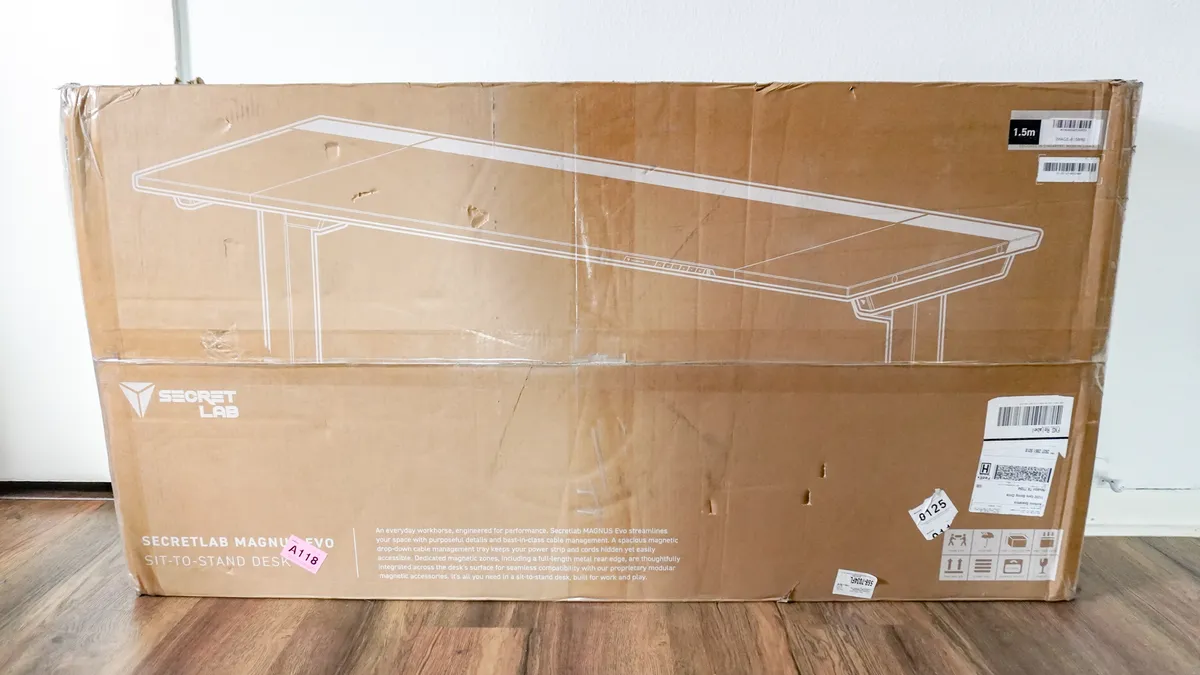
Much to my surprise, the Magnus Evo arrived in one large brown box. Normally, standing desks come in two — with a separate box for the legs and one for the desktop. Everything was extremely well-packaged with plenty of foam to protect all the pieces too. The reason everything fits in one box is due to the fact that Secretlab does a lot of the heavy lifting for you.
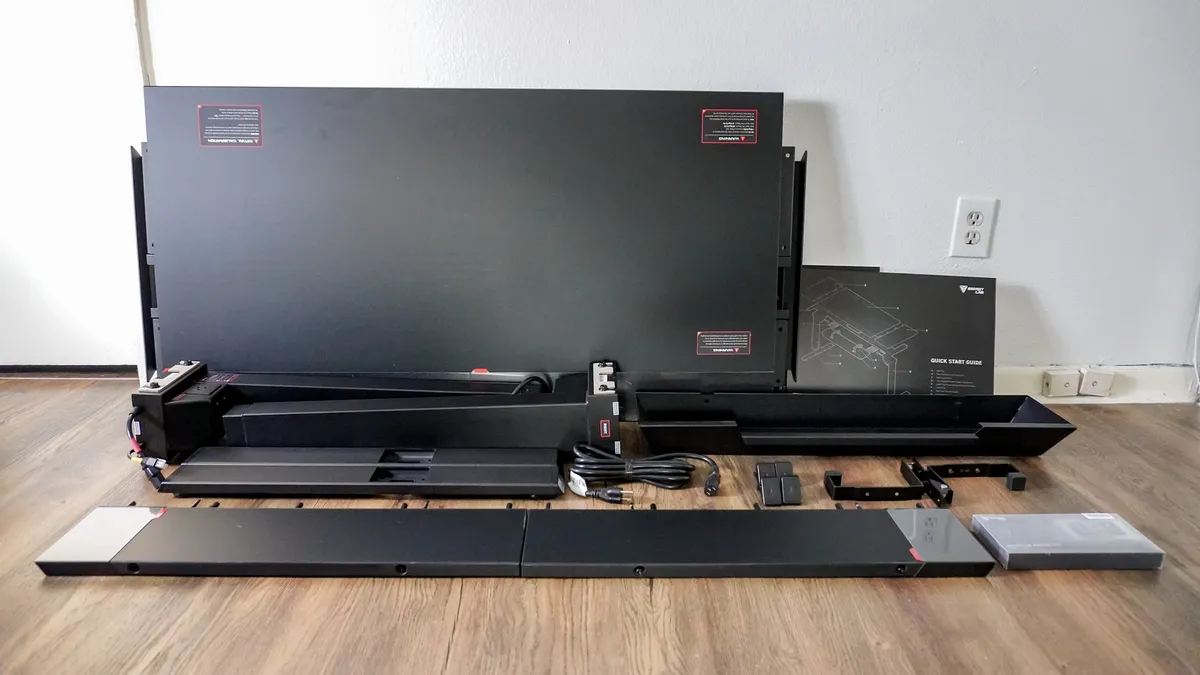
With everything unpacked, I was left with the center portion of the desktop, a pair of desk extensions, two legs and feet, and all of the hardware needed to put the Magnus Evo together.
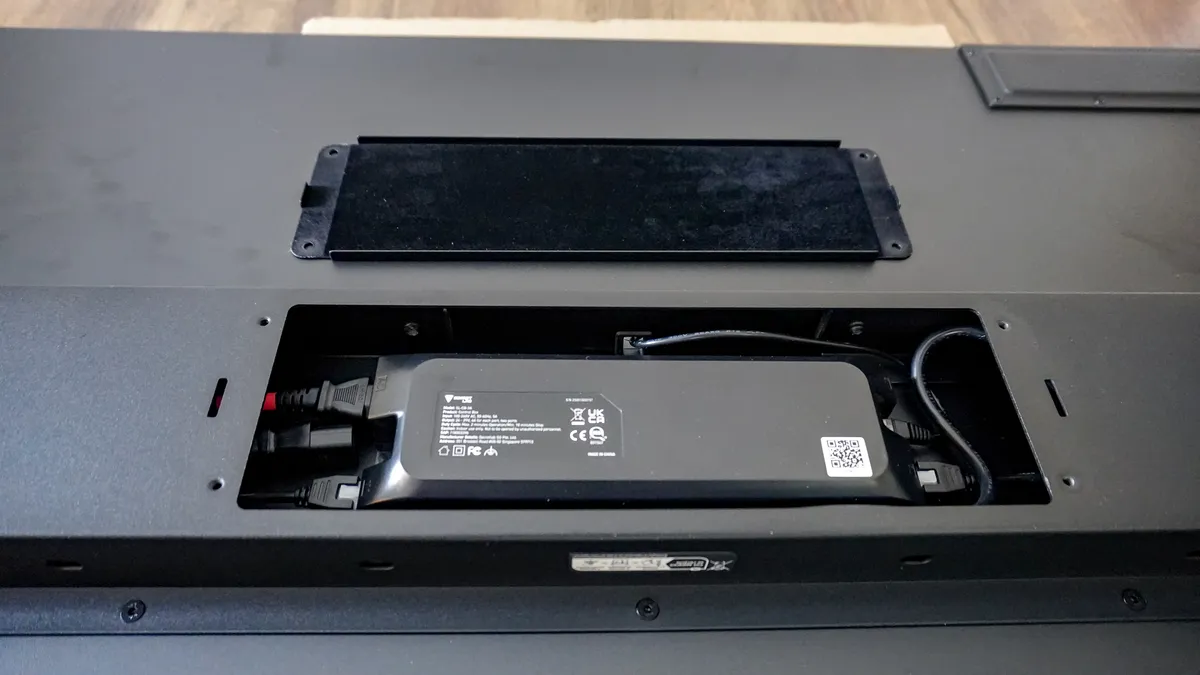
After bolting the two extensions onto either side of the desktop, the rest of the build process was quite straightforward. This is because the Magnus Evo is largely pre-wired; the electrical control box is already mounted to the underside of the center panel. Since the motors are housed directly inside the leg columns, you don't have to worry about mounting them yourself. Instead, you simply plug the legs into the pre-installed control box and you're good to go.
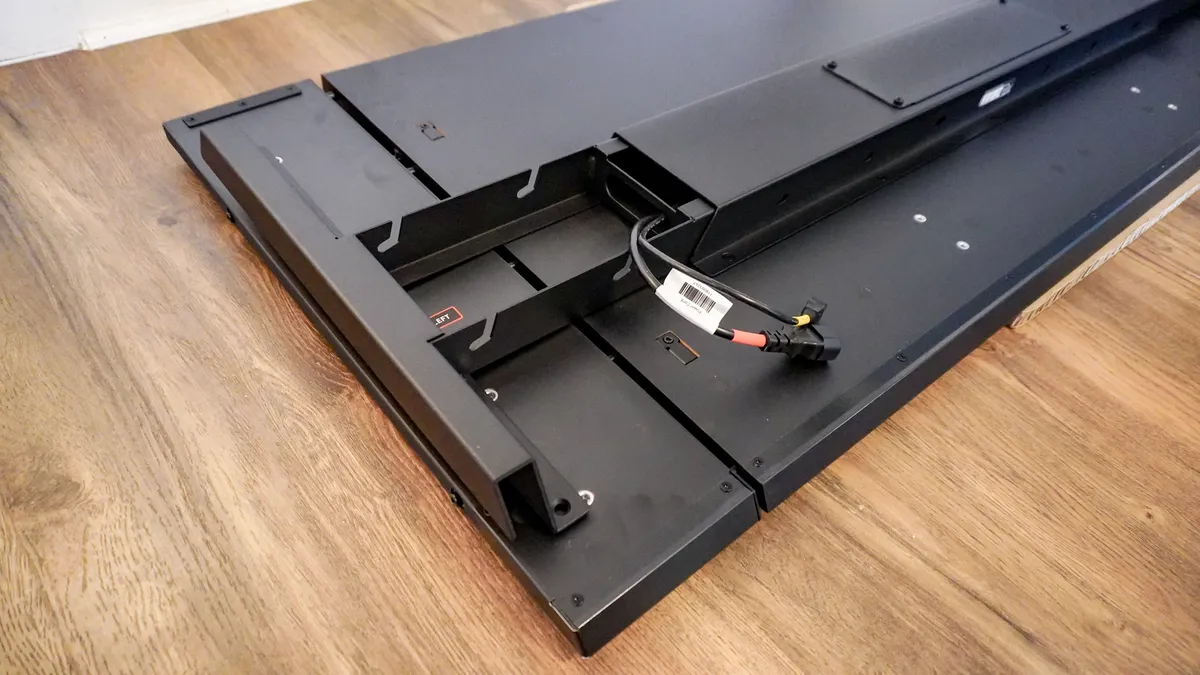
One thing you do have to take into consideration is which side of the desk you want the integrated power supply column on. With the Magnus Pro, you only had one option: the left side of the desk. By giving you the choice between the left or the right leg for the power passthrough, the Magnus Evo is actually a lot more versatile.
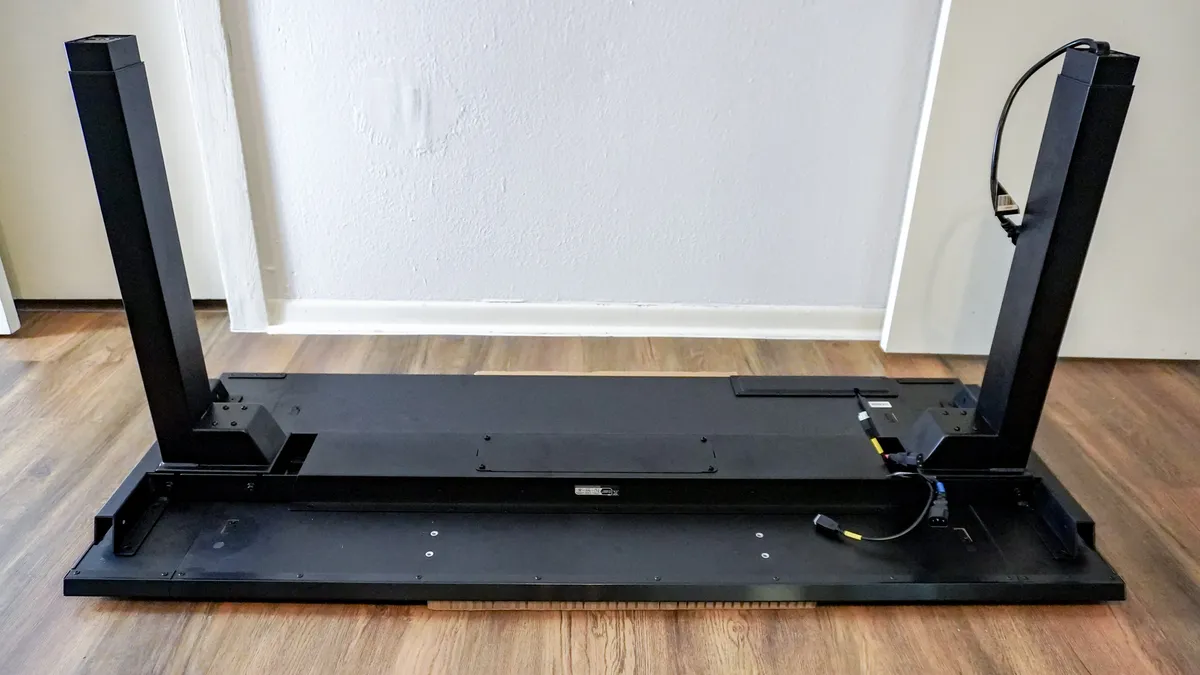
From there, I installed the legs and attached their feet at the bottom using the included bolts and the specialized magnetic screwdriver. Of all the standing desks I’ve built, the Magnus Evo has been one of the easiest to assemble. In fact, I’d go as far to say that it’s as easy to put together as the Vari Electric Standing Desk which I consider the gold standard.
With the Magnus Evo built, all that was left was to flip it over and plug it in. Fortunately, Secretlab makes that even easier than with other electric standing desks.
Power where you need it
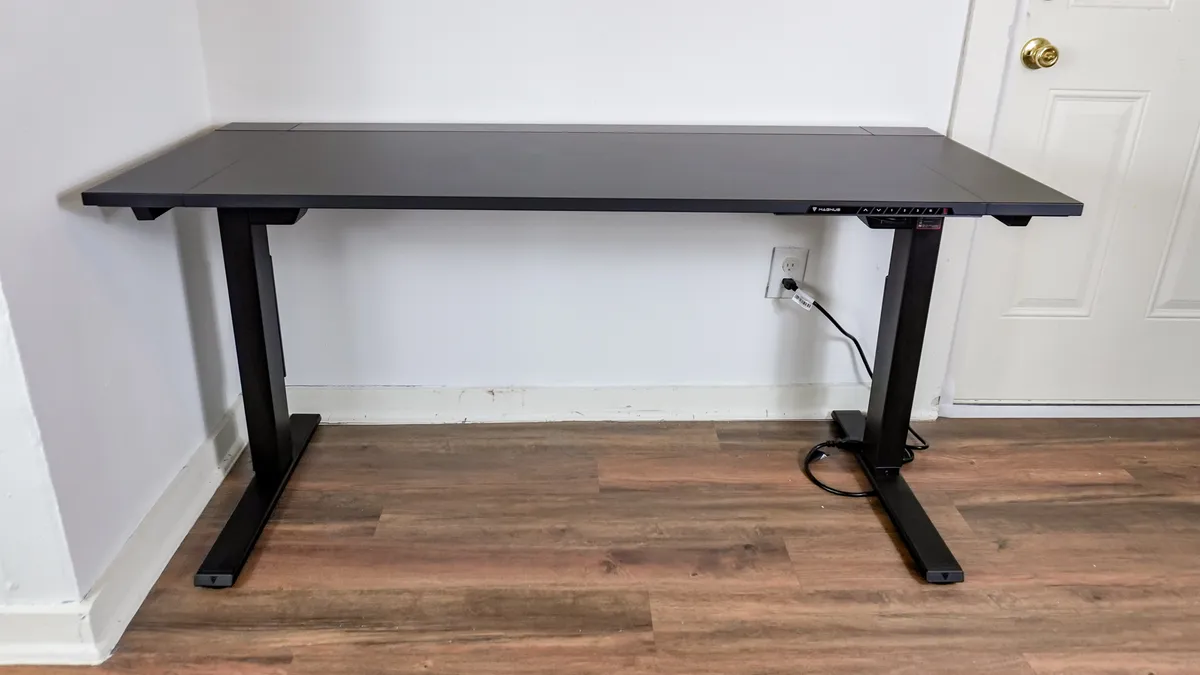
After setting up most standing desks, you usually end up with a messy power cable or a surge protector cord hanging down right from the middle of the frame. Secretlab solved this problem for good by integrating a power supply column directly into one of the legs of the Magnus Evo.
During assembly, you can choose to have this integrated power supply column on either the left or right side of the desk. Since I have a power outlet on the right side, I opted to use the right leg for this.
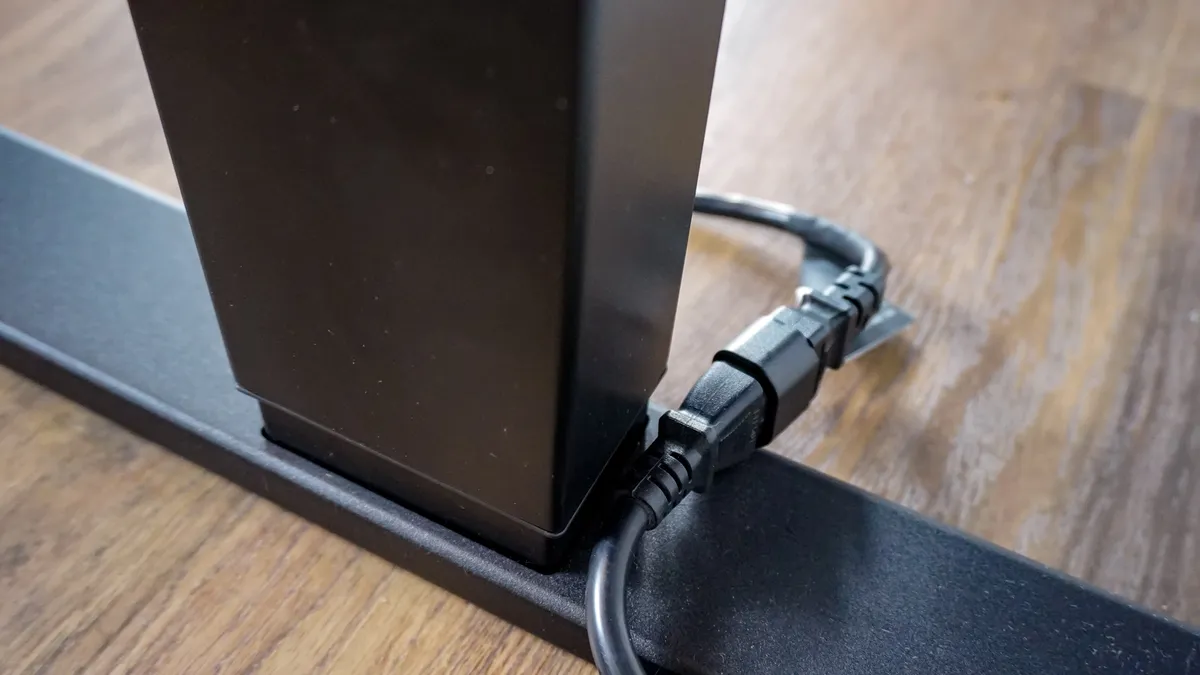
While the Magnus Pro’s recessed port looks a bit cleaner, the Magnus Evo uses a short, wired power inlet that makes positioning the cable slightly more versatile and helps keep costs down. Just be sure to keep any pets away from this cord; because since it’s hard-wired into the desk's internal electronics, you’d likely have to replace the entire leg if the inlet gets damaged.
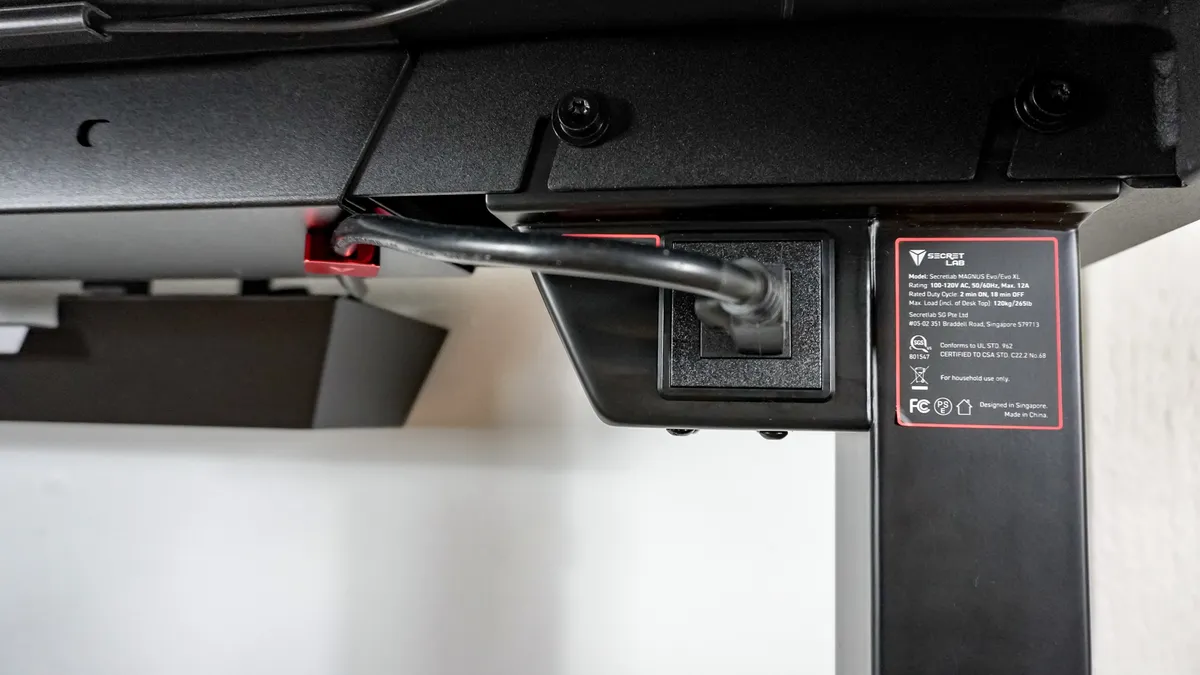
Then, at the top of your preferred desk leg on the inside of the frame, you have a standard 3-prong power port. I plugged one of the best surge protectors into it and used one of Secretlab’s optional magnetic cable anchors to remove any slack and keep the cord neatly tucked away.
What I really like about Secretlab’s approach to powering the Magnus Evo — and everything plugged in at your desk for that matter — is that you don’t have to worry about your power strip’s cable getting caught or unplugged when moving the desk up and down. It’s a convenient little extra that helps justify the Magnus Evo’s higher price compared to other electric standing desks.
Not without my magnets
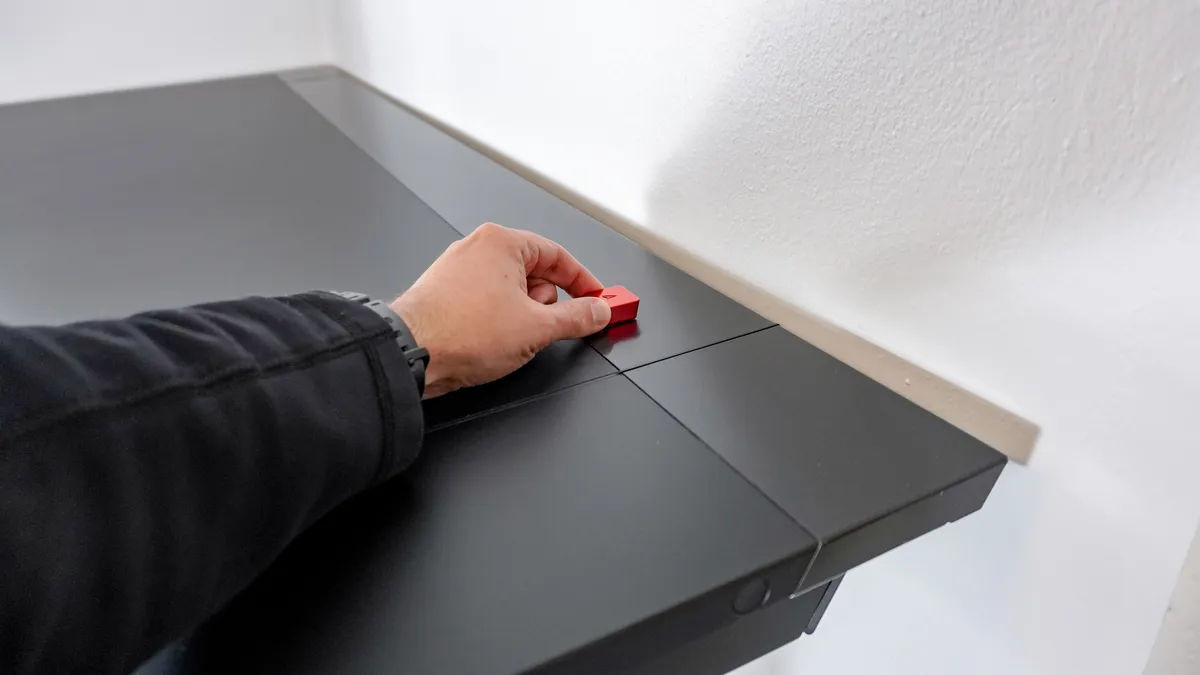
The Magnus Pro, with its all-metal desktop, was purpose-built for magnetic accessories, but Secretlab also managed to incorporate this functionality into the Magnus Evo. Instead of being made from soft-touch laminate, the entire rear edge of the desk is made from metal. This means you can use Secretlab’s magnetic cable anchors to hold your gaming PC’s cables in place at the back of the desk. This is also great if you want to have a permanent charging cable at your desk without it falling behind.
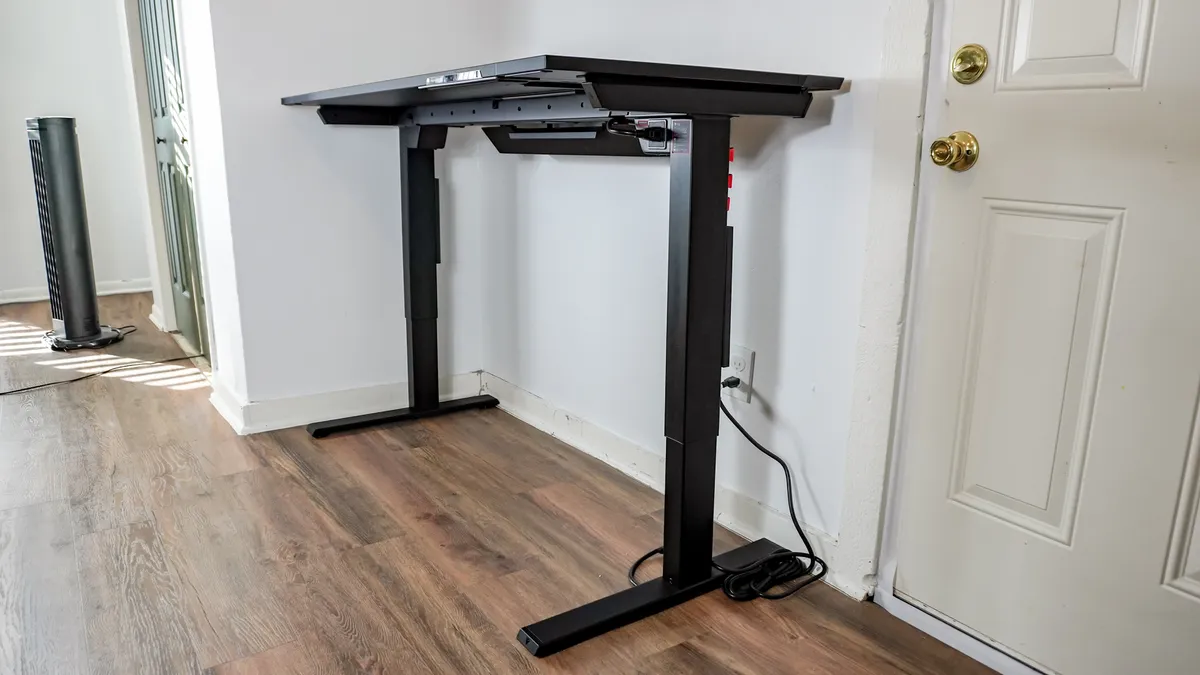
Given that the Magnus Evo also has metal legs and a metal frame, you can use magnetic accessories in both of these places, too. I particularly like Secretlab’s long metal cable sheaths for running an Ethernet cable from one of the best Wi-Fi 7 routers up from the floor and into the back of my PC.
At $55 for the standard cable management bundle or $74 for the extra-long version, these optional accessories aren’t cheap — but more on that later. Since you’re dealing with a metal rear edge, legs, and frame, you aren’t limited to Secretlab’s accessories. Anything with a strong enough magnet will do. For instance, I picked up these smaller magnetic cord holders online for just $15. They come in silver, so you may want to paint them to match the desk, but I used them on the backside of the Magnus Evo where they were completely out of sight.
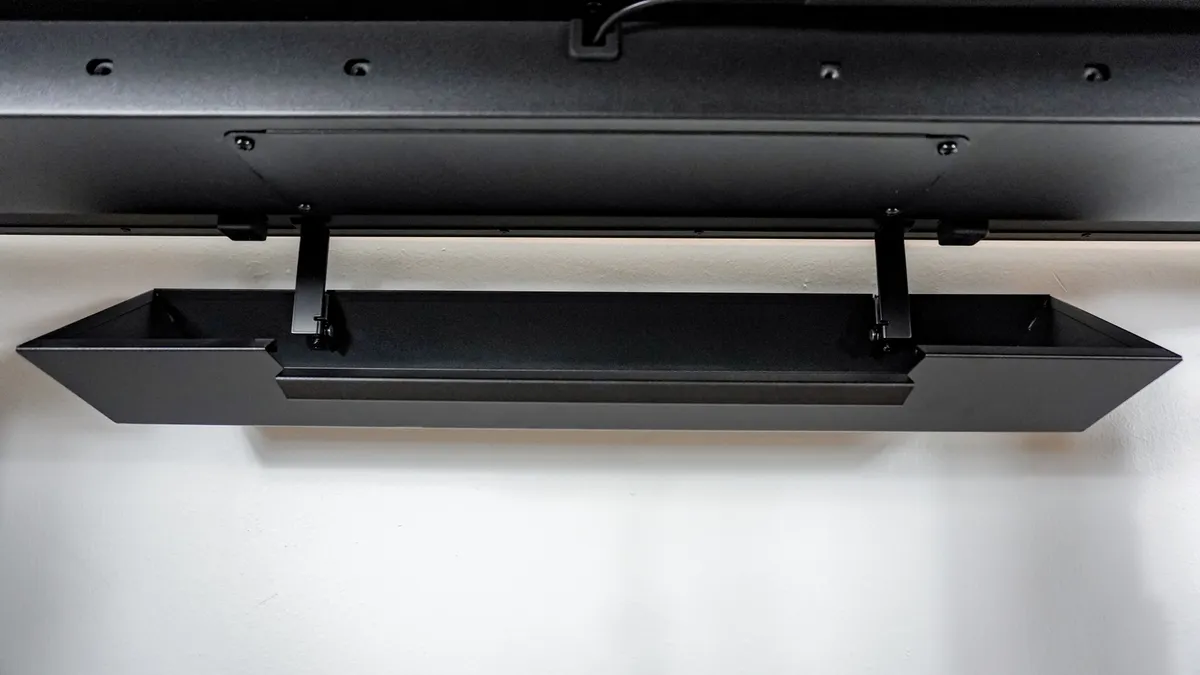
Even if you don’t opt for Secretlab’s premium accessories, the included cable management tray also makes use of magnets. It bolts onto the back of the desk and uses a hinged design with magnets at the top, allowing you to quickly drop it open and securely snap it shut when plugging in a new device.
With the Magnus Evo built and plugged into the wall, it was finally time to set it up and start using it.
Sleek, solid and smooth
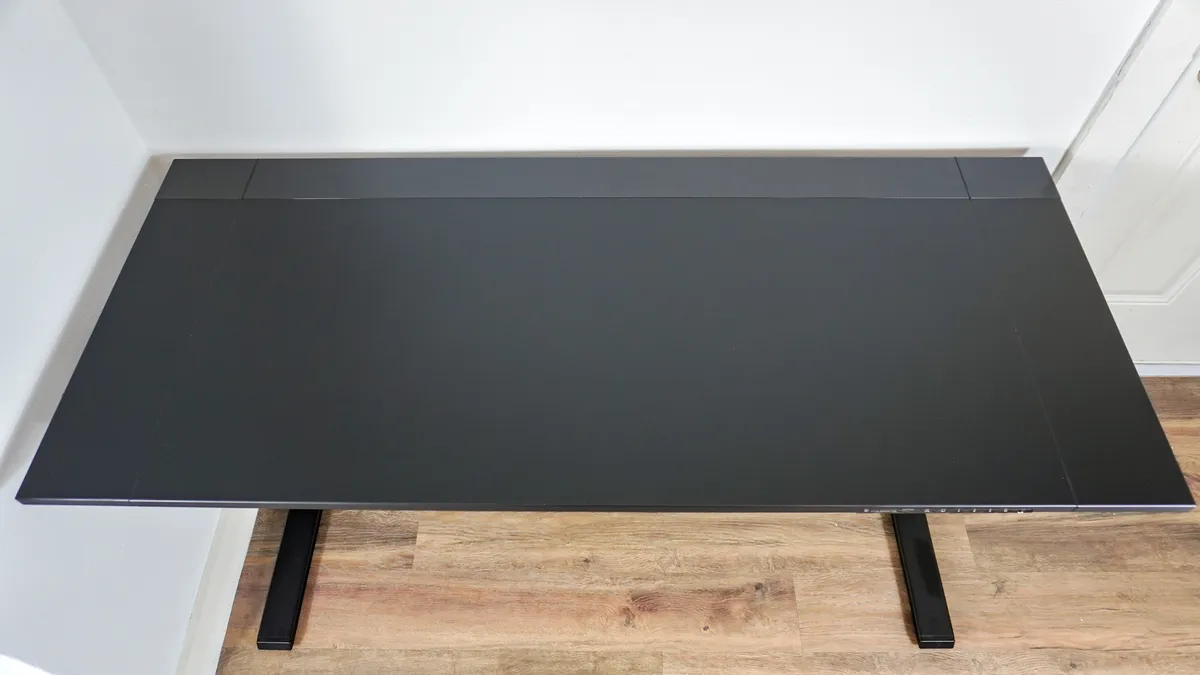
Despite being less expensive than its predecessor, the Magnus Evo immediately has a premium look to it thanks to its soft-touch matte laminate finish and two tone design. While I wish there were other color options besides black, knowing Secretlab, I can almost guarantee they’ll release a white version later on like they did with the Magnus Pro.
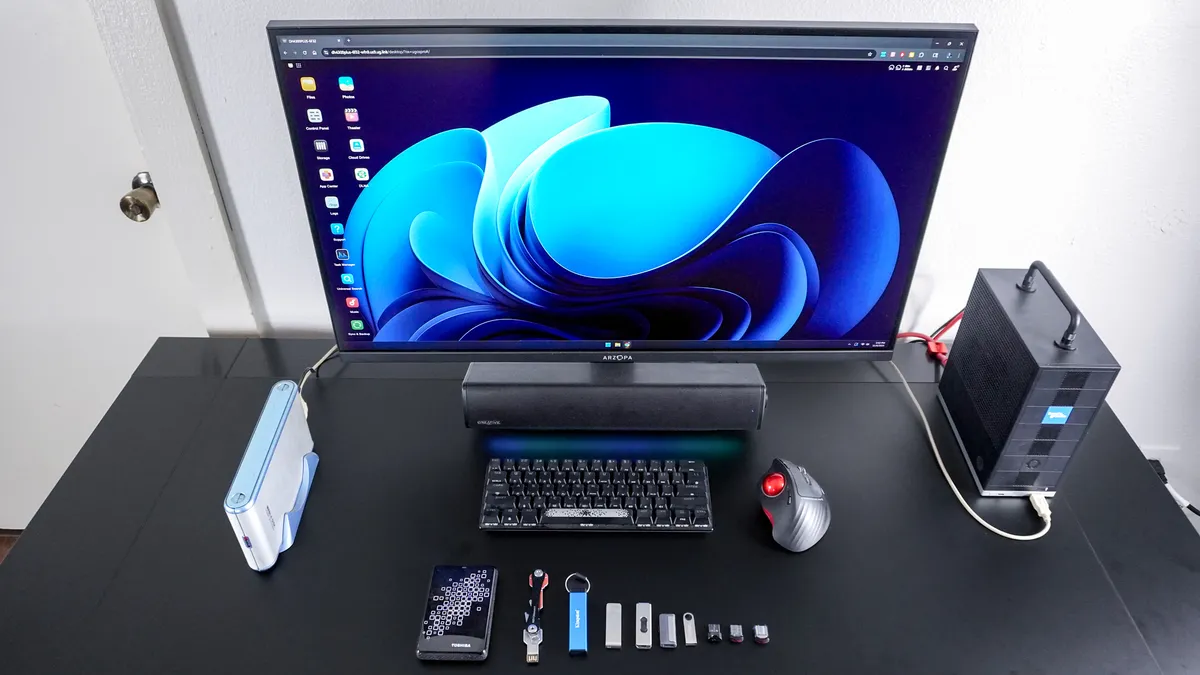
After assembling the Magnus Evo, I first tried it out with a more traditional single monitor setup with a small soundbar underneath my display. Then on the right, I powered everything using the Framework Desktop. As I had recently set up my first NAS, I spent a lot of time sitting at the Magnus Evo uploading old pictures and videos to it.
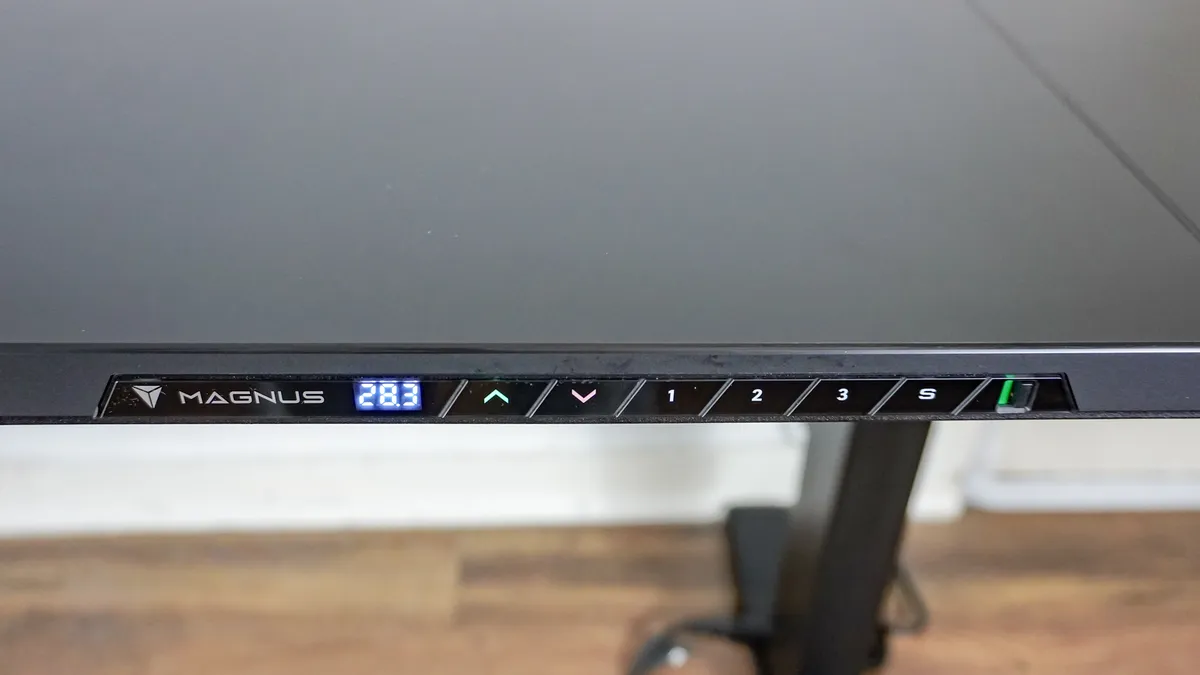
Whether sitting or standing, everything worked really well and felt very stable at either height. Although the Magnus Evo has just three programmable height preset buttons on the front, one thing I really like about its controls is that they’re built into the desk instead of attached underneath it. Likewise, the toggle on the far right lets you lock the desk’s controls but it also turns off the LED lights that show you the desk’s current height. This is great if you have small children like I do or just don’t want to have another LED display shining in your room at night.
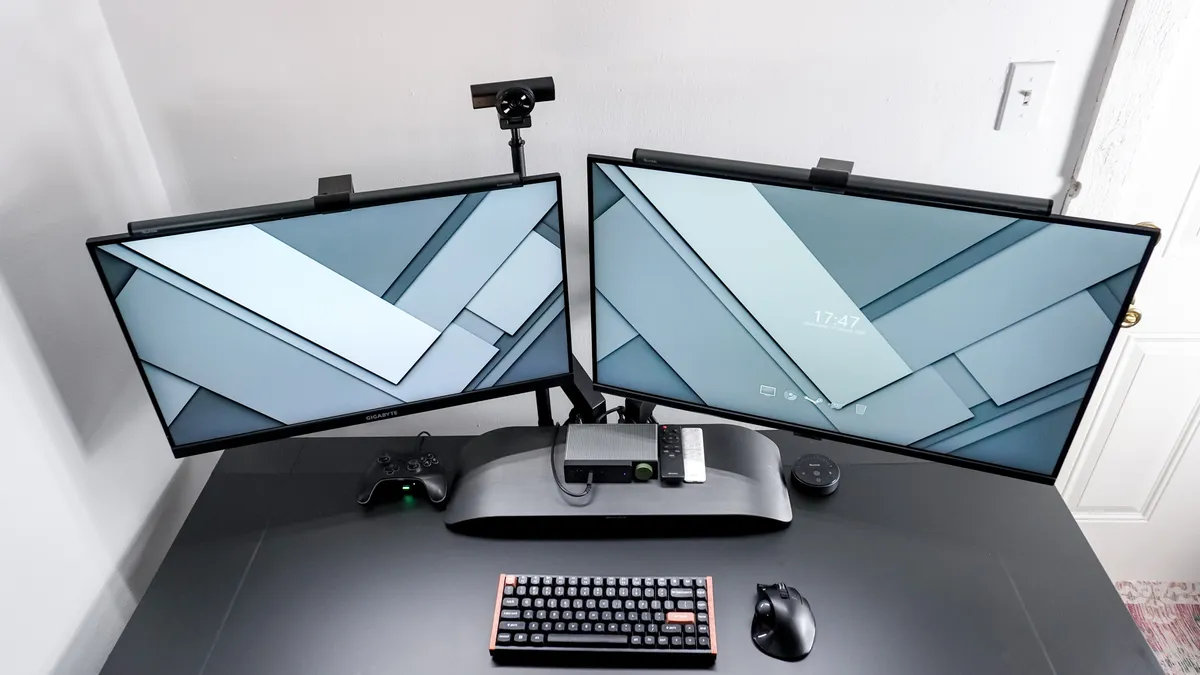
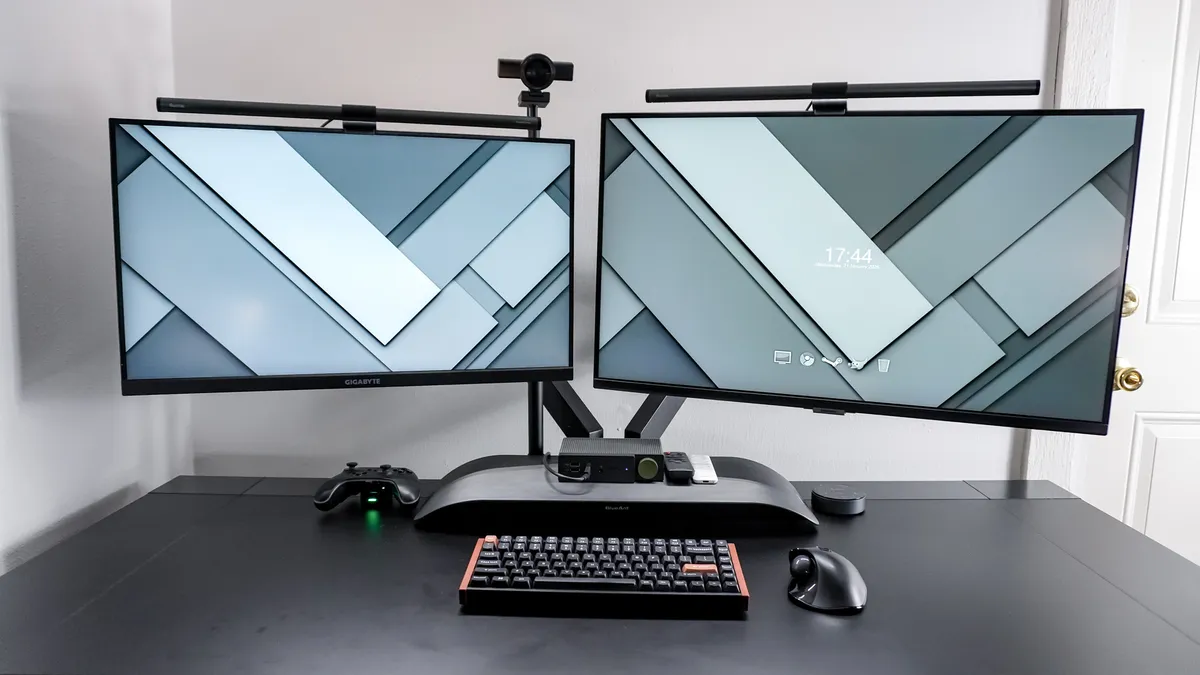
From there, I moved the Magnus Evo over to the other side of my game room and put together a more complicated dual-monitor setup. I used Secretlab’s dual monitor arm to do so and to hide my PC, I used its under-desk PC mount. Now it’s designed for one of the best gaming PCs which are larger and bulkier. However, with a bit of jerry-rigging I managed to mount one of the best mini PCs — the vertically-oriented Atomman G7 Ti — there while using Secretlab’s magnetic headphone hanger to hold it in place. Unconventional I know but I really wanted to free up some much needed desk space while still having a dual-monitor setup.
Thanks to its powerful dual motors, the Magnus Evo is able to adjust from my preferred sitting to standing position in just over 10 seconds both ways. It’s also fairly quiet while doing so without the extra whirring you might hear from a single-motor electric standing desk. When coming down, it stayed between 45-47 dB on my sound meter which lines up with Secretlab’s under 50 db claim. However, when raising up, the Magnus Evo got as loud as 57 dB which is slightly over this. Still, adjusting this desk’s height isn’t going to be distracting for yourself or anyone else in the same room as you.
Even though I tested out the smaller, 60-inch wide, standard Magnus Evo, I still had plenty of room for my dual-monitor set up. I’ve used this desk setup for both work and play since the end of January and it’s been great. However, not being able to snap one of Secretlab’s MagPad desk mats on its desktop has led to some unforeseen consequences.
Secretlab Magnus Evo: The downs
The Secretlab Magnus Evo retains many of the best features of its predecessor at a more affordable price point. However, it’s not without its downsides, namely its more delicate desktop and the feeling of being locked into Secretlab’s premium ecosystem of accessories.
A desk mat isn’t optional
Though I’ve often used a desk mat in the past to protect the surface of my desk and to help reduce extra noise from typing on one of the best mechanical keyboards, I chose not to with the Magnus Evo. I did so for two reasons: I didn't want to cover the desk's beautiful finish, and I really liked how its soft-touch laminate felt under my forearms.
Unfortunately, when I moved the desk across my game room after a few weeks of use, I noticed small micro-scratches underneath where my keyboard had been. They aren't very noticeable from afar, but if you look closely, they stand out like a dead pixel on one of the best monitors. It's still very usable, but it is annoying when you’ve paid over $500 for a premium desk.
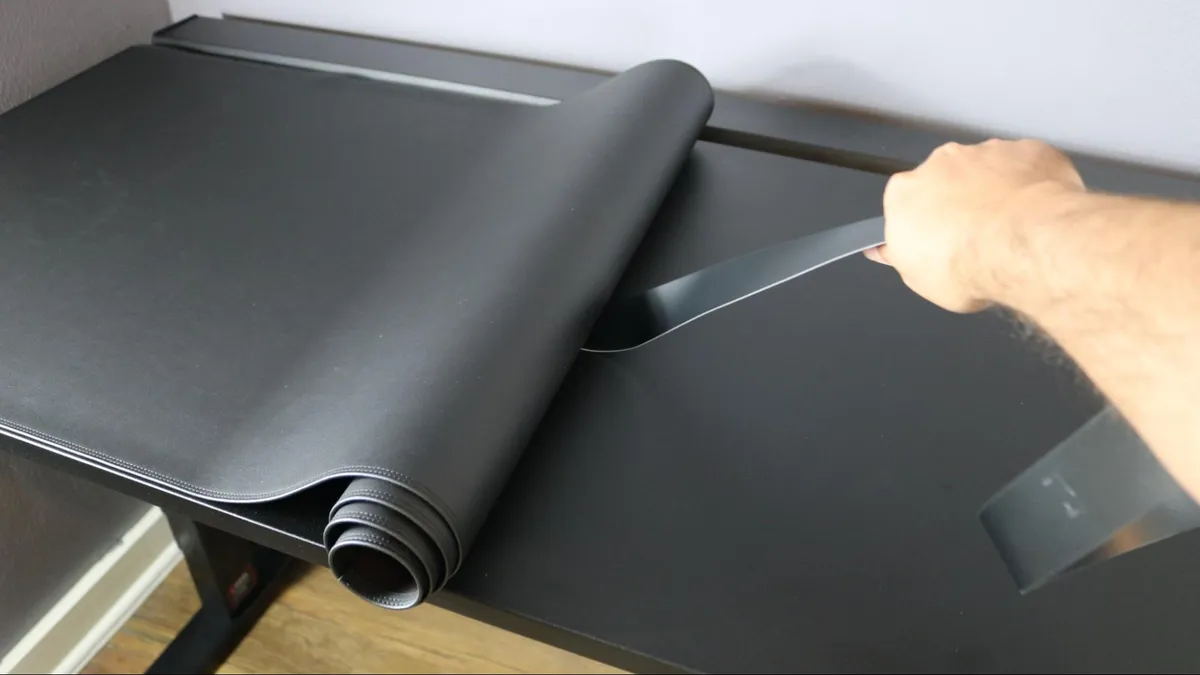
Secretlab’s MagPad desk mats are an elegant (if expensive) solution for the Magnus Pro, as they magnetically snap into place and cover the surface from end to end. However, because the center of the Magnus Evo's desktop isn't metal, they aren’t compatible. This means you’ll have to turn to a third-party desk mat if you want to keep the laminate surface looking pristine.
On a solid wood desk like the Oakywood Standing Desk Pro, you could simply buff or sand out surface-level imperfections. That isn't an option here. To its credit, the Magnus Evo’s laminate is very easy to wipe down, but it is far more susceptible to permanent wear than its more expensive, all-metal sibling.
Accessorizing at a premium
I’ve hinted at it throughout this review, but Secretlab’s ecosystem of first-party accessories isn’t cheap. For instance, the dual-monitor arm I’m using here costs $249, which is more than you’ll pay for most of the best monitor arms. The same holds true for its cable management accessories and under-desk PC mount.
With monitor arms in particular, it might be worth spending extra on one of Secretlab’s due to the Magnus Evo’s design. Since the cable management tray is right up against the back of the desk and you don’t have the option to position it elsewhere, if you’re clamping a monitor arm right at the center, it needs to be a low-profile one. If it isn’t, you’re going to have a much harder time turning the knob for its clamp. Depending on which third-party monitor arm you choose, this might not even be possible.
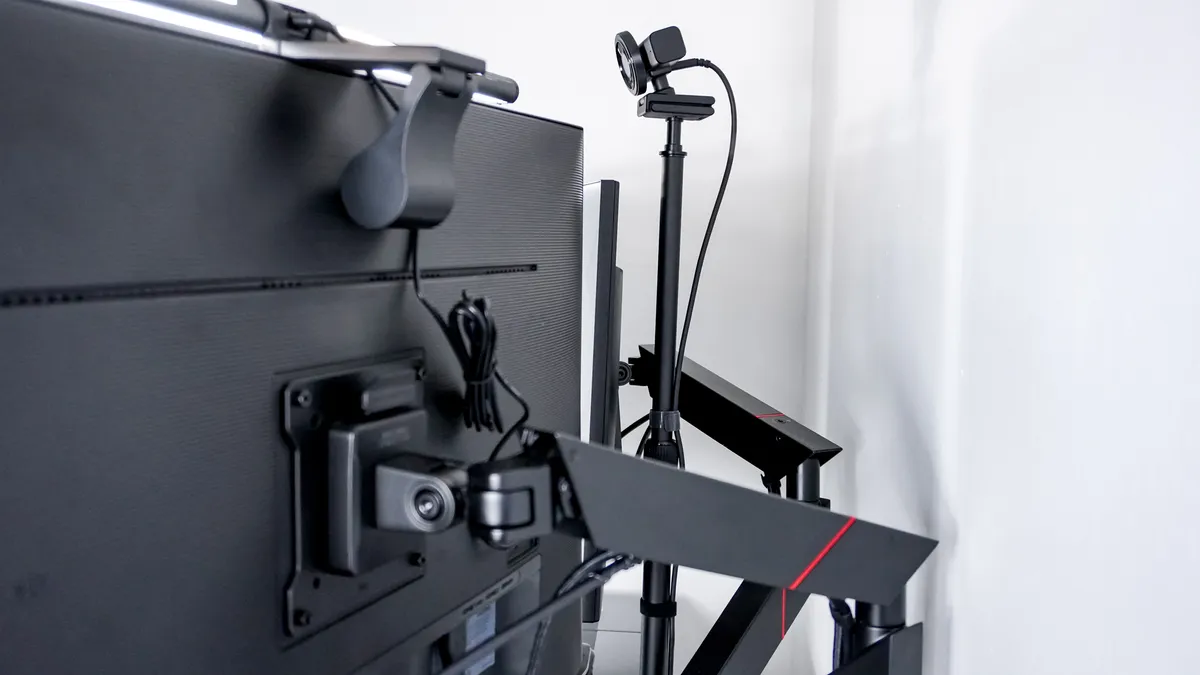
Although I used Secretlab’s dual monitor arm in this desk setup, I did manage to clamp a third-party accessory to the back of the Magnus Evo. Since I wanted my webcam in the center of the desk, I used a camera desk mount from SmallRig to put it between my two monitors. This took quite a bit of back and forth, given there’s not a lot of clearance between the desktop and the cable management tray, but I eventually got it to work.
Just like with one of the best iPhones, if you do pick up a Magnus Evo or even a Magnus Pro, prepare to set aside some extra cash for a few of Secretlab’s first-party accessories.
Secretlab Magnus Evo: Verdict
The Secretlab Magnus Evo is a sleek and impressive electric standing desk. Thanks to its more subdued design, it works just as well for your battlestation as it does for a dedicated work-from-home setup. The Magnus Evo is more affordable than its predecessor, yet Secretlab still managed to retain many of the best features of the Magnus Pro, like its integrated power supply column and support for magnetic accessories.
While I wish the Magnus Evo’s soft-touch laminate desktop was slightly more resilient, it does feel and look great. Likewise, since the cable management tray is a standalone unit rather than being integrated across the entire frame, you get a bit more freedom when it comes to using third-party accessories, which can be clamped more easily onto the left or right sides of the rear edge.
If you’re looking for a gaming desk that gives you the freedom to play while sitting or standing, the Magnus Evo is an excellent choice. It may not have the built-in storage of Corsair’s Platform 4 Elevate but it does have a more premium look and feel to it.

