





Tom's Guide Verdict
The Geekom GeekBoox X14 Pro is the mini PC brand’s first laptop, and it’s a triumph. Lightweight, portable and durable, the X14 Pro bears resemblance to a MacBook Air, so it’s a looker. Boasting excellent color coverage and accuracy, the X14 Pro is great for productivity, photo editing, and even casual gaming, thanks to its bright 2.8K OLED display. It’s a joy to type on too. However, the laptop uses an older Series 1 Core Ultra CPU, and battery life isn’t the best, making cheaper alternatives seem more enticing.
Pros
- +
Lightweight but durable design
- +
Excellent color coverage and accuracy
- +
Bright 2.8K OLED display
- +
Great performance across the board
- +
MacBook-like keyboard is a delight
Cons
- -
Uses older Series 1 Core Ultra CPU
- -
Mediocre battery life
Why you can trust Tom's Guide Our writers and editors spend hours analyzing and reviewing products, services, and apps to help find what's best for you. Find out more about how we test, analyze, and rate.
The Geekom GeekBook X14 Pro is one of the best laptops money can buy right now, and it’s the only Windows machine to tempt me away from my trusty MacBook. Sleek, stylish and compact, the X14 Pro is excellent for serious work and casual gaming. Its vivid and bright 2.8K OLED display is stunning and it features a 120Hz refresh rate.
There are plenty of things to love about the X14 Pro. Its keyboard is a joy to type on all day long, and I’m a big fan of the stripped back ports and overall design. However, it’s important to note that the laptop uses an older Series 1 Core Ultra CPU and features mediocre battery life, which might be dealbreakers for some users. When its rivals offer better value for money, how good is the X14 Pro, really?
For the complete breakdown, read my full Geekom GeekBook X14 Pro review.
Geekom GeekBook X14 Pro review: Specs
Specs |
Geekom GeekBook X14 Pro (starting) |
Geekom GeekBook X14 Pro (top level configuration and tested) |
|---|---|---|
Price |
||
CPU |
Intel Core Ultra 5 125H |
Intel Core Ultra 9 185H |
GPU |
Intel Arc |
Intel Arc |
Display |
14-inch (2880 x 1800), OLED, Non-Touch, 2.8K, 120Hz |
14-inch (2880 x 1800), OLED, Non-Touch, 2.8K, 120Hz |
Memory |
32GB |
32GB |
Storage |
1TB |
2TB |
Ports |
2x USB-C 4.0, 1x USB-A 3.2 Gen 1, 1x HDMI 2.0, 1x 3.5mm headphones jack |
2x USB-C 4.0, 1x USB-A 3.2 Gen 1, 1x HDMI 2.0, 1x 3.5mm headphones jack |
Connectivity |
Wi-Fi 6E, Bluetooth 5.4 |
Wi-Fi 6E, Bluetooth 5.4 |
Size |
12.2 x 8.4 x 0.23 inches |
12.2 x 8.4 x 0.23 inches |
Weight |
2.2lbs |
2.2lbs |
Geekom GeekBook X14 Pro review: Cheat sheet
- What is it? A lightweight and sleek productivity-focused laptop with an OLED screen
- Who is it for? People who want a Windows laptop that feels like a MacBook
- How much does it cost? The Geekom GeekBook X14 Pro starts at $1,349 and the top level configuration costs $1,499
- What do we like? The lightweight design, excellent color coverage and accuracy, bright 2.8K OLED screen, and typing experience
- What don’t we like? Limited availability outside the U.S., mediocre battery life, and that it uses an older CPU
Geekom GeekBook X14 Pro review: The ups
The Geekom GeekBook X14 Pro is built and designed well, and it features a beautiful 2.8K OLED display, and boasts great productivity and casual gaming performance.
Sleek, lightweight design
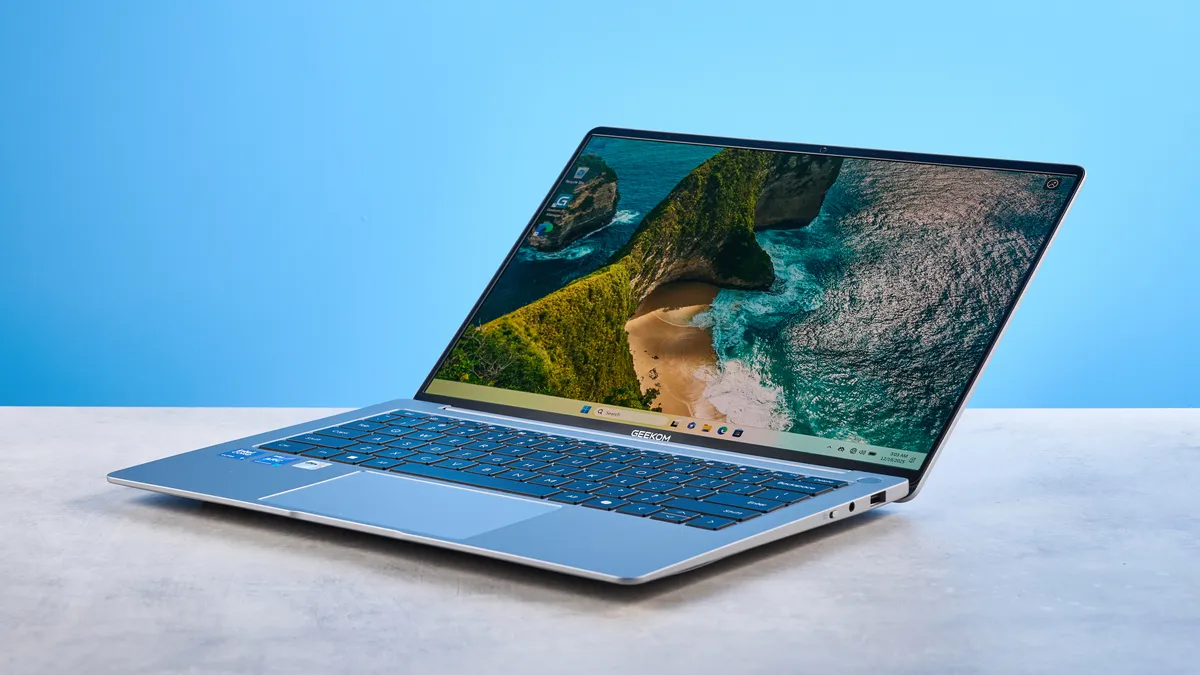
One of the things I’ve always appreciated about Apple’s laptops, especially the MacBook Air M2 ($1,099) that I use for work, is that the machines are always sleek and look good. In that regard, the Geekom GeekBook X14 Pro bears striking resemblance to the MacBook Air — and that’s a great thing, in my opinion. The X14 Pro sports a light grey color similar to Apple’s older laptops (and even features a fingerprint reader in the keyboard’s top-right corner), and the matte finish not only looks premium, but feels soft to the touch too.
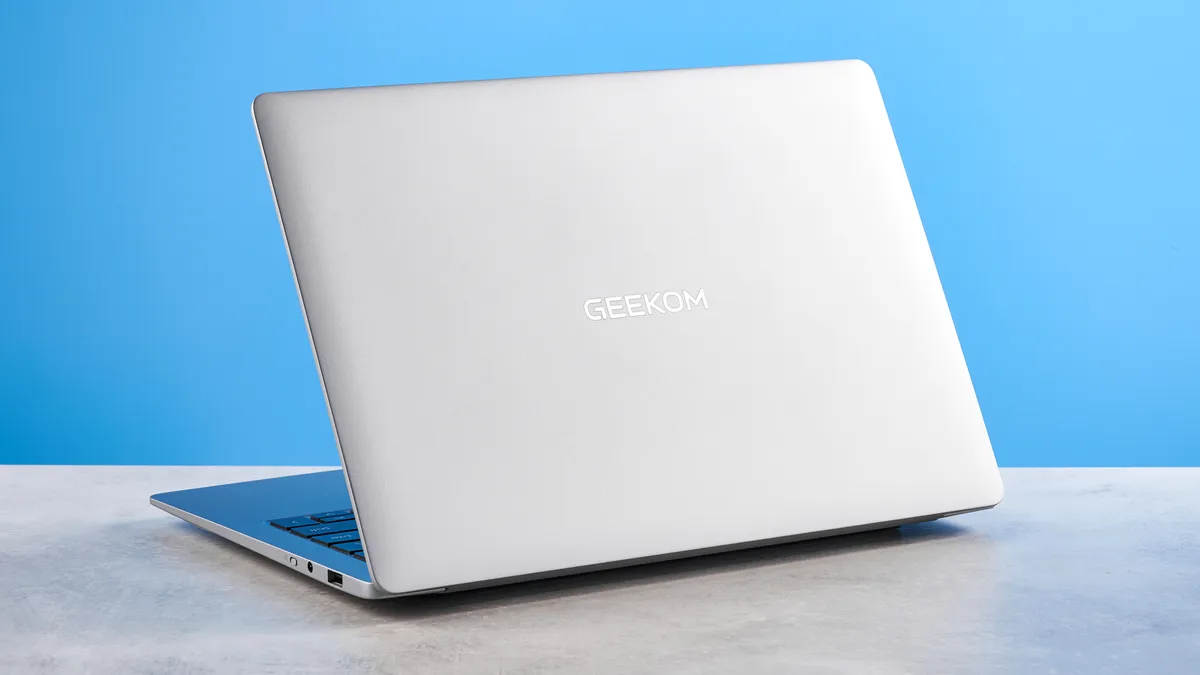
I also appreciate how compact the X14 Pro is. The laptop packs a 14-inch (2880 x 1800) non-touch screen, and it measures 12.2 x 8.4 x 0.23 inches — perfect for slipping into most handbags and backpacks. It’s not too heavy either, weighing just 2.2lbs, so it’s a little lighter than the 13-inch MacBook Air M5 (2.7lbs, $1,099). I’ve had no trouble carrying the X14 Pro to and from work. Of course, the laptop’s bright OLED screen gives it a leg-up over the non-OLED Air M5 too, which I’ll talk about soon.
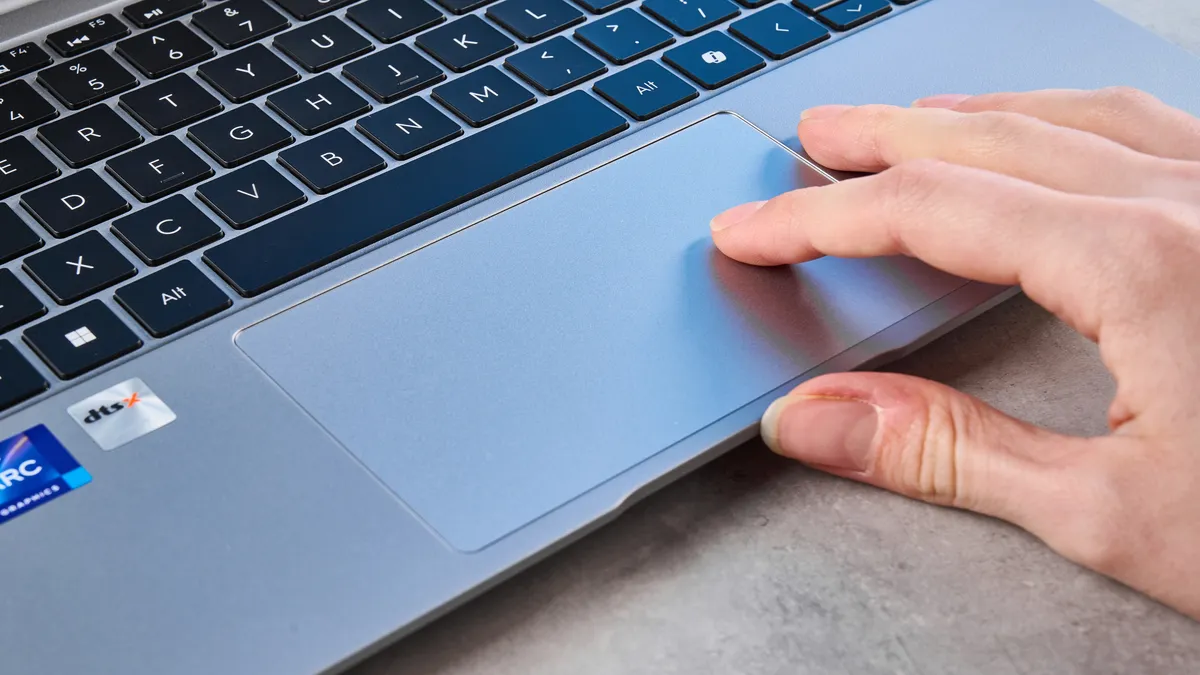
The X14 Pro’s keyboard feels lovely to type on too, and I’ll discuss it in detail shortly. Typing all day long on the X14 Pro has been nothing short of a delight. Similarly, the trackpad feels highly responsive, ensuring a smooth panning experience.
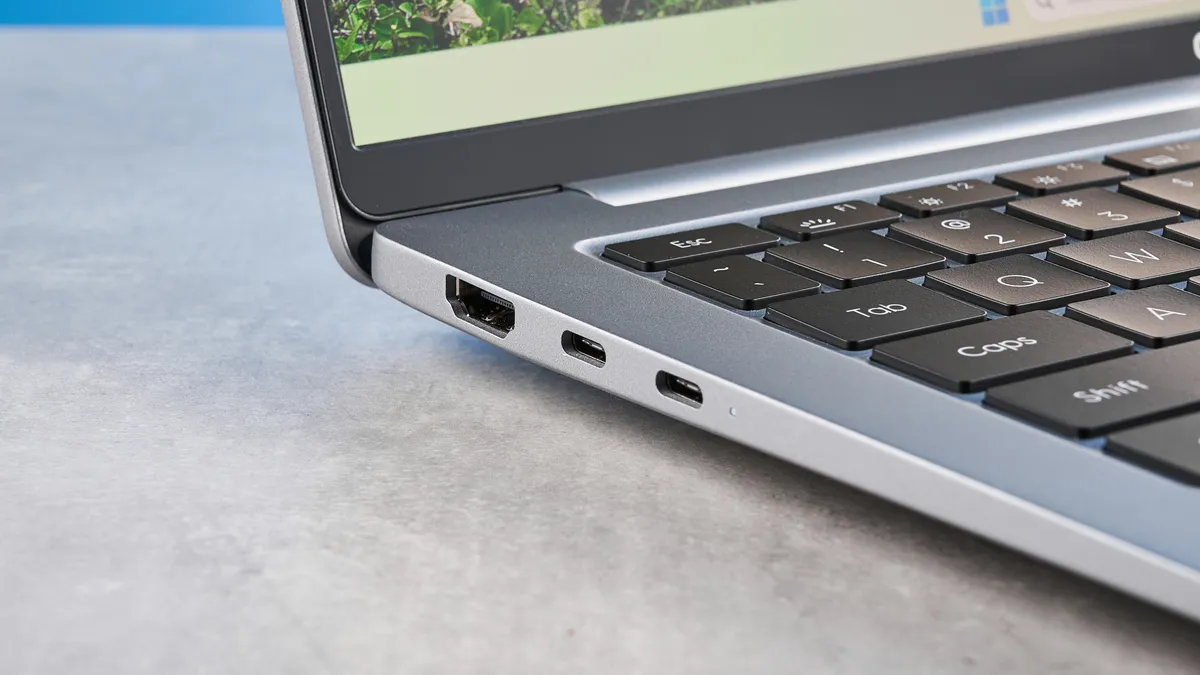


Ports-wise, the X14 Pro is fairly stripped back, like a MacBook — which can be a boon or a bane, depending on how you view it. There are two USB-C 4.0 and one USB-A 3.2 Gen 1 ports, as well as an HDMI 2.0 output and a 3.5mm headphone jack. Personally, I don’t mind the lack of ports, as I’m used to MacBooks doing the same, and Geekom happily includes a docking station with additional ports as well as an ethernet jack, which can be plugged into the X14 Pro via USB-C.
Bright, vivid OLED display
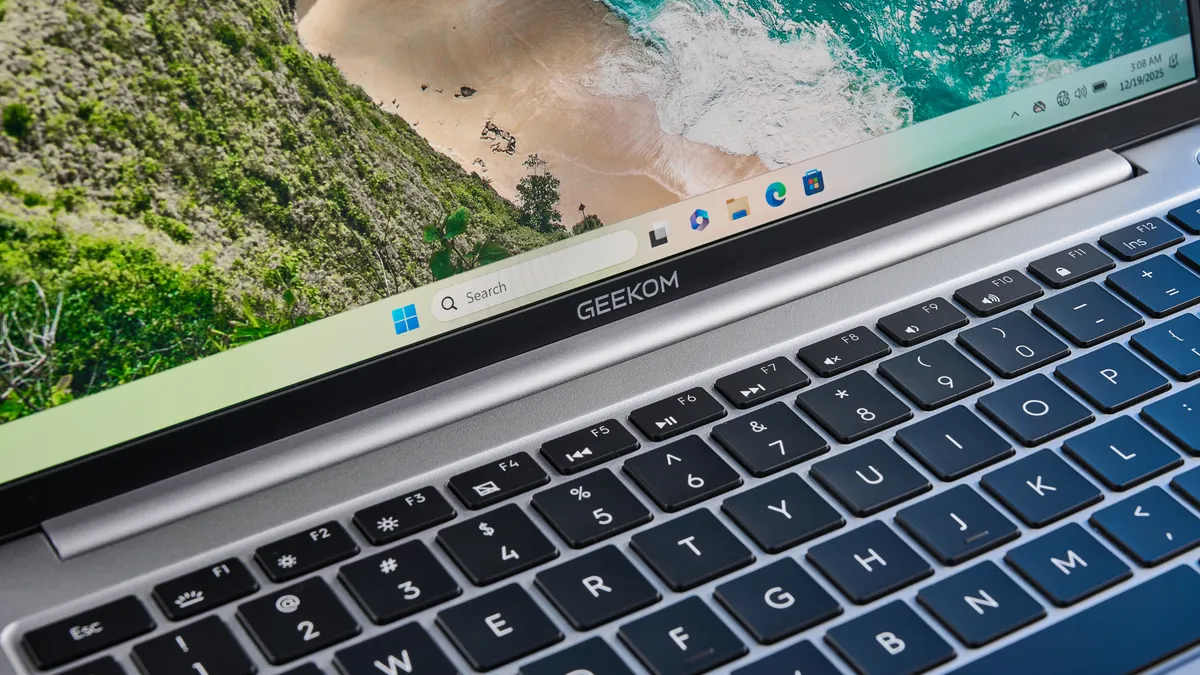
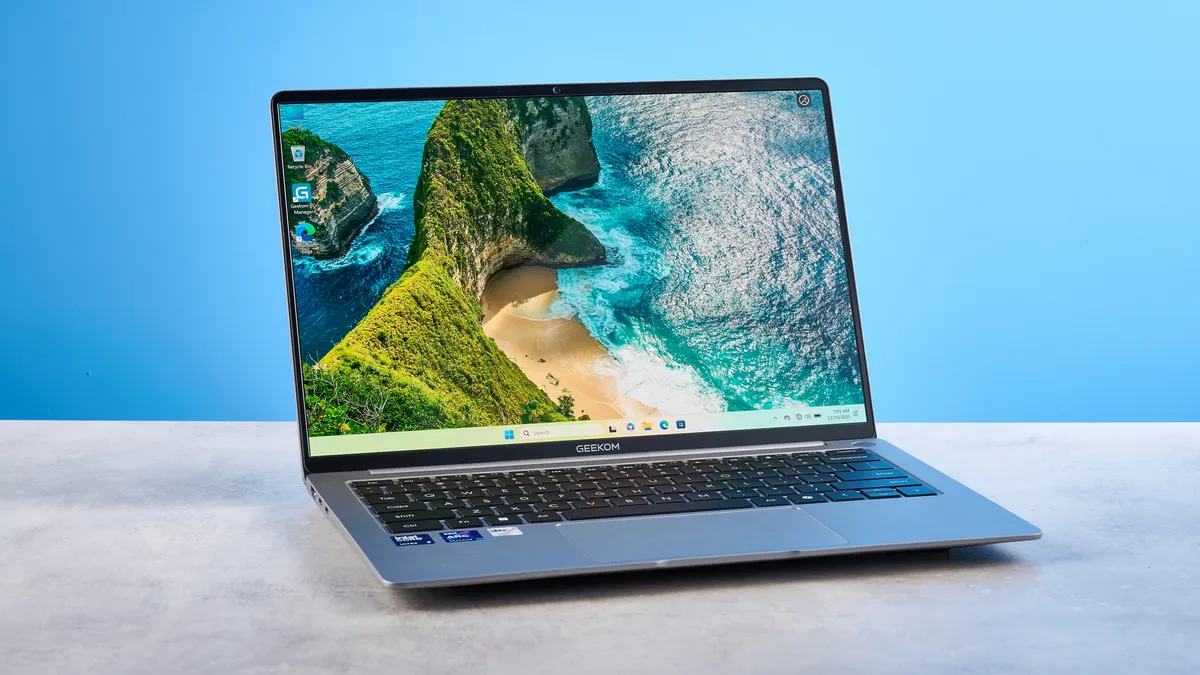
The Geekom GeekBook X14 Pro has one of the most beautiful screens of any laptop I’ve either used or reviewed. The 2.8K OLED panel is a sheer joy. It’s bright, it’s colorful, and it’s perfect for basically anything — video and photo editing, casual gaming, serious work, watching movies, you name it.
One of the first things I did when I started testing the laptop was watch the World Wildlife 4K YouTube video, and I couldn’t help but marvel at the colors. The lions’ manes looked highly detailed, with the edges of each strand of hair crisp and clear. Greens looked vivid and appeared saturated enough to draw you into the scene. I appreciated the clean shadows and blacks too, as I couldn’t see any graininess or unpleasant noise.
| Header Cell - Column 0 | Nits (brightness) |
sRGB |
DCI P3 |
Delta-E |
|---|---|---|---|---|
Geekom GeekBook X14 Pro |
396 |
99.8% |
83.1% |
0.9 |
MacBook Air M5 |
454 |
117.2% |
83.1% |
0.27 |
Lenovo Yoga Slim 7x |
464 |
219.4% |
155.5% |
0.37 |
Dell XPS 16 |
355 |
212.5% |
150.5% |
0.21 |
Asus Zenbook A16 |
429.4 |
N/A |
84.6% |
N/A |
My lab testing confirmed what my eyes witnessed, as you can see in the table above. In terms of color coverage, the X14 Pro covers 99.8% of the sRGB spectrum and 102% of the wider DCI-P3 gamut. Delta-E, which determines color accuracy (the closer the score to zero, the better), measured at 0.9 is good too. Although the X14 Pro falls just short of its rivals, it stills performs formidably, and even beats the MacBook Air M5 in the DCI P3 color space. I found the colors to be accurate in real-world use too, as they appeared true to life.
The X14 Pro’s OLED panel gets very bright too as the monitor achieved 396 nits of brightness in my lab testing, beating the pricier Dell XPS 16 ($1,749). Although a smidge dimmer than the Air M5, the Lenovo Yoga Slim 7x ($1,199), and the MacBook-like Asus Zenbook A16 ($1,349), you’d hardly be able to tell the difference between the three.
Fantastic for productivity
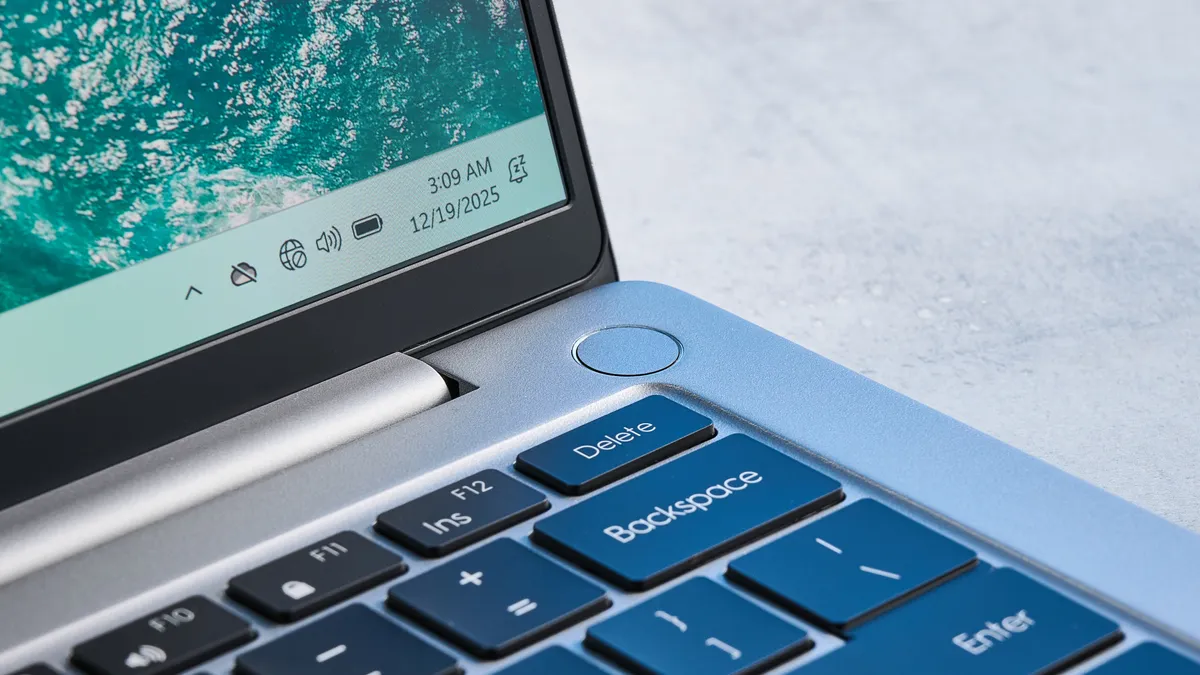
The Geekom GeekBook X14 Pro is a productivity-oriented laptop — although it suits casual gaming just fine, and I’ll get into that soon. I tested the top level configuration which features an Intel Core Ultra 9 185H processor, offering 16 cores, 22 threads, 24MB of onboard cache, and a 5.1GHz turbo boost. I found this to be more than enough for browsing the web, creativity-focused apps, photo editing, and a bit of gaming.
Laptop |
Geekbench (single / multi-core) |
Handbrake (video editing, mins:secs) |
|---|---|---|
Geekom GeekBook X14 Pro |
2329 / 12,087 |
04:32 |
MacBook Air M5 |
4191 / 17,276 |
04:34 |
Lenovo Yoga Slim 7x |
2448 / 13,750 |
05:16 |
Dell XPS 16 |
2373 / 13,384 |
04:42 |
On Geekbench 6, which tests overall CPU performance, the X14 Pro pulled in a good multi-core score of 12,087. While it’s bested by the MacBook Air M5, the Lenovo Yoga Slim 7x and the Dell XPS 16, its multi-score still indicates high-end performance and the X14 Pro should be able to handle demanding tasks. Meanwhile, in our HandBrake video editing test, the X14 Pro took 04:32 to transcode a 4K video to 1080p, outclassing its competition — albeit by narrow margins.
Laptop |
SSD BlackMagic Disk Speed (Write/Read in MBps) |
|---|---|
Geekom GeekBook X14 Pro |
4250 / 4765 |
MacBook Air M5 |
6499 / 6728 |
On the BlackMagic Disk Speed test which measures the write and read speed in MBps, the X14 Pro’s 2TB SSD performed excellently, with 4,250 write and 4,765 read speeds. The raw streamlining and speed of Apple's system on a chip (SoC) architecture helps the Air M5 whizz past the X14 Pro's read/write drive speeds, but the Geekbook is still respectably quick for a non-SoC machine. The 2TB SSD is also more than sufficient for installing various games and a plethora of applications.
I’ve tested the X14 Pro thoroughly. Even with 40+ tabs open in Edge, Steam running in the background, all while I was creating a presentation in Google Slides, I didn’t experience any noticeable lag or stuttering. The fans kicked in when I was downloading a game off Steam, but they weren’t too loud or jarring. The X14 Pro’s thermal system did well to keep the laptop from overheating or feeling too hot while it was on my lap.
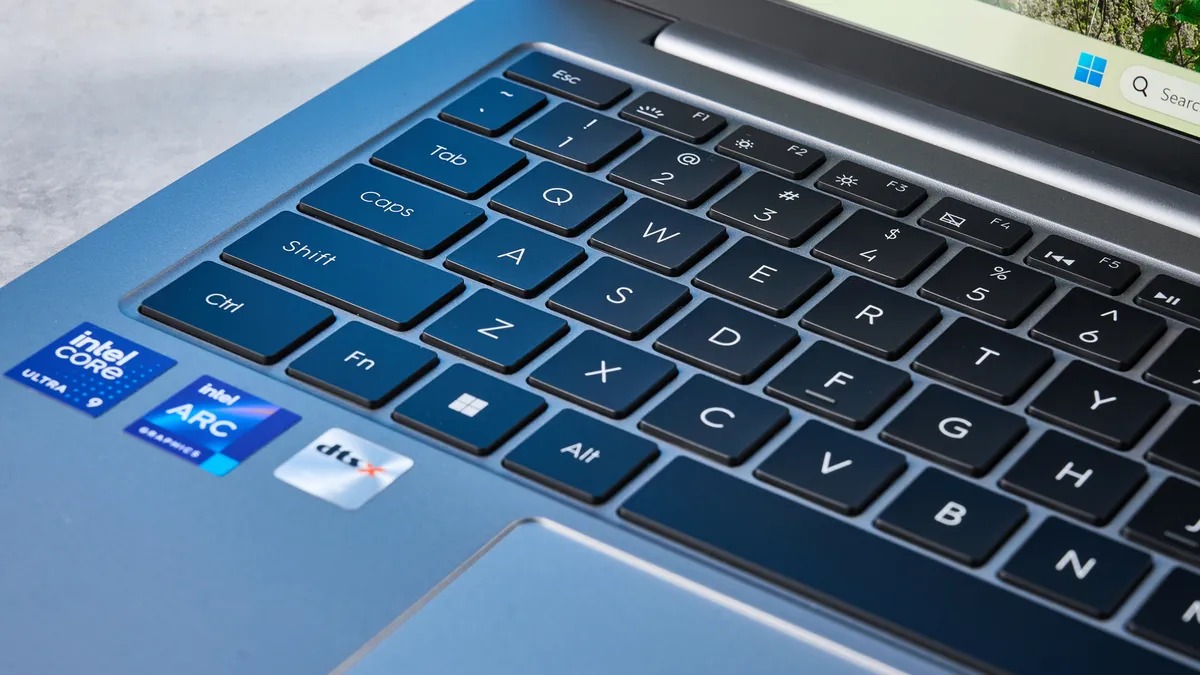
I also have to tip my hat to the X14 Pro’s keyboard, which feels like the Magic Keyboard on my work-sanctioned MacBook Air M2. There’s enough space between the keys to ensure you don’t press the unintended ones by mistake, but they’re also close enough that you don’t need to stretch your fingers too much. I took a quick type test at 10fastfingers.com to see how the X14 Pro’s keyboard performed, and I achieved 94 words per minute with a 96.3% accuracy. On my MacBook Air M2, I achieved 88wpm with 93.04% accuracy. Great success!
Good for casual gaming, too

Just because the Geekom GeekBook X14 Pro isn’t advertised as a gaming laptop and doesn’t have a discrete GPU, that doesn’t mean you can’t play at all. While I’d recommend buying one of the best gaming laptops for serious players, the X14 Pro packs enough power for casual gaming. The screen has a 120Hz refresh rate, so games that the Geebook could run at over 60fps looks nice and smooth.
Game |
FPS (various settings) |
|---|---|
Forza Horizon 5 |
40fps (Extreme), 99fps (Medium) |
F1 25 |
11fps (Ultra High), 50fps (Medium) |
Counter-Strike 2 |
119fps (Medium) |
With the graphics set to Ultra High mode in F1 25, I ran an in-game benchmark, and the test reported that the game was running at 11fps. That’s obviously poor and as I was watching the benchmark video play, I noticed a lot of stuttering and lag — but this was an extreme test for the X14 Pro which has ARC-integrated graphics only. It would be a totally fair test on a dedicated gaming laptop.
Also, given that the X14 Pro isn’t a gaming laptop, it would be unfair to dock points for it. In the Medium graphics mode, though, the game ran at a smooth 50fps, which felt more like it. Extreme mode and Medium mode in Forza Horizon 5 relayed the same story, as the benchmark test achieved 40fps and 99fps respectively — and 99fps is fantastic (and surprising) for a productivity-first laptop. In a less demanding but fast-paced game like Counter-Strike 2, though, the laptop instantly achieved 119fps on Medium settings when I jumped into a game.
In real-world usage, the X14 Pro is enough for casual gaming between tasks and after work. The keyboard was responsive in my testing, with every command being instantaneously registered, and the graphics appeared beautiful on the OLED screen. Dust flying across the screen as I raced through a desert in Forza Horizon 5 appeared detailed, as I could distinguish between each tiny sand particle. There were plenty of details in the drivers’ faces in F1 25 to enjoy too, as I could make out their wrinkles and fine lines.
Geekom GeekBook X14 Pro review: The downs
There isn’t much wrong with the Geekom GeekBook X14 Pro, but it’s important to note that it uses an old CPU, and availability outside the U.S. is limited.
Uses an old CPU
There isn’t a lot wrong with the Geekom GeekBook X14 Pro, but it’s important to note that it uses the Intel Core Ultra Series 1 CPU. Series 1, at the time of writing, is two generations old, and we’re now seeing laptops with Intel’s Panther Lake chips. These feature better graphics and are more efficient than the Series 1 CPU used by the X14 Pro. This isn’t to say that the X14 Pro performs poorly — it’s just that similarly priced laptops with the newer processors perform better.
If you want the latest and greatest CPU fitted into your laptop, it’s worth considering the Dell XPS 16, the Asus ROG Zephyrus G14 ($1,799), the Lenovo Yoga Slim 7x, or the Asus Zenbook A16 instead.
Mediocre battery life

Battery life is one of the most important pre-purchase considerations, so it’s important to note that the Geekom GeekBook X14 Pro doesn’t have the best battery. I used UL Procyon’s battery benchmark test to test the battery life.
| Header Cell - Column 0 | Battery life (hours:mins) |
|---|---|
Geekom GeekBook X14 Pro |
10:15 |
MacBook Air M5 |
15:30 |
Lenovo Yoga Slim 7x |
14:14 |
Dell XPS 16 |
13:08 |
The laptop’s brightness was calibrated to 150 nits, and the software played videos all night long until the X14 Pro ran out of charge. Geekom claims the laptop can last up to 16 hours between charges but according to the Procyon report, the X14 Pro lasted 10 hours and 15 minutes. That isn’t too bad, but given the fierce competition, it isn’t great news. The MacBook Air M5, the Lenovo Yoga Slim 7x and the Dell XPS 16 all outclass the X14 Pro, as you can see in the table above.
The results will, of course, vary depending on the usage conditions, and you might get more mileage if all you’re doing is typing in a Word document, so use the above figure as a point of reference.
Not available in the U.K.
This isn’t a massive drawback, per se. I like the Geekom GeekBook X14 Pro, as you’ve seen so far, which is why it makes me sad that it’s available only in the U.S. — at the time of writing, at least. In the States, you can get the base model with 32GB of RAM, 1TB of storage, and the Intel Core Ultra 5 125H CPU for $1,349. The top level configuration is available for $1,499, and it packs a 2TB SSD. You can’t buy it in the U.K., Europe or elsewhere in the world, sadly.
If you want a sleek and lightweight but powerful laptop, I’d recommend the MacBook Air M5 ($1,099) if you don’t mind Apple, or the Lenovo Yoga Slim 7x ($1,199) for those planning on sticking with Windows.
Geekom GeekBook X14 Pro review: Verdict
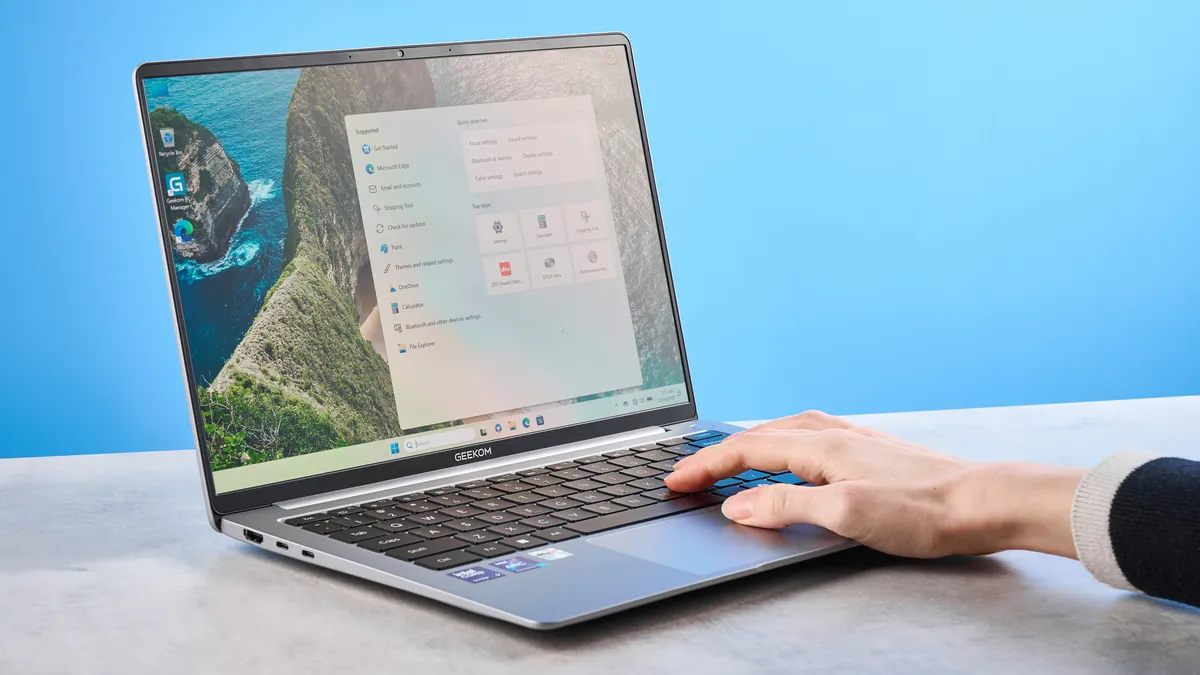
If you want a MacBook alternative, the Geekom GeekBook X14 Pro is an outstanding choice. This Windows laptop is sleek and good-looking, and its compact form factor makes it highly portable. The X14 Pro boasts fantastic color coverage and accuracy, and its 2.8K OLED display is a joy to watch movies and play games on. Speaking of, the X14 Pro is great for general productivity, photo editing, and casual gaming too.
Does it have any shortcomings? It would be too good to be true if it didn’t. The X14 Pro’s battery life isn’t the best, especially when compared to rivals from Apple, Lenovo and Dell, and it uses an old-ish CPU, and if you can get other laptops with just as good specs and a newer processor, why wouldn’t you?
But if those are compromises you’re okay with, and you want a Windows laptop that looks and behaves like a MacBook, the X14 Pro is the way to go.

