





Tom's Guide Verdict
The Hbada X7 is a high-tech standout that actually handles the ergonomic heavy lifting for you, from AI-tracked lumbar support to a legitimate bionic massage. While the more detailed assembly and shorter electronics warranty are a bit of a gamble at $1,500, it’s a versatile "wellness station" that’s as comfortable for 10-hour workdays as it is for a long gaming session with your feet up. It won’t be for everyone, but if you’re tired of constant back pain and want a chair that proactively catches you when your posture slips, it’s a worthy high-tech upgrade.
Reasons to buy
- +
Excellent adjustability
- +
Very sturdy and supportive design
- +
Heat, cooling and massage built-in
- +
Premium materials used throughout
Reasons to avoid
- -
Bulky and heavy at 75 pounds
- -
Costs nearly as much as a real massage chair at full price
Why you can trust Tom's Guide Our writers and editors spend hours analyzing and reviewing products, services, and apps to help find what's best for you. Find out more about how we test, analyze, and rate.
The Hbada X7 couldn’t be farther from your standard office chair. For starters, it features an almost all-mesh design with a floating wing-style lumbar support. Not to mention its pullout footrest and 6D armrests. On another office chair, these would be the standout features but with the X7, we’re just getting started as this is a smart ergonomic chair.
So what makes it smart? Well, that would be the automotive-grade chip housed within its lumbar support module. Then there’s the power management system housed in the base of the X7’s seat and a slide-out 5,200 mAh battery. All of this extra tech powers the chair’s AI lumbar-tracking but it can also warm you up, cool you down and even give you a massage to help alleviate back pain and fatigue so you can comfortably extend your workday — or a marathon gaming session — even longer.
I’ve been using the X7 as my daily driver for the past two months. Even with all these smart features disabled, it’s still an extremely supportive and comfortable chair with plenty of adjustment points to help you lock in the perfect fit. However, thanks to its on-board AI and sensors, you don’t have to make all these adjustments yourself. Instead, the X7 does the brunt of the work for you.
My Hbada X7 review will help you decide if this is the best office chair for you and whether or not all of these extras are really worth its steep asking price.
Hbada X7: Cheat Sheet
- What is it? A high-end, smart ergonomic office chair that features a motorized lumbar support system, built-in massage, and active seat ventilation.
- Who is it for? People who spend extended hours at their desk and those looking for therapeutic relief for chronic back pain or past injuries.
- What does it cost? The Hbada X7 has a list price of $1,509 but is frequently on sale for $1,299 or even $1,199.
- What do we like? The chair’s sturdy build quality, the premium materials used throughout, the active seat cooling and infrared heat, the pull-out footrest, how its lumbar support adjusts automatically, the built-in massager and how the remote control is stowed on the side.
- What don’t we like? The 75-pound weight and the extra bulk the chair’s smart features add, the more involved assembly process, the high list price and having to manage a battery or charging cable for its features to work.
Hbada X7: Specs
Price |
$1,509 |
Height range |
41 to 53 inches |
Seat width |
20.47 inches |
Seat depth |
15.9 to 17.91 inches |
Maximum load |
330 pounds |
Maximum recline |
140° |
Weight |
75 pounds |
Material |
Mesh, steel, aluminum and plastic |
Adjustment points |
22 |
Warranty |
3 years (parts), 5 years (frame) |
Hbada X7: The Ups
From its striking design to its automated adjustments, the Hbada X7 has plenty going for it. What surprised me most though wasn’t the flashy tech — it was just how comfortable the chair was to sit in during long, 8+ hour stretches. Still, there’s nothing quite like your chair giving you an unprompted massage right when you’ve hit a slump.
Space-age support
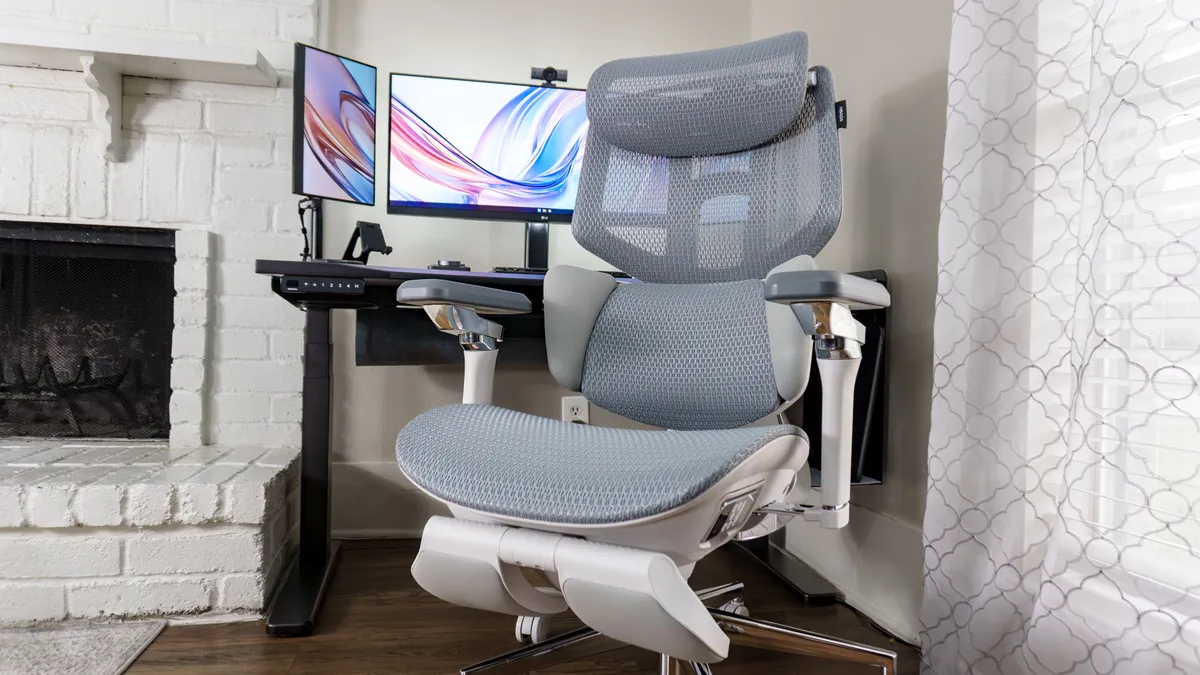
Just like with the Hinomi X1 I previously reviewed, the X7 looks like it was engineered rather than designed. From its mesh headrest and backrest to the pull-out footrest and highly adjustable armrests, all of these parts form a cohesive office chair that looks and feels high-tech even before you insert its massive battery.
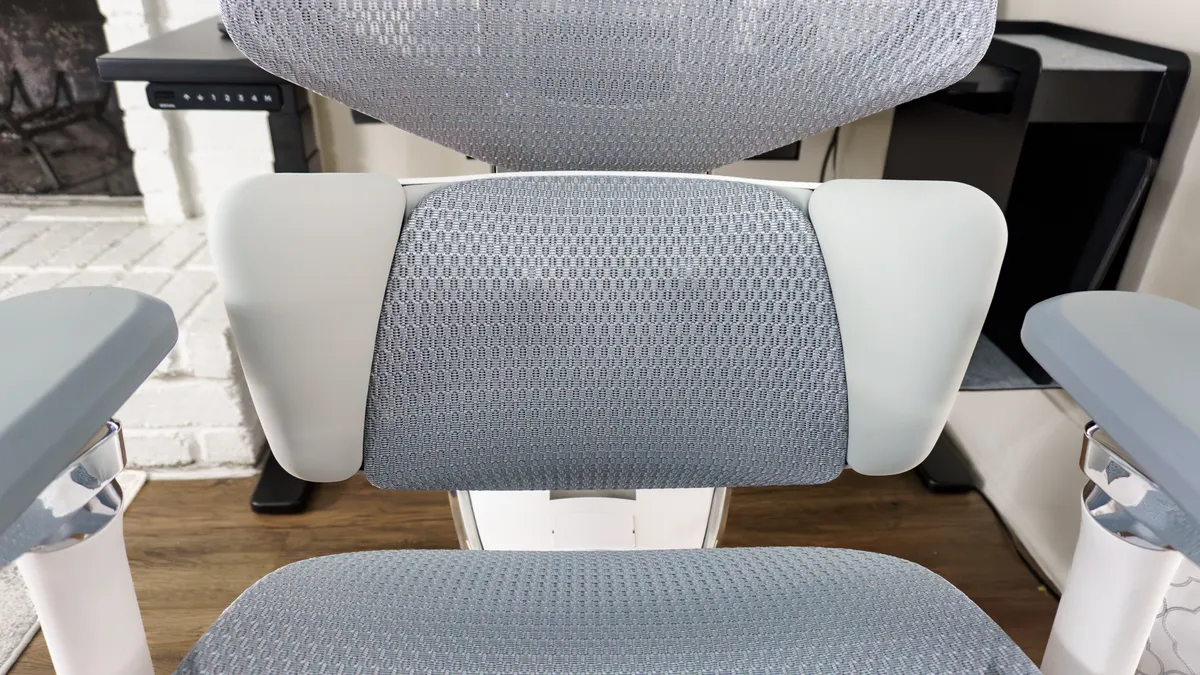
The X7 is also designed to support your entire body as you shift throughout the day. If you turn to the left or right, its 16-inch extra-wide headrest is there to support the sides of your head, not just the back. Likewise, if you turn your torso, the cushioned "floating wings" on the outer edges of the lumbar support ensure that your sides remain supported.
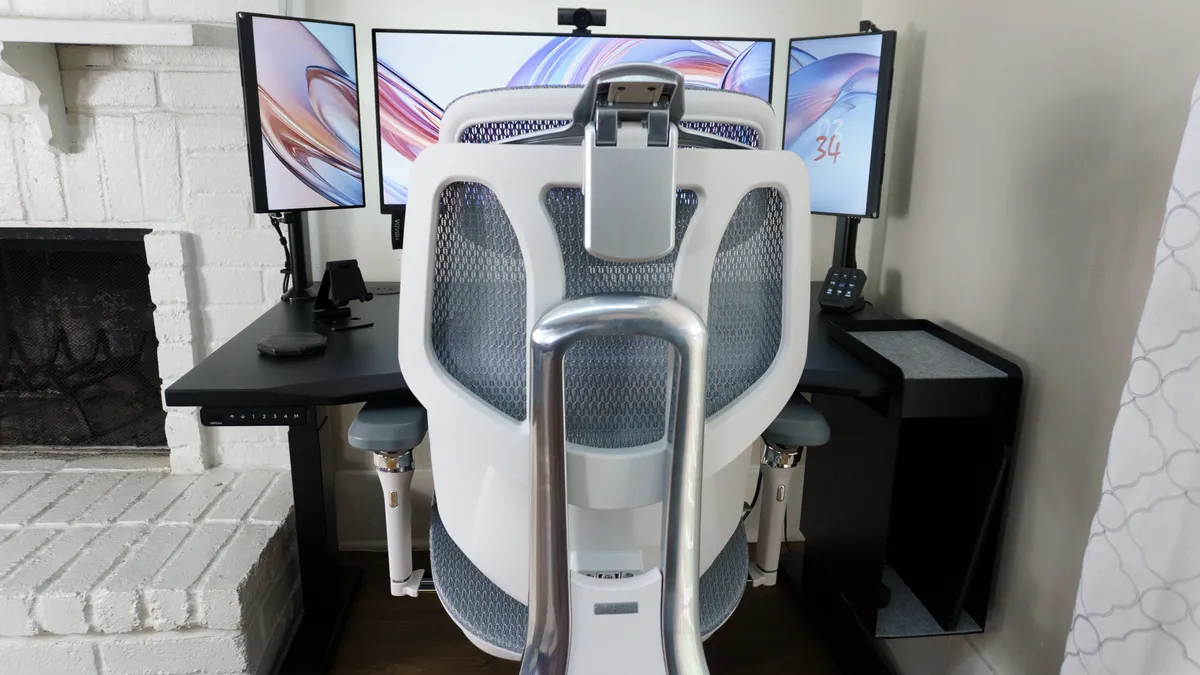
Around back, the heavy-duty aluminum frame helps keep your spine aligned. Because it connects directly to the base of the seat, you get this same level of support even when reclining up to 140 degrees (more on that later).
The same holds true for its 6D armrests, which can be rotated 360 degrees or tilted upward to meet your elbows wherever they land. One thing I immediately noticed is that the X7's armrests stay firmly in place once adjusted. I can’t say the same for the Herman Miller Vantum gaming chair I reviewed, where I found myself constantly repositioning its arm pads.
Out of the box, you have a total of 22 different adjustment points to tweak. If that seems overwhelming, you don't actually have to master all of them — you can just reach for the remote and let the chair’s "brain" handle the heavy lifting.
No lumbar adjustments necessary
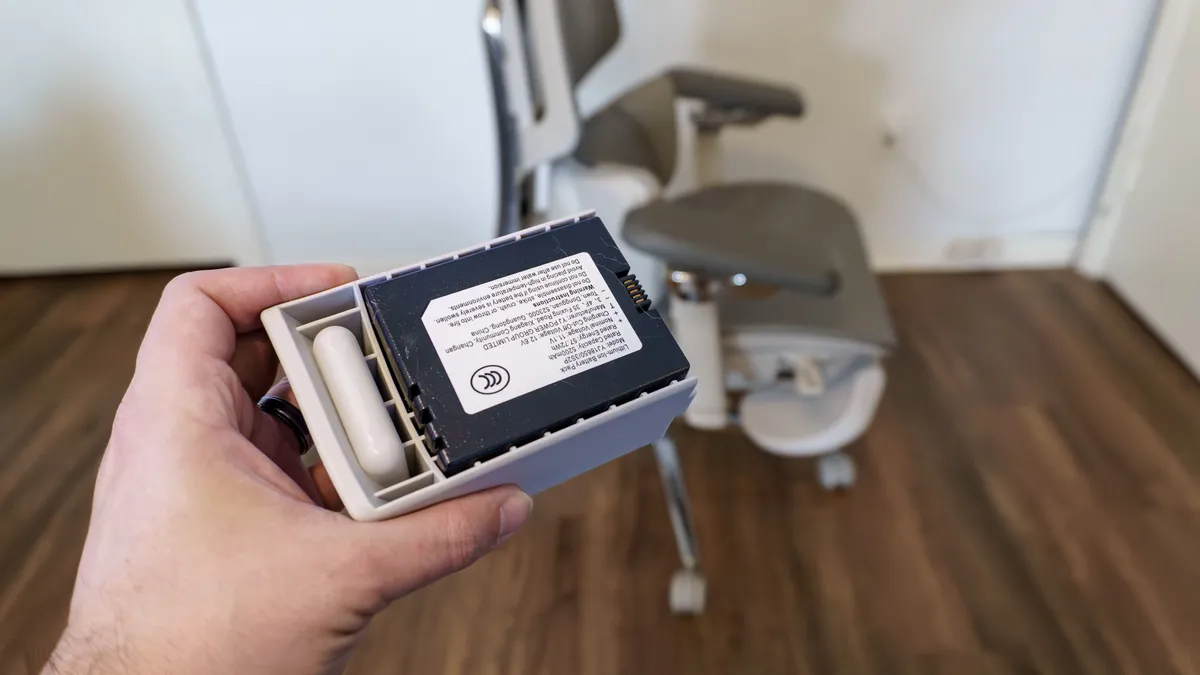
Although the X7 comes with a power cable, nobody wants to be tethered to a wall. Fortunately, Hbada now includes a rechargeable 5,200 mAh battery with the chair. It charges via USB-C and takes about as long as a modern smartphone to top off. Once it’s ready, you simply slide the battery into its housing on the right side of the seat.
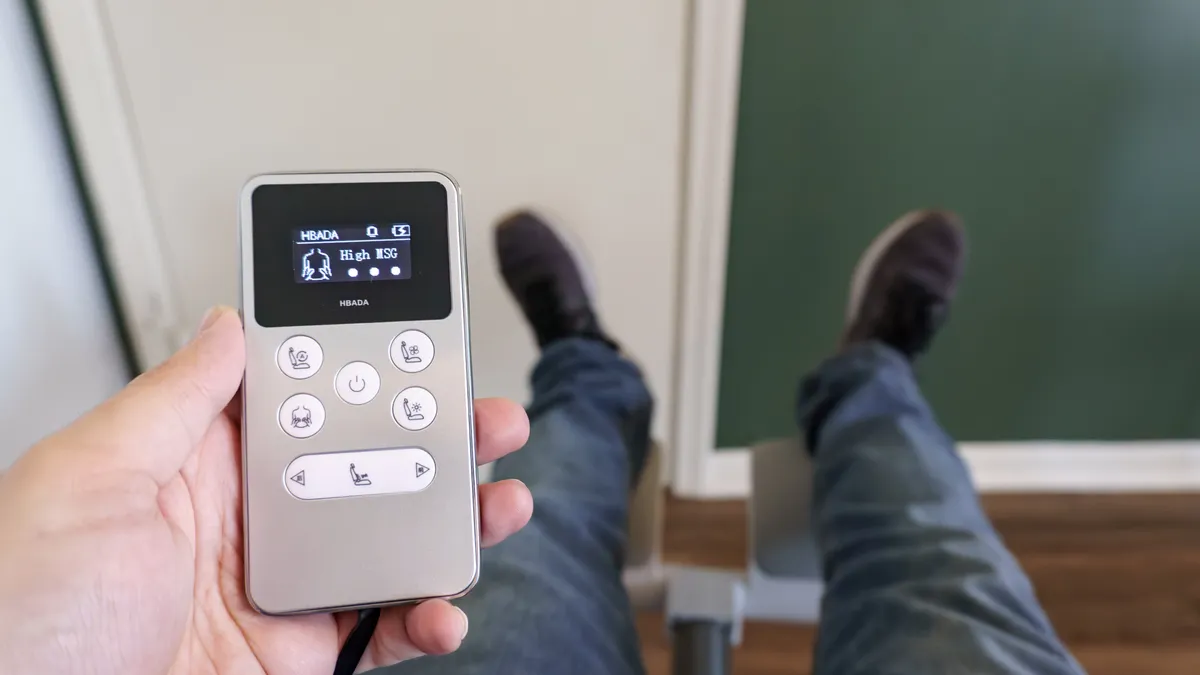
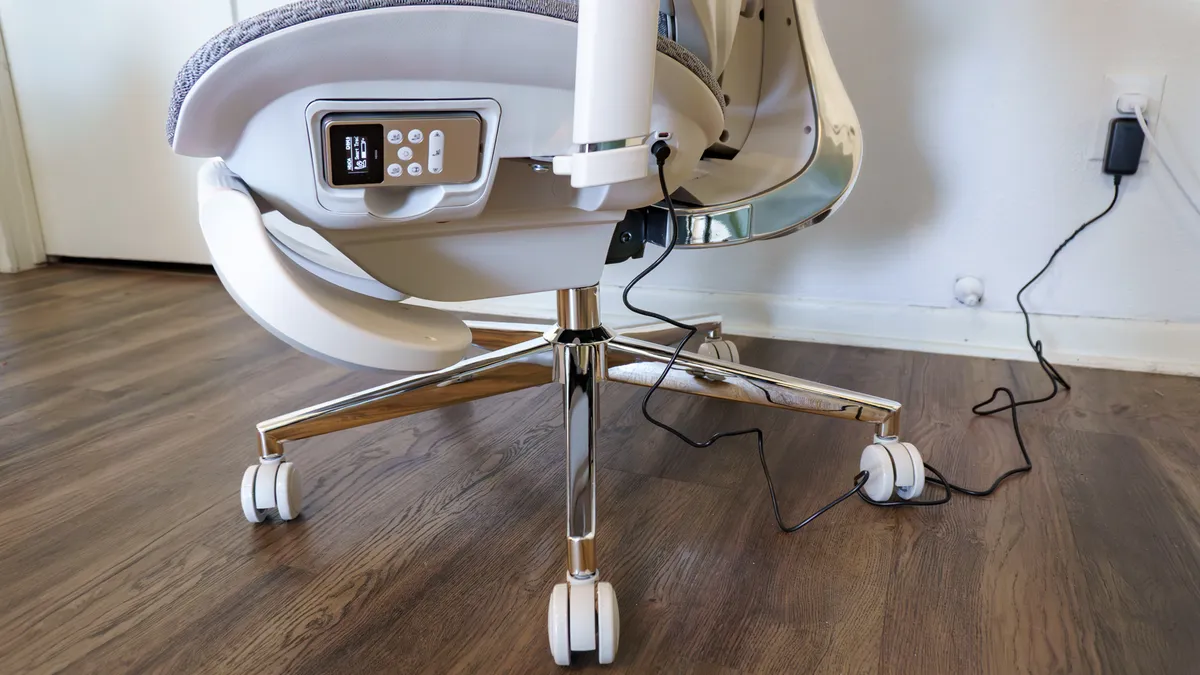
With power established, it’s time to grab the built-in remote located on the left side of the chair. This isn't a wireless unit that you’ll misplace easily; it’s hard-wired to the X7 with a clever, retractable flat cable. The small OLED screen is crisp and easy to read, with intuitive icons for every function.
From here, you can toggle the seat fans, engage the infrared heating system, or start a bionic massage cycle. There is also a manual slider to move the lumbar support forward or back, but the real star is the "Auto" button in the top-left corner. This is what puts the chair into "set it and forget it" mode.
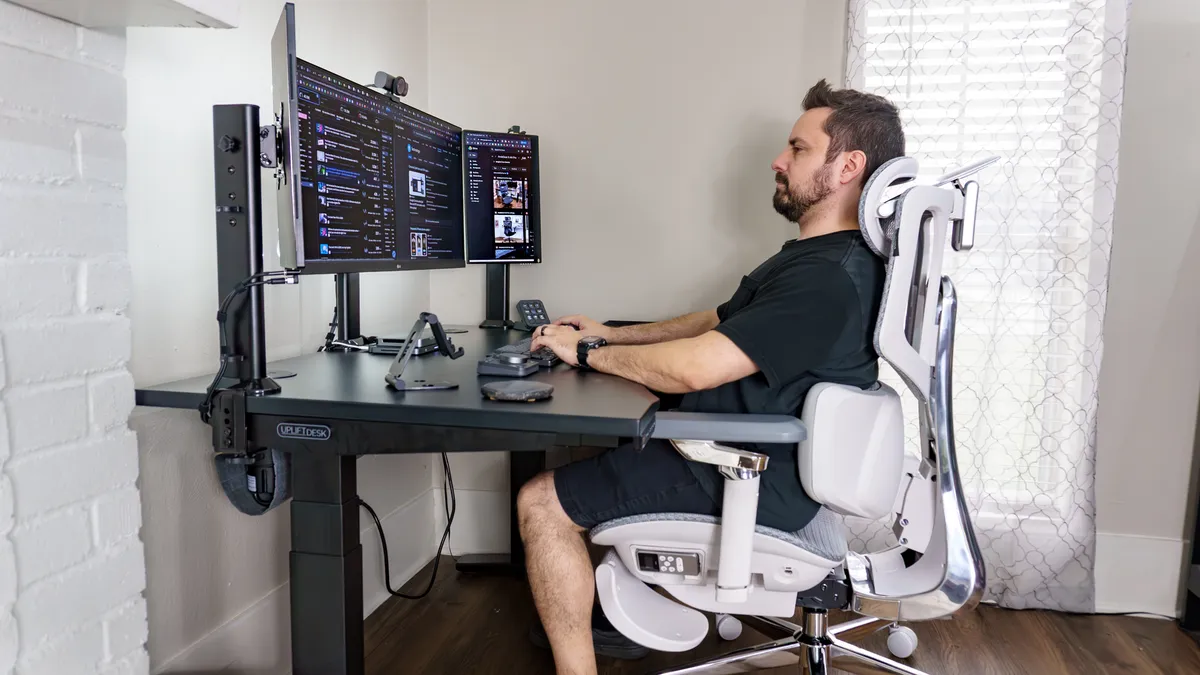
The X7 uses magnetic Hall Effect sensors — the same tech found in the best PC game controllers to prevent stick drift — to detect your exact sitting position. If you lean forward to focus on a task, the sensors recognize the shift and signal the motors to bring the lumbar support closer to meet you. Think of it as reactive ergonomics where the X7 shifts throughout your workday to catch you the moment your posture slips.
The backrest on the LiberNovo Omni adjusts in a similar way, using a smaller 2,200 mAh battery to power a motorized actuator. However, with that chair, you’re the one pressing the buttons. The X7 is the only chair I’ve tested that takes that responsibility off your plate entirely.
It’s been great using the X7 as my daily driver for work, but all work and no play makes for a much less versatile office chair.
For far more than work
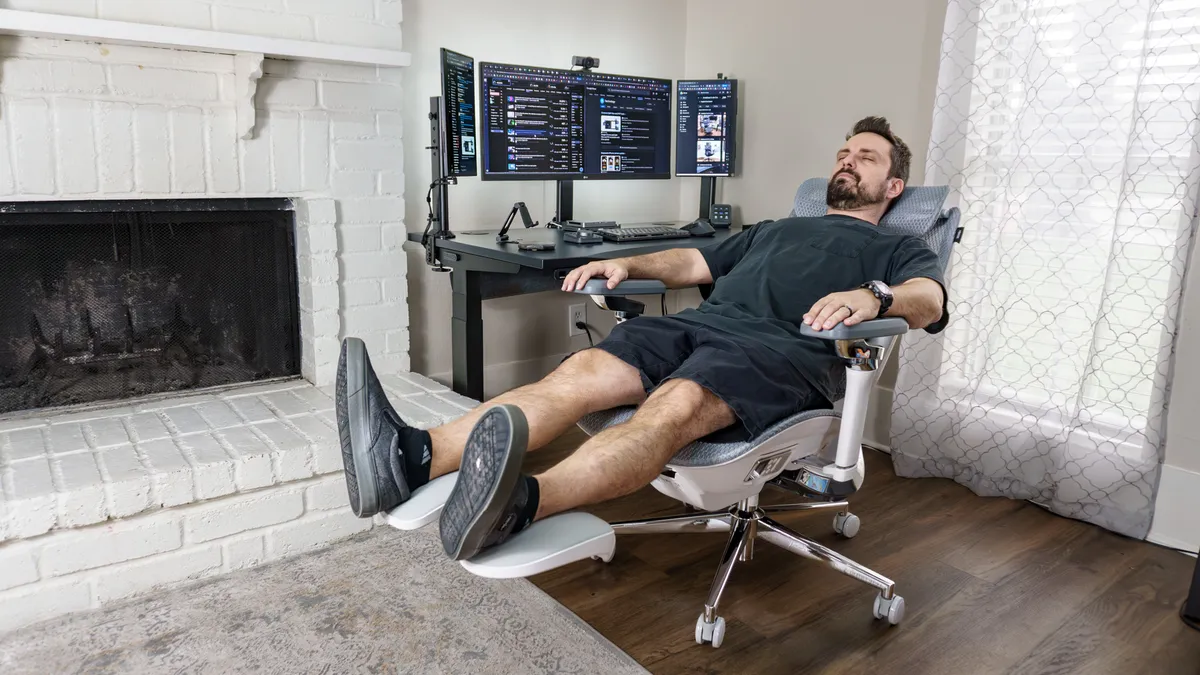
Whether you want to take a quick break or cozy up in front of one of the best monitors to catch up on a show, the Hbada X7 makes it easy. Underneath the seat is a pull-out footrest that can be deployed or stowed in seconds. It’s integrated directly into the frame, similar to the one on the Hinomi X1, rather than being a separate, standalone piece like the LiberNovo Omni’s optional footrest.
While the X7’s smart adjustments help you stay productive, you can also toggle them off with a single button to focus purely on the chair’s spa-like modes. Personally, I found reclining in the X7 to be a great way to gather my thoughts or rest my eyes between meetings. It’s also incredibly comfortable for gaming sessions; I spent plenty of time with my feet up playing my Nintendo Switch 2, with the 8D dual-core massager enabled.
Speaking of the massage, the difference here is mechanical. While the LiberNovo Omni simply moves your spine up and down for something similar to an adjustment at a chiropractor, the X7’s rollers — which Hbada calls "bionic hands" — mimic a real kneading motion. I found it significantly more beneficial for loosening up my lower back than the optional Elemax unit on the X-Chair X3.
The X7 may be marketed for work, but it doubles as one of the best gaming chairs too. You get the structure needed for competitive play, but you can also cozy up with the infrared heat on when playing something more whimsical like Tomodachi Life: Living the Dream or Animal Crossing.
Hbada X7: The Downs
The Hbada X7 is an impressive feat of engineering and a whole new direction for ergonomic office chairs. However, it’s not without its downsides which include the more detailed assembly process which feels somewhat out of place at this higher price point.
Heavy lifting required
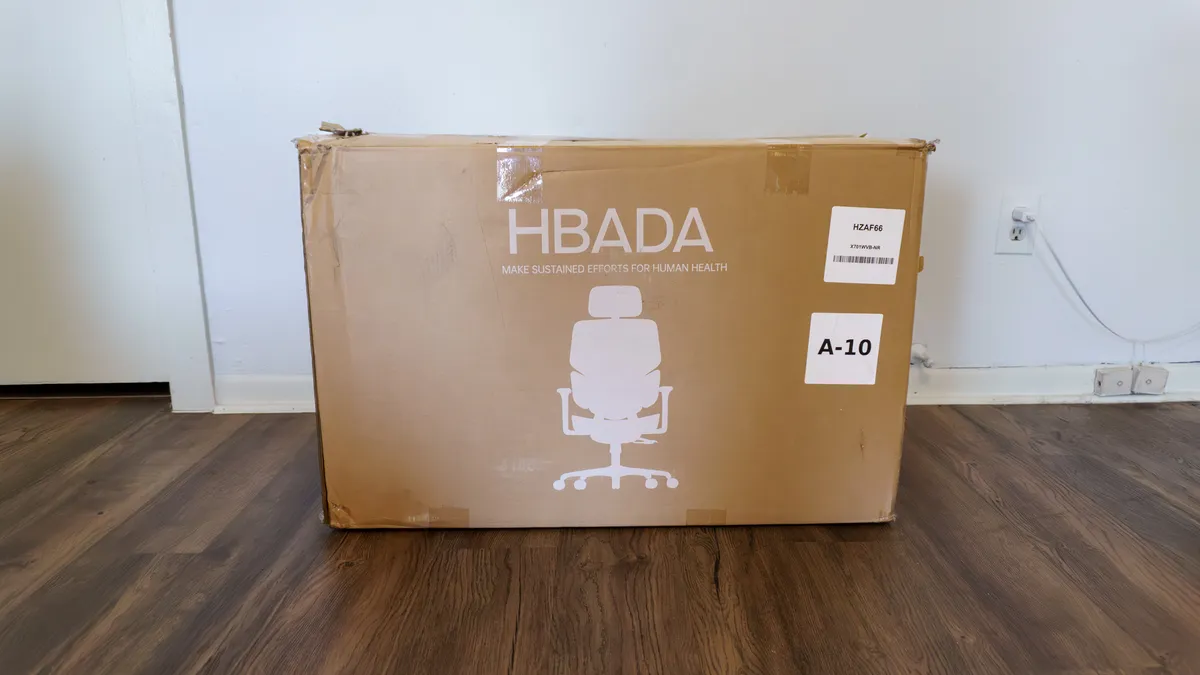
The Hbada X7 arrived in a single, massive 83-pound box. I almost wish it had shipped in two separate packages like the best standing desks; while I managed to bring it inside fairly easily at my one-story house, you’ll definitely want a second set of hands if you’re lugging this up multiple flights of stairs to an apartment or upstairs office.
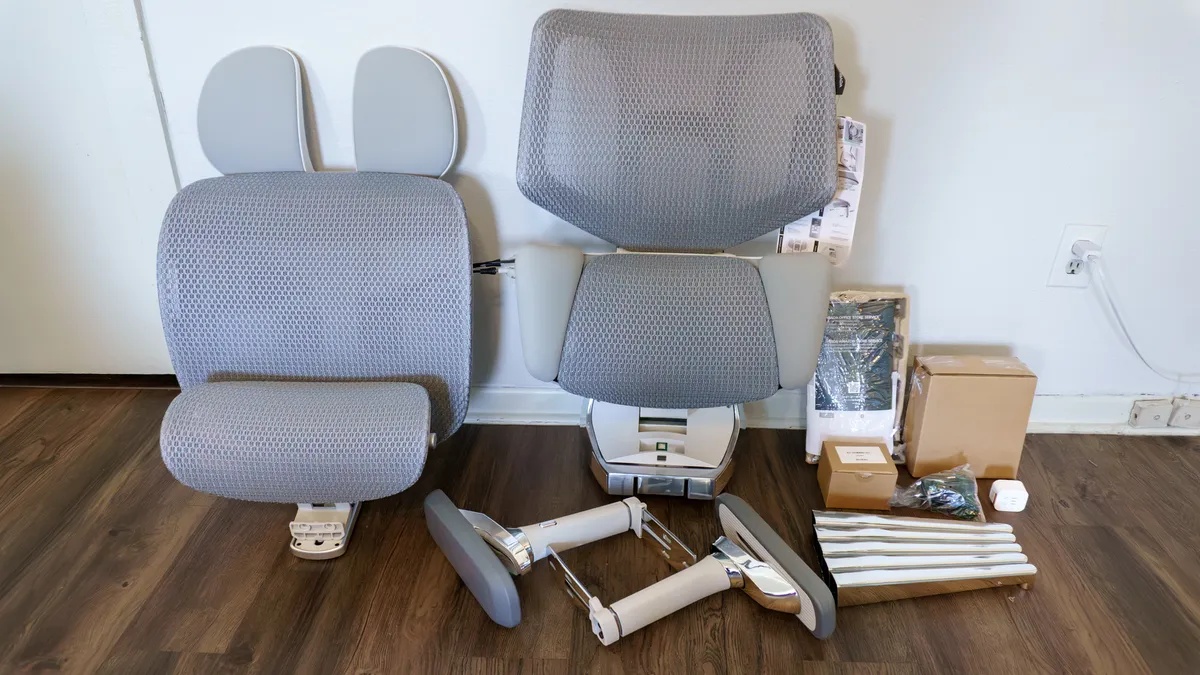
Once unboxed, the X7 required significantly more legwork than I’d expect at this price point. The Steelcase Karman, which carries a similarly high price tag, arrives fully assembled. Even the slightly cheaper Herman Miller Vantum is a "drop-in" affair where you simply set the chair on the gas cylinder.
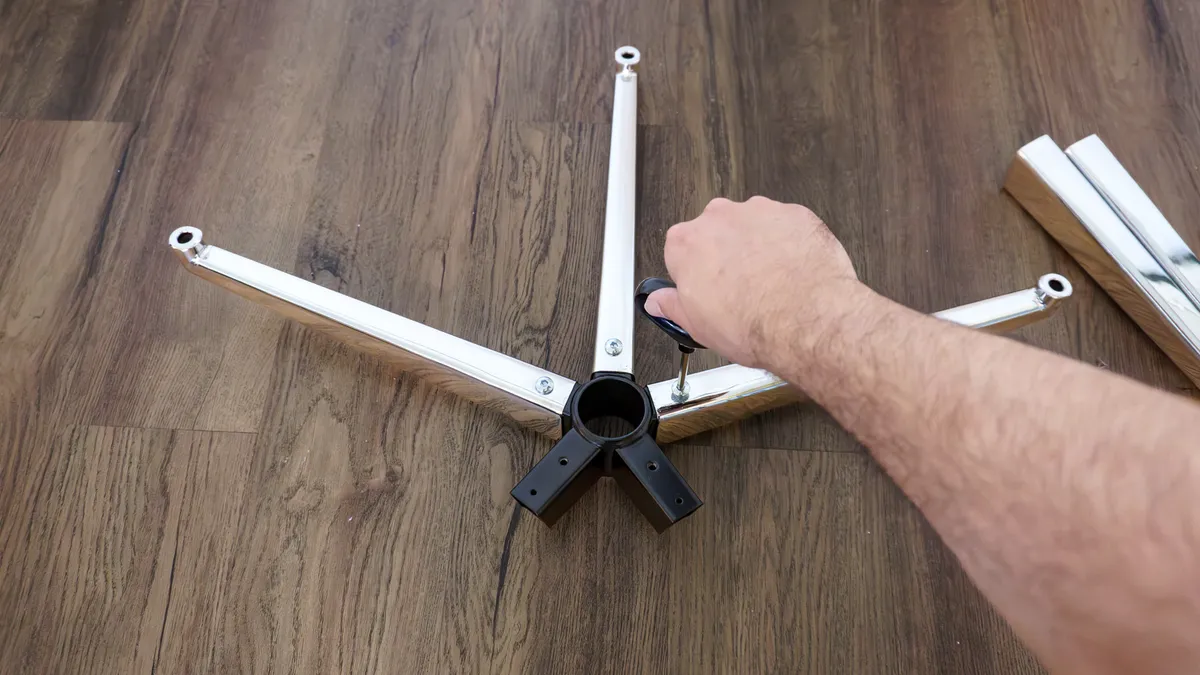
With the X7, I actually had to assemble the base myself — a task that's rare even among the best budget office chairs. While I suspect this was done to fit the chair into a single box, it felt out of place for a $1,500 product.
Since this is a smart chair, you also have to manage its "nervous system." A wire protruding from the back of the seat must be plugged into the backrest for the smart adjustments to function. There isn't much clearance to work with, and it felt tedious ensuring the two parts had a secure connection without pinching the cable.
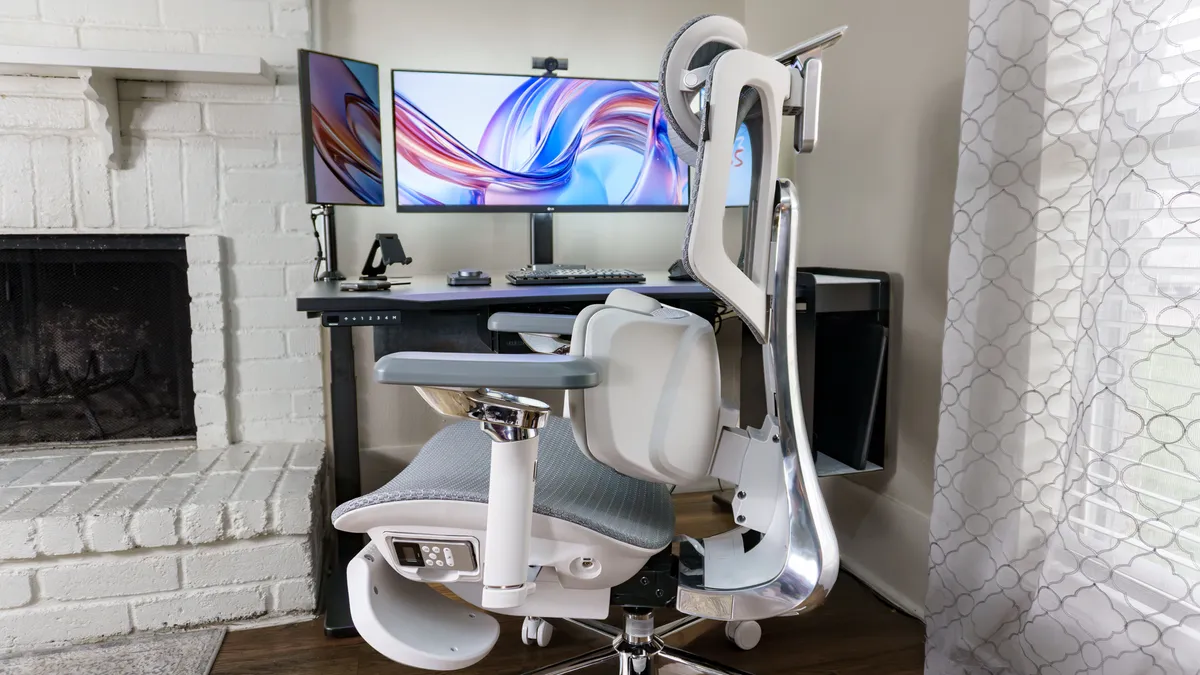
With the build complete, you're left with a 75-pound behemoth. Since that 8D dual-core massager is housed in the lumbar support, much of that weight is concentrated at the back. Suffice it to say, you’re better off leaving the X7 in one spot rather than rolling it around your home like with the OdinLake Ergo Butterfly 753, which features a convenient handle on the rear.
Puzzled pricing
At its full price of $1,509, the X7 feels like a stretch. Paying over $1,000 for a premium office chair isn’t unheard of — I’ve personally tested several in this bracket — but the value proposition here is unique. With a chair like the Steelcase Karman High-Back, you’re paying for proprietary Intermix material that blends the breathability of mesh with the softness of fabric. With the X7, that premium is going toward its smarts.
Don’t get me wrong: the X7 is an incredibly supportive and comfortable chair that will make a world of difference for anyone who spends too long at a desk or struggles with back pain. However, you’re taking a gamble. Until you live with it, you won’t know if these smart extras will become essential to your workflow or something you try once and never touch again.
If you like the look and feel of the X7 but prefer a more analog experience, you might be better off with the Hbada E3 Ultra or the E3 Pro, both of which fall under $1,000 (the E3 Pro often dips below $500 on sale). Similarly, the Hinomi X1 offers a very similar aesthetic and manual functionality for less too.
The warranty is also a sticking point. While the X7 comes with a 5-year guarantee, that only covers load-bearing structures like the base, gas lift, and casters. The arms, backrest, and — most importantly — the electronic components are only covered for three years. Contrast that with the standard 12-year warranties from Herman Miller and Steelcase, and it’s enough to make you question the X7’s longevity.
As of now, I’ve used the X7 for 8+ hours a day for two months without a single issue. It's also worth noting that while the list price is $1,509, the chair has been consistently on sale for $1,299 on Hbada’s site since I received it. At that lower price, the "early adopter tax" is a bit easier to justify, but it's still a significant investment in a relatively new technology.
Hbada X7: Verdict
As it stands now, the Hbada X7 is in a class of its own. While there are other chairs with motorized lumbar adjustment and built-in massagers, this is the only one I’ve tested that handles all of those features for you autonomously. It’s been great to have the massage mode kick in automatically after sitting at my desk for too long. And while you do have to recharge its massive battery, I only had to do so a handful of times during the two months I used the X7 as my daily driver.
Even with the smart features disabled, the X7 is an excellent ergonomic chair. There are plenty of adjustment points to tailor the fit to your liking, and I really appreciate the versatility of the 6D armrests and the convenience of the integrated pull-out footrest.
At $1,299 on perpetual sale, the X7 is certainly still an investment. For that price, however, you’re getting a fully-equipped ergonomic chair that doubles as a legitimate recovery tool. It won’t be for everyone — recharging your furniture and letting AI take the reins of your posture feels a bit strange at first. But if you work long hours or are tired of dealing with persistent back pain, the X7 is a worthy, high-tech upgrade for your home office setup.

