




My dream setup is a simple one: the productivity of a desk with the minimal hand movement of a laptop. I do love a keyboard and mouse, but having to move yourself away from the board can break my flow, whereas the minimal movements of a laptop with touchpad keeps me locked in longer.
Humans have tried this once before with Lenovo’s Touchpoint… While I was definitely a fan of it, I can empathize with the fact that it was definitely a lot slower than a touchpad or moving your hand over the mouse.
But the Clevetura CLVX S fixes this by building a touchpad directly into the keyboard keys. And while there are a couple of drawbacks, it’s been at the heart of a drastic usability upgrade across my many work/play scenarios. Let me tell you about it.
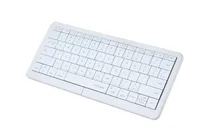
No mouse required

At first, the CLVX S felt a little weird. My subconscious kept reaching for a mouse to my right, but then I started to swipe across the keys. Touch response is rapid and responsive, and there’s even multi-touch on here — all inputs of which are visually highlighted by sweeping RGB that follows your fingers around.
Whether it’s to pinch and zoom into a picture, swipe up and down a website or three finger swipes between desktops, I have both a full touchpad and keyboard in one spot without needing to move my hands whatsoever.

Even better, Clever has added some swipe bars up at the top to give those function keys multiple purposes. You may notice media keys in the top right without any volume up and down, and that’s because swiping left and right does that job for you!
All of this is packed into a nice, thin, premium feeling aluminum shell with a utilitarian-but-playful aesthetic and full RGB color.
Feeling flat

Of course, to pull this off, you need the keys to form a flat surface, which does mean flat keys with miniscule gaps between them. For me, someone who struggles with touch typing (yes, I welcome all roasts of the Managing Editor of Computing not being able to touch type), this isn’t a problem. I’m regularly looking down at the keys and with the RGB, I can clearly and easily see where my fingers should be.
But it does mess a bit with the tactility you may be used to coming from a mechanical board. I do miss that satisfying thok of the best mechanical keyboards when moving over to this, and the lack of key spacing will take a little bit of getting used to.
A fantastic all-in-one solution

My computing setups are varied around one machine. Whether it’s at my desk and getting stuff done or patching through to my TV and chilling on the couch at home, or when I’m out and about working from different hotel rooms and convention centers, the idea of carrying my mechanical keyboard and mouse to and from is a pain in the butt.
The Clevetura S solves all of these problems while looking stylish doing so — popping the touchpad directly on the keyboard keys reduces desk clutter, brings a new paradigm of productivity without lifting a finger, and with its strong battery life (I went through two weeks on one charge), it’s a stellar option.

Follow Tom's Guide on Google News and add us as a preferred source to get our up-to-date news, analysis, and reviews in your feeds. Subscribe to Tom's Guide on YouTube and follow us on TikTok.
More from Tom's Guide
- AI ate his job, now he’s saving his town from the AI bubble with this viral speech
- I'm ditching my iCloud subscription for this backup drive and saving myself $120 a year — here's how
- I tested Satechi’s new Thunderbolt 5 CubeDock and it works great with my MacBook Pro — but I keep mistaking it for a Mac mini M4

