







Unlike with one of the best gaming PCs, you’re usually stuck with a console’s stock design. If you want something different, your only real option is to wait for Sony, Nintendo, or Microsoft to release a special-edition version or a hardware redesign.
Unfortunately, with this console generation, special edition designs have been few and far between. For instance, Sony has only released two true custom variants (the Spider-Man 2 edition and its retro-gray 30th Anniversary models), while Microsoft did something similar with its Halo Infinite and Galaxy Black Xbox Series X consoles. Meanwhile, Nintendo has yet to put out a special edition Switch 2.
Given that I wasn’t particularly fond of the original PS5's design, I decided to wait for the PS5 Slim to be released. However, after all that waiting, I figured I might as well hold out a bit longer for the PS5 Pro. I ended up getting a PS5 Pro, and while I really like the extra power and features it brings to the table, its futuristic, two-tone design just wasn’t for me. I had hoped Sony would release alternative console covers for its pro system, as it did with the standard PS5, but after months of waiting, we only got a single set of special-edition covers as part of the Ghost of Yōtei launch.

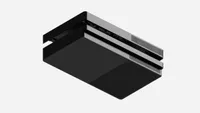
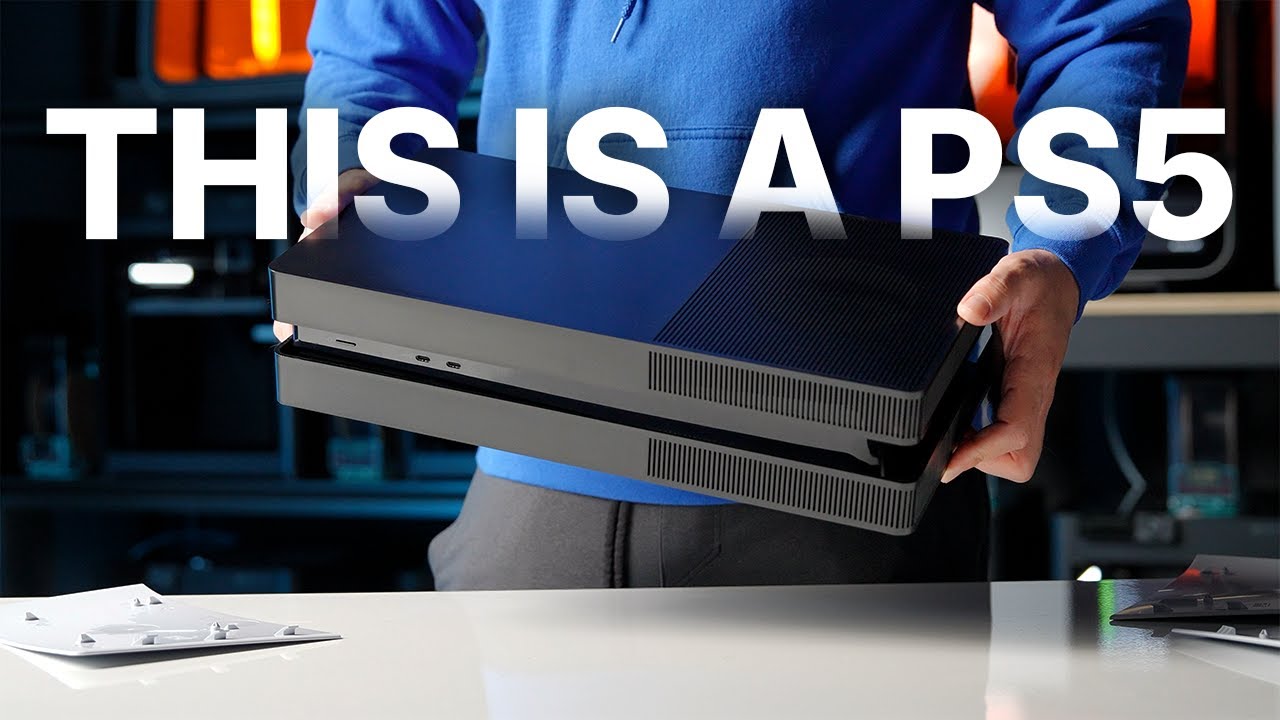
While I could have just picked up a pair of standard, third-party console covers for my PS5 Pro and called it a day, something even better came along. YouTuber Devyn Johnston wanted to change up the look and design of his PS5 too, so he reverse-engineered Sony’s console covers and made his own — called BoxPlates — with a few notable improvements.
Here’s what it was like installing them on my own PS5 Pro, and how they completely transformed my console into something closer to a Small Form Factor (SFF) PC that looks right at home in my desk setup with my other gear.
Snap off, snap on

It wasn’t long after I got my PS5 Pro that I came across YouTuber Devyn Johnston’s reveal video showing off his new BoxPlates. After weeks of iterating on their design, he finally came up with something that not only looks good but installs the exact same way as Sony’s official console covers. Since you aren’t technically tampering with your console — like you would be if you opened it up and fully re-shelled it — you can always swap back to Sony’s stock covers if need be.
While Johnston initially made black, gray, and two-tone black-and-gray BoxPlates, when I reached out about getting a pair to try out, only the black ones were left in stock. This was fine by me; an all-black console blends in with most desk setups much better than an all-white one.
As their name implies, once installed, the BoxPlates give both the standard PS5 and the PS5 Pro a more rectangular look. As a result, you don’t have to use the tiny plastic feet Sony includes in the box if you want to use your console horizontally, nor do you need a separate vertical stand if you’d rather have it upright.

With the BoxPlates laid out on my desk, it was clear how much thought and attention went into their design. In addition to the raised tabs that let you attach both plates to your console, there are larger circular vents on either side than on Sony’s original design. Even with them installed, they don’t block the console’s power indicator lights or any of its ports.
After carefully removing the stock console covers from my PS5 Pro, it was time to install my new BoxPlates. Fortunately, since they were reverse-engineered, they slide on and snap off the console just like Sony’s.

There was a bit of back-and-forth getting them aligned, as it’s easy to miss a tab here or there. However, after putting them on and taking them off a few times, I eventually got them installed perfectly on my PS5 Pro.
As this was my first time ever removing my PS5 Pro’s console covers, the whole process did take me a bit longer than I initially thought it would. However, if you’ve ever taken yours off to clean your PS5 or PS5 Pro, you should have a much easier time installing your BoxPlates.
Dressed for a desk setup

As you can see here, my PS5 Pro with Johnston’s BoxPlates installed looks quite similar to the black Xbox Series S next to it. This makes sense; in the video linked above, he explains that the first version of his custom PS5 console cover was loosely inspired by the Xbox One S. Johnston later switched to his own original design, and that change definitely paid off.
Immediately after installing Johnston’s BoxPlates on my PS5 Pro, my now-customized console reminded me of a PC case I built years ago. Instead of selling my desktop gaming PC when I left Korea, I decided to swap my larger Micro-ATX case for a smaller ITX one. Looking at my PS5 Pro with Johnston’s BoxPlates installed instantly made me think of my old Fractal Design Node 202 case, which remains one of my favorite SFF PC cases of all time.
With the console cover swap complete, it was time to bring my PS5 Pro back over to my desk and see how it looked — and performed — compared to Sony’s original design. While I do like the way Johnston’s BoxPlates look with the PS5 Pro in a horizontal orientation, I went with a vertical one instead to give me as much space on my desk as possible without worrying about poor ventilation.

As I was shooting the final pics for my Corsair Platform 4: Elevate Desk review, I decided to set up my PS5 Pro on that desk. With its redesigned look, the console blended in perfectly with the rest of my desk setup instead of standing out like a sore thumb. It might just be me, but it also seemed to run quieter under heavy load, even though the PS5 and PS5 Pro are already a massive improvement over the PS4/PS4 Pro in terms of noise levels.
Since I’ve mainly been playing PC games on the Framework Desktop on the right side of my desk and with Khadas’ Mind Graphics 2 external GPU in the other room, I have plenty of PS5 and PS4 games, as well as a couple of PS3 games — I’m looking at you, Heavy Rain — in my backlog that I still need to finish. With my PS5 Pro now sporting Johnston’s BoxPlates, doing so will be much easier, since I can incorporate Sony’s console into my various desk setups as easily as I do with the Nintendo Switch 2 paired with the Genki Covert Dock 3.
From futuristic to practical

Now, don’t get me wrong, Sony’s decision to go with a more futuristic design for the PS5 and then the PS5 Pro isn’t necessarily a bad thing. On its own, I really do like how the original and now this pro model of Sony’s latest console looks. In fact, with its curves, removable console covers, and how you can install a standard, internal M.2 SSD for extra storage, the PS5 is about as futuristic as it gets — well, almost. It still doesn’t hold a candle to that fake design for the PS9 with a transparent glass orb floating in a cylinder that Sony released all the way back in 1999, ahead of the PlayStation 2’s launch.
At $89.99, Johnston’s BoxPlates are slightly on the expensive side for a cosmetic upgrade for your PS5 or PS5 Pro. However, when you factor in the cost of a set of Sony’s official console covers at $54 to $74 depending on which color you pick, and the fact that the official vertical stand — which isn’t included with the PS5 Slim or PS5 Pro — will set you back another $30, almost $100 with shipping doesn’t sound all that bad.
Now, Johnston’s BoxPlates won’t be for everyone, and that’s okay. If you just want to change your PS5’s exterior color, you can always buy a set of official or even unofficial console covers for it. However, if you take the route I did, you can change the entire look and design of your PS5 or PS5 Pro while improving its ventilation. Likewise, a mod like this one makes for a great conversation starter at your next game night, too.
Personally, I couldn’t be happier with the change, and unlike when I modded my original Xbox all those years ago, this isn’t permanent. I can just as easily revert my PS5 Pro back to its stock look — probably faster than it took me to install the BoxPlates.

Follow Tom's Guide on Google News and add us as a preferred source to get our up-to-date news, analysis, and reviews in your feeds. Subscribe to Tom's Guide on YouTube and follow us on TikTok. Finally, you can visit our dedicated Tom's Guide Savings Squad hub for expert help on getting the best products for less.
More from Tom's Guide

