







One of my favorite things about the original Nintendo Switch was easily being able to bring it from room to room to play on another TV. I may have started out with just one dock, but after getting another Switch for my wife and then upgrading to the Nintendo Switch OLED, I soon had plenty of them.
Even then, though, there was just one problem with the original Switch dock: it was too big for my taste. So I did what anyone with a bit of DIY know-how would do: I reshelled it to make the dock significantly smaller while still using Nintendo’s official hardware. You see, at the time, I was really worried about bricking my Switch with a third-party dock, as I had seen countless people do so online.
Just when I thought I was stuck with the original dock, I finally tried a third-party one from Genki. Long story short, I loved the Genki Covert Dock Mini and even the larger Genki Covert Dock 2 so much that I ended up with several of them. This worked perfectly, as I could use my Switch on my TV or with one of the best monitors no matter where I was in my house. Then I upgraded to the Switch 2….
Once again, I was stuck with the official Switch 2 dock. I thought about buying a second one, but at $119 at launch and now $125, I just couldn’t justify dropping that much to be able to play my Switch 2 on another display. Fortunately, Genki recently released its new Covert Dock 3.
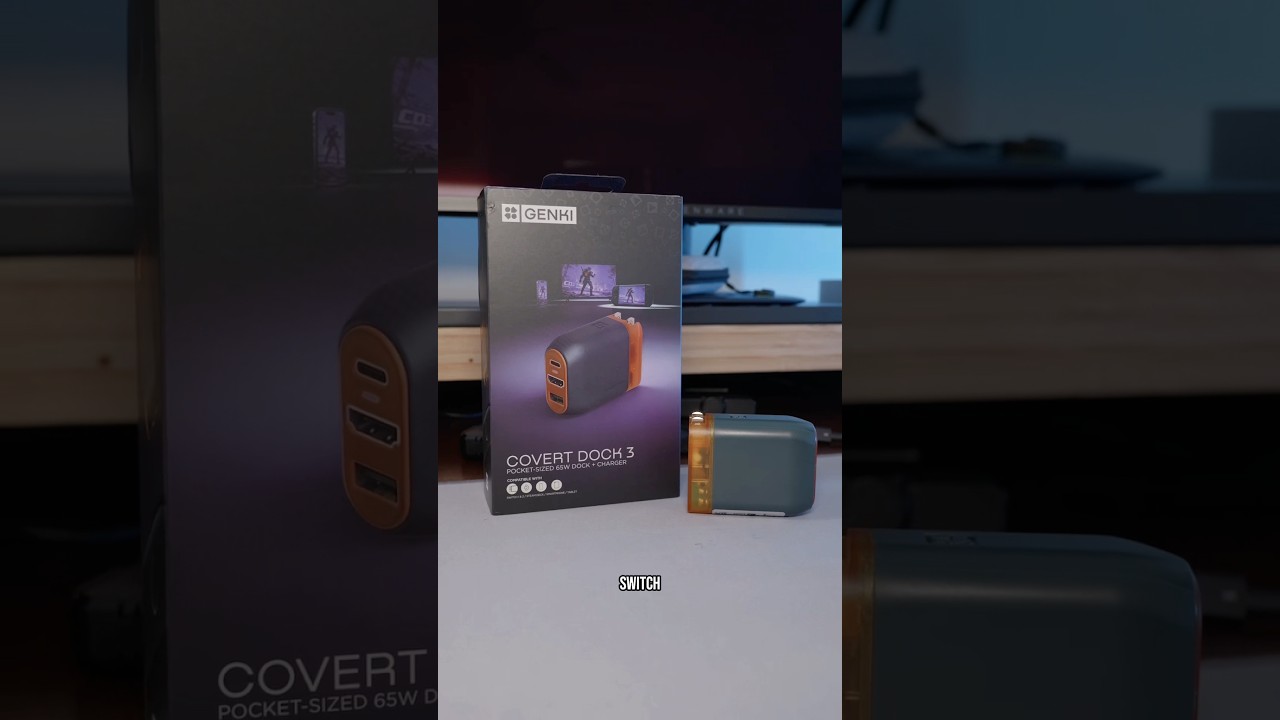
The Covert Dock 3 packs in even more power at 65W — versus 45W with its predecessor — and it has a cool new two-tone translucent orange colorway to boot. However, the best part is that even though it’s slightly more expensive than the Covert Dock 2, it’s still significantly cheaper than picking up a second official Switch 2 dock.
Dock meets power adapter

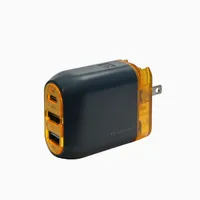
Instead of the dongle-like appearance of other third-party Switch docks, Genki’s Covert Docks look just like a standard power adapter. There’s a retractable plug on the back, while the front features a USB-C port, an HDMI port, and a USB-A port for connecting accessories like one of the best Nintendo Switch 2 controllers. At first glance, you might easily mistake it for a regular GaN charger.
If you’re bringing your Switch 2 to a friend’s house or packing it for a trip, the official setup forces you to lug around both the dock and a separate power brick. With the Covert Dock 3, you just need the device itself and the included USB-C cable. Also, since the Switch 2 can't do high refresh rate gaming in TV mode, you can pretty much use any HDMI cable you want to.

In terms of size, the Covert Dock 3 measures 2.4 x 1.7 x 1.3 inches. While it stands a bit taller in the picture above than Nintendo's official Switch 2 power adapter, it's also noticeably thinner, making it much easier to slide into your bag.
Just like I did, you might be thinking about picking up a Covert Dock 3 to use with your Switch 2. However, it works just as well for your other devices with USB-C video out too. In fact, in the past, I’ve often used the Covert Dock Mini to play videos off my laptop when connected to a hotel TV.
With its higher 65W of power though, the Covert Dock 3 also works with the Steam Deck, the ROG Xbox Ally, and virtually every other handheld gaming PC you can think of. Heck, it even works with the iPhone 17 Pro Max and any other smartphone equipped with DisplayPort Alt Mode over USB-C.
A simpler way to play

Don’t get me wrong, the official Nintendo Switch 2 dock is a big step up over the original dock with 4K support at 60Hz via HDMI 2.1, active cooling, and a built-in Ethernet port. Likewise, it also helps protect your console if you have pets or kids running around. However, you do have to dock and undock your Switch 2.
With the Genki Covert Dock 3 though, I just have to plug my Switch 2 in to instantly go from handheld to TV mode. Besides traveling, it’s also easier to integrate a plug and a single cable into your entertainment center or your desk setup.

Here, I have it plugged into the wall behind my entertainment center with Genki’s braided USB-C cable running up the back. Speaking of the included cable, it’s one of my favorites overall and I really like how the side you plug into your Switch 2 is angled.
If you’re like me, you might be one of the only people in your household that’s upgraded to the Switch 2. While it should have been obvious to me, I didn’t realize that the Covert Dock 3 also works with the original Switch too until I started testing it out. Now, instead of having an original Switch dock and a Switch 2 dock both taking up space in my entertainment center, I just have a single cable that works with both consoles as well as my laptop, tablet and even my phone.
Although I wish the best TVs would add USB-C support like Hisense did with the U8QG and now the UR9, for now, Genki’s Covert Dock 3 (along with its predecessors) is the easiest way to add a one-cable connection for your laptop to any TV, or monitor for that matter.
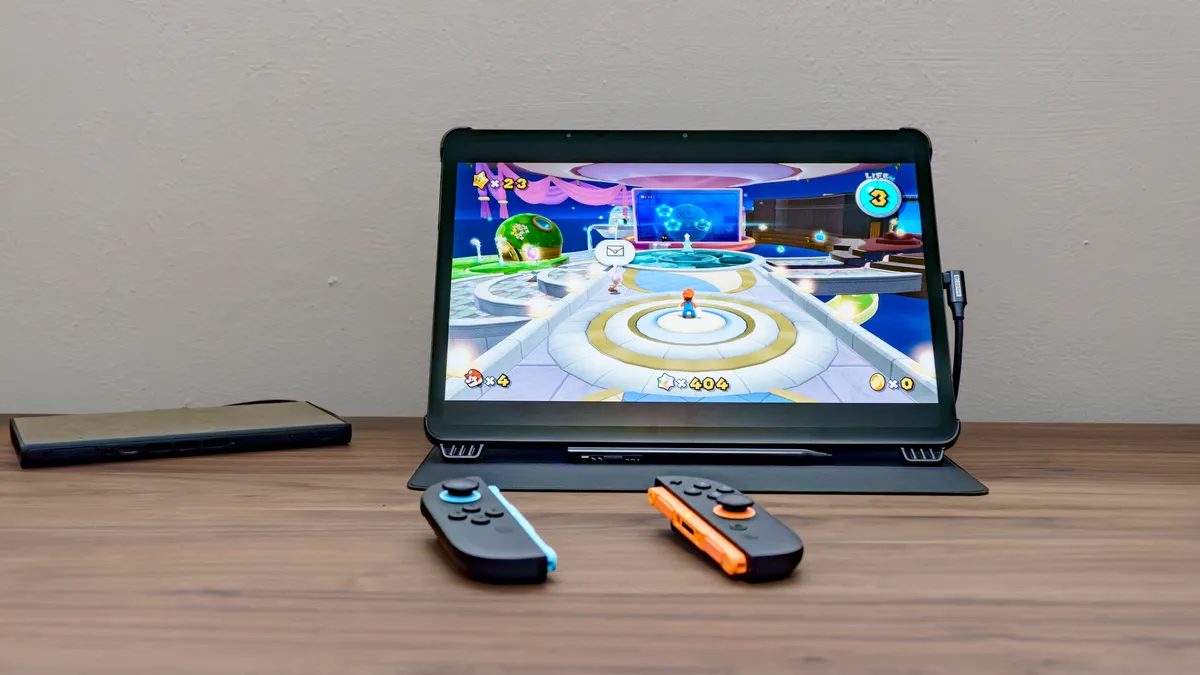
The connectivity doesn’t stop there though. By pairing the Covert Dock 3 with Genki’s new ShadowCast 3, I was able to play my Switch 2 on the TCL NXTPAPER 14. This also works with Apple’s iPad and other tablets as well as with your laptop. While the ShadowCast 3 is designed for capturing gameplay, it’s also a great way to play your Switch 2 or other gaming handhelds on a slightly larger display.
Bring your own HDMI cable

At $70, the Genki Covert Dock 3 is almost half as expensive as buying another official Switch 2 dock. Add to this the fact that it isn’t limited to just Nintendo’s consoles and you have a pocketable dock for all your devices with enough power to use and charge your console or laptop at the same time. There is one thing missing from the package though, and that’s an HDMI cable.
As I said before, this is by no means a deal breaker since you can pretty much use any HDMI cable you have lying around or one already connected to your TV with the Covert Dock 3 and Switch 2. If you are in need of an HDMI 2.1 cable though, Genki does sell a braided one that perfectly matches its included USB-C cable for $20. However, you can certainly get a similarly specced cable for less online.
I’ve been waiting for the reveal of Genki’s next Covert Dock since the Switch 2 was first announced back in May of last year. Fortunately, the Covert Dock 3 has absolutely lived up to my expectations, and its new translucent design actually surpassed what I was initially anticipating from Genki this time around.
If you want to travel with your Switch 2 while leaving your official dock at home without being stuck playing in handheld mode, the Covert Dock 3 is easy to recommend. Likewise, if you just want a second dock for another TV at home or even to play your Switch 2 at your desk like I often do, I can’t recommend it enough.

Follow Tom's Guide on Google News and add us as a preferred source to get our up-to-date news, analysis, and reviews in your feeds.
More from Tom's Guide

