




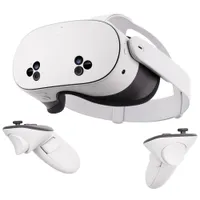
While the signs may point to Meta abandoning VR and focusing its efforts on smart glasses, that hasn’t stopped Zuck & Co. dropping one of the biggest updates to the Meta Quest 3/Quest 3S headsets.
I’m talking about Horizon OS v85 PTC (Public Test Channel), and in the features coming with it, the game changer is the ability to turn any physical surface into a virtual keyboard and mouse. This is the spatial computing future I’d dreamed of, so of course I had to hop on and try it.
Public Test Channel is home of pre-release beta software that users can opt in and try on their Horizon app. This is not finalized software, so expect some tweaks to fix some of the things I talk about.
What I imagined spatial computing would look like
I ditched my desk setup and used a #MetaQuest 3 to turn any surface into a virtual keyboard and touchpad. Here's my impressions of Horizon OS v85 PTC 🧵 pic.twitter.com/WlL8n7YcVgFebruary 3, 2026
You know exactly what I mean when I say this feels like “Minority Report,” right? That moment Tom Cruise dons the smart glasses and gloves and starts moving OS windows around while typing away on a virtual keyboard.
Well, with Surface Keyboard & Touchpad, you (sort of) get exactly that, but in a UI that actually feels like a computing device you’d use.
This is the feature that Meta has been researching for at least six years, and a pretty good-looking prototype was shown in 2023 (Mark Zuckerberg claimed he could hit 100 words per minute).
The reality is a bit of a mixed bag at the moment. The keyboard itself is impressively accurate — just place your hands down, and the Quest 3 will scan the surface and pop out a keyboard and touchpad right in front of you.

The tracking on your hands while resting on a surface is nice and precise, and sticks to your fingers like glue while you glaze across the QWERTY surface in front of you and write away. It’s clear the research here has paid off.
Typing on a surface is always much more preferable than trying to type on a virtual keyboard in thin air, and my speed did increase. Although, your mileage may vary depending on the surface you’re on here, and how much you intend to type.
A desk is always going to be a hard deal for your fingertips to go through, and you will feel it after a couple of hundred words, whereas a cushioned surface like a couch is more comfortable, but you lose a bit of that reliability.
So keyboard-wise, Meta’s work here has proven largely successful. This idea of spatial computing is mostly intact, but the real villain is the surfaces you type on, at which point a bluetooth keyboard will always be better for longform write ups (like this one — my fingers are killing right now).
The touchpad ain’t so great

I’ll chalk this up to this being a test for the software, but the virtual touchpad isn’t quite there yet — not quite being the effective time saving replacement to just reaching out and touching your content because it’s just not reliable enough.
It does all the things you’d expect a touchpad to do, such as moving the cursor, tapping to click and two-finger scrolling. But when you’re not actively looking at it and towards the screen, some of those inputs don’t get picked up.
While I did find the tracking was more than good enough for touch typing on the keyboard, the tracking on that touchpad could do with some work — to the point that I often found myself reverting back to hand gestures.
Great in short bursts, and a glimpse of what I want in AR glasses

So what are we left with here? Simply put, something that feels futuristic but rough on your fingers at the same time. For the sake of your own typing digits, don’t try to work like this all day like I did.
But in practice, public test software oddities aside, this is so cool. The reliability of the keyboard is impressive and the fast touch typing capabilities do make this feel like something I could really dig into for quick email responses and fast web browsing.
It’s what I envisioned when the words “spatial computing” started being uttered a couple of years ago, and I’m dreaming of the day I see this kind of tech come to the best smart glasses.
Because one thing is becoming clear (in my opinion) — while the future of Quest VR as a platform may look a little grim after the layoffs, this is becoming an exciting test bed for what we could see in next-gen smart glasses.

Follow Tom's Guide on Google News and add us as a preferred source to get our up-to-date news, analysis, and reviews in your feeds.
More from Tom's Guide
- I swapped my Ray-Ban Metas for these $20 smart glasses just to mock them — then they actually impressed me
- This simple Meta Quest 3 feature just changed how I watch shows in VR — here's the trick
- 'A moment similar to when smartphones arrived': Mark Zuckerberg reveals where Meta's money is going in 2026 — and it’s not VR

