So I’m chatting with Google Gemini while wearing a pair of Android XR smart glasses, and I tell the assistant to brighten up an image before I’ve even taken the pic. Gemini happily obliges. I also ask for directions for a nearby restaurant and Google Maps shows me turn-by-turn directions right in my field of view. And when I look down briefly I can see the whole map to reorient myself.
This is just scratching the surface of what these Android XR glasses can do. The ones I tested are a prototype from Google, but the glasses are coming out for real in 2026 through partners like Samsung, Warby Parker and Gentle Monster.
I also tried out Xreal’s amazing Project Aura glasses, which squeeze a lot of what the Samsung Galaxy XR headset can do down into a pair of sleek specs, as well as a killer upgrade for the Galaxy XR itself. And I think Meta (and Apple) could be in trouble.
Android XR: Truly Smart Glasses
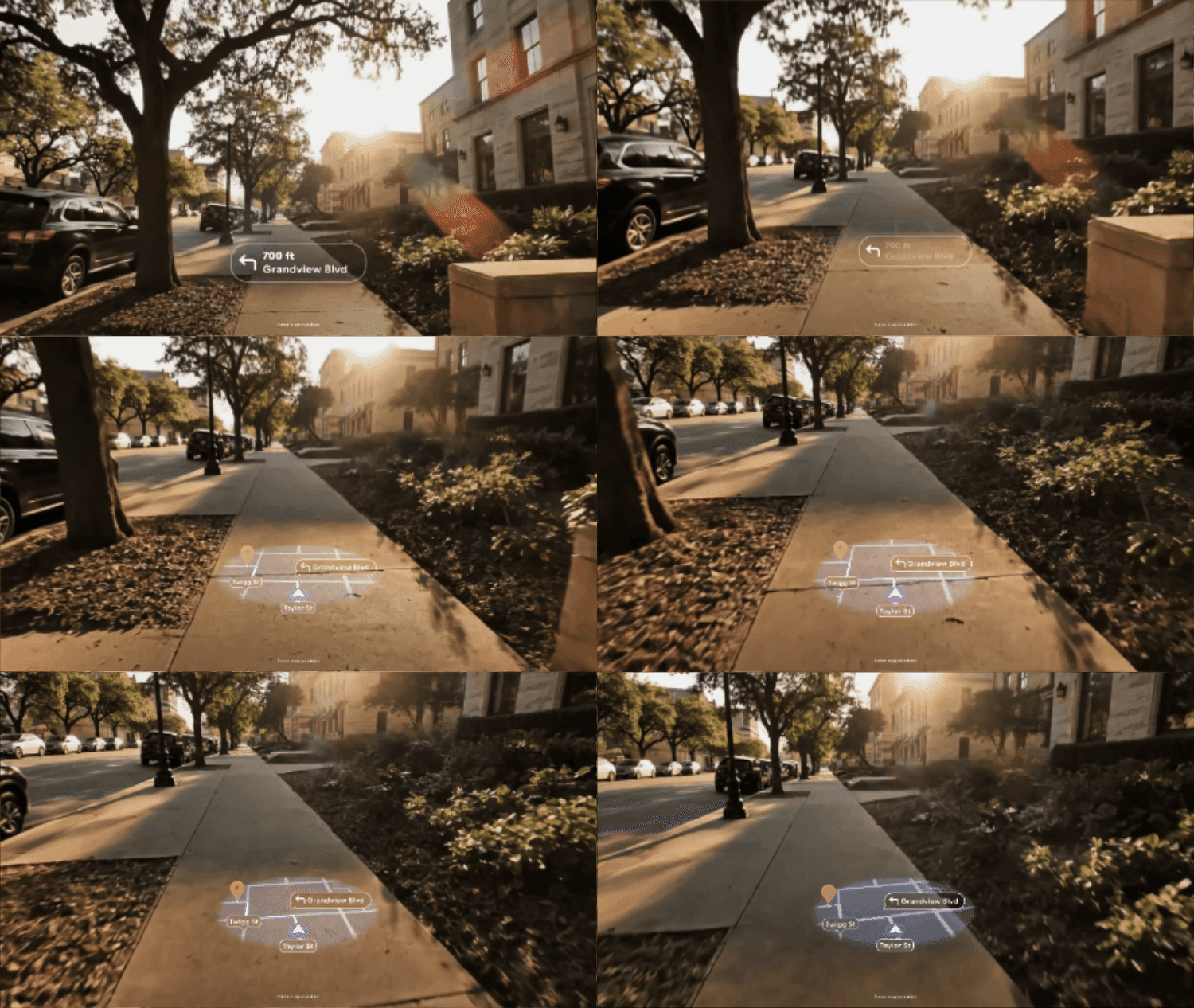
First, let’s focus on the prototype display Galaxy XR glasses. I tried everything from music playback and Google Maps to live translation, and these glasses delivered a pretty smooth experience — without the need for a neural wristband like the Meta Ray-Ban Display glasses.
More important, a ton of Android apps will “just work” at launch without developers having to lift a finger. The smart glasses are smart enough to simulate a very similar experience you might get from an app in the Quick Settings menu on your phone.

The display on the monocular glasses was fairly bright and crisp, and I like how the screen is centered and slightly below your usual sightline. That way you don’t have to look like a fool constantly moving your eyes.
By default the display shows the time and temperature, but things get a lot more interesting once you start trying out apps. For example, once we fired up YouTube Music on a nearby phone, I could easily pause playback by tapping the right arm of the glasses or skip to the next trap just by swiping forward. It was easy to make out album art, too.
From there I used the Android XR glasses to ask Gemini what meal I could make while looking at ingredients on a shelf. And I also used Google Maps to get directions to the Standard Grill. I saw the next turn in the glasses, and as I looked downward I could see the larger map view automatically.
Google Maps has a different voice than Gemini, which was a bit jarring at first, but Google says they left the voices distinct on purpose so you don’t try asking Google Maps for things only Gemini can answer.
Even though others can’t see your face during video calls, it was pretty cool to join a Google Meet call and enable others to see my field of view as I panned around. But the even cooler communication trick is live translation. I could see the words being transcribed from Chinese to English as I spoke to a woman. To see my translation I would have to show her my phone. (Yeah, it’s going to take a while for everyone to have smart glasses.)
My only main complaint so far is that the display locked washed out when I looked out the window. But Google promises that the final version will have a brighter display and that models with transition lenses that turn darker in direct sunlight will help mitigate this issue.
Double Vision, and No Vision

I also tried on a prototype “binocular” pair of smart glasses in order to get the sense of what it’s like to have two displays going at once for each eye.
And there’s a couple of benefits right now. First, glasses can instantly turn 2D videos into 3D, and I got a taste of that while watching Tom Holland’s Spider-Man sling webs while walking up a tall building. This is actually tailor-made for YouTube Shorts.
You also get a larger view for Google Maps, giving you more info at a glance.
It’s worth noting that it’s easy to turn off the displays on both pairs of smart glasses at any time by pressing the button on the underside of the right arm. There’s a separate button on the top right of all of these glasses for capturing photos and videos.
This is an easy way to save power, and you can always use your voice to get stuff done, whether it’s opening apps or asking Gemini to get something done for you.
Plus, Google promises glasses are coming without a display at all, similar to the Ray-Ban Meta (gen 2). So if you want longer battery life and a cheaper price that will be the way to go.
Xreal Project Aura — wow

My favorite Android XR demo of what’s coming is Project Aura from Xreal. It squeezes the Galaxy XR headset experience down into a fairly sleek pair of glasses. There’s no need for video passthrough. You just see then real world in front of you.
The micro OLED displays inside the Aura are astonishingly sharp and colorful, which I experienced while playing the Demeo game. I could pick up the individual game pieces and make out very fine detail even in a room with a lot of ambient light.
The 70-degree field of view is definitely narrower than the Galaxy XR (100 degrees), but it's the widest ever seen in AR glasses, and a trade-off I think many will be willing to make to wear something that’s lighter.
Plus, you get about double the battery life of Samsung’s headset at about 4 hours. The battery itself is placed in a pack that’s also houses the Snapdragon XR2+ Gen 2 chip. Unfortunately, the glasses need to be tethered to the pack at all times via a cable, but at least this pack comes with a built-in clip for attaching to your pants.
Bonus: you can use the top of this pack as a wireless mouse, which worked fairly well when I navigated between a Windows 11 desktop within Android XR and a YouTube video playing in a separate window.
The front-facing cameras did a solid job tracking my finger movements and the various Android XR gestures (pinch, scrolling, etc) worked well. But I had to lift my hands a bit more versus using the Galaxy XR.
Galaxy XR upgrades via Android XR
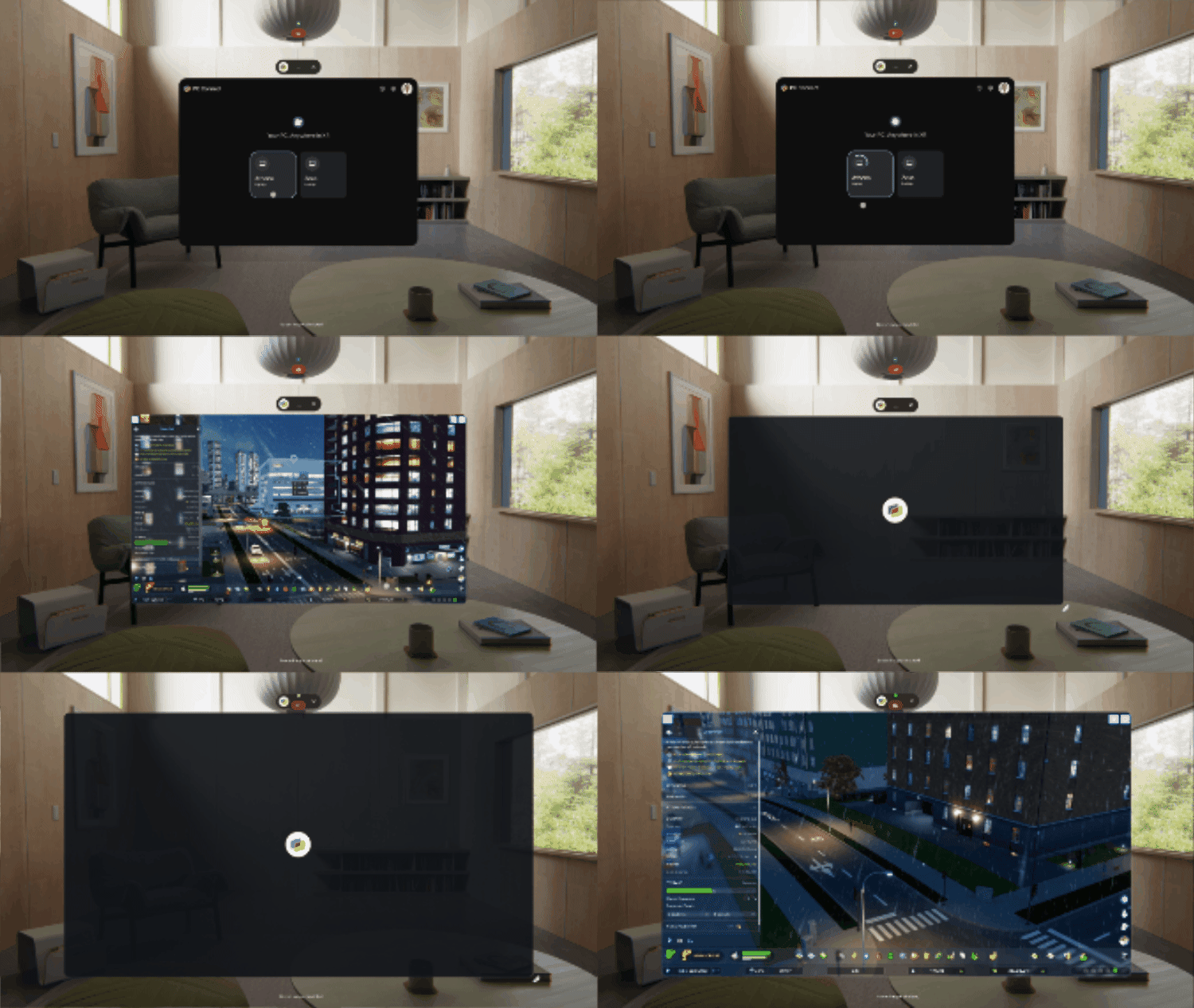
Last but not least Samsung let me try out some new Android XR upgrades that are coming to the Galaxy XR headset. This includes PC Connect, which lets you connect immediately to your laptop or desktop using a dedicated Android XR app.
After firing up the app and selecting the PC I wanted to connect to, I could instantly see the Windows desktop in front of my eyes. I picked up a gaming controller and started playing “Stray” with no lag at all. Previously, you needed to have a Galaxy Book to connect to a PC through the Galaxy XR, so this app really opens things up. Just keep in mind that you’ll see the best results if you PC has a dedicated graphics card.
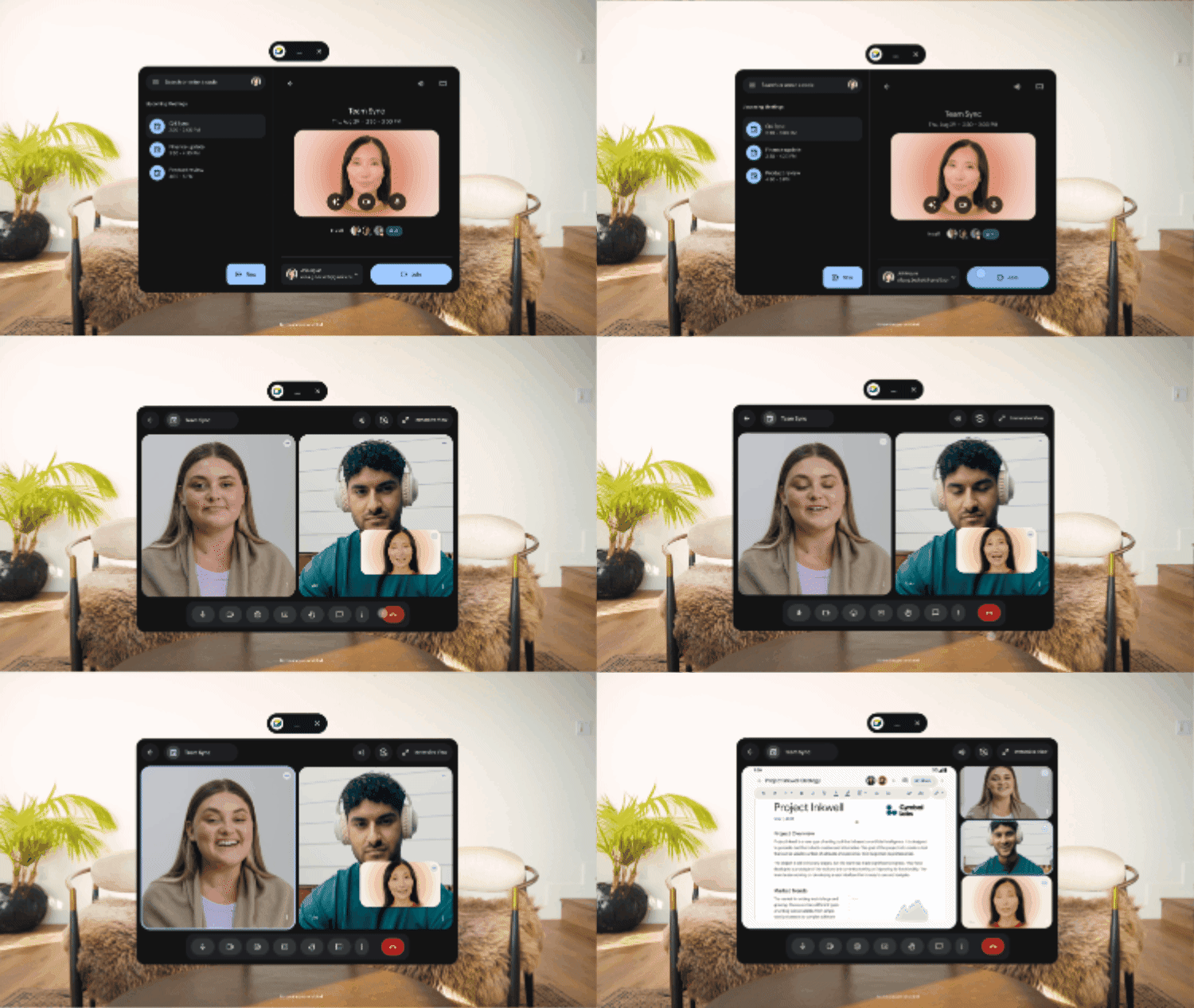
I also got a chance to try out Likeness, which is Google’s version of the Apple Vision Pro’s Persona. But instead of using the headset to create your avatar, you use a phone. It’s a similar process to setting up Face ID on your iPhone, scanning your face and expressions.
I didn’t get to try my own Likeness but I could see someone else’s during a Google Meet call in my headset. And her Likeness looked pretty realistic, including the blinks and smile. (Doing teeth is hard in mixed reality.) For more, see our guide to all of the new Galaxy XR upgrades.
Android XR glasses outlook: Apple just got further behind

Google is clearly behind Meta right now by not having a pair of smart glasses on the market yet. But based on my demos I think it could easily overtake the Meta Ray-Ban Display. You’ll instantly get access to a ton more apps, and Gemini is further ahead as an AI assistant versus Meta.
And given that Apple is rumored to only offer a display-less pair of smart glasses to start — and that the new Siri is still delayed until 2026.
The big question is what all of these smart glasses are going to cost. Clearly, the screen-free AI glasses will be the most affordable, and then you’ll pay more for the monocular display glasses and even more for the binocular glasses.
Wired XR glasses like Project Aura from Real has a lot of potential, especially for business travelers, gamers, or anyone who wants an immersive mixed reality experience at home and on the go.