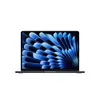
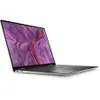
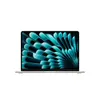
I don’t typically recommend used tech to readers or friends. But thanks to the ongoing and seemingly endless RAM crisis we’re experiencing, I’ve had to rethink that stance. HP is even starting to rent laptops. With the cost of memory nearly doubling since last year, buying pre-owned is currently the smartest way to get a high-performance machine without paying extra.
Thankfully, there are plenty of safe ways to buy a pre-owned laptop. The key is sticking to major retailers like Amazon, Best Buy, and manufacturer outlets. Avoid shady third-party sellers that might send you a dud with a dying battery. If you stick to certified programs, you can land one of the best laptops for a fraction of the cost.
Below, I’ve listed five pre-owned laptops I would actually recommend. Also, check my DDR5 RAM and DDR4 RAM guides if you're building a new PC to save even more.
Quick links
- MacBook Air 13-inch (M3): $699 @ Amazon
- Dell XPS 13 (Snapdragon X Plus): $876 @ Amazon
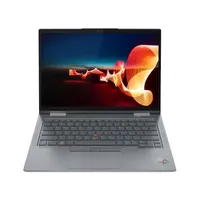
- Lenovo ThinkPad X1 Yoga (Gen 7): $1,075 @ Lenovo
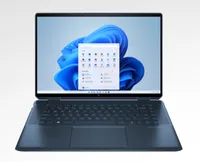
- HP Spectre x360 14 (2024): $1,399 @ Amazon
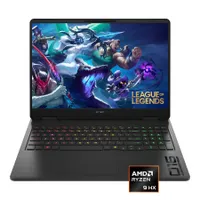
- HP Omen 16: $945 @ Best Buy
5 pre-owned laptop recommendations


Pre-owned laptops: What you need to know
Buying a used laptop isn’t overly complicated, but it’s also not as straightforward as buying a brand-new machine from your favorite vendor. To that end, here are some quick tips to help you get the best laptop possible.
Look for Manufacturer Certified: This is the best option, as sellers like Apple, Dell, and Lenovo (among others), retest units they’ve built to ensure they’re reselling something that’s practically new.
Check the Condition Grade: If you’re not buying from a laptop manufacturer, look for labels like Excellent or A-Grade on websites like Back Market or Gazelle. This should net you a notebook with good battery life and a scratch-free display.
The 90-day rule: Try to get this minimum warranty from Amazon Renewed or Best Buy. You want to protect yourself in case something unfortunate happens to your machine.
Verify the battery health: Run a battery life report the instant you get your laptop. If it’s below 80% capacity, send it back.
Compare across 2-3 sites: As you would when shopping for anything else, check various sellers to see what the best deals are, as prices are always in flux. Combine this tip with the others above, and you should be golden!
Bottom line
I understand if you are hesitant to purchase a pre-owned laptop. But with hardware prices continuing to climb, this can be the smartest tactic.
If you can find a new laptop at a great price, then go for it. If not, then it’s not a bad idea to consider getting a refurbished machine. With the deals and tips I provided above, you’ll have a great shot at getting the right laptop for your needs.

Follow Tom's Guide on Google News and add us as a preferred source to get our up-to-date news, analysis, and reviews in your feeds.