







If you’re looking for an affordable MacBook, you no doubt have your eye on the brand-new $599 MacBook Neo. It sports the A18 Pro chip from the iPhone 16 Pro, packing it into a colorful, portable chassis aimed at students and casual users. This allows Apple to directly compete with the best Chromebooks and best budget laptops.
While the Neo is now the cheapest MacBook available, you can actually find a comparable or even better price if you’re willing to look at a refurbished machine. We recently compared the MacBook Neo vs. MacBook Air M1, but there's also lots of people wondering about the MacBook Neo vs. the MacBook Air M2. If you can find the latter at a reasonable price refurbished and in good condition, it makes for a compelling option.
Below, I’ll compare the MacBook Neo against the MacBook Air M2 and detail current pricing, benchmarks, and other factors to help you decide which MacBook is right for you.

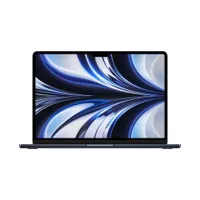
MacBook Neo vs. MacBook Air M2: Specs
| Header Cell - Column 0 | MacBook Neo |
MacBook Air M2 |
|---|---|---|
Price |
$599 base (256GB, no Touch ID) |
$500–$750 refurbished |
Processor |
A18 Pro (6-core CPU, 5-core GPU) |
M2 (8-core CPU, 8/10-core GPU) |
Memory |
8GB unified |
8/16/24GB unified |
Display |
13-inch (2408 x 1506) sRGB |
13.6-inch (2560 x 1664) P3, True Tone |
Keyboard |
No backlight |
Backlit |
Ports |
2x USB-C (1x USB 3), no MagSafe |
2x Thunderbolt 4, MagSafe 3 |
Battery |
36.5Wh, rated up to 16 hrs video |
52.6Wh, 14 hours 6 minutes (tested) |
Dimensions |
11.71 x 8.12 x 0.50 inches |
11.97 x 8.46 x 0.44 inches |
Weight |
2.7 pounds |
2.7 pounds |
MacBook Neo vs. MacBook Air M2: Price
The MacBook Neo has an enticing starting price of $599, which gets you 256GB of storage and 8GB of RAM but no Touch ID. The $699 upgrade adds 512GB storage and Touch ID, though you’re still stuck with 8GB of unified memory. This price makes the Neo very tempting for first-time Mac users or anyone wanting to ditch Windows 11.
Refurbished M2 Air models range from $500 to $750, depending on configuration and seller. Apple's official store usually lists base units around $749 with full testing and warranty, while Best Buy or third-party sites often hit $500–$600. That extra cost buys you more RAM options and better ports than the Neo without sacrificing reliability.
If you’re on a tight budget, a brand-new Neo is the clear winner for peace of mind. However, if you’re willing to spend a little more on a refurbished MacBook Air M2, you’ll get a slew of better features on a machine that’s still supporting the latest macOS 26 updates and should for several years to come. Shop carefully, and you’ll find the Air feels like a better bargain for everyday use.
MacBook Neo vs. MacBook Air M2: Design

The MacBook Neo’s design is all about fun, thanks to its soft, rounded corners and bright color options such as Citrus, Blush, and Indigo (you can get it in Silver too). As we said in our MacBook Neo hands-on, its aluminum body feels sturdy despite being 0.5 inches thick. The roomy touchpad is another highlight, though the missing backlit keyboard is disappointing if you want to work at night or in a dim location like a plane.
The MacBook Air M2 keeps the sleek flat-edged design that has become Apple’s modern standard, measuring a slim 0.44 inches with understated colors like Midnight and Starlight. Its backlit keyboard lights up nicely in dim rooms, while the haptic trackpad gives satisfying feedback. Some aren’t fond of the notch in the top center of the display, but you get used to it fast.
The Neo is playful, while the Air M2 feels better suited for the office or your favorite cafe. Both are built to last years, but the Air M2’s extra touches arguably make it easier and more enjoyable to use daily.
MacBook Neo vs. MacBook Air M2: Display

The Neo’s 13-inch Liquid Retina panel has a resolution of 2408 x 1506, with a claimed brightness of 500 nits. It also supports 1 billion colors in the sRGB color gamut. However, without True Tone, colors might look slightly off when the lighting in your environment changes.
The Air M2’s larger 13.6-inch screen has a 2560 x 1664 resolution with full P3 wide color for more vibrant colors. True Tone automatically balances whites so everything looks natural in any room.
For casual Netflix nights or homework, the Neo screen is plenty good. But for a better overall visual experience, the Air M2’s sharper and more vivid display wins here.
MacBook Neo vs. MacBook Air M2: Performance

The A18 Pro inside the Neo should give the laptop solid performance for everyday computing, but don't expect a video editing powerhouse. On the Geekbench CPU test we performed on the iPhone 16 Pro, it scored 3,400 in single-core performance and 8668 in multi-core, which is very good for an iPhone chip. Its 60GB/s memory bandwidth and Neural Engine should be able to handle macOS’ AI features smoothly. For light use, it should be snappy and run cool even during long sessions.
However, the Air M2 pulls ahead in multi-core performance, scoring around 9,644 thanks to its extra cores and 100GB/s bandwidth. This extra power allows this laptop to better handle editing apps like Final Cut Pro. The Air M2 can also maintain speed longer under load thanks to its better thermal design.
For those who mostly do email, browse the web, and light photo editing, the Neo is more than enough. But if you need to juggle several apps or do heavier creative work, you’ll want the extra oomph and sustained performance the Air M2 provides.
MacBook Neo vs. MacBook Air M2: AI performance

Both chips support the latest Apple Intelligence features and both have 16-core Neural Core engines, so we'll have to see how the AI performance compares in our benchmarking. However, we do have a rough idea of the A18 Pro's AI capabilities.
| Header Cell - Column 0 | A18 Pro (Neural Engine) |
Apple M2 (Neural Engine) |
|---|---|---|
Single Precision |
4,648 |
3,340 |
Half Precision |
32,114 |
24,380 |
Quantized |
44292 |
26,762 |
The A18 Pro chip in the iPhone 16 Pro surprisingly outpaces the M2 chip from devices like the 2022 MacBook Air in Geekbench AI benchmarks. It delivers about 35% better performance in single- and half-precision tests, which handle general AI computations, and around 68% edge in quantized processing that's optimized for AI features like image recognition or natural language tools.
This means Apple's phone processor can zip through AI workloads faster than some older Mac hardware, showing how quickly smartphone tech is catching up in the AI race. Again, we'll see if the A18 Pro in the Neo delivers the same results after we've tested the new laptop.
MacBook Neo vs. MacBook Air M2: Gaming

The M2 Air’s 8- or 10-core GPU includes hardware-accelerated encoding that helps titles like No Man’s Sky and Resident Evil Village reach playable 30–60fps on medium settings. Mac gaming continues to grow through Apple Arcade and Steam, and the Air’s extra thermal headroom keeps frame rates steadier during longer sessions. It’s surprisingly capable for such a thin-and-light machine.
The Neo’s 5-core GPU should handle Apple Arcade games like Genshin Impact well enough, but we expect it will struggle with some of the aforementioned AAA games. Because of that, you might want to game on cloud streaming services like GeForce Now.
If you only occasionally play games, the Neo should let you enjoy titles on Apple Arcade just fine. But if you want stronger performance for the games you play, the Air M2 is the better choice. Of course, you’ll have to deal with Apple’s limited gaming library with both laptops. Neither can replace one of the best gaming laptops.
MacBook Neo vs. MacBook Air M2: Battery life

In our testing, which involves continuous web surfing over Wi-Fi with the display set to 150 nits, the 13-inch MacBook Air M2 lasted 14 hours and 6 minutes. While that’s short of its rated 18 hours, you’re not going to complain about such incredible battery life. The efficient M2 chip, smart power management, and larger 52.6Wh battery give you all-day (and then some) endurance.
We’ve yet to put the Neo through our battery test, but Apple rates it for 16 hours of video playback on its smaller 36.5Wh battery. The A18 Pro’s phone-derived efficiency should help it punch above its weight against other budget laptops, though we’ll see if it delivers M-series-level battery life in the Neo. Our battery test is tougher than streaming video.
MacBook Neo vs. MacBook Air M2: Bottom line
If you want a brand-new, affordable MacBook, grab the MacBook Neo. Its vibrant colors, easy portability, and expected zippy everyday performance should make it a fantastic choice as someone’s first MacBook or even as a secondary travel machine. It might lack some features, but its $599 price makes those losses easier to handle.
Stretch to $650–$750 for a refurbished MacBook Air M2, and you gain a noticeably better display, backlit keyboard, MagSafe charging, and stronger multi-core performance. Yes, it’s an older MacBook, but it’s still a great overall laptop.
In short: Get the MacBook Neo if you want a colorful laptop that can handle the basics. Conversely, try to get a refurbished Air M2 if you want fewer compromises to the MacBook experience and more power. Either way, you ultimately won’t go wrong with either purchase.

Follow Tom's Guide on Google News and add us as a preferred source to get our up-to-date news, analysis, and reviews in your feeds.
More from Tom's Guide

