




We just tested Intel Panther Lake, and I’m here to tell you it’s the real deal. After years of Intel playing catch-up, this new architecture feels like a significant leap forward, offering the kind of raw performance and longevity we’ve long wanted from a Windows laptop. It's a night-and-day improvement over the already solid Lunar Lake, and shows that Intel isn't just treading water anymore.
Though Panther Lake has made great strides in performance and efficiency for the best Windows laptops, it has a mighty competitor—namely, Apple’s M5 chip. As I noted in my MacBook Pro M5 review, Apple’s silicon delivers stellar performance and phenomenal battery life. That’s not surprising, given how M-series chips have been the gold standard in those areas, but it makes for a formidable opponent for Intel to tackle.
We’ve officially tested the svelte Samsung Galaxy Book6 Pro with its Intel Core Ultra X7 chip and the dual-screen Asus Zenbook Duo (2026) with the beefier Core Ultra X9. In this piece, I’m going to compare our lab results for these Windows machines against our Apple M5 benchmarks.
Since we're comparing x86 architecture to ARM, I’ll also dive into what this means for app compatibility and your daily workflow. So, is Panther Lake a true M-series rival? Read on to find out!
Performance benchmarks

Let’s start with the raw numbers. I’m looking at our Geekbench 6 CPU scores and our Handbrake video transcoding results. Geekbench measures a chip’s overall "brain power," while our Handbrake test shows how long it takes to convert a 4K video into 1080p.
| Row 0 - Cell 0 | Geekbench 6 (Single / Multi) |
Handbrake (Min:Sec) |
Intel Core Ultra X9 388H |
3,031 / 17,283 |
4:22 |
Intel Core Ultra X7 358H |
2,938 / 17,162 |
4:04 |
Apple M5 |
4,288 / 17,926 |
3:31 |
As you can see, both Panther Lake chips hold their own against the Apple M5 in the multi-core portion of the test. However, the M5 absolutely crushed Intel’s chips in single-core performance.
So, what does that actually mean? Think of single-core performance as having one world-class chef who can whip up a single complex dish really fast. Conversely, multi-core performance is like having a team of cooks working together to finish a big banquet. For daily tasks like browsing the web or opening Word, that high single-core score on the M5 makes everything feel just a bit snappier. But for heavy-duty multitasking, Intel is in the same league.
As with single-core performance, the M5 chip pulled ahead in the Handbrake test, clocking in almost a minute faster than the Core Ultra X9. In the real world, this is a big deal for anyone who does even light video work. If you're exporting a vlog for YouTube or shrinking a movie file for a long flight, the M5 will save you time.
Graphics benchmarks

Next up, let’s look at one of my favorite things: graphics. I’ve listed the results from 3DMark Steel Nomad and Solar Bay. Steel Nomad measures standard gaming performance at 4K, while Solar Bay focuses specifically on Ray Tracing — the tech that makes lighting and reflections in games look realistic. I chose these newer tests over the older Wild Life Unlimited Extreme ones because, frankly, if you’re buying a 2026 laptop, you want to know how it handles modern tech.
| Row 0 - Cell 0 | Steel Nomad (Score) |
Solar Bay (Score / FPS) |
Intel Core Ultra X9 388H |
1,483 |
26,589 / 101 fps |
Intel Core Ultra X7 358H |
1,542 |
30,604 / 116 fps |
Apple M5 |
1,122 |
23,950 / 90.4 fps |
The Apple M5 chip scored the lowest here, though its Solar Bay results are still commendable since that test is notoriously heavy on Ray Tracing. Still, Panther Lake has a clear advantage over the M5 when it comes to gaming performance. That's a huge win for an integrated GPU (iGPU) that doesn't rely on a bulky, dedicated graphics card.
What’s really interesting here is that Intel’s Xe3 architecture is finally delivering on the promise of real gaming on a thin-and-light laptop. While the M5 is great for creative work, Windows still has the edge for gaming compatibility.
Seeing the Asus Zenbook Duo and the Galaxy Book6 Pro consistently pull higher frame rates means you can actually play modern titles at decent settings without things turning into a slideshow. Intel has essentially turned these productivity machines into "stealth" gaming rigs.
Battery life
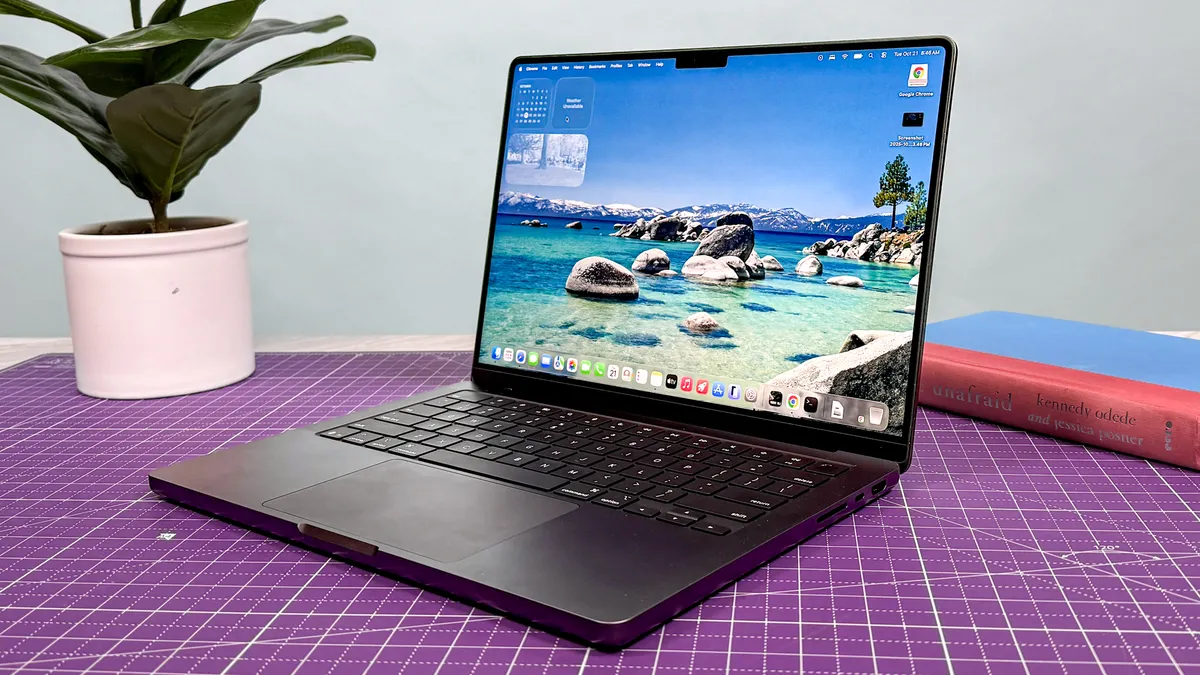
Here’s where things get really fun: battery life! Please note that this comparison isn’t exactly "apples-to-apples" (pun very much intended) since we’re dealing with different hardware configurations. Also, keep in mind that both Panther Lake laptops we tested feature OLED panels, which are gorgeous but notorious battery hogs.
Laptop |
Time (Hours:Mins) |
Asus Zenbook Duo (X9) |
14:23 (Single Screen) |
Samsung Galaxy Book6 Pro (X7) |
14:50 |
MacBook Pro (Apple M5) |
18:00 |
As you can see, the MacBook Pro M5 outlasted its Panther Lake-powered rivals by over three hours! These results might seem unfair, and I’d agree with you if these were typical Windows laptops that lasted for eight hours at best. However, getting nearly 15 hours of battery life from a Windows machine is insanely impressive. It’s a testament to Panther Lake’s endurance and proof that Intel has finally closed the gap that once made MacBooks the only real choice for all-day use.
Compatibility: x86 vs. ARM

To understand these results, you have to look at the engines under the hood. Intel uses x86 architecture, while Apple uses ARM. For years, ARM (originally designed for phones) had the advantage because it was built for efficiency — it stayed cool and sipped battery. x86 was the gas-guzzler: powerful, but hot and power hungry.
The advantage of x86 is its wide compatibility. Every app, game, and legacy program ever made for Windows runs natively on Panther Lake. The disadvantage has always been the heat and battery drain. However, with Panther Lake, Intel has finally figured out how to make an x86 chip act like an ARM chip, giving you that 15-hour battery life without sacrificing your ability to run any software you want.
ARM, on the other hand, is the king of performance per watt. It’s why the M5 can last 18 hours while still crushing single-core benchmarks. The downside? If an app isn't built specifically for ARM, it has to be "translated" (using software like Rosetta 2), which can occasionally cause a performance hit or compatibility glitches. For the average person, Apple’s ecosystem is seamless, but for those who need niche Windows software, the x86 architecture is still the safest bet.
Bottom line

So, is Panther Lake a true rival to Apple's M-series? Absolutely. For the first time in a long time, buying a Windows laptop doesn't feel like a compromise on battery life.
Intel has managed to pull off something incredible here: they’ve delivered a chip that can go toe-to-toe with Apple’s efficiency while still offering the raw graphics power that Windows users crave. Even though Windows 11 can still feel bloated compared to the streamlined macOS, Panther Lake makes the OS feel faster and more responsive than it would with a less powerful processor.
I’m genuinely impressed with how far Intel has come with its "M1 moment." The Samsung Galaxy Book6 Pro and Asus Zenbook Duo are not just awesome Windows laptops; they're great laptops, period. They set a high standard for all the other Panther Lake laptops I’m sure to review in 2026. Color me excited!
That said, Intel isn’t in the clear yet. While Team Blue has shortened the gap with Apple, I’m eager to see how Panther Lake stacks up against the Snapdragon X2 Elite. Qualcomm’s ARM-based Windows chips are the next big rival, and if they can beat Intel on battery while matching them on performance, we might be looking at a three-way silicon war. That’s a story for another day. But for now, Intel is officially back in the game.

Follow Tom's Guide on Google News and add us as a preferred source to get our up-to-date news, analysis, and reviews in your feeds.
More from Tom's Guide

