Garmin has long made many of the best sports watches for tracking your activity, workouts, and sleep, but it’s now adding nutrition tracking to its line-up through a new in-app Garmin Connect feature.
This feature is only available for Garmin Connect+ subscribers and is the biggest feature yet to go behind Garmin’s paywall.
Connect+ costs $7 per month or $70 per year and thus far has been underwhelming in what you get for that outlay, but nutrition tracking could be a major draw for new subscribers to the service.
How does Garmin’s nutrition tracking work?

I’ve set up the feature on my Garmin, and it begins by confirming your personal details and fitness and health targets. I set mine to maintain weight, as I’m a keen runner and generally more worried about losing weight during marathon training than gaining it.
Garmin uses that info plus your personal details and average active calories burned to set an overall calorie target and then breaks that down into different macros — proteins, fats, and carbs. You might aim for 40% of your calories to come from carbs, for example, or aim to increase your protein intake.

You can adjust all of this when setting up your targets, and then it comes down to logging what you eat every day, MyFitnessPal-style, to ensure you’re hitting your targets.
Photo-based food logging
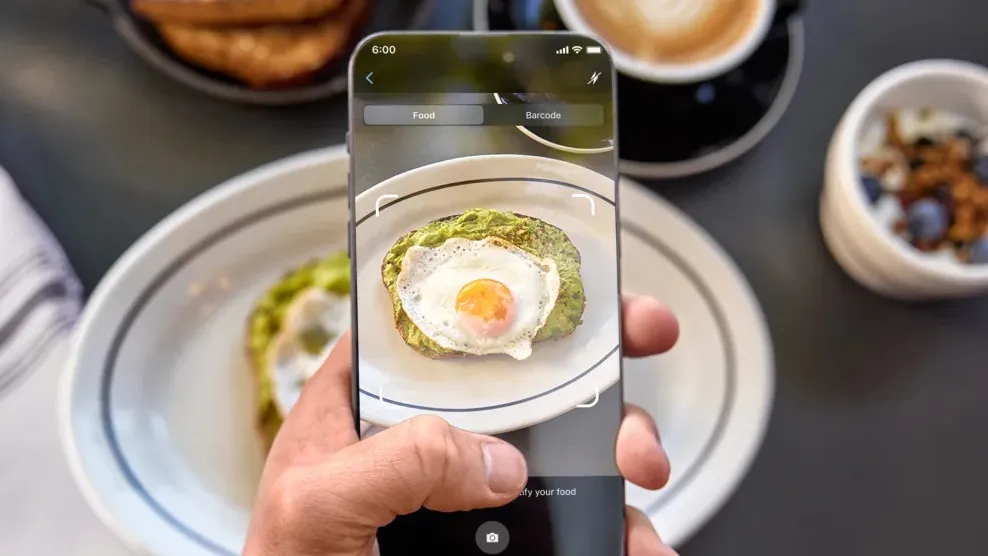
Logging what you eat is often a painstaking process in my experience, but Garmin is aiming to make it easier in several ways. For one, it has a big database of foods you can search and log, and you can scan the barcodes on food to log it automatically, too.
It also uses photo-based food logging, which can speed up the process. I took a photo of a bowl of soup, and it was correctly identified as soup, though the calorie estimate you get from that might vary wildly from reality, depending on how creamy your soup is, for example.
You can also create your favorite meals in the app so it’s easier to log them, and over time, you will start getting AI-powered insights from Garmin’s Active Intelligence feature that show how your nutrition might be impacting things like your training and sleep.

Along with logging your meals in the Garmin Connect app, you’ll also be able to do it on your Garmin watch through a new widget, which will make it easier to log pre-saved favorite meals in particular. You can even use voice commands on some Garmin watches to do this.
While it’s a shame that such a big feature is going behind Garmin’s paywall, nutrition tracking like this is a premium feature in other apps too, and Connect+ is cheaper than a MyFitnessPal subscription, for one.

Follow Tom's Guide on Google News and add us as a preferred source to get our up-to-date news, analysis, and reviews in your feeds.
More from Tom's Guide
- I just ran a marathon with the Apple Watch Ultra 3 vs. Garmin Fenix 8 Pro — here’s the winner
- These are the 9 things to do first with your new Garmin watch before anything else
- Garmin Fenix 8 vs. Garmin Fenix 8 Pro: should you upgrade?