





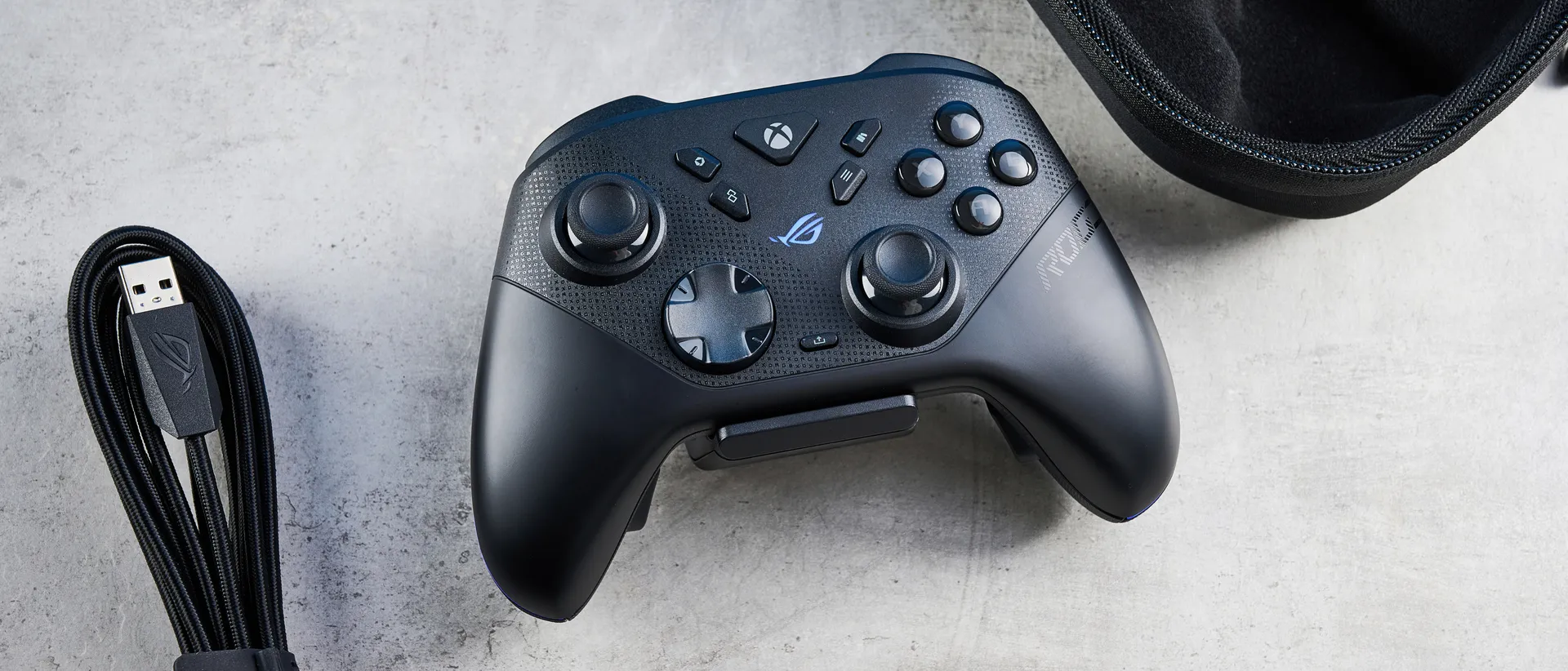
Tom's Guide Verdict
The Asus ROG Raikiri II is the best third-party Xbox and PC controller you can buy right now, period. Packing impressive TMR sticks and triggers that let you precisely fine-tune your movements and give you a competitive advantage, the Raikiri II boasts peerless gaming performance. Long battery life, extensive customization, and 1,000Hz polling set it apart from the competition, and the ergonomic design ensures all-day comfort. While the charging dock feels a little cheap and the controller itself is a little expensive, neither of those is a massive dealbreaker.
Reasons to buy
- +
Comfortable and ergonomic
- +
TMR sticks and triggers for enhanced precision
- +
Excellent gaming performance
- +
Long battery life
- +
Extensive customization
Reasons to avoid
- -
Cheap-feeling charging dock
- -
A little expensive
Why you can trust Tom's Guide Our writers and editors spend hours analyzing and reviewing products, services, and apps to help find what's best for you. Find out more about how we test, analyze, and rate.
The best controllers can give you a competitive advantage that makes your opponents weep — and equally, they can be excellent for single-player titles. In a crowded market, the Asus ROG Raikiri II is a cut above the rest, thanks to its impressive TMR thumbsticks and triggers, which are, in one word, glorious. Ergonomically designed, the Raikiri II is the ideal controller for those who play for long hours.
With long battery life and extensive customization available through user-friendly (and web-based) software to boot, the Raikiri II is a very easy-to-love gamepad. It isn’t without its shortcomings, of course, as the accompanying charging dock feels a little plasticky, and the controller doesn’t come cheap.
Should either of those drawbacks keep you from buying it? I don’t believe so. For the complete breakdown, read my full Asus ROG Raikiri II review.
Asus ROG Raikiri II review: Specs
Price |
|
Connectivity |
Bluetooth, 2.4GHz, wired |
Compatibility |
Xbox Series X, Xbox Series S, Windows 11 |
Layout |
ABXY |
Triggers |
TMR |
Thumbsticks |
TMR |
Polling rate |
1000Hz |
Back buttons |
4 |
Rumble |
2x motors |
Dimensions |
6.1 x 4.13 x 2.55 inches |
Weight |
12.16oz |
Color |
Black |
Battery (rated) |
50 hours (2.4GHz, no vibration or RGB); charging dock included |
Asus ROG Raikiri II review: Cheat sheet
- What is it? A wireless Xbox controller with 1,000Hz polling, and TMR thumbsticks and triggers
- Who is it for? Competitive gamers or even casual players who want best-in-class performance
- How much does it cost? The Asus ROG Raikiri II is available for $189 / £180
- What do we like? The ergonomic design, phenomenal gaming performance thanks to TMR sticks and triggers, long battery life, and extensive customization
- What don’t we like? The cheap-feeling charging dock and the premium price tag
Asus ROG Raikiri II review: The ups
From its comfortable design and extensive customization via Asus Gear Link to its powerful TMR sticks and triggers, the Asus ROG Raikiri II is a phenomenal controller.
Comfortable and ergonomic
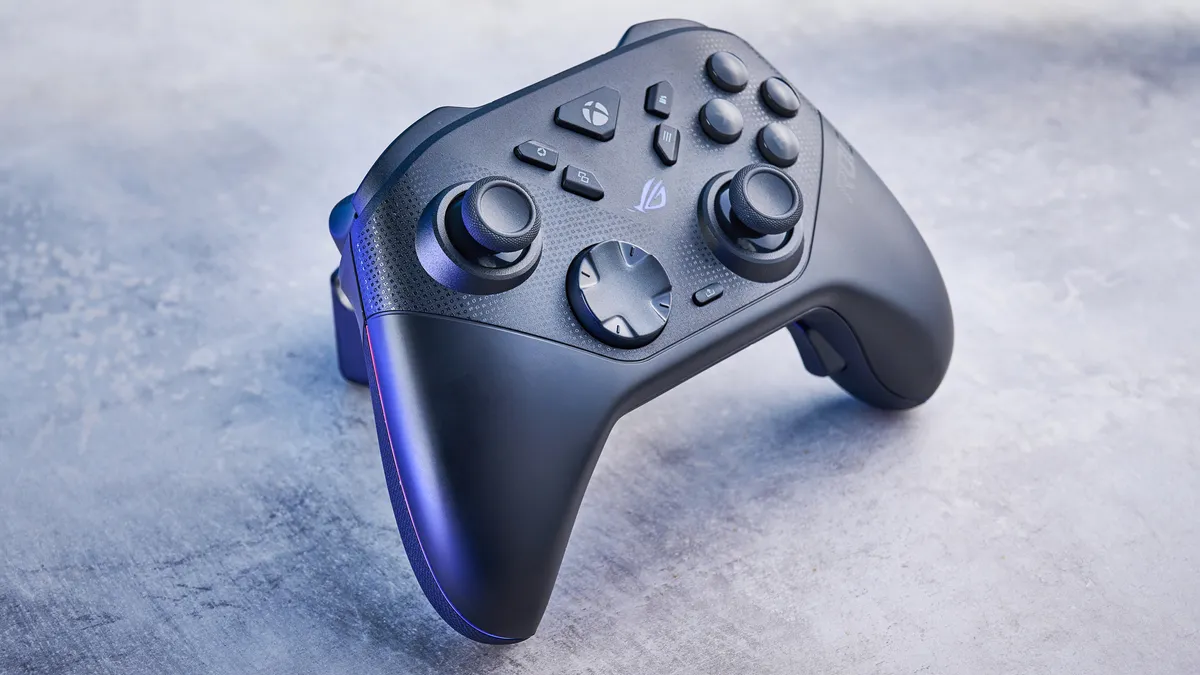
If a controller isn’t comfortable and doesn’t let you play games all day long, you shouldn’t spend any amount of money on it, no matter how much. Thankfully, the Asus ROG Raikiri II wins full points from me in the design and comfort department.
The Raikiri II looks a lot like the first-party Xbox Elite Wireless Controller Series 2 ($199), and by that I mean it sports a rounded and contoured shape, one that fits naturally in your hands. Officially licensed by Microsoft, the Raikiri II packs asymmetrical thumbsticks, ABXY face buttons, and, of course, an X-shaped home button.
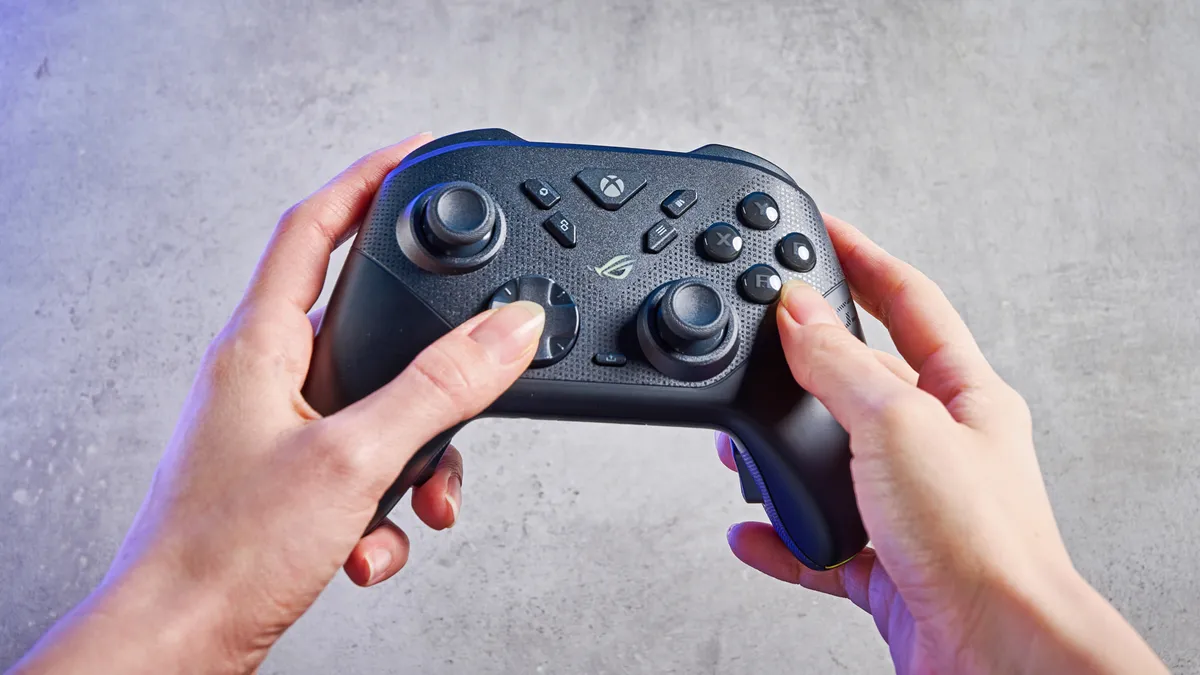
As soon as I took the controller out of the box, I was impressed by its design and chunky grips. Measuring 6.1 x 4.13 x 2.55 inches, the Raikiri II feels perfect for my medium-sized hands, and even those with bigger hands shouldn’t find this controller uncomfortable. It weighs 12.16oz, so it’s the same weight as the Xbox Elite 2. Though I’ve gotten used to the lighter weight of the Turtle Beach Victrix Pro BFG Reloaded ($209, 9.3oz), I’ve still enjoyed using the Raikiri II. It feels sturdy and substantial, and having used it for a six-hour gaming session, I can confirm it’s superbly comfortable.
Also aiding the Raikiri II’s ergonomics are the well-placed micro-switch back buttons. Unlike on the GameSir Cyclone 2 ($49), where the rear buttons felt slightly obtrusive, the buttons on the Raikiri II are placed lower on the grips, so my fingers didn’t keep unintentionally hitting them. Overall, the Raikiri II is worth its salt.
Phenomenal gaming performance
Supplied by: MSI | Tom's Guide
CPU: AMD Ryzen 7 7700X | Graphics card: MSI RTX 5070 Ti 16GB Vanguard SOC | Motherboard: MSI B850E Gaming Plus WiFi | RAM: Kingston Fury Renegade DDR5 32GB | Cooler: Noctua NH-U12S | PSU: MSI MEG Ai1300P PCIE5 | Case: MSI MPG GUNGNIR 110R
Analog thumbsticks are soooo 2010s — it’s all about TMR and Hall Effect now, and the Asus ROG Raikiri II employs the latest tech to deliver powerful gaming performance. Much like the Razer Raiju V3 Pro ($219), the Raikiri II utilizes Tunnel Magneto Resistance (TMR) in its thumbsticks and triggers — the latter makes this the first controller with TMR triggers that I’ve tested, and I’ll get into the performance shortly.
If you want an in-depth insight into how this technology works, read our explainer on TMR. In short, TMR achieves greater precision than Hall Effect because it uses weak electromagnetic waves, which allow the sensors to detect minute adjustments and movements, making TMR controllers unbeatable for competitive gaming. Sounds excellent on paper, right? It’s even better in practice.
TMR thumbsticks
I tested the Raikiri II by playing Forza Horizon 5, F1 25, and Cyberpunk 2077 on our gaming rig, as well as Clair Obscur: Expedition 33 on a friend’s Xbox Series S. Regardless of the game I played, I was thoroughly impressed with the gamepad’s performance, and its TMR sticks and triggers were an utter delight to use.
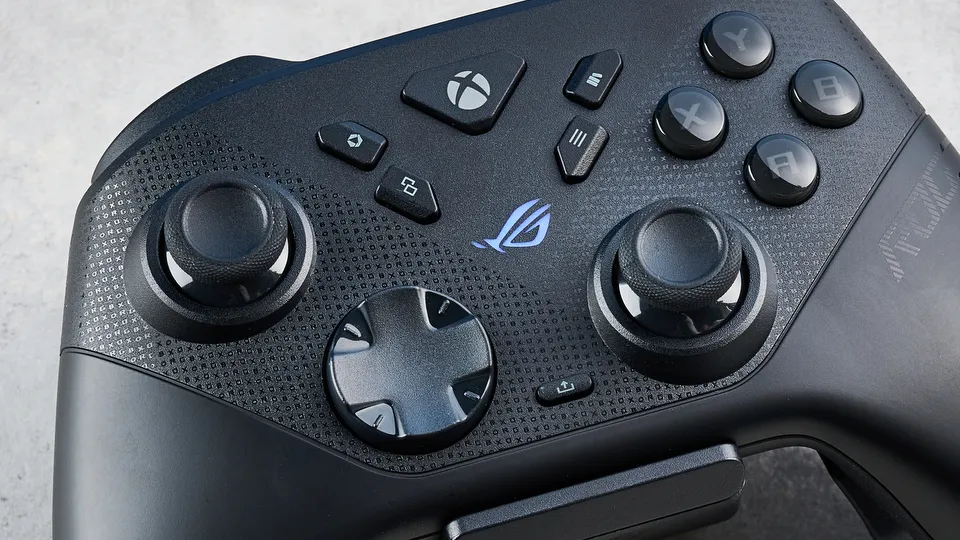
I’ll talk about the thumbsticks first, which showed their prowess in racing games. Turning tight corners was a walk in the park in F1 25, as I could make minute adjustments to my car’s direction. I was also able to execute split-second overtakes when I was within touching distance of the racer ahead of me, and this gave me a competitive edge as I overtook them with ease.
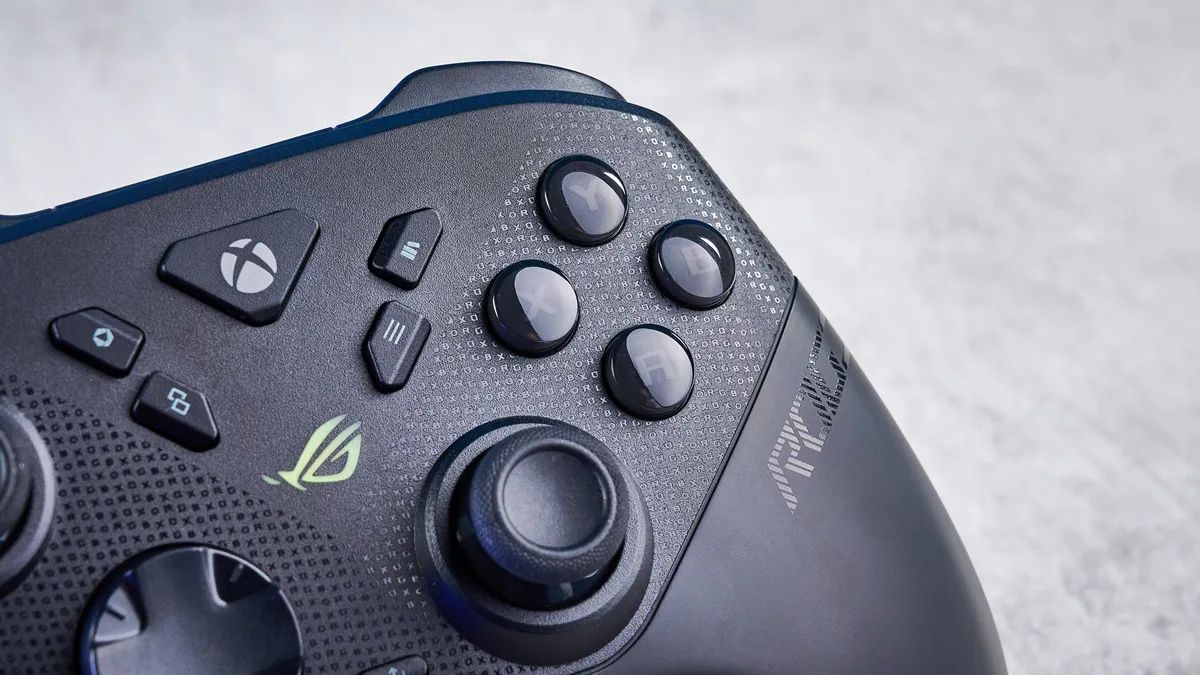
Jumping into Cyberpunk 2077 further emphasized the joysticks’ accuracy. I grabbed my sniper rifle and perched on a rooftop, and spotted a group of NPCs to take out. I then aimed my sniper at them and made minuscule adjustments to the right thumbsticks, taking them out one by one. What’s great about the sticks is that they come to a complete stop when you drag and let them go — something you can’t always do with analog sticks — which helped me aim at enemies one after another, and they never saw it coming.
TMR triggers
TMR triggers are similar to Hall Effect ones, as you can adjust the sensitivity of both. Via two switches around the back, the Raikiri II’s TMR Dual Mode triggers can be switched between short-travel, micro-switch, clicky ones, and full travel long presses (like on any other controller). Each mode is well-suited to specific game genres. For instance, in Forza Horizon 5 and F1 25 — so racing games — I opted for the triggers’ full travel distance as it gave me more control over throttle and braking, and I could manage my speed better.
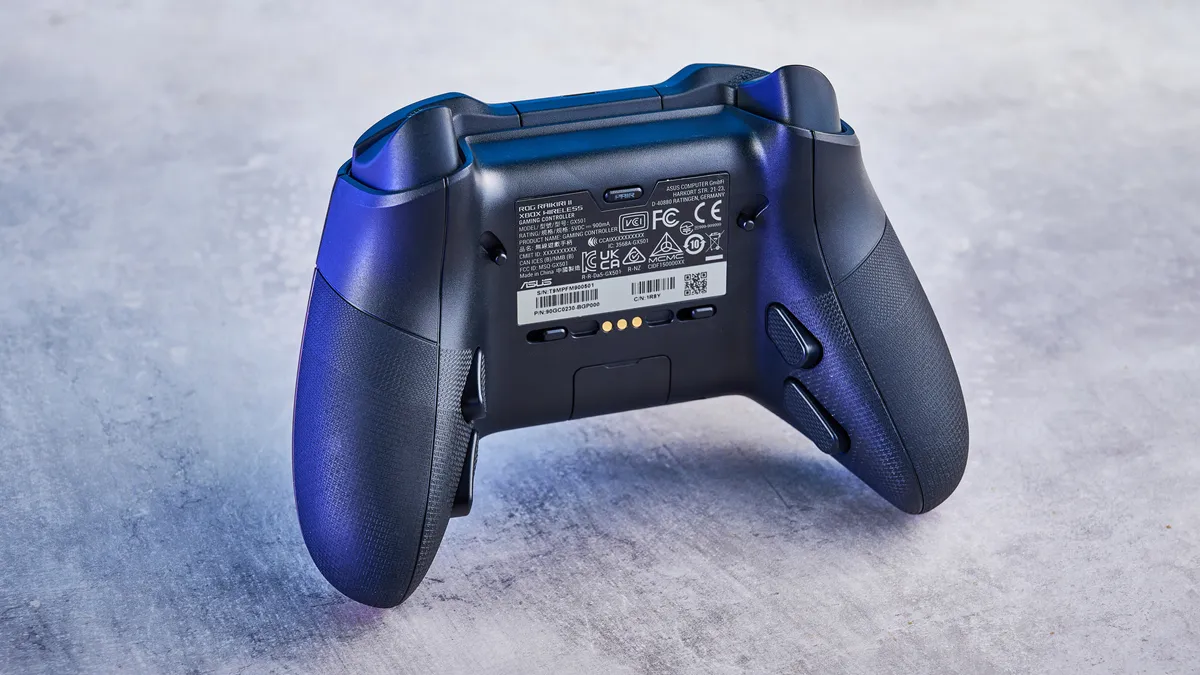
On the other hand, in Clair Obscur: Expedition 33 and Cyberpunk 2077 — so RPGs and FPS titles — I appreciated the triggers’ short-travel, clicky mode. When I needed to execute a Gradient Counter in Expedition 33, all I had to do was tap RT instead of pressing it all the way down, which helped me time it perfectly. The clicky presses feel like mouse clicks, and they gave me a competitive advantage in Cyberpunk 2077, too — and raining gunfire down on enemies didn’t feel as fatiguing.
Clicky face buttons
Last but not least, the Raikiri II’s micro-switch face and four back buttons are excellent too. Again, these feel like mouse clicks, and they register inputs instantaneously. I much prefer them over the spongy feel of the first-party Xbox controller’s face buttons. Combined with the 1,000Hz polling rate, I didn’t experience any latency issues or input lag.
Extensive customization
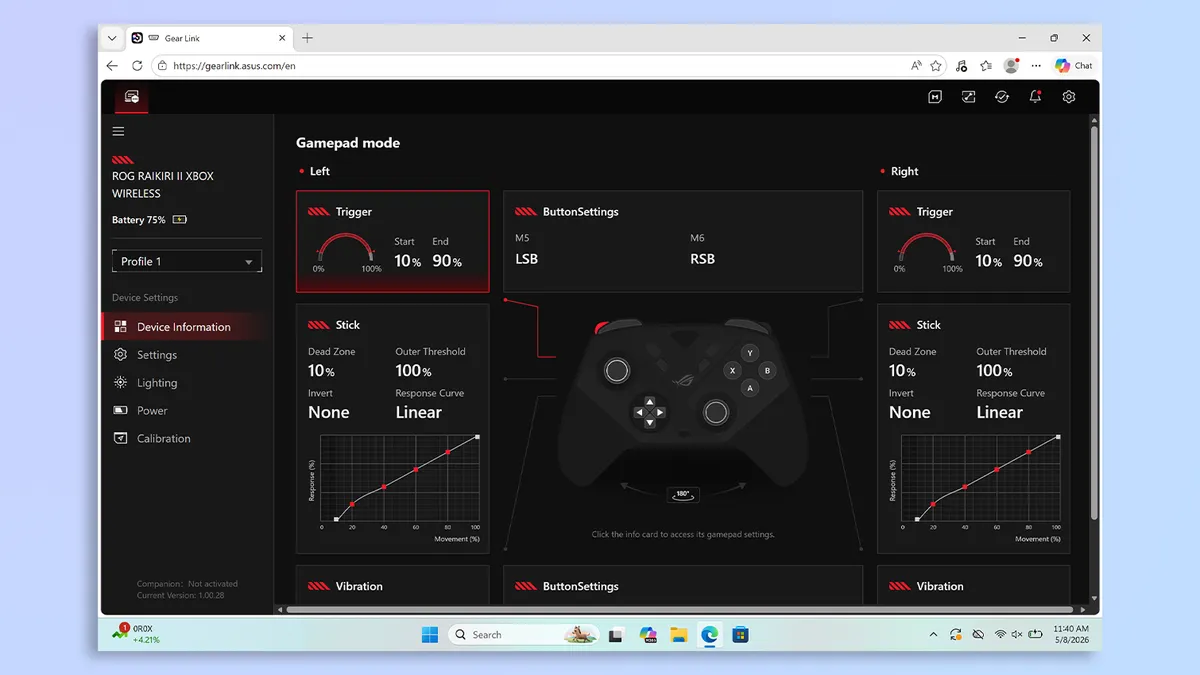
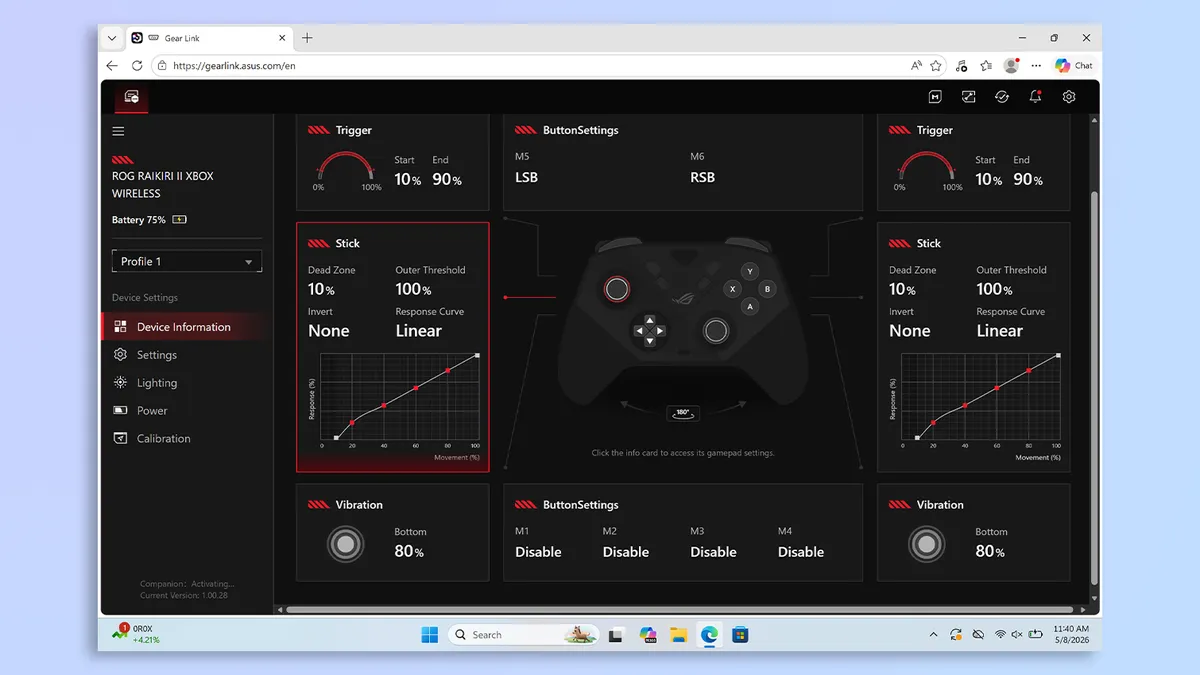
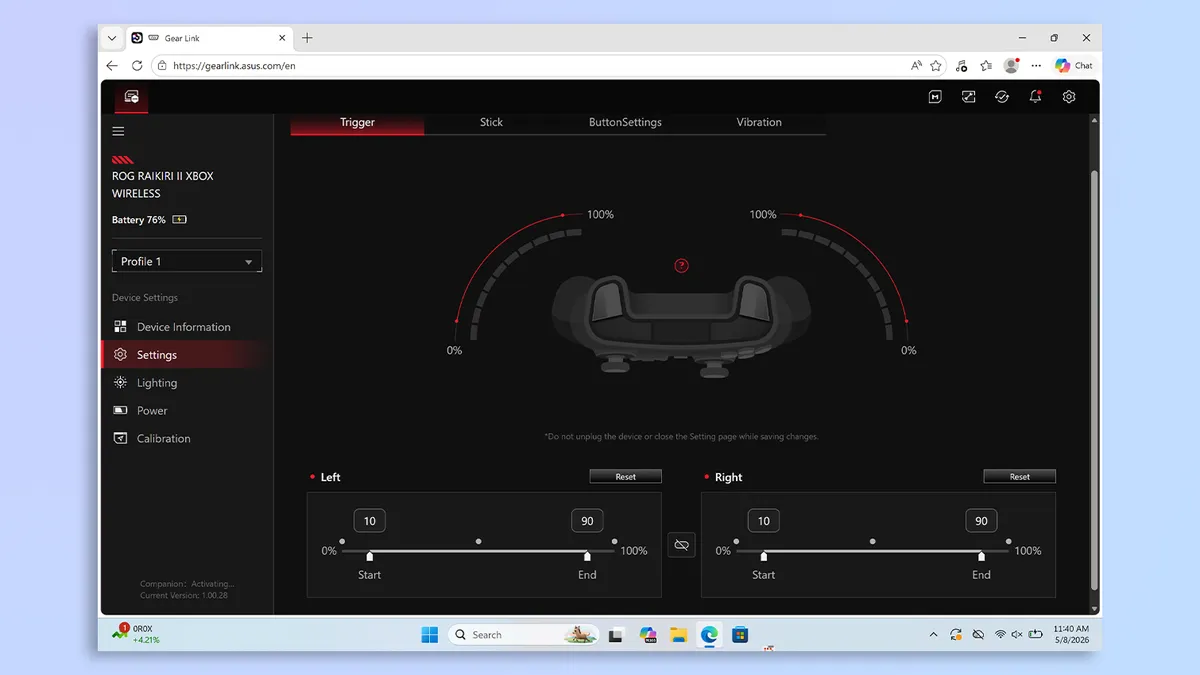
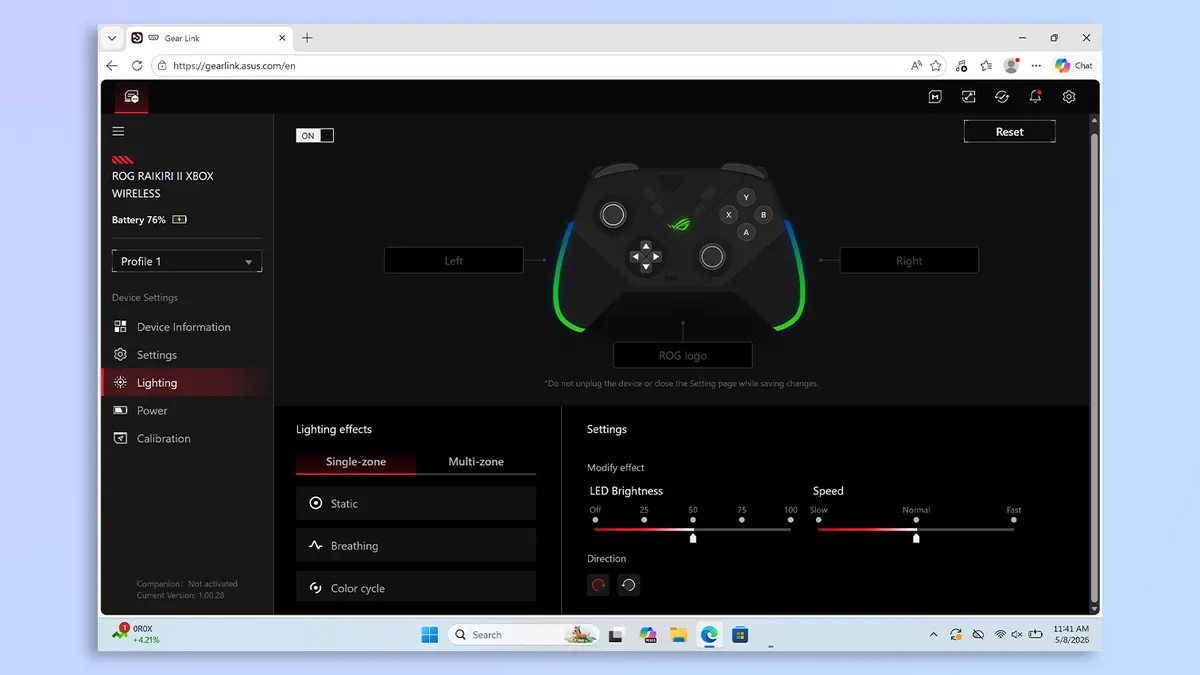
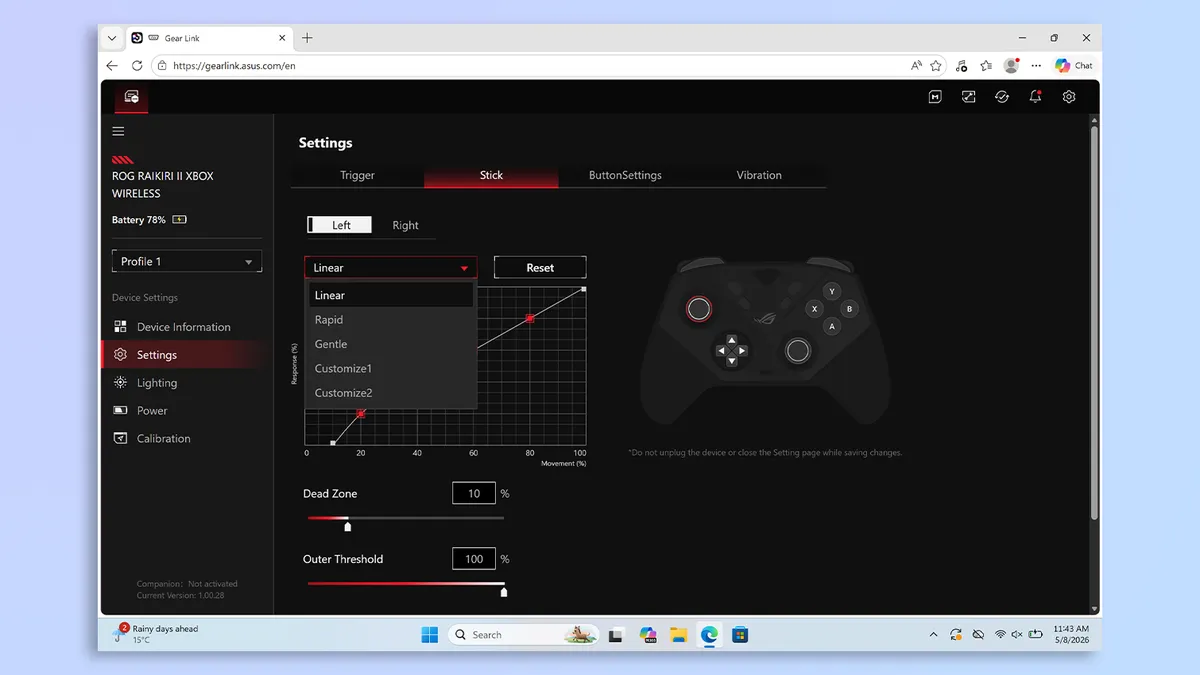


The Asus ROG Raikiri II is extensively customizable, too, and all you need to do to personalize it is access Asus Gear Link in a browser on a laptop. I really appreciate not having to download third-party software or bloatware onto my machine. Asus Gear Link sports a user-friendly interface, and there are no intrusive pop-ups.
Within Asus Gear Link, you can adjust each trigger’s start and end points if you’re using them in long-press mode, adjust the sticks’ response range based on a curve (or choose one of three presets), customize the back buttons, customize the level of vibration, and make adjustments to the RGB lighting. If your triggers are giving you a bit of trouble, you can calibrate them, too.
Long battery life
If it’s a long-lasting controller you’re after, the Asus ROG Raikiri II won’t give you much to complain about, as it boasts excellent battery life. Asus claims that with RGB and vibration turned off and over a 2.4GHz connection, the Raikiri II can last for 50 hours, which is outstanding. I know it doesn’t sound like a lot, but when you look at how the competition is lagging, you’ll appreciate it more.
For context, the first-party Xbox Elite Wireless Controller Series 2 lasts up to 40 hours; the Razer Wolverine V3 Pro ($199) has a 20-hour battery life; and so does the Turtle Beach Victrix Pro BFG Reloaded. Compared to all four alternatives, the Raikiri II is the longest-lasting gamepad.
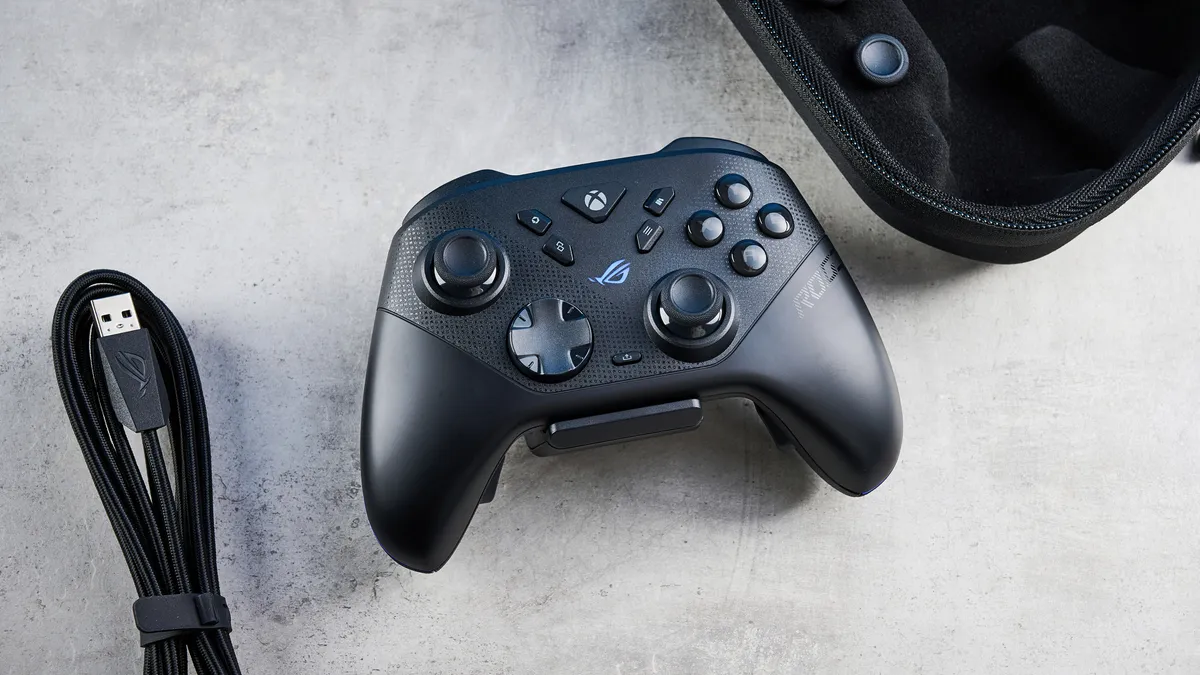
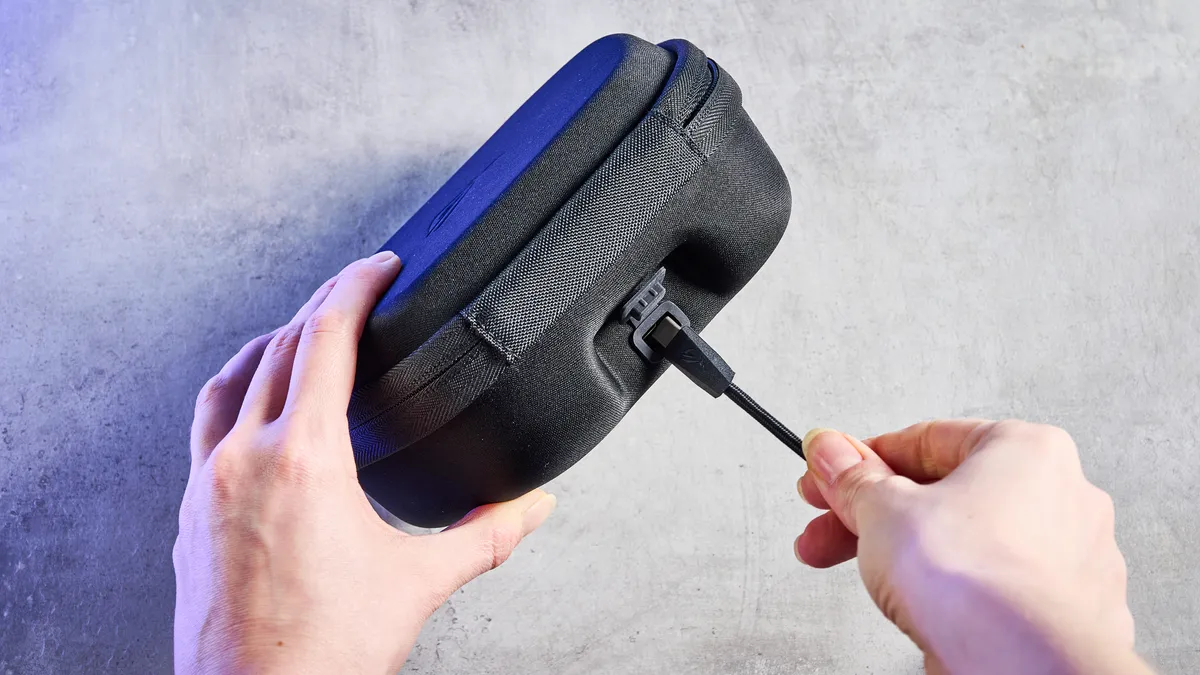
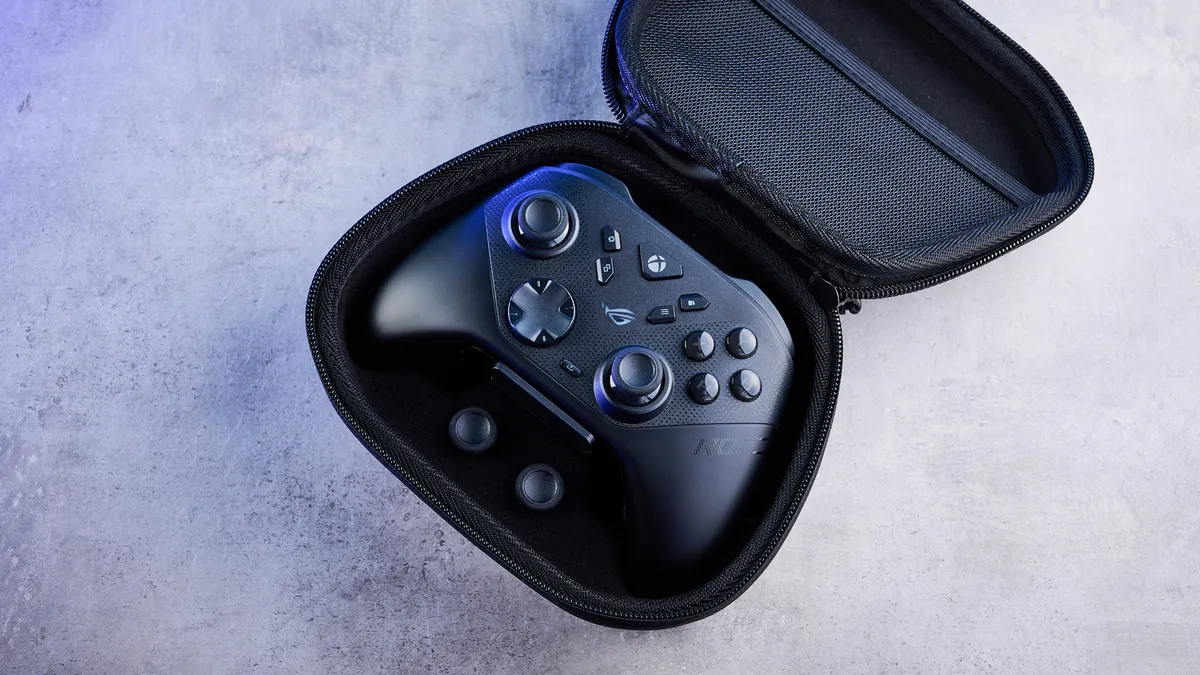
Unlike its competitors, the Raikiri II comes with a charging dock so that you can display and charge your controller at the same time, and the case has a USB-C port for charging too — in case you want to give it some juice while traveling. Very cool, very useful.
Asus ROG Raikiri II review: The downs
There isn’t a lot wrong with the Asus ROG Raikiri II, but it’s important to note that its charging dock feels a little cheap, and the controller costs a premium.
Cheap-feeling charging dock
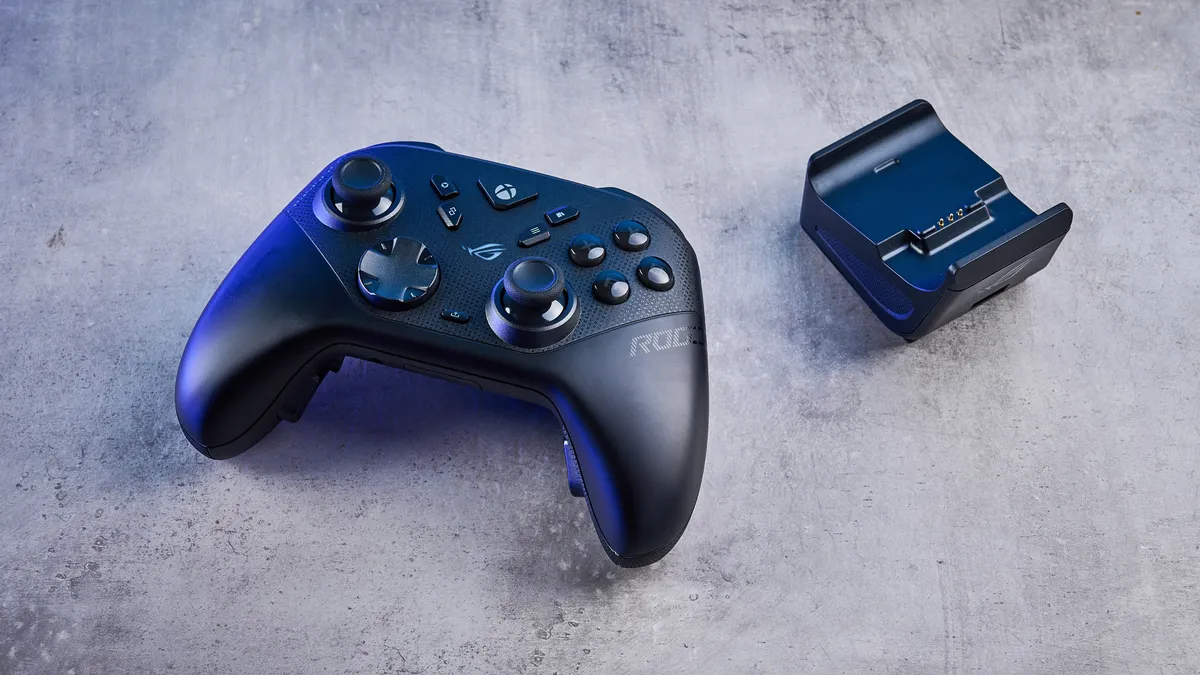
I love it when manufacturers include charging docks with their controllers, as they help me display my gamepads and lend a cleaner look to my setup. I loved the one that came with the GameSir G7 Pro ($79), and I so desperately wish the Turtle Beach Victrix Pro BFG Reloaded came with one too, as I use that controller nearly every day. Happily, Asus has included a charging dock in the Raikiri II’s box… but I’m not entirely happy with it.
You see, while the charging dock is sleek and good-looking, it feels a little cheap, and not something I’d expect from a gamepad that costs a premium (more on that next). It’s quite plasticky, and it doesn’t feel too sturdy, as the rubberized grip at the bottom doesn’t feel too grippy. Given that, it’s prone to getting knocked about, which is disappointing.
A little expensive
There’s no sugarcoating this: the Asus ROG Raikiri II will cost you a pretty penny. Such is the nature of many competitive controllers. The Raikiri II retails for $189 / £180 at Amazon, so it’s not too different from other serious gamepads I’ve tested. Naturally, the Raikiri II’s most prominent rival is the Xbox Elite Wireless Controller Series 2, which has a retail price of $199. Then you’ve got the Razer Wolverine V3 Pro, which also costs $199.
I don’t think this is necessarily a drawback — but it’s something to consider before you pull the trigger. The thing is, there are plenty of budget options available today, which might make it difficult to justify the Raikiri II’s high price point. The GameSir G7 Pro, for instance, carries many of the Raikiri’s features (barring TMR triggers) and costs $79. Oh, and there’s the PB Tails Metal Crush Defender ($109). There’s no dearth of alternatives, so unless you’re sold on the Raikiri II’s design, it’s worth considering the cheaper alternatives.
Asus ROG Raikiri II review: Verdict
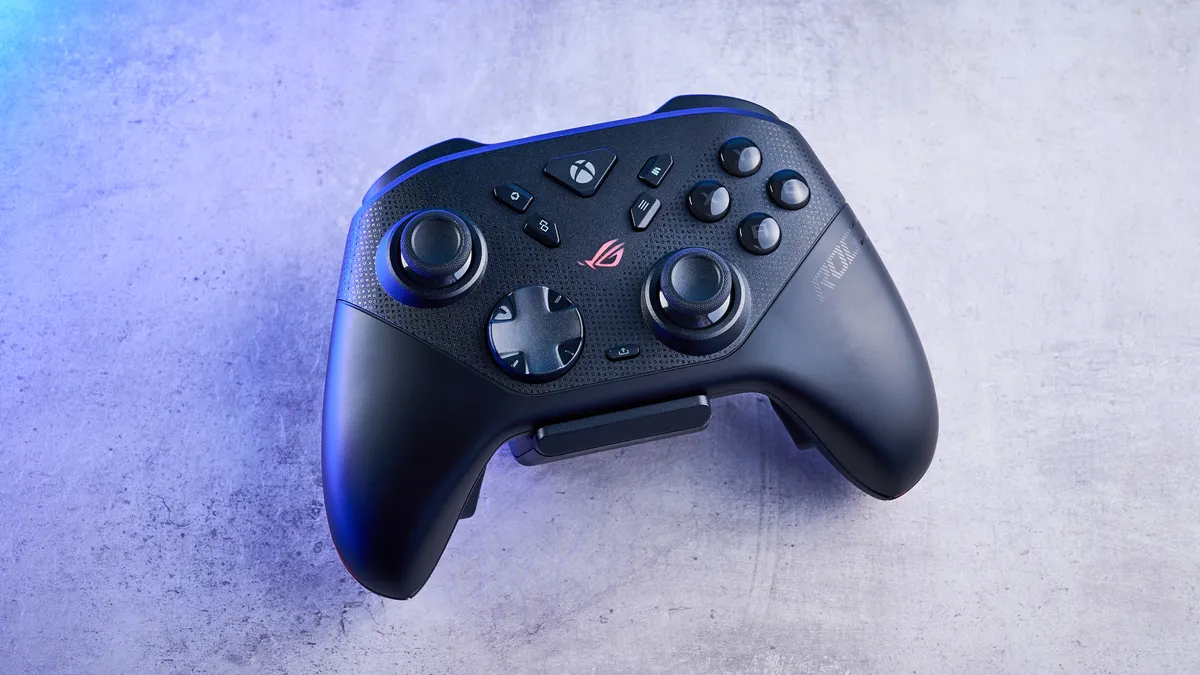
Competitive controllers don’t always come cheap, but the Asus ROG Raikiri II makes a compelling case as to why it’s worth the investment. By swapping traditional analog components for TMR in both its thumbsticks and triggers, the Raikiri II offers an extreme level of precision in all genres — RPGs, FPS, racing, you name it.
Ergonomically, it’s extremely comfortable and doesn’t give you much to complain about. Throw extensive customization and long battery life into the mix, and you’ve got yourself a winning combination. While the $189 price tag is a bit steep and the included charging dock feels surprisingly plasticky for such a premium product, these feel like minor issues, especially when you consider all the other goodies you’re getting.
For serious PC and Xbox players, and even casual gamers, there’s no better third-party controller on the market right now. The Raikiri II is a phenomenal, high-performance powerhouse that gets nearly everything right.

