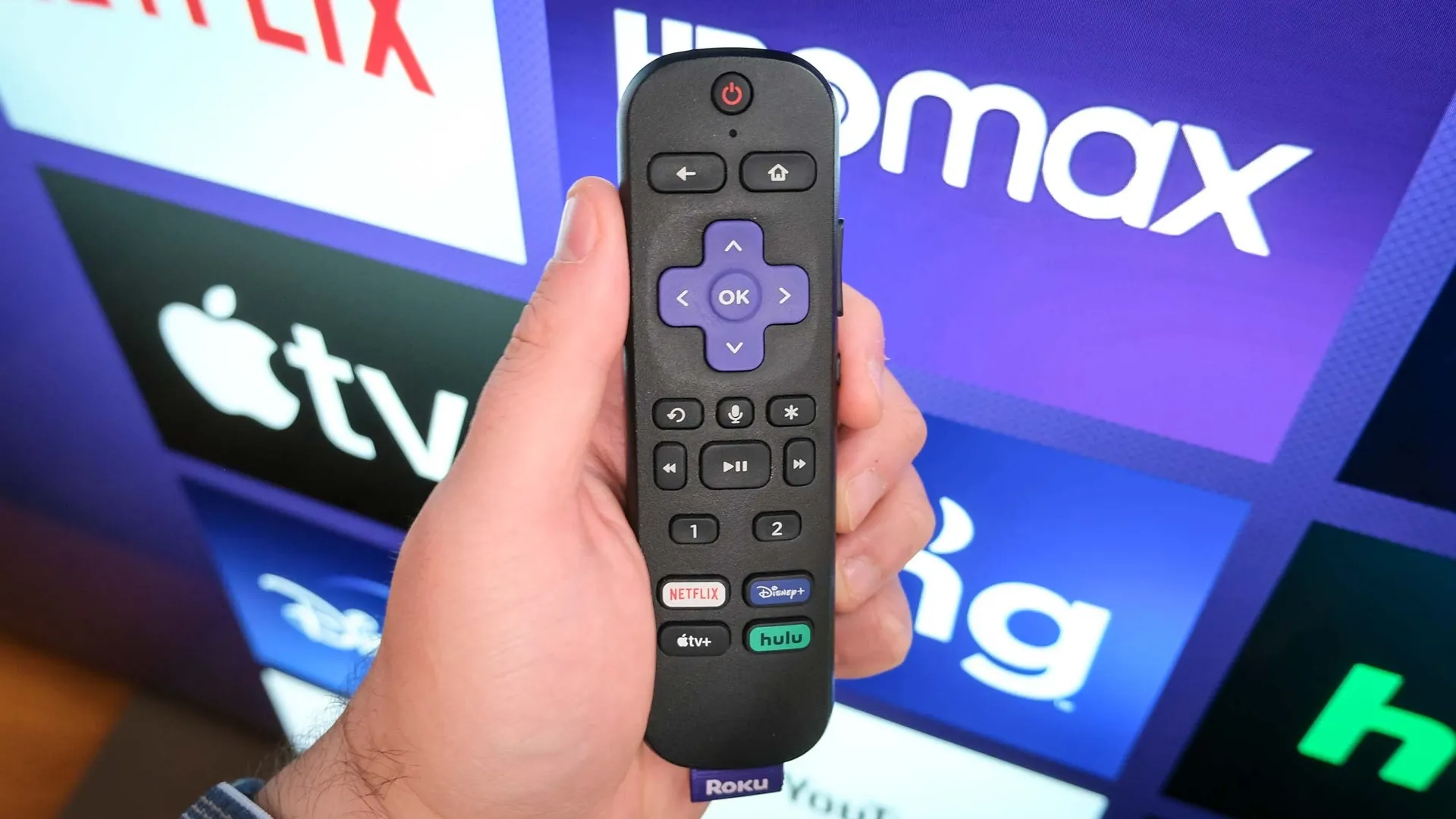
- Best Roku streaming device for streaming Super Bowl 2026: Roku Streaming Stick 4K for $34.34 @ Amazon
- Best Roku TV for streaming Super Bowl 2026: Roku TV Pro Series Mini-LED TV (55-inch) for $599.99 @ Amazon
- Best streaming service for streaming Super Bowl 2026 on Roku: Peacock Premium for $10.99
- Best live TV streaming service for streaming Super Bowl 2026 on Roku: YouTube TV for $67.99 a month for 5 months (plus free trial)
If you're streaming Super Bowl 2026 today, there's a good chance you're using a Roku device. Roku streaming devices are among the best streaming devices we've tested, and they all have access to the best streaming services and the best cable TV alternatives.
If you're still looking for a Roku device to stream the big game, our top pick is the Roku Streaming Stick 4K. It's the perfect device for most people, offering 4K streaming, premium features, all at the affordable price of $34.34 at Amazon (normally $49.99). That leaves you money leftover for pizza and wings for when you stream Super Bowl 2026 in 4K or head to YouTube to watch all the Super Bowl LX commercials and Super Bowl 2026 movie trailers.
Of course, you could ditch the need for a streaming device and get a Roku TV instead. These TVs integrate Roku's features and smart TV operating system with a gorgeous Mini-LED display. Right now, the Roku Pro Series Mini-LED TV is our top pick amongst the best Roku TVs, and it's ideal for the Big Game.

Once you have the perfect Roku device or a new Roku TV, you'll need to know which Roku apps to use to stream Super Bowl LX. Our top (and only) streaming service pick is Peacock Premium, which will give you a 4K stream of Seahawks vs. Patriots for $10.99 a month. If you already have a live TV streaming service, you likely have access to NBC, which will be broadcasting the game. Our top pick is YouTube TV, which streams the game in 1080p normally, but offers a 4K HDR stream with its 4K Plus add-on (for an additional charge).
That gives you a good outline, but let's dive into the details. Here's everything you need to know to watch Super Bowl 2026 on Roku.

Malcolm has been with Tom's Guide since 2022, and as a Niners fan, will be rooting for his pizza delivery to arrive on time instead of choosing to cheer for the Seahawks.
Super Bowl 2026 on Roku: Which Roku device is right for you?
We've test all of the best streaming sticks and devices we can get our hands on to make sure we're only recommending the best. And right now, our top pick among all streaming devices is a Roku. Specifically, the Roku Streaming Stick 4K.
Right now, you can get the Roku Streaming Stick 4K at Amazon for just $34.34. This tiny workhorse is a great choice for streaming 4K content, and its built-in Wi-Fi extender ensures you get crisp, uninterrupted streaming quality throughout the entire event.
Super Bowl 2026 on Roku in 4K: Which app is right for you?
If you want to stream the Big Game in 4K, there are a few options. You can opt for a streaming service, like Peacock, or you can use a cable TV alternative like YouTube TV. They have pros and cons; if you just want to watch the game, Peacock has a far lower price point, but YouTube TV will give you a more cable-like experience with 100 channels, including NBC.
If a streaming service is more your vibe, then you only have one choice. Peacock is the exclusive streaming home of Super Bowl 2026, and right now, you can get it for $10.99 a month.

If you want something that can truly replace your cable package, then YouTube TV is our top choice. It's great for sports, thanks to features like Multiview and Catch up with key plays. If you're looking to stream the game in 4K, that's an option too, though you'll need to spring for the 4K Plus add-on, which costs an extra $9.99 per month.
Right now, we're offering YouTube TV for $62.99 a month for your first five months. That's a total savings of $75, which is better than what YouTube TV is currently offering most customers. Plus, if you haven't already signed up for the 4K Plus add-on, you can try it for free right now for 30 days.

Now, if you want the cable TV experience but are looking to save some money, Sling TV is an alternative worth considering. Starting at $29.99 for your first month, Sling Orange & Blue gives over 50 channels, including NBC in some markets. Or, you can check out Sling Select, starting at just $19.99. This package offers a lot less; just 10+ channels. But it also costs a lot less.
While Sling can be great, there is one major catch. Sling might not offer NBC in your market. For example, in Atlanta, I can't get NBC through Sling. So using it to watch the Super Bowl is a no-go for me.

Follow Tom's Guide on Google News and add us as a preferred source to get our up-to-date news, analysis, and reviews in your feeds. Make sure to click the Follow button!
More from Tom's Guide
- There's only one way to watch Super Bowl 2026 lag-free — and all you need is an antenna
- How to watch Super Bowl 2026 for free from anywhere
- HBO Max just moved up the release date of 'A Knight of the Seven Kingdoms' and 'Industry' to avoid Super Bowl 2026