




I bought a lot of tech this year, but none has excited me more than the DXP4800 Plus NAS. It’s my new at-home cloud setup, boasting several TBs worth of storage that can last me for years to come.
Beyond simply saving money on monthly cloud storage subscriptions from the likes of iCloud and Google Drive, the DXP4800 Plus also serves as a remote access repository. Through the UGREEN NAS app, I can dive into all my saved videos, movies, music, and files on the go, wherever I am. It’s a handy Google Drive alternative, but that’s only half of it.
There are tons of things you can do with a NAS. It serves as an entryway into home modding, allowing you to explore some incredible features. With prices on memory skyrocketing, I figured there was no better time to upgrade my home with its own mini server. Here’s how it went.
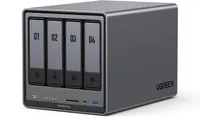
What’s in my NAS?
A NAS (Network Attached Storage) is like a massive digital storage container that’s attached and managed throughout your home network. This ensures easy access to the NAS from almost anywhere and on any device, so long as you’re logged in to the system or all devices are connected to the same network.
The DXP4800 Plus, in particular, offers four bays for HDDs, plus has a few slots on the bottom for two extra M.2 SSDs and two sticks of SODIM RAM. The theoretical maximum storage capacity for the DXP4800 Plus is 136TB, which is pretty bonkers. While 136TB would have definitely put my mind at ease, I didn’t need that much storage.
Instead, I went with four 8TB NAS HDDs, two 2TB SSDs, and two sticks of 16GB (32GB in total) RAM. At first, you might think this gives me access to a total of 36TB of usable space within the DXP4800 Plus, but it’s not quite one-to-one, especially if you’re using RAID storage.
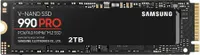
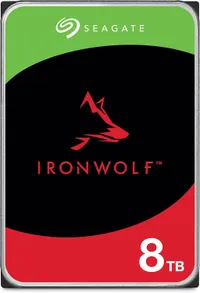
RAID storage is a way to protect your files from potential erasure if one or more of the other HDDs fail. It partitions parts of your storage for duplicate files, so you don’t have to fret about potentially losing all of your precious data. You can choose from a variety of different RAID levels, but I decided to go with RAID 5 for the HDD partition and RAID 1 for the SSD partition.
This inevitably left me with about 21.7TB for the RAID 5 volume and 1.8TB for the RAID 1 volume, both of which are more than adequate for my needs. You can even set up the NVME drives for SSD Caching along with the HDDs, allowing for even faster read/write speeds, but I decided instead to separate the two into cold and hot storage partitions.
Here are just a few of the ways I’ve been using all of my newfound storage thanks to the UGREEN NAS.
All my favorite movies in one place

Finding one of the best streaming services that offers all your favorite content in one place is a difficult task, especially when you’re an anime fan. Crunchyroll boasts the largest variety of anime to enjoy, but it doesn’t offer everything under the sun. In fact, many of my favorite anime movies and OVAs are only available on DVDs and Blu-ray, including ”Ninja Scroll,” “Berserk” (1997), “KITE,” and “Vampire Hunter D: Bloodlust.”
That’s where my new UGREEN DXP4800 Plus comes into play. Instead of relying on tons of varied streaming services and paying their ever-rising monthly fees, I can now freely watch all my favorite anime directly on my NAS.
Of course, you will have to rip DVDs you already own, and the NAS allocation that’s housing the anime can’t be used with remote access, otherwise you start getting into a gray area when it comes to legality. But keeping it on my home network still lets me watch any anime show or movie more freely, without worrying about which service it’s on.
Where most people probably rely on Plex or Jellyfin to house their content, I decided to go with UGREEN’s built-in Theater app instead. It’s worked well for me, plus I don’t have to pay a monthly fee, like I would with Plex. UGREEN’s Theater app has extensive features, with my personal favorite being downloadable subtitles directly in the app.
Jellyfin is a slightly better option, as it supports user extensions. This gives you broader control over your library, with improved content detection, subtitle support, and more.
However, the reason I decided to stick with UGREEN’s Theater app was simply its ease of use, and I can still easily stream my anime on many of my local devices, such as my TVs, PCs, and assorted smaller gadgets.
Turning my NAS into a video editing hub

Beyond housing all my anime, the DXP4800 Plus is also my remote video editing hub. I keep all of my necessary clips and media used in various video editing timelines on my partitioned SSDs located on the NAS, allowing me quick and easy access across my home PCs, iPad, and laptop.
The NAS makes it easy for me to transfer files and keeps all of my clips in one easy-to-access location. No longer am I taking up unnecessary storage space on my actual system, either. It’s one of the best alternatives to an external SSD or HDD, as your files can be accessed anywhere, as long as you have an internet connection.
This is also where the 32GB of SODIM RAM comes into play. Most users can simply live with the base 8GB that comes with the storage bays when you buy it, but I wanted an upgrade to get faster read/write speeds and the ability to edit video using clips on my NAS. The additional wiggle room makes playback in my editing software, like Davinci Resolve, far more fluid.
In order to ensure your timelines and editing projects can be accessed remotely, you’ll need to pay for Davinci Resolve’s cloud storage, which is $5 a month. You could probably get away with simply importing and exporting the DRP file, but that might get tedious and needlessly confusing, especially if you’re working on multiple projects at one time.
I even keep all my finished and rendered YouTube videos on the NAS for safekeeping, freeing up even more space on my PC.
My favorite purchase of 2025
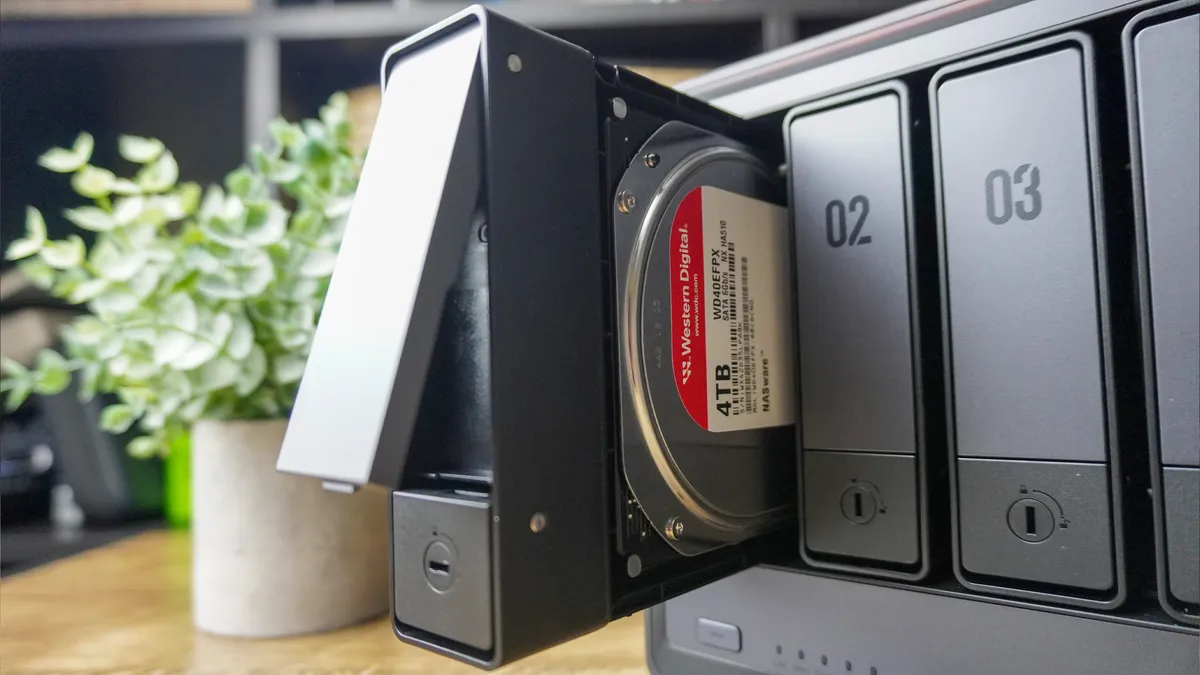
The DXP4800 Plus has proven to be a total lifesaver for uploading and saving all my iPhone photos and videos, as well as handling runoff content for my video editing workflows. Being able to edit from anywhere on practically any device is pretty awesome. Plus, it’s become a substitute for Netflix and Hulu, allowing me access to my favorite anime, with subtitles to boot.
What spurred me on to get a NAS was the sudden rise in RAM prices. It’s doubtful prices will be reduced for some time, and soon those price hikes will trickle into GPUs, SSDs, and HDDs, if they haven’t already. Now’s the time to get ahead of the curve before it’s too late.
With well over 21TB of storage, I’m set for a very, very long time.

Follow Tom's Guide on Google News and add us as a preferred source to get our up-to-date news, analysis, and reviews in your feeds.
More from Tom's Guide
- I tested the Framework Desktop — and it made me rethink everything I knew about mini PCs
- I added this $29 smart sensor to my mailbox and it's one of my favorite home upgrades ever
- I ditched my laptop for a pocketable mini PC and a pair of AR glasses — here’s what happened

