I use an iPhone but this new Google Maps feature just might convince me to switch to a Pixel — here's why
Maps has a new power-saving mode, but it's not widely available yet
Here at Tom’s Guide our expert editors are committed to bringing you the best news, reviews and guides to help you stay informed and ahead of the curve!
You are now subscribed
Your newsletter sign-up was successful
Want to add more newsletters?
Daily (Mon-Sun)
Tom's Guide Daily
Sign up to get the latest updates on all of your favorite content! From cutting-edge tech news and the hottest streaming buzz to unbeatable deals on the best products and in-depth reviews, we’ve got you covered.
Weekly on Thursday
Tom's AI Guide
Be AI savvy with your weekly newsletter summing up all the biggest AI news you need to know. Plus, analysis from our AI editor and tips on how to use the latest AI tools!
Weekly on Friday
Tom's iGuide
Unlock the vast world of Apple news straight to your inbox. With coverage on everything from exciting product launches to essential software updates, this is your go-to source for the latest updates on all the best Apple content.
Weekly on Monday
Tom's Streaming Guide
Our weekly newsletter is expertly crafted to immerse you in the world of streaming. Stay updated on the latest releases and our top recommendations across your favorite streaming platforms.
Join the club
Get full access to premium articles, exclusive features and a growing list of member rewards.
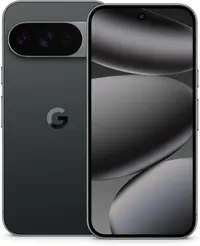
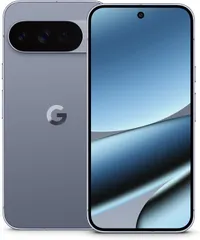
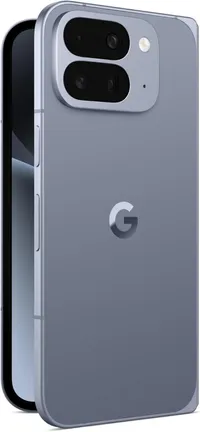
Google recently released its November Pixel Drop update, which includes several new features for Pixel phones and some Android devices. One of the more interesting updates is so good that I might have to switch from an iPhone to a Pixel 10 just to use it.
The new Power-saving mode is meant to help save battery life by reducing the amount of visible features in the navigation map. This is partly done by making the app monochrome in a black-and-white scheme.
This new power-saving mode was discovered around Halloween in Google beta code, but it wasn't clear how close it was to launch. Now it has, but unfortunately the battery-saving feature is only available for Pixel 10 phones at the moment.
Based on the previously discovered code and what we've seen in the Pixel Drop, there doesn't seem to be an obvious technical reason Google can't make this power-saving mode available on older Pixels or other Android devices. It's possible Google is using the Pixel 10 series as a live test.
How Power Saving Mode works in Google Maps
Power saving mode reduces the amount of visible information in Google Maps. The most obvious alteration is the monochrome view.
In the updated view, you'll only see key information like the next turns and the path you need to follow. However, street names and icons are omitted. You will still have access to directions.
When using Maps, you can access power-saving mode by pressing the power button.
Get instant access to breaking news, the hottest reviews, great deals and helpful tips.
Earlier leaks suggested that the mode would only show users instructions based on cardinal directions like "head south" or "head north," which didn't seem terribly useful if you don't know the area. However, based on images provided by Google, it does look like even in power-saving mode Google Maps will display the next direction and the street you need to turn on next.
Questions remain
As I mentioned earlier, at time of publication the power-saving mode in Google Maps is only available on the Google Pixel 10. It's one of the few features from the November Pixel Drop that is only available on the newest Google phone, and it's not clear when or if the feature will come to other devices.
Additionally, it’s not clear from Google’s press release if the feature will support voice navigation or public transit directions. It's also not known if you can customize the monochrome color palette, or if you're limited to black and white.
Tom’s Guide has reached out to Google for clarification and we'll update this story with any meaningful new information!
Maybe its time to try a Pixel phone
With power-saving mode limited to only Pixel 10 phones including the Pixel 10 Pro XL and Pixel 10 Pro Fold, it may be time to try out a Google-made phone. Here's where you can pick up one today.
The Google Pixel 10 got the biggest upgrade it's seen in years, thanks to the new and improved telephoto camera lens. In addition, you get the best AI features Google has to offer, a brighter Actua display, longer battery life, and Qi2 wireless charging.
Price check: $799 @ Google | $799 @ Best Buy | $724 @ Walmart
The Pixel 10 Pro brings a slew of AI features including the excellent Call Screening feature. There's also generative AI via Pixel Studio and a decent triple camera system.
Price check: $999 @ Google | $999 @ Best Buy | $949 @ Walmart
The Pixel 10 Pro XL is not much different from the 10 Pro. What it does have is a larger 6.8-inch display and a bigger 5,200mAh battery that offers longer battery life. Plus, it features all the same AI features for not that much more.
Price check: $1,199 @ Google | $1,199 @ Best Buy | $1,149 @ Walmart
Google's Pixel 10 Pro Fold is a versatile foldable phone with a vibrant 8-inch main display and a 6.4-inch cover screen. It comes with a durable design featuring a IP68 rating for water and dust resistance — a first for foldables. Plus, it has better battery life than the Samsung Galaxy Z Fold 7. It's a winner if you're looking to try a foldable.
Price check: $1,799 @ Google | $1,799 @ Best Buy
Follow Tom's Guide on Google News and add us as a preferred source to get our up-to-date news, analysis, and reviews in your feeds.
More from Tom's Guide
- Google Maps just became an AI developer's dream toy — here's what the new changes could mean for you
- ChatGPT just accidentally leaked private chats into Google Search (again) — how to stay safe
- I just found 7 hidden Google Home features powered by AI — and they’re game changers

Scott Younker is the West Coast Reporter at Tom’s Guide. He covers all the lastest tech news. He’s been involved in tech since 2011 at various outlets and is on an ongoing hunt to build the easiest to use home media system. When not writing about the latest devices, you are more than welcome to discuss board games or disc golf with him. He also handles all the Connections coverage on Tom's Guide and has been playing the addictive NYT game since it released.
You must confirm your public display name before commenting
Please logout and then login again, you will then be prompted to enter your display name.