







If there’s one thing that can ruin a plan, it’s bad weather. From a bit of light rain to massive snowstorms, we rely on tracking the weather more than we might admit. And millions of Americans will be tracking Winter Storm Fern this weekend, as it's expected to impact 30 states.
However, the number of apps out there can make it difficult to find the best options. From the apps that come preinstalled on your phone to an app that comes directly from the National Oceanic and Atmospheric Administration, it can be easy to get lost. However, I’ve gathered the top 5 apps that I’ve used on my iPhone 16 Pro Max and Galaxy Z Fold 5.
For the most part, most apps that show the weather will make use of similar data, but the difference is in how they use and what else each offers. So, let’s break down what makes these apps great.
Top 5 Weather apps
The Weather Channel

In the past, we used to rely on network weather channels to have any idea of what the coming days might bring. If you want an app that recreates that to some degree, while also using the same up-to-the-minute data, then The Weather Channel app is a solid choice. The interface for the app is slick and well-designed, while offering a host of handy widgets to help you customize precisely what you’re looking for.
There is one major issue with the app, namely that some of the features are locked behind paywalls, such as the Windstream maps and 72-hour timeline. The app also has a bit of an ad problem that can make it a pain to navigate at times, throwing up ads that are hard to close.
The Weather Channel: Apple and Google Play
CARROT Weather

Carrot weather is an app with a lot of personality, but what’s important is that it still details everything we would want to see from a weather app in 2026. When setting up the app, you can decide on its overall tone, from professional to downright homicidal, for a bit of humor. The app also features numerous different points of interest, such as precipitation, weather tracking, relevant news stories, and even information for users with specific health issues.
However, its biggest weakness is that you need a subscription to get access to more relevant information. It’s by no means unusable in its free version, but if you’re looking to use the global radar, then it’s going to cost you a bit.
CARROT Weather: Apple and Google Play
Weather & Radar - Forecast

Older users amongst you will probably remember the stellar Dark Skies app that, unfortunately, is now a thing of the past. However, if you’re looking for something similar, then I would handily recommend the Weather & Radar - Forecast app. While it might not be particularly flashy, it offers a user-friendly and reliable forecast, with options for hourly, daily reports, as well as 14-day forecasts.
The free version of the app gives you all the information that you really need, but you can pay to remove the ads, as they can feel a bit oppressive at times.
Weather & Radar - Forecast: Apple and Google Play
NOAA weather Radar Live

If you’re looking for the most up-to-date weather information, then why not head directly to the source? Most weather apps draw at least some of their data from the National Oceanic and Atmospheric Administration, so downloading NOAA’s own app gives you up-to-date information, with the means to track storms via satellite images, as well as local weather conditions. The app also offers AI-based advice depending on the reports.
However, the app does require a subscription to access some of the more detailed features, such as hurricane tracking and 48-hour reports.
NOAA Radar: Appleand Google Play
AccuWeather

Arguably one of the simplest weather apps to use, AccuWeather uses weather data to help you manage allergies and be as safe as possible on the road. On top of that, it also offers news and even videos based on the upcoming weather conditions that give you more information. The App itself is simple to use, if a bit dated in appearance, and makes it easy to track several locations at once.
As with the other apps in this list, there are a lot of ads present, but for the most part, they are pretty easy to ignore. What isn’t so easy is the limited data range, which can make it hard to plan too far ahead.
Accuweather: Apple and Google Play
Honorable Mention
Apple Weather/Google Weather
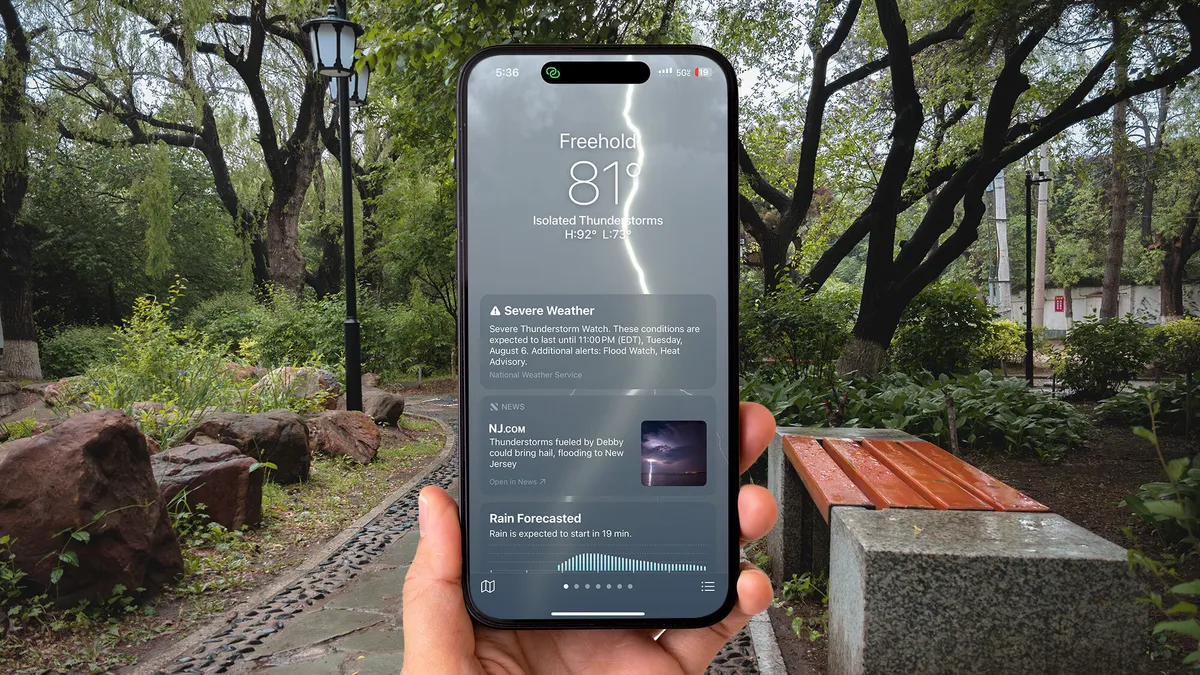
Both Apple and Google’s built-in weather apps are designed to be quick and easy to use, but they’re not completely even, as both source their information from different places. The Apple weather app get’s it’s data from The Weather Channel, while Google's weather app uses its own advanced models for its data, namely WeatherNext 2.
While both apps are relatively similar in terms of reliability, I have found that Google’s version tends to be more accurate when it comes to predicting the weather. This has seemingly been improved by the introduction of Google AI.

However, both apps aren’t exactly detailed, and are instead designed to offer weather information at a quick glance rather than offering more options to users.
While these might be the top apps that we’ve used, there are as many out there as grains of sand. So, if you have a personal favorite, then put it down in the comments.

Follow Tom's Guide on Google News and add us as a preferred source to get our up-to-date news, analysis, and reviews in your feeds.
More from Tom's Guide
- The iPhone 18 Pro series Dynamic Island could be smaller than before, and I think that’s a better move than the rumored under-display cameras
- Apple hid these 5 useful iPhone features in plain sight — and they're genuinely helpful
- I just found this $9 IKEA wireless charger and I'm never overpaying for one again

