
 Club Benefits





You're wondering what the best computer for students is, and that comes with a lot of questions. Is a desktop or a laptop better? Should I get Mac or Windows? How much should I pay? Well, being a student once (it's been a few years), I know the queries, and I now have over a decade of expertise to point you in the right direction.
After testing a wide selection of Windows PCs, Macs, all-in-one computers and more over the years, my team of PC experts and I know the territory and are here to help find the right computer for you. Better yet, you'll be happy to know that the PCs you'll find today can easily breeze through research, study, write-ups and deadlines at school and college. Oh, and some gaming in your downtime, of course.

I'm Darragh, Buying Guide Editor here at Tom's Guide, and in my days as a student, I wish all of these PCs were around to get me through the pain of scrolling through websites for research and writing up papers. Students can now make the most of speedy, high-end performance in the latest computers without emptying their wallets, and after years of testing PCs, my team and I have a good gauge of the best ones to pick.
The best student computers right now
Why you can trust Tom's Guide Our writers and editors spend hours analyzing and reviewing products, services, and apps to help find what's best for you. Find out more about how we test, analyze, and rate.
The best student computer overall
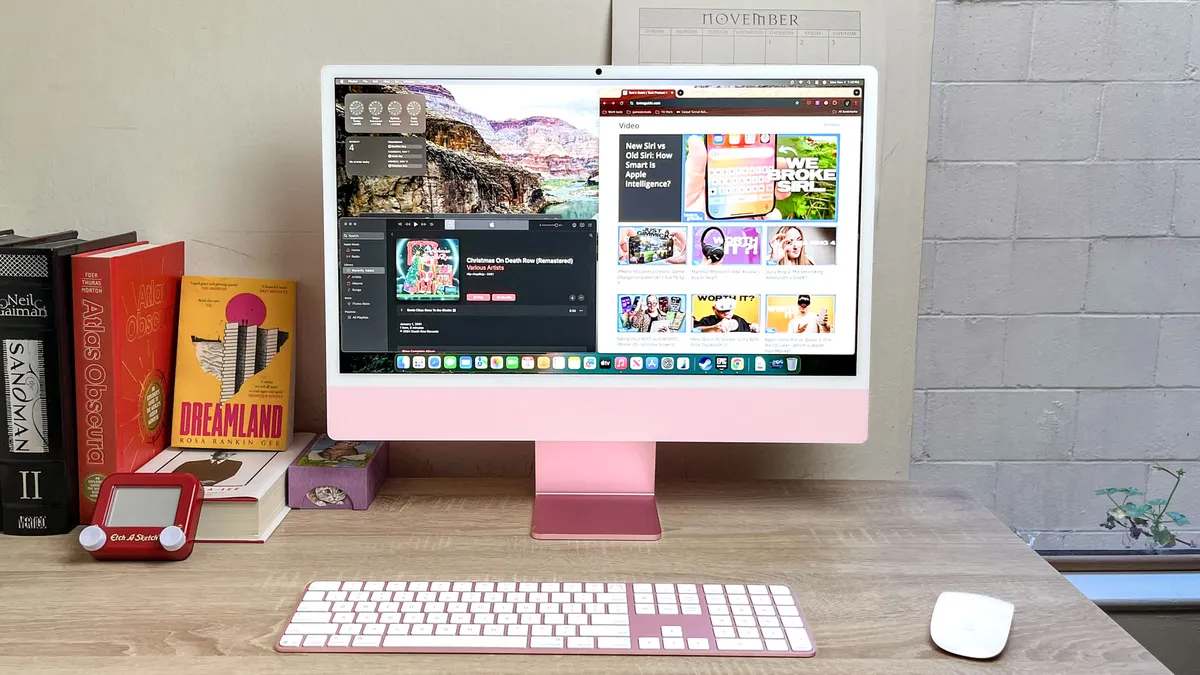
Apple's iMac recently received a shot in the arm known as the M4 chip, and the boost in performance helps cinch its place at the top of our charts as the best student computer you can buy today.
I recommend this Mac to students and families because it offers a beautiful 24-inch 4,5K display, an excellent 12MP webcam with support for Center Stage and Desk View (which means it can follow you as you move around in front of it, or send a separate video feed of what's on your desk in front of you when FaceTiming) and a great six-speaker sound system built in. Plus, this is the first model that comes with an optional nano-texture coating on the glass, which makes it more glare-resistant for an extra fee.
Of course, it's not a perfect computer. There's no option to adjust the height of the display or order it with a VESA mount, so extraordinarily tall or short folks may need to awkwardly rearrange their desk to get it seated in a comfortable position. And there's no HDR support and no option to get it with a touchscreen or an OLED/mini-LED screen, which handicaps that luscious 24-inch 4.5K display.
But none of those flaws keep it from being the best student computer for most folks on the market.
Read our full Apple iMac M4 review.
The best Windows student computer

For students who prefer (or require) Windows but are fans of the iMac setup, look no further than the Lenovo Yoga AIO 27. Truly, this is the "iMac killer," and when it comes with a built-in Qi phone charger in its base, you know it has the best interests of students in mind.
The all-in-one PC comes with everything you need right out of the box, and that includes an impressive wireless keyboard with satisfying clicks (number pad included, by the way). Its mouse could use a little work, since it's a battery-powered peripheral that relies on a USB dongle plugged into the Yoga’s base, but at least it lasts 12 months and is highly responsive.
With its 27-inch QHD (2560 x 1440) IPS display, you can expect crisp, colorful visuals no matter what you view, and that includes gaming. Yes, the Yoga AIO 27 can play titles, albeit more less-demanding PC games. It shows the power of the Intel Core Ultra 7 255H CPU, which this laptop comes packed with (at its higher configurations), and that punchy performance will blaze through workloads when studying or working on a project.
Impressively, the Yoga AIO 27's display can also be adjusted 90 degrees to transform into a vertical powerhouse, which makes it versatile for different areas of study. The icing on the cake is that it's a stunner in any desk setup.
It's not perfect, as the screen's brightness is slightly dimmer than its competition, the 5MP webcam won't do you justice when on video calls and you can't adjust the height as much as you'd want. Regardless, when it comes to delivering Windows at its finest, you'd be hard-pressed to find a better all-in-one PC at this price, and that's an important factor for students.
Read our full Lenovo Yoga AIO 27 review.
The best MacBook for students
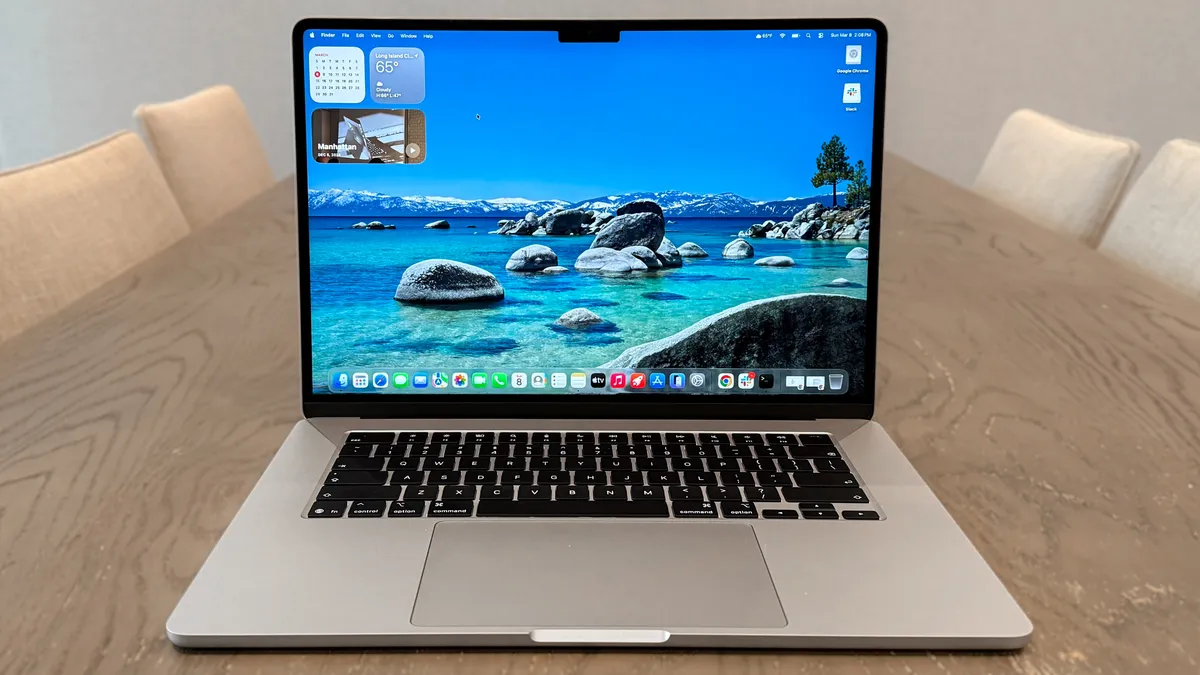
This is the same MacBook Air we've all come to know over the past few years, and that's no bad thing for students. That blistering M5 performance, upgraded 512GB base storage and Wi-Fi 7 connectivity, though? That's what makes the MacBook Air M5 the essential digital (and portable) companion for all types of study.
Performance holds up to student multitasking. Powered by Apple’s M5 chip and scoring 17,276 in Geekbench 6 CPU tests, the Air M5 delivers fast and reliable everyday use. In hands-on testing with dozens of browser tabs and several creative projects running, it never bogged down. That’s a reassuring strength for anyone juggling classwork and personal projects.
This all comes with the same slim 0.4-inch design, weighing a featherweight 2.7 pounds. Even better? Battery life got a bump, now with 15 hours and 30 minutes of juice to last you a full day of classes. Despite all the upgrades, it's a shame this will now set you back an extra $100 (now $1,099 for the 13-inch model). But that's nothing a good sale can't fix.
The M5 isn’t a total reinvention, though. If you already have last year’s Air, upgrades are more moderate, and the price has (unfortunately) crept up. For students who care most about portability when rushing between classes and dependable daily performance, this is the best option in Apple’s lineup.
Read our full Apple MacBook Air M5 review.
The best Windows laptop for students


The Dell XPS 14 (2026) is a magnificent return to form for the iconic laptop line. The new design is sleek and reminiscent of a MacBook, featuring a lighter, CNC-machined aluminum chassis with softer, rounded corners. Dell brought back physical function keys and implemented a haptic trackpad with tactile etching to define its boundaries.
Beyond the aesthetic and functional improvements, the laptop packs a stunning (2880 x 1800) InfinityEdge tandem OLED touch display, which provides incredible contrast, vivid colors, and vibrant HDR performance.
Performance is equally impressive, powered by Intel’s Panther Lake architecture. This chip delivers strong performance for both daily work and, surprisingly for a laptop with integrated graphics, even gaming. You get the best of both worlds here.
However, the XPS 14 does come with a couple of trade-offs: the screen size has slightly shrunk from 14.5 inches to a standard 14.0-inch panel, making it feel less spacious. Additionally, professional users will note the absence of a microSD card slot, meaning expandable storage is entirely dependent on the three Thunderbolt 4 ports. The laptop is also admittedly pricey.
Despite some drawbacks, the positives far outweigh the negatives. By scrapping the controversial "Premium" branding and concentrating on functional excellence and a premium build, Dell has successfully created one of the best Windows laptops currently available on the market. It’s also an excellent student laptop for those who want a machine that can do it all.
Read our full Dell XPS 14 (2026) review.
The best gaming computer for students

Honestly, it's hard to go wrong with this fully customizable, mini powerhouse. The Framework Desktop gives you the choice of the parts you want and the price you want to pay, now starting at $1,269. For students, that's a boon to start off with, and you're in need of something stronger to blaze through work and certainly gaming, just configure it to your liking and your budget.
Even the base configuration boasts ample performance to breeze through all kinds of work assignments, whether that be for the plentiful tabs when studying or more demanding creative work. That's thanks to the AMD Ryzen AI Max 385 CPU onboard, along with the 32GB of DDR5X RAM. Even for gaming on the side, the Radeon 8050S integrated graphics can handle the latest PC titles with smooth, solid 60 FPS and beyond (thanks to AMD's FSR frame boosting tech).
Need more power? The AMD Ryzen AI Max+ 395 with its Radeon 8060S can more than handle what you throw at it. One downside is that RAM isn't upgradeable, so the configuration you get is the RAM you'll have to stick with.
Either way, if you're working your way through a single-player masterpiece or climbing the ranks of a competitive multiplayer title between studies, the Framework Desktop has you covered. Even better, you can customize its look to your liking to give it a splash of personality, all while not taking up much room on your desk.
Read our full Framework Desktop review.
The best mini PC for students
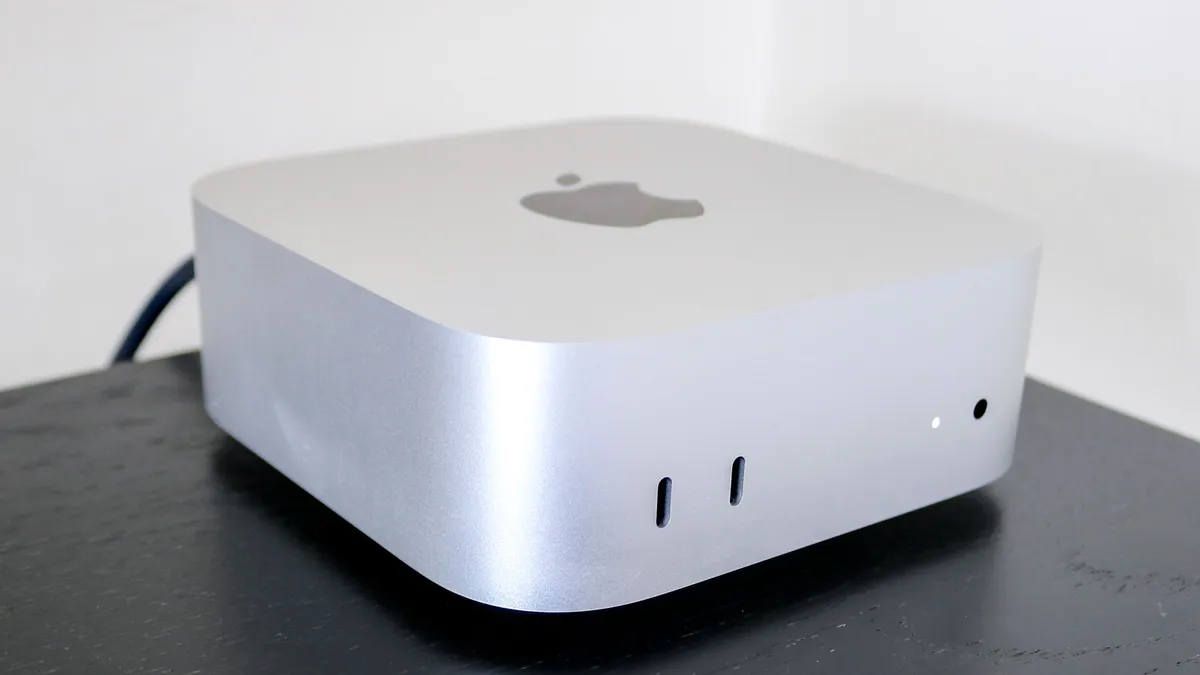

Mini PCs are on trend, and I can see why with the Mac mini M4. Not only is this small powerhouse the cheapest of Apple's Mac lineup, but for students who just want a neat, compact and lightweight computer on their desk, especially if they already have a monitor and other PC peripherals, it offers just the solution.
It's everything we loved about the Mac mini with M2, but now it's faster thanks to the addition of Apple's custom M4 chip. You'll even be playing games, multitasking while studying and editing photos and videos with this small beast.
For most schoolwork, the Mac mini M4 should be more than capable enough. Of course, you'll need to hook it up to your own monitor, keyboard and mouse, but that's par for the course when purchasing PCs. Plus, it gives you freedom of selection to choose your add-ons of choice, thanks to its many ports. Just be aware this mini PC isn't upgradeable, so the configuration you get is the one that stays.
Read our full Mac mini M4 review.
The best computer for DIYers

The Raspberry Pi ushered in a new era of DIY tech, and the $35-$55 Raspberry Pi 4 Model B pushes that to new heights with a more powerful processor, 4K video output and an improved part selection. While this incredibly affordable DIY PC is powerful enough to work as a standalone PC in a pinch if you want to install Windows on it, that's not really the ideal way to use this computer.
Instead, the Raspberry Pi 4's real value for students lies in how many projects you can build with it. While it's nothing more than a fancy circuit board out of the box, once you kit it out with a power supply, monitor(s), and whatever input devices you prefer, you can turn it into everything from a tiny PC to a web server to a home media center or a retro gaming machine.
If you want a ready-made PC for homework and papers you'd be better off with another PC on this list, but if you want a cute little DIY PC board you can use for all sorts of cool student projects, you can't go wrong with the Raspberry Pi.
Read our full Raspberry Pi 4 Model B review.
How we test the best student computers
As we test and review all sorts of computers — such as best all-in-one computers, best gaming PC and best mini PCs — we run a series of standardized tests to measure how each machine performs, what it's best suited to and what sort of capability you get for the price.
These standard tests include generalized performance benchmark tests, like Geekbench 6 (for processor performance), 3DMark Fire Strike Ultra (for graphics) and a custom file transfer test to measure hard drive performance.
Gaming-oriented benchmarks test the performance of systems using current games, measuring the frame rates each desktop will produce in games like Tomb Raider, Doom: The Dark Ages, Red Dead Redemption 2 and more. We'll also run individual game tests and the SteamVR performance test to evaluate how well-suited they are to the unique demands of virtual reality.
Most importantly, we spend a ton of time simply using each desktop computer for everyday activities. We watch movies, do work, play games and blast music on the speakers, all to get a better sense of which ones are worth your money.
