



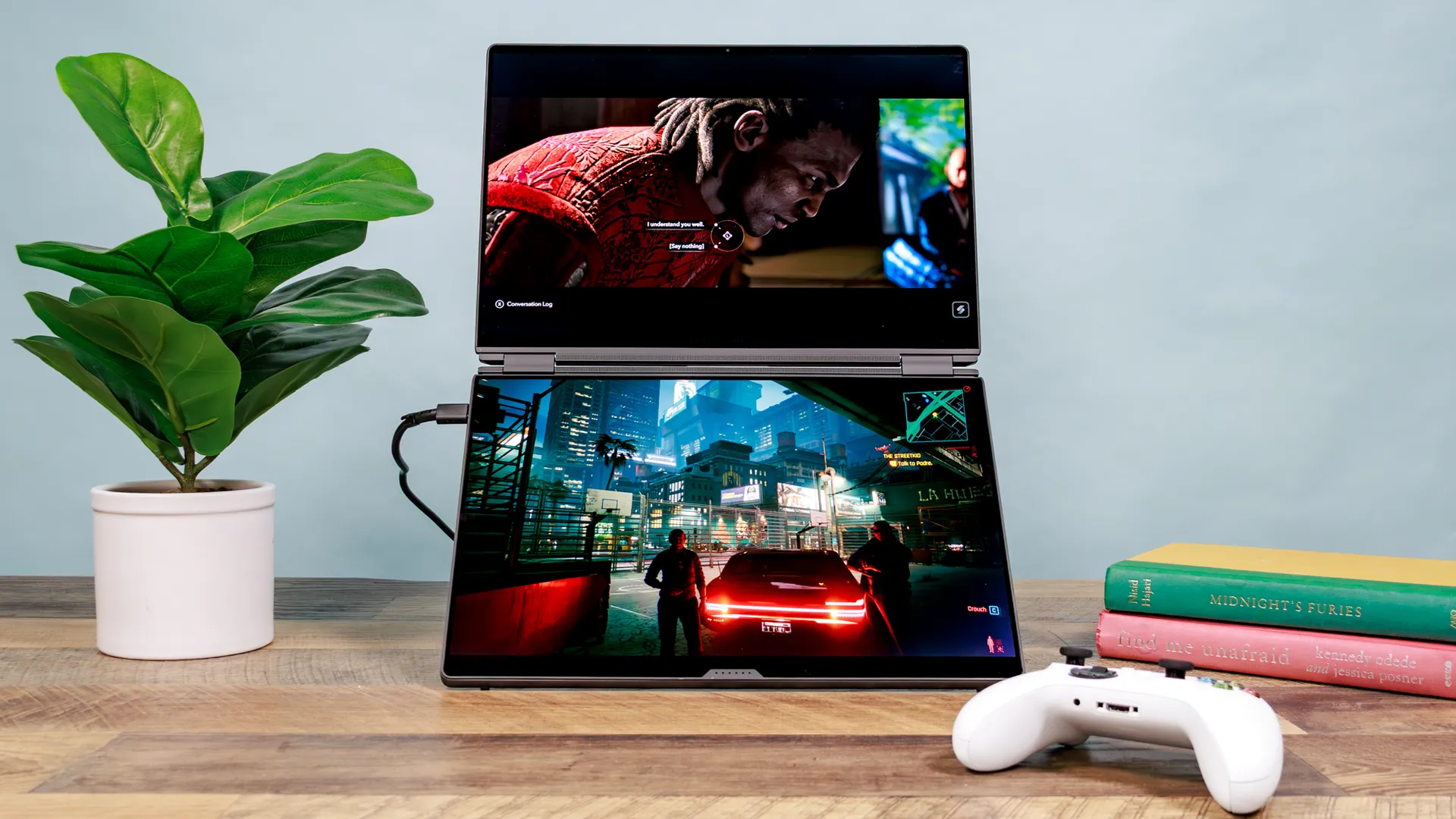
The Asus ROG Zephyrus Duo is one of the wildest gaming laptops I’ve tested. That’s because it takes the Asus ZenBook Duo’s basic dual-hinge design and crams in powerful components to make it a true gaming beast. I’m still not sure whether a dual-screen gaming laptop is necessary, but hot damn, is this thing impressive.
The main question is: Does a gaming laptop really need two displays? Probably not, but I applaud Asus for creating this magnificent machine. Granted, it costs a pretty penny, with a starting price of $4,500, but that’s expected given its raw computing power and premium design. This gaming laptop is built to turn heads.
Here are my thoughts on the Asus Zephyrus Duo and what happened when we ran two games on it simultaneously.
Asus ROG Zephyrus Duo: Specs
| Header Cell - Column 0 | Asus ROG Zephyrus Duo (tested) |
|---|---|
Price |
$5,499 |
Display |
2x 16-inch( 2880x1800) OLED | 16:10 | 120Hz |
CPU |
Intel Core Ultra 9 386H |
GPU |
Nvidia GeForce RTX 5090 |
Memory |
32GB |
Storage |
2TB |
Connectivity |
Wi-Fi 7, Bluetooth 6 |
Ports |
1x 3.5mm Combo Audio Jack, 1x HDMI 2.1, 2x USB 3.2 Gen 2 Type-A, 2x USB4/Thunderbolt 4, 1x SD card reader |
Dimensions |
13.98 x 9.72 x 0.98 inches |
Weight |
6.22 pounds |
Dual-screen design
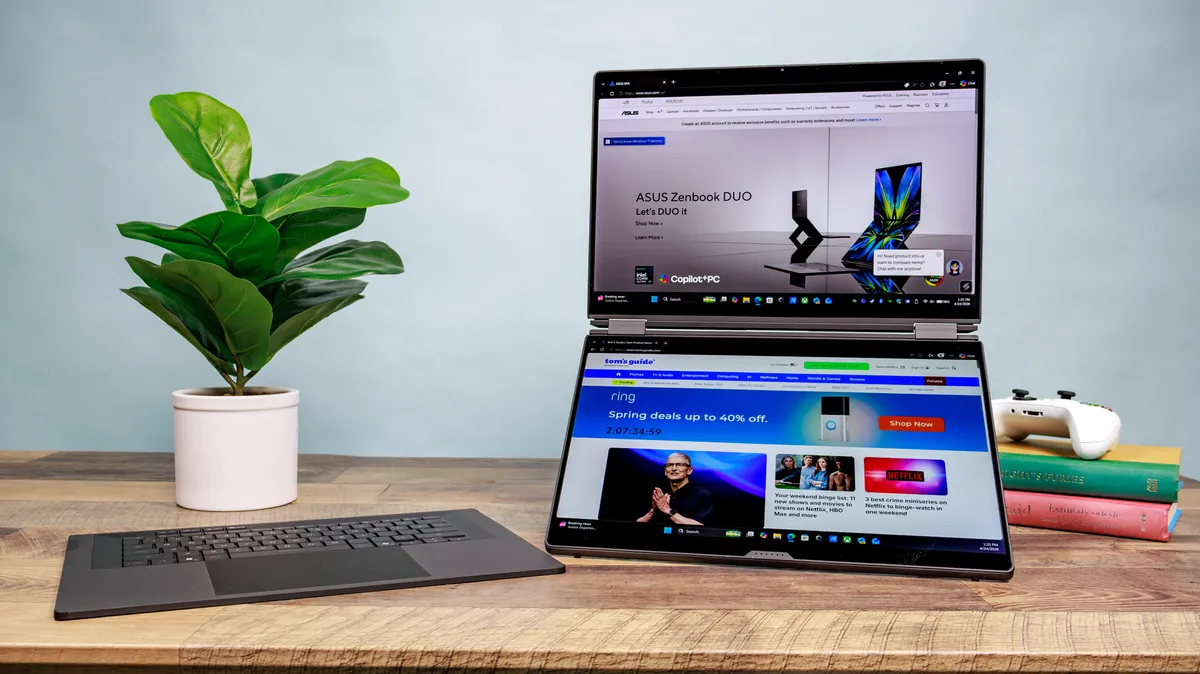
The ROG Zephyrus Duo is generally chunkier than the best gaming laptops of the modern day. This makes sense given how it has two displays and a detachable Bluetooth keyboard. That said, it’s not unreasonably thick or large, though you’ll certainly feel its weight if you’re carrying it around.

The displays are connected by a hinge that can bend back a full 320 degrees. This allows for several modes. Dual Screen places one screen on top of the other in a horizontal orientation, while Laptop mode places the included keyboard on top of the bottom display. Book mode orients the displays vertically, while Tent places the displays on either side. Lastly, Sharing mode is where you lay the laptop open and flat on a desk.
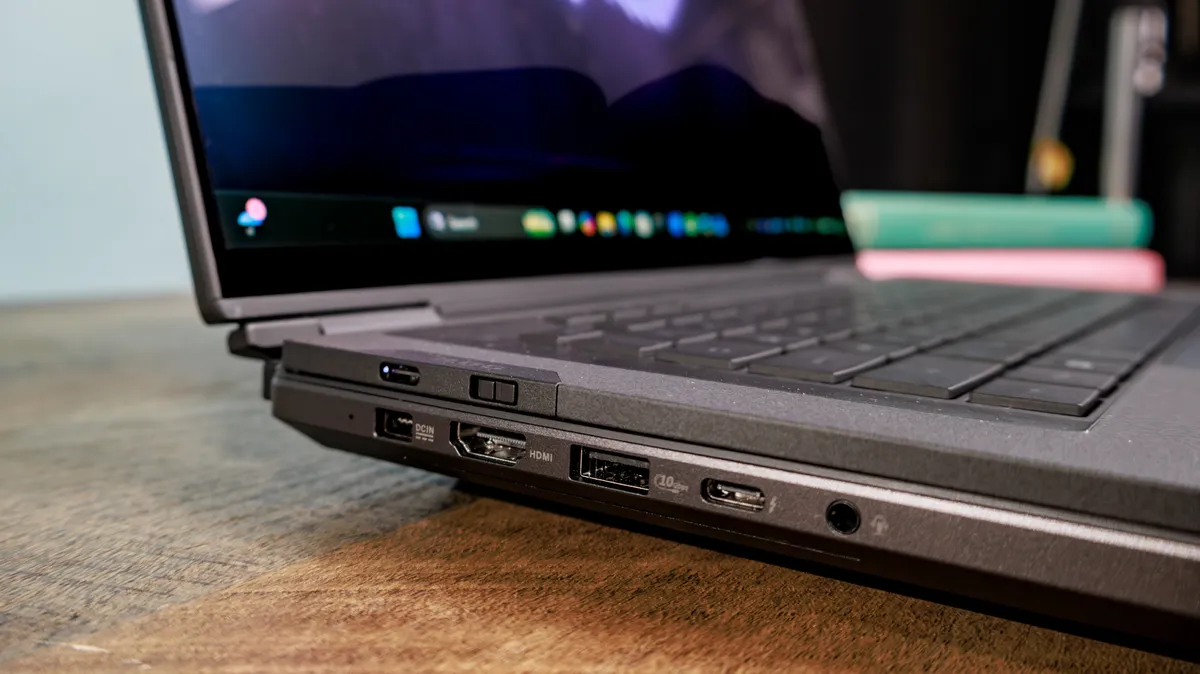
Thanks to the CNC-milled aluminum chassis, the ROG Zephyrus Duo feels durable, which you want from a premium product like this. The wide kickstand on the laptop’s bottom lets you achieve your preferred viewing angle. It also keeps the laptop stable on whatever surface you place it on.
Lovely displays
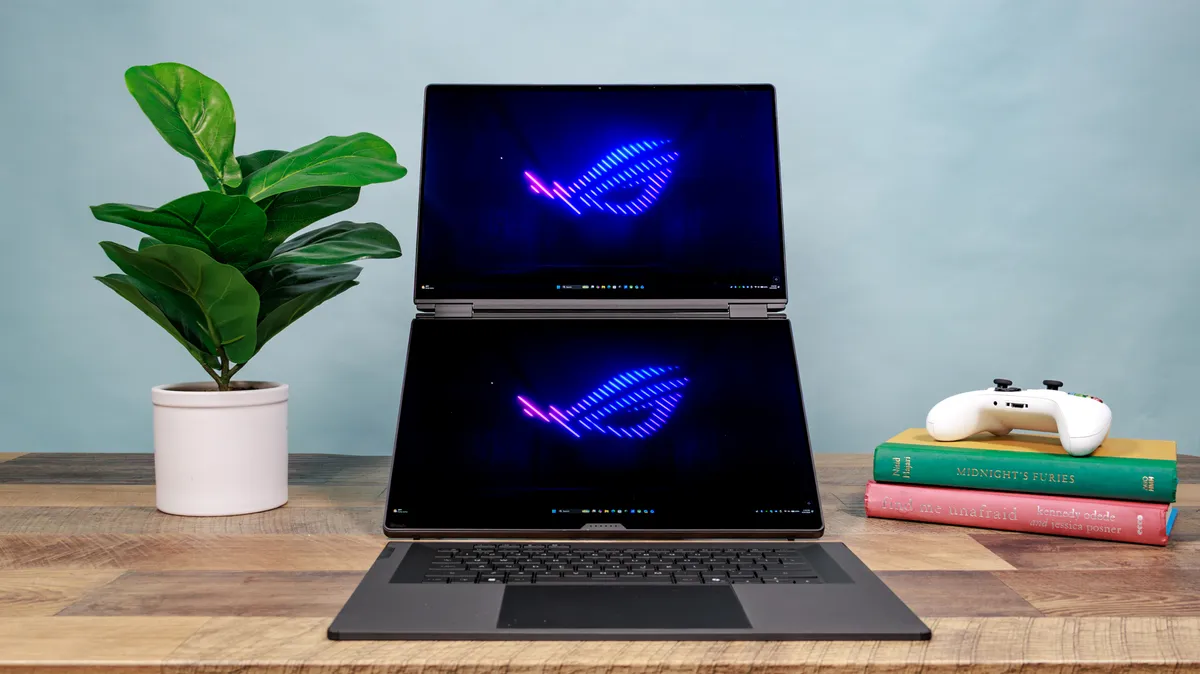
The ROG Zephyrus Duo’s 16-inch OLED displays deliver bright and colorful images. When playing Cyberpunk 2077, I was impressed by the contrast between shadowy alleys and bright neon signs. While colors aren’t generally oversaturated, their naturalistic hues make games appear more realistic.
| Header Cell - Column 0 | Asus ROG Zephyrus Duo |
|---|---|
Nits (brightness) |
443 (SDR) | 639 (HDR) |
sRGB |
118.8% |
DCI-P3 |
84.2% |
Delta-E |
0.21 |
Both displays are identical, so you won’t have to worry about one looking better than the other. Each offers sharp 3K resolution and a 16:10 aspect ratio. And as I’ll detail further below, this setup is also fantastic for productivity, as it’s simple to move items across the two screens to place wherever you want.
Productivity beast

The ROG Zephyrus Duo is a gaming laptop, but I was really impressed by how well it functions as a productivity machine. If you’re used to working with a dual-screen setup like I am, you’ll feel right at home here.
My favorite mode is Dual Screen, with the kickstand keeping the Zephyrus Duo in place. With this setup, I keep websites and apps on the top display and Slack and email on the bottom display. This way, I have access to everything I need without constantly switching tabs in the same window. Thanks to those 16-inch canvases, I have more than enough space to work.
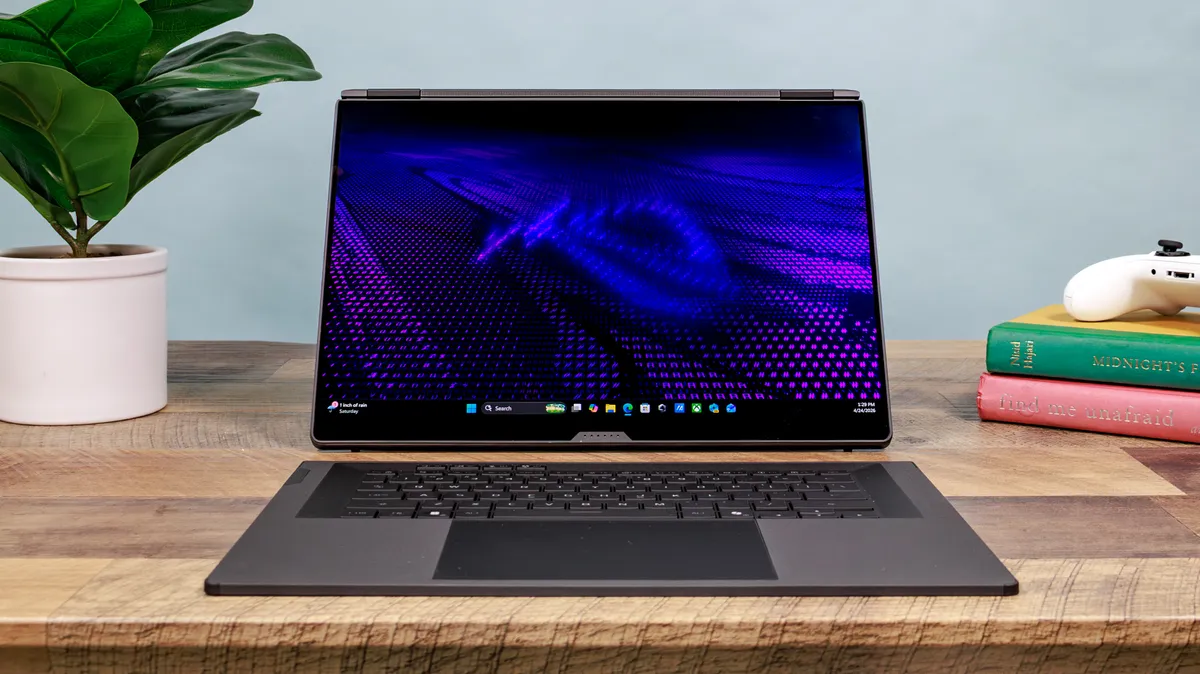
Speaking of the keyboard, it’s generally good to type on because it’s spacious and has thick key caps. Travel distance is somewhat shallow, and the whole thing tends to slide around if you move your hands too much. The touchpad is smooth, responsive, and large enough to accurately capture your gestures.
Overall, it’s a good keyboard peripheral, but you might want to pair it with a wireless keyboard if you’re not happy with how it performs.
Powerful gaming performance
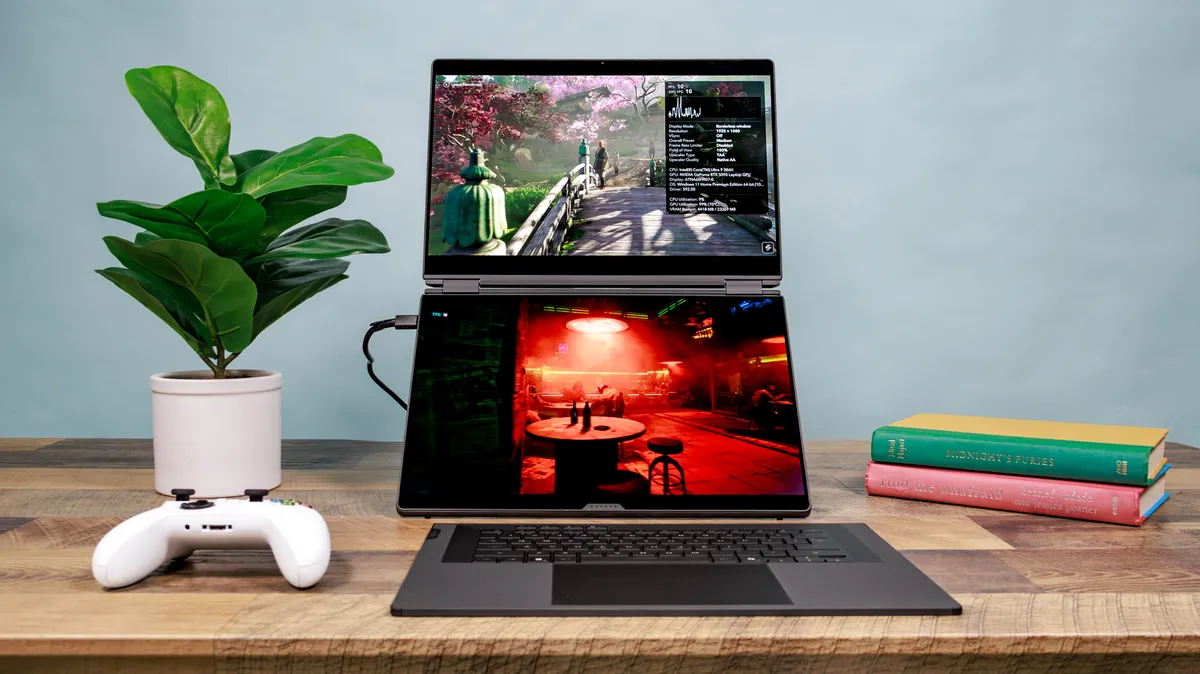
The ROG Zephyrus Duo I received is an absolute monster, thanks to its Intel Core Ultra 9 386H CPU, Nvidia RTX 5090 GPU, and 32GB of RAM. With specs like that, you won’t be surprised to know that games run like an absolute dream.
I tested Cyberpunk 2077 on default settings without DLSS 4 enabled, and the game generally ran around 60 frames per second, only dipping down into the mid-50s during heavy action scenes. That’s impressive considering how demanding this game can be on systems, which says a lot about the Zephyrus Duo’s gaming prowess.
| Header Cell - Column 0 | Asus ROG Zephyrus Duo |
|---|---|
Assassin’s Creed Shadows |
67 fps |
Cyberpunk 2077 |
50 fps |
Doom: The Dark Ages |
70 fps |
In our gaming benchmark test, which involves running a title’s in-game benchmark tool with graphics set to max and resolution set to 1080p, every game we tested ran at buttery-smooth frame rates.
The most noticeable example is the graphically demanding Cyberpunk 2077, which averaged 50 frames per second at those settings. This is even more impressive when you consider that we didn’t have the frame-boosting DLSS 4 enabled.
If it wasn’t clear already, this machine can game!
Can it run two games?
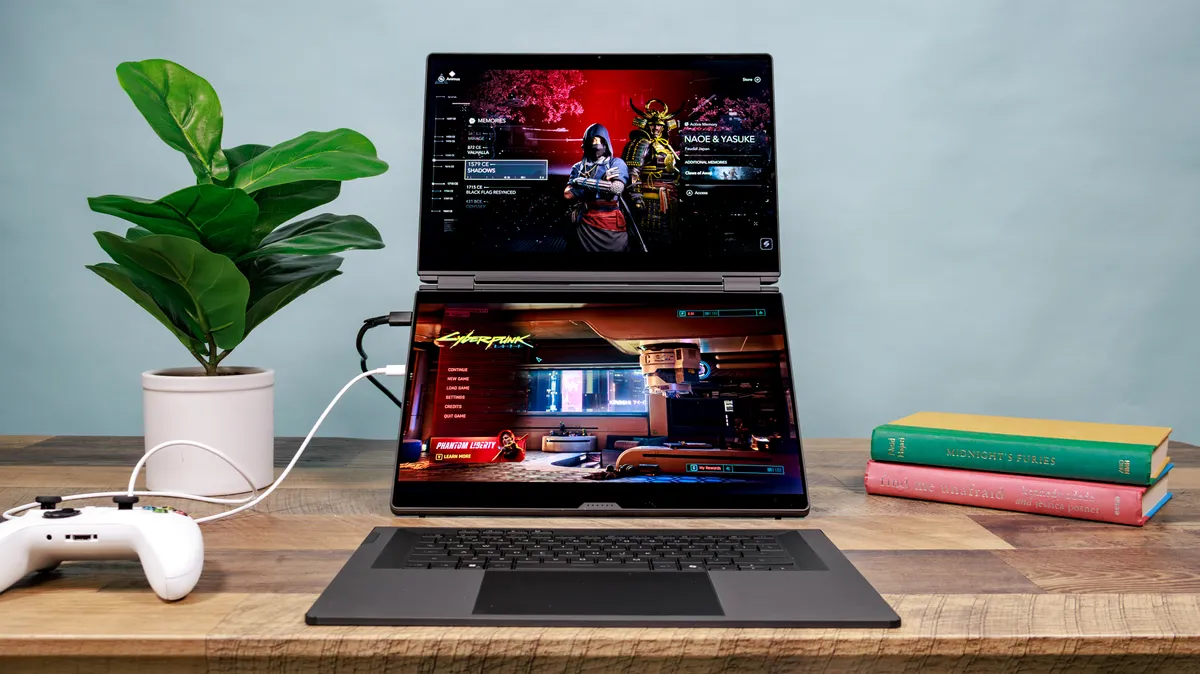
Since this is a dual-screen gaming laptop, we tried running two games simultaneously to see if it was possible. The short answer is yes, but there are several caveats. The games in question were Assassin’s Creed: Shadows and Cyberpunk 2077. We ran each title’s respective in-game benchmark tool at the aforementioned settings.
As our lead tester described to me, unlike single-game benchmarks, the frame rates for both games change dramatically depending on what the benchmark is running. Performance in the games increases or drops based on what’s happening on the screen.
To get this setup to work, you have to start each game, move one to the other screen in windowed mode, make one game full screen, select a monitor in each game’s settings, and finally tap the screen or game you want to control.
| Header Cell - Column 0 | Asus ROG Zephyrus Duo |
|---|---|
Assassin’s Creed Shadows |
12 fps |
Cyberpunk 2077 |
19 fps |
We saw the numbers above at the full 1800p resolution, with AC Shadows on the top screen and Cyberpunk 2077 on the bottom. Since you can’t play both games on the same controller, we used an Xbox controller for one screen and a keyboard for the other.
I wanted to detail this entire process to show that, while technically possible, it’s more trouble than it’s worth—especially when the frame rates are so low. I can only imagine what the results would be like with a less powerful GPU.
Bottom line
The best part of my job is testing unusual tech, and the Asus ROG Zephyrus Duo certainly fits that bill. Thanks to its dual hinge design and powerful specs, there are few gaming laptops like it. Of course, that uniqueness comes with a steep price.
But if you have the cash for it, you’ll find an excellent gaming machine that’s also fantastic for everyday work. If nothing else, the ROG Zephyrus Duo is one of the most distinctive gaming laptops of the year. That alone makes it worthwhile.

Follow Tom's Guide on Google News and add us as a preferred source to get our up-to-date news, analysis, and reviews in your feeds. Subscribe to Tom's Guide on YouTube and follow us on TikTok.
More from Tom's Guide

