




The best drones make it easier than ever to take to the sky. Today's quadcopters are a cinch to pilot, and can take some impressive photos and videos. What's more, there's a drone out there to suit just about every need and price, whether you're a videographer, vlogger, or just want to have some fun.
I'm Nikita, a senior reviews writer and a licensed drone pilot (based in the U.K.) who has been partaking in aerial photography for years now. Here at Tom's Guide, collectively, we've tested drones for more hours than we can count.
I believe the best drone overall is the DJI Air 3S. While not much has changed from the Air 3, you're getting amazing 4K video with great low-light performance, and even better stills, thanks to its dual-camera setup. However, because of its weight, you'll need to register it with the FAA. The DJI Mavic 4 Pro earned a 5-star rating from me, thanks to its 100MP sensor and 6K/60fps capabilities, but because it's quite expensive (and heavy), it's the best camera drone but not overall.
If you want to avoid the feds, you'll want to check out the DJI Mini 5 Pro. At 249g, it's not only very small and light, but it also means you don't have to register it with the FAA. And, for its size, it takes really great photos and video. And if you're a beginner, then you'll want to check out the DJI Neo 2 and HoverAir X1 Pro. If you want immersive 360° flying, the DJI Avata 360 should be your port of call.
When buying a drone, there are a lot of things to consider, including flight time, what you want to do with the drone, and more. That's where our guide comes in. We've flown all the top models, evaluating their handling, controllers, endurance, camera quality, and more. Below are our top picks for drone pilots of every stripe.
On December 23, 2025, the FCC banned the import and sale of any new foreign-made drones and components, noting that any entity "posing an unacceptable risk to the national security of the United States or the security and safety of United States persons" would be added to a "Covered List" going forward. This includes drones manufactured by DJI, a brand that dominates our best drones buying guide. You can still buy older DJI drones (any prior to the release of the DJI Mavic 4 Pro in May 2025), and DJI will continue to support older devices, but be cautious when buying a DJI drone post-2025 sold by a third-party seller as it may not be legal to fly it.
Meet the testers

As part of the reviews team, I'm always testing mirrorless and instant cameras, but nothing makes me happier than testing the best drones. I put them through rigorous testing by analyzing features and pushing battery life to the limit, to answer the age old question: is it worth your money? You can follow me on Instagram.
The best drones you can buy today
Why you can trust Tom's Guide Our writers and editors spend hours analyzing and reviewing products, services, and apps to help find what's best for you. Find out more about how we test, analyze, and rate.
Best overall
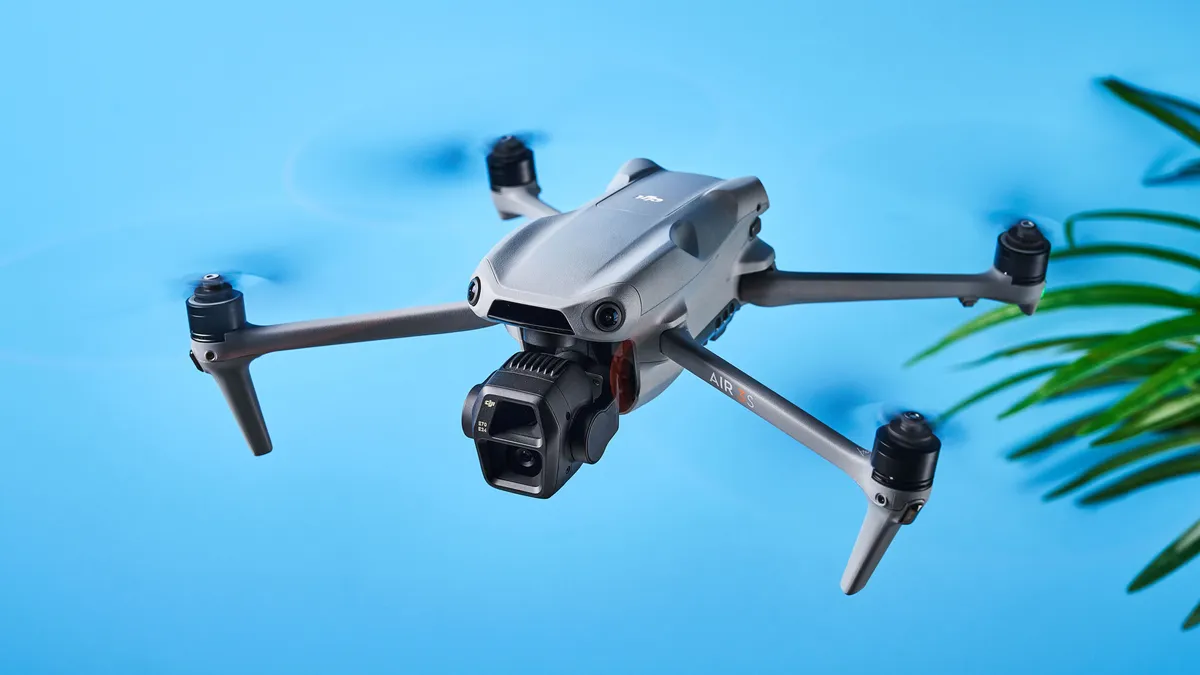

The DJI Air 3S is one of my favorite drones. I enjoyed testing it and even today, I rarely go anywhere without it. It's the ideal drone for content creators, travel vloggers, photographers and even enthusiasts who want to have fun. Its ability to capture 4K/60fps video, shoot RAW photos and film in D-Log M to capture a wider dynamic range thoroughly impressed me in testing.
With the added ability to shoot 4K/120fps slow motion footage and even 9x16 video for social media, the Air 3S offers extensive creative possibilities. The dual camera system consists of a 50MP wide-angle camera and a 48MP medium tele camera with a 9x zoom. This drone is also equipped with next-gen smart obstacle avoidance and advanced return-to-home technology which works even in areas without satellite signals.
The Air 3S also one-ups its predecessor, the Air 3, with an upgraded 42GB internal memory and 10-bit D-Log M video recording.
In our testing, the Air 3S excelled in capturing both stills and video, especially in low-light conditions, and handled winds up to 12 m/s like a champ. The resulting footage was extremely stable. The responsive RC-2 controller made flying effortless too.
At $1,099, the Air 3S is a more affordable option compared to the pricier Mavic 4 Pro while still offering competitive features. The Fly More combo, with its additional batteries and shoulder bag, is great value for money too. The Air 3S weighs more than 249g though, which means you’ll have to register with the FAA in the U.S. and the CAA in the U.K. It’s handy to download the DJI Fly app to look up up-to-date flying restrictions too.
Overall, the Air 3S is a high-performance, feature-packed drone, perfect for anyone looking to capture professional-grade aerial content.
DJI Air 3S sample video

- Read our full DJI Air 3S review
- "The DJI Air 3S is the one drone I’d buy with my own money: here’s why it brings me unbridled joy" — Nikita Achanta
Best mini drone

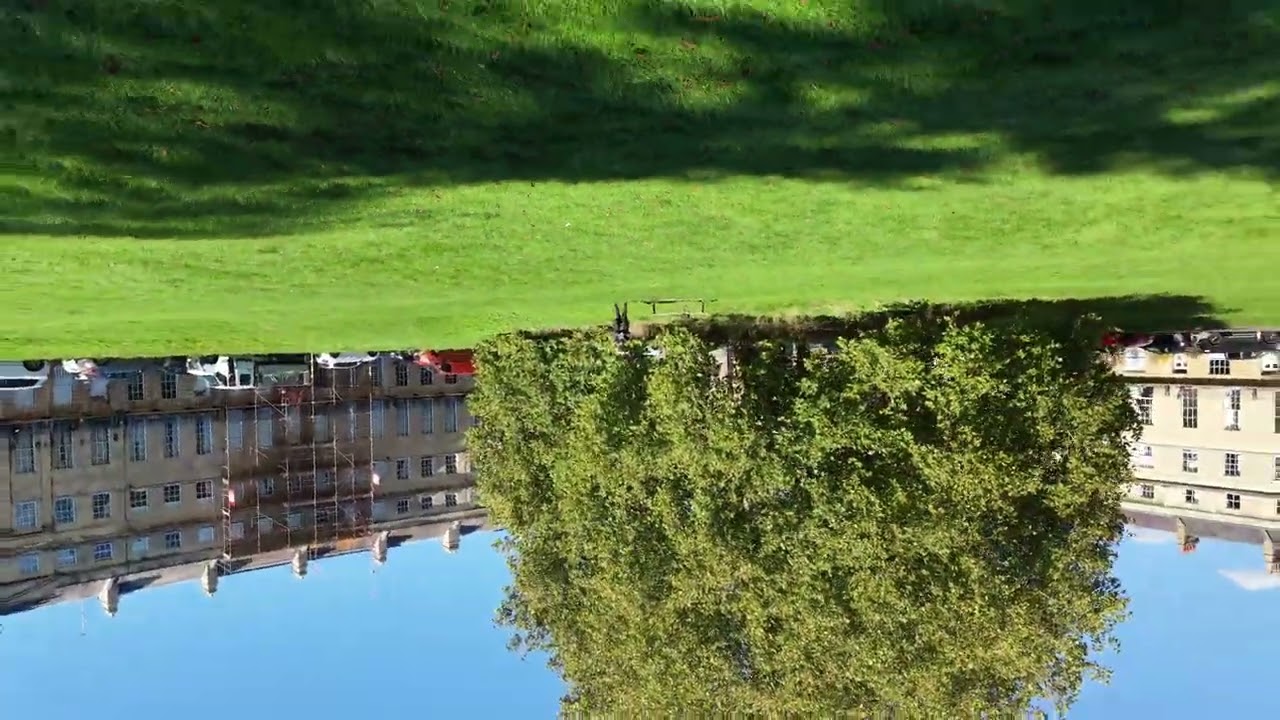
DJI has set a new standard for mini drones with the DJI Mini 5 Pro. The latest in the 'Mini' lineup succeeds the two-year-old DJI Mini 4 Pro, and it retains the fourth-gen model's best features while introducing notable upgrades too. It's one of only two drones that have been awarded a 5-star rating by yours truly (second to the DJI Mavic 4 Pro) — and for good reason.
The Mini 5 Pro features a large 1-inch sensor for improved low-light performance with reduced noise and a wider dynamic range, making it the only mini drone with such a big sensor. Sporting just one camera, it captures beautiful, highly detailed 50MP stills, and records smooth 4K/60fps video (in D-Log M too, for more freedom in post-production).
Inspired by the pricier Mavic 4 Pro, the Mini 5 Pro is equipped with a 225° three-axis mechanical gimbal which enables flexible and dynamic camera movement as well as wide-angle rotation, giving you lots of creative freedom. This can be paired with the Mini 5 Pro’s Intelligent Flight Modes and QuickShots too for creating mind-blowing footage easily — perfect for content creation. Omnidirectional obstacle avoidance is at play here too, and the drone can memorize flight paths more accurately and can do so without GPS, thanks to the larger sensor as well as LiDAR.
Although battery life hasn't received a massive bump (36 minutes versus 34 minutes on the Mini 4 Pro), the Mini 5 Pro still packs plenty of pro-level features that help it upstage its predecessor. Right now, it's the best mini drone on the market — and it might stay that way for a long, long time.
DJI Mini 5 Pro sample video
- Read our full DJI Mini 5 Pro review
- Check out our DJI Mini 5 Pro vs DJI Mini 4 Pro face-off
- "The DJI Mini 5 Pro has the best safety features for beginners, and their importance can’t be overstated" — Nikita Achanta
Best camera drone

5-star ratings are a rare occurrence at Tom's Guide, and the DJI Mavic 4 Pro is one of only two drones I've rated so highly. It's the most powerful consumer drone yet, and the best camera drone money can buy. Fitted with three cameras — 100MP Hasselblad, 50MP Tele and 48MP Medium Tele — the Mavic 4 Pro takes stunning photos with faithful color reproduction. It's basically a Hasselblad with wings.
The Mavic 4 Pro shines in both photography and videography. It’s the first DJI consumer drone to be able to shoot 6K/60fps video with its Hasselblad camera, alongside shooting 4K/60fps horizontal and vertical, and FHD/60fps video. The Hasselblad camera also shoots 10-bit 4:2:2 video so it can capture 1.07 billion individual hues. D-Log/D-Log M are present here too as they are on other DJI drones.
The Mavic 4 Pro has a microSD card slot but it also comes with 64GB of internal storage — or 512GB if you get the Creator Combo. The Creator Combo bundle also comes with the new DJI RC Pro 2 controller which makes flying more intuitive. It hosts a 7-inch mini LED touchscreen with a brightness of 2000 nits (that's very bright). Rotating the controller's screen at a 90° angle also rotates the drone's gimbal if you want to shoot vertically, negating the need to dive into the settings and switch to it manually.
The controller makes the Mavic 4 Pro easy to fly too, which makes its pro-level stature and price tag seem less overwhelming. Next-gen omnidirectional obstacle avoidance makes flying in dimly lit environments better too.
DJI Mavic 4 Pro sample video

- Read our full DJI Mavic 4 Pro review
- "I just tested this new DJI drone that combines aerial and mirrorless camera prowess, and I can’t get enough of it" — Nikita Achanta
Best for beginners


The DJI Flip is the easiest drone to get a hang of, and it strikes a great balance between features and price among the drones we've tested. It costs less than $500 but you get 48MP images, 4K/60fps video, and a host of shooting and filming modes.
Unlike most of DJI's other drones, the Flip's rotors are encased in protective guards, so there's less chance of damaging the props if you run into something — a definite possibility, as this drone only has forward-facing obstacle avoidance. That's not as good as the Mini 4 Pro, which has 360 degrees of protection, but better than the Mini 3, which has none.
We really love its compact design. The rotors fold into the body (much like the HoverAir X1 Pro / ProMax) which makes the Flip look like a droid from Star Wars. The prop guards also protects things while they're in your bag.
Video performance of the Flip was comparable to that of the pricier DJI Mini 4 Pro. We were stunned at the detail and colors in the footage we shot. However, in a concession to the Flip's lower price, its flight time — still a considerable 31 minutes — is far less than that of the Mini 3, which can go for nearly an hour with its extended battery.
In short, the DJI Flip strikes the perfect middle ground, and its ease of use makes it the best drone for beginners.
DJI Flip sample video

- Read our full DJI Flip review
- "I just tested the DJI Flip and it might be the best drone for newbies" — Nikita Achanta
Best budget

If you're on a tight budget but still want a drone that takes great photos and records beautiful footage, then the DJI Neo 2 should be on your radar. For an entry-level drone, the Neo is chock-full of pro specs. It's highly compact and portable, making it perfect for traveling.
The Neo 2 succeeds the one-year-old DJI Neo, and it improves on its predecessor in every single way. Featuring a two-axis mechanical gimbal, the Neo 2 records stable, smooth 4K/60fps footage with faithful color reproduction. Its ability to capture 12MP stills make it a great selfie drone, too.
While the first-gen model was missing any form of tech to prevent crashes, the Neo 2 takes it up a notch by introducing LiDAR-powered omnidirectional obstacle avoidance. This is something which isn't common at such a low price point, so it's wonderful to see (and reassuring for beginner pilots).
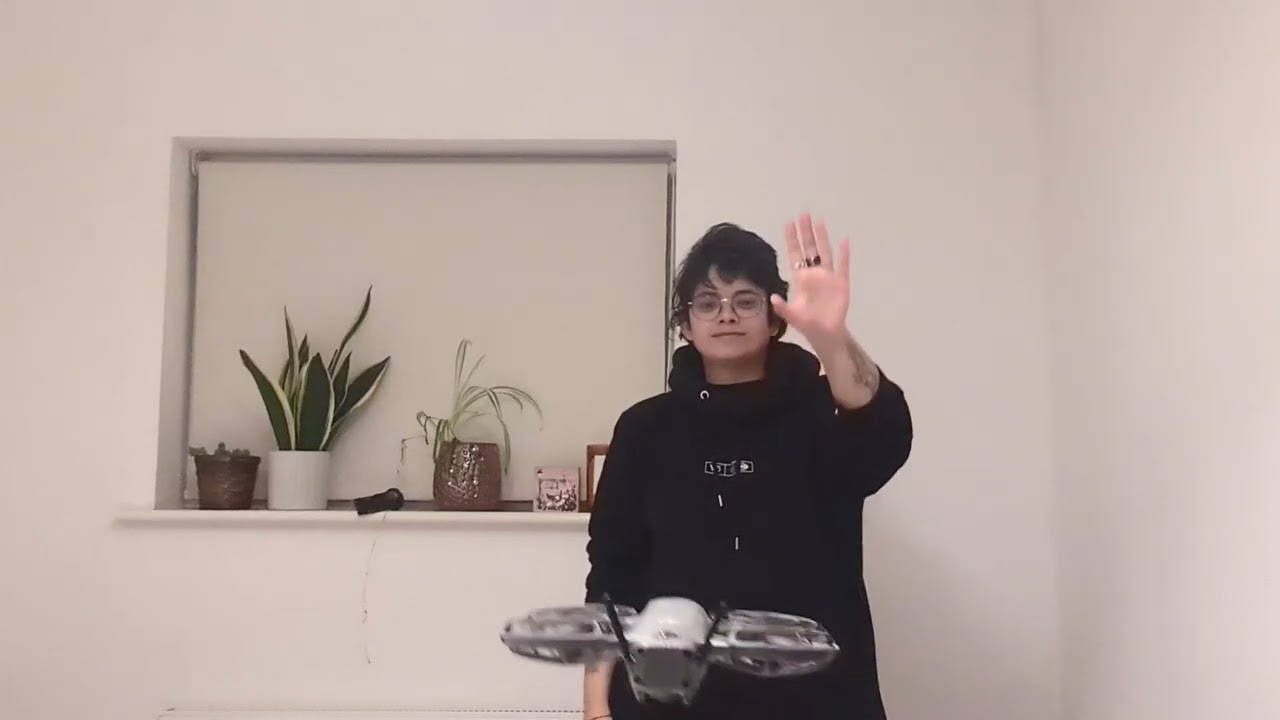
If you want true hands-free flying on a budget, the Neo 2 is your port of call. Not only can it be flown without a smartphone or controller, you can enable Gesture Control to fly it using your hands, which also makes you feel like a Jedi (or Sith). Subject tracking remains as impressive as ever, and the wide array of QuickShot Intelligent Flight modes make the Neo 2 a formidable companion.
One of the Neo 2's drawbacks is its loss of a microSD card slot, which its predecessor had. While 49GB of internal storage is plenty, you'd be surprised by how quickly it fills up when you're constantly shooting in 4K/60fps. But you can quickly offload footage on to your phone thanks to faster download speeds — and it feels like a small price to pay for such a budget-friendly drone.
DJI Neo 2 sample video
- Read our full DJI Neo 2 review
- Check out our DJI Neo 2 vs DJI Neo face-off
- "I tested the DJI Neo 2 and it’s so good that I don’t want to go anywhere without it" — Nikita Achanta
Best selfie drone

Looking for a versatile drone that's super lightweight, can be flown hands-free, and features excellent subject tracking? The HoverAir X1 Pro is the best drone for the job, offering a great selection of features for the flier who wants more without having a lot of piloting experience.
What makes the X1 Pro unique is that it's incredibly compact, so much so that it can fit in a pocket. It's the best selfie drone for a few reasons. Like we said, it can be flown hands-free, thanks to preset flying modes which use AI subject tracking to follow you around. In our testing, it managed to keep us in frame even when there were obstacles in the way.
For its size, the X1 Pro impressed us with its ability to shoot 4K/60fps video and capture 12MP photos. It also boasts 32GB of internal storage. You can get accessories for the drone too, which improve your flying experience, namely the Beacon and JoyStick. Both work together to create either a one- or two-handed controller, and the Beacon increases the flight distance (up to 0.62 miles from 500m).
If you want to take thing a little further and are looking for 8K/30fps video, you can grab the X1 ProMax instead, which carries all of the X1 Pro's features and introduces higher-res video and 64GB of storage.
HoverAir X1 Pro sample video

- Read our full HoverAir X1 Pro review
- "I have never seen a drone accessory as cool as this one, and it’s the one thing DJI is missing" — Nikita Achanta
Best non-DJI drone

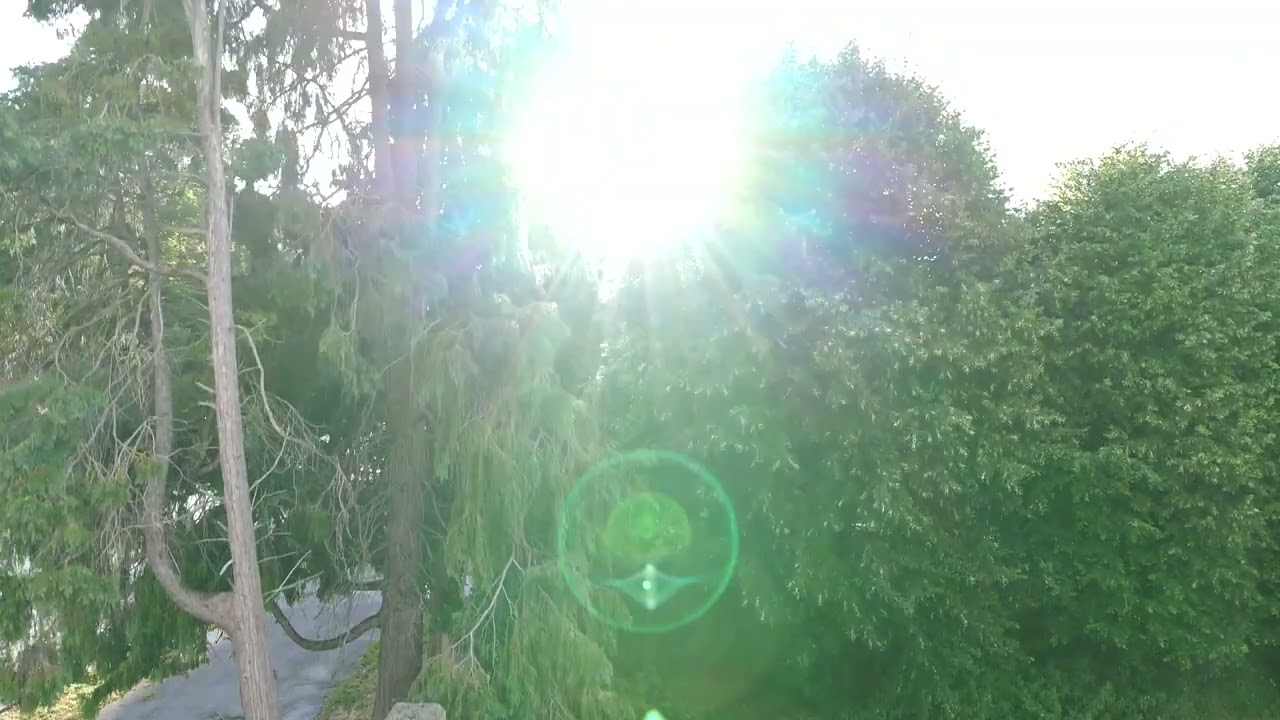
Potensic, DJI’s potential greatest rival, has done it again with the Potensic Atom 3. There’s 60FPS 4K video this time around, as well as a new design that makes it easier to pack away and store. The camera has been bumped up to 50MP as well, thanks to an extra 2 megapixels compared to the previous model. Realistically, that gives us slightly more resolution to play with.
There’s a new controller in the box too, with a snazzy screen on the box — you don’t need to add your smartphone this time around. We really like it. It’s easy to use, and potentially more durable with fewer failure points than the old extending model. The controls remain the same as last time, and they’re nice and responsive.
Battery life has also increased to 40 minutes on the smart battery, although you can get 50 from the optional smart battery plus. We managed to eke out 35 minutes on the smart battery with heavy use, so expect your experience to match Potensics' specs. Crucially, that’s more than the DJI Lito X1 and the DJI Flip, which feature claimed battery lives of 36 and 31 minutes, respectively.
This step up from the previous model does come with a slight uptick in price, and some of the extra features (like that snazzy controller) do bump the price up even more. Still, this is a great compact drone that’s perfect for beginner flyers.
Potensic Atom 3 sample video
- Read our full Potensic Atom 3 review
Best 360 degree drone

What's cooler than a drone that can take a video? A drone that can take a full, 360-degree video — just like the DJI Avata 360. It's not the first, but as you might expect, the premier drone maker has done it right with a whole host of excellent features. 8K video? check. 60fps? Also check. FPV flying so that you can be in the sky yourself? Of course, it's DJI.
This spot previously went to the very cool, but also very expensive Antigravity A1. The Avata arrives on the block with better frame rates, more storage, and, perhaps most importantly, a much lower price. While there are a couple of extra expenses to remember — a controller, FPV goggles and an SD card for extra storage — there's a lot to be said for the near $1,000 price difference.
There are a couple of caveats to bear in mind. It's a weighty thing, coming in at a pound, and you'll need FAA clearance to fly it. Both are particularly easy to forgive, however, when you take the rest of the package into consideration.
DJI says you'll get 23 minutes of flight time out of the little drone, and we managed 22 — almost to the minute. As you'll see in our test footage, the image quality is crisp, clear, and most importantly, 360 degrees. You can, of course, use standard cropped video.
Overall, this is the best 360 degree drone that money can buy today — if that's what you're after, there's nothing better.
DJI Avata 360 sample video
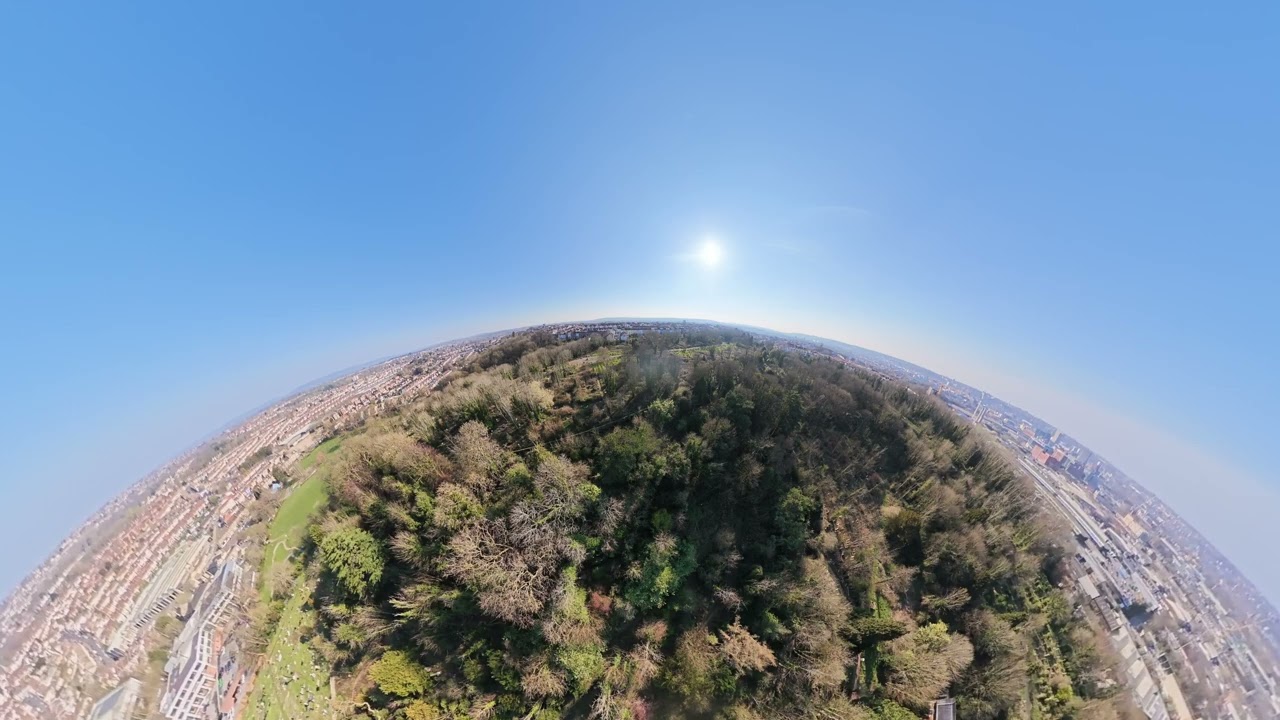
- Read our full DJI Avata 360 review
- DJI Avata 360 vs Antigravity A1
Best accessory
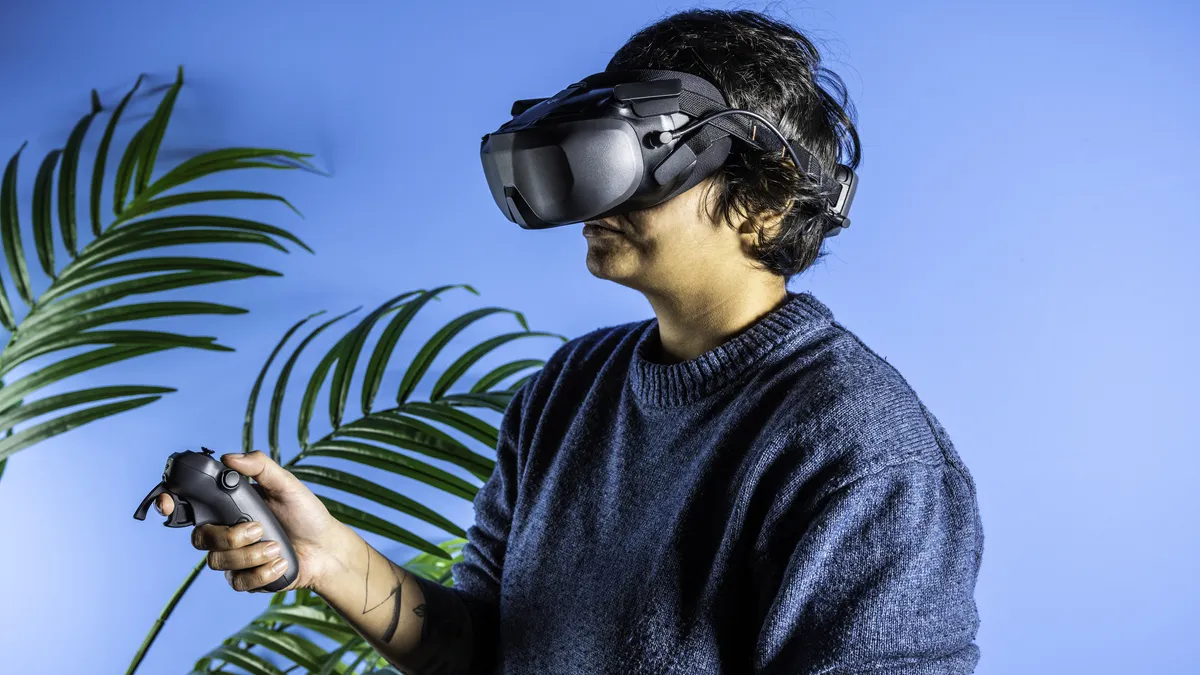
Already own the DJI Neo 2 or DJI Avata 2, or you've bought either and it's on its way to you? It's time to elevate your experience and experiment with first-person view (FPV) flying, and the cheapest way to do that is with the DJI Goggles N3.
These are the company's most beginner-friendly FPV glasses, compatible with its budget drones, Neo and Avata 2. You'll need either the DJI RC Motion 3 ($99) or the DJI FPV RC 3 ($199) to use the headset, and neither of them are very expensive.
The headset weighs 1.1 pounds (battery and headband included) which may sound like a lot, but the bigger footprint accommodates functional elements that enhance the user experience. The memory foam padding around the top reduces pressure against your forehead, making the Goggles N3 extremely comfortable.
Featuring head tracking, a 54° field of view and curved screen, and a defogging fan, the Goggles N3 offer an intuitive and immersive flying experience. The 1080P/60fps live feed is fantastic, crisp and clear, with a minimum latency of 31ms.
If you want to elevate your aerial videography, or take your budget drones to the next level, the Goggles N3 are well-worth investing in.
DJI Goggles N3 sample video

- Read our full DJI Goggles N3 review
- "I tested the DJI Goggles N3 for a month, and I don’t want to fly a drone without an FPV headset ever again" — Nikita Achanta
Also tested
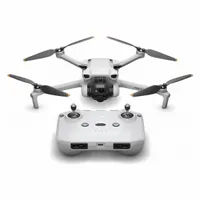
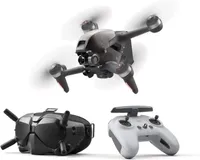
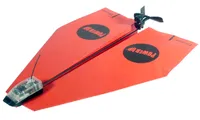
How to choose the best drone for you
Drones aren't just fun to fly. They can let you capture breathtaking footage, some in high-resolution 4K video. They're also more affordable than ever, as quality beginner models now cost less than $60. Good camera drones start at a few hundred dollars, and they're great for simple tasks like checking your gutters for leaves. More complex drones, starting at less than $1,000, offer customizable and programmable features, turning them into truly autonomous devices that can make their own decisions.
Drones aren't that complicated, but there are a few key features you should consider when you are shopping. There are also some key rules you need to follow when you take to the air.
Remote Control
Most drones use a remote control with two joysticks — a bit like one of the best PC game controllers. One stick controls what's called the attitude of the quadcopter, including roll (tilting left and right) and pitch (tilting up and down). The other stick controls throttle and the rotation of the quadcopter. A good remote control should fit well in the hand, with sticks resting comfortably under your thumbs and providing a smooth, responsive feel that allows you to guide the quadcopter by touch.
Some less expensive models skip the remote control, or offer it as an extra-cost feature, and instead use a smartphone connected via Wi-Fi and a flying app. These apps often provide a live video view from the quadcopter camera. However, apps don’t allow the precision of real controllers: It is easier for your thumbs to slip, possibly causing a crash.
Repairability
Despite what the ads tell you, drones crash all the time. A good drone will take an unplanned descent and ground interface (aka: a crash) in stride, without damaging the frame. It will also include shields to protect the rotors and electronics from harm.
Regardless, things still get broken sometimes, particularly racing drones. A good model will offer a ready supply of cheap parts like rotors and struts to replace the broken ones, and will make it easy to swap these parts out when required. The same is true of batteries.
Battery life
Most drones will last between 20 to 30 minutes on a charge, and are designed so that you can quickly swap out batteries. To ensure that you can keep filming, it's a good idea to purchase extra batteries. Just make sure to charge them beforehand!
Camera quality
Want to show off your aerial exploits? A camera, either built-in or add-on, can capture those dramatic vistas for posterity. The best drones will have cameras that can record video at resolutions of 4K or higher, but even budget models are getting better, able to capture video at 1080p. However, they tend to use smaller image sensors, so the quality won't be as good.
While not covered in this guide, there are professional drones which let you attach mirrorless or DSLR cameras, which provide even greater image quality that built-in cameras. However, these drones typically cost upwards of $2,000.
The best camera drones will also mount their cameras on a gimbal, so that your image stays steady as the drone is flying around. If video is your priority, look for a drone that has a three-axis gimbal; that will give you the most stable image.
Some drones also offer first-person view (FPV), sending a pilot's-eye view from the drone itself to a phone or tablet. Some models offer video goggles for the ultimate pilot-seat flying experience.
Features
Drones are getting smarter; now, instead of just flying around based on manual inputs, you can program drones to fly pre-programmed routes, or even follow specific objects, such as people and vehicles, thanks to AI-powered subject detection. Depending on your needs, it's worth examining what features a drone has before buying one.
FAA regulations
If you want to fly a drone in the U.S., there are a number of rules and regulations you need to follow. For starters, any drone weighing more than 250 grams (0.55 pounds) needs to be registered (it's a $5 fee), and have to carry your license with you while flying the drone. Here's how to Register Your Drone with the FAA. However, there are certain areas in the U.S. where you can fly drones without having to register them. You can find those locations on this FAA map.
There are also restrictions as to where you can fly drones. The most important two are:
1. Never fly around or above people
2. Always keep your drone in sight / maintain visual line of sight (VLOS)
The FAA has a full list of safety guidelines for model aircraft that you should check before you take off. Mapbox provides a great interactive map of no-fly areas, and local RC (Remote Control) aircraft clubs may list fields that they use.
If you're planning to fly a drone for non-recreational purposes (i.e., if you're using it for a business purpose), the laws are a bit more stringent. You can find all the information at the FAA's site for drone pilots.
How we test the best drones
When we take a new drone out for a spin, we evaluate it based on a number of factors:
- Design: How well is the drone built, and does it look good? If it comes with a controller, we take a look at its ergonomics and responsiveness.
- Durability/Repairability: Face it. You're going to crash your drone at least once, but a good model should be able to survive a few mishaps without a problem. And, if something happens to break (it's usually a rotor), how easy is it to repair?
- Flight Performance: How easy is the drone to fly? Is is stable when hovering, or does it require a lot of stick work? How does it respond to your commands?
- App: How intuitive is the app? What sort of features are available?
- Camera Quality: If the drone has a camera, then how good are the photos and videos it takes?
- Flight Time: How long can the drone stay in the air before its battery runs out? This varies a lot based on the size of the drone, but the best drones have batteries that last up to 25-30 minutes, and expensive ones can fly for as long as an hour.
- Price: Obviously, we don't expect a $50 drone to perform as well as a $1,000 drone, so we take its cost into consideration when rendering a final verdict.
Drone FAQ
How long does a drone battery last?
It all depends on the type of drone you buy. Drones that look like airplanes, which can use the air to stay aloft, can remain airborne for a long time. However, drones that look more like helicopters — most drones have four rotors — can only stay up for about half an hour at best. However, flight time is slowly improving, and the best drones can stay in the air for around 40 minutes.
What are the different types of drones?
Drones generally fall into the following categories:
Mini or micro drones, which can fit in the palm of your hand, make great starter drones. Because of their size, they'll usually only have a couple minutes of flight time.
Racing drones, which are slightly larger, and are incredibly light, fast and nimble. Most racing drones are hand-built and easily repairable, as they tend to crash into things often. They're almost always used in conjunction with a pair of FPV goggles. Like mini drones, their flight time is often less than 10 minutes.
Camera drones are purpose-built to take video and photos. They will have a gimbal-mounted camera and software that allows them to track people or objects, or fly predetermined routes. These drones will generally have the longest flight times.
Toy drones can include mini drones, but generally cost less than $100. Many will have cameras, but video quality will be far worse than what you'll find with a camera drone. Their flight time will average around 10 minutes, and will have few autonomous features. However, they're great for learning the basics.

