




When my dad went on a European adventure earlier this year, I planned ahead and gave him several trackers to carry while he was abroad. During his last international trip, I couldn’t get a hold of him for nearly a week due to a medical emergency he was experiencing.
That’s why I’ve been testing the Pebblebee Clip 5, an AirTag alternative that functions much like Apple’s official tracker. However, it’s superior for the simple fact that it also acts similarly to a lifeline device — the kind of wearable marketed to seniors for emergency assistance.
If those “Help! I’ve fallen and I can’t get up!” commercials from the '80s and '90s taught me anything, it’s that timing makes all the difference. With the Pebblebee Clip 5, I can get instant alerts if something is wrong. It’s the tracker I’ve been waiting for.
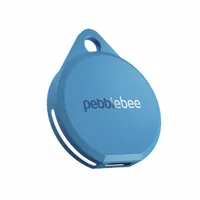
Honestly, I’ve been waiting for an AirTag alternative like this for a long time. Even though the AirTag 2 is the most findable tracker I’ve tested, the Pebblebee Clip 5 adds the ability to send emergency alerts to select individuals. If you have elderly parents who live alone, this is one of those rare gadgets that provides genuine peace of mind.

First, I appreciate the rugged, matte IPX6 water-resistant design — complete with a built-in loop for the included keychain ring. Second, there’s a USB-C port on the underside for easy recharging. Unlike the AirTag 2, which relies on disposable batteries, the Clip 5 is much more convenient, especially since it's rated for up to 12 months of use per charge.

While I initially set it up with my iPhone 17 Pro using the Find My app, you really unlock its full potential through the Pebblebee app. It offers significantly more functionality than the standard features available in Apple's native app, the most important being the ability to configure manual triggers.
When the button on the unit is pressed eight times, the Pebblebee Clip 5 enters alert mode, activating an internal siren and strobe lights. It’s impressively loud and easily heard in open areas. More importantly, you can configure a Safety Circle to notify others.

Although the app alert is instantaneous, it takes about 20 seconds to receive a text message with a location link — still plenty of time in my opinion to take action. This basic alert feature is free, but the Alert Live subscription ($2.99/month or $24.99/year) unlocks expanded safety circles (up to five people) and live location sharing.
I’d recommend the subscription if you need to loop in multiple family members. It’s still a fraction of the cost of a traditional lifeline device, and you keep all the standard tracking functions via the Find My network.


The only way to improve this would be to add a method for two-way communication or a direct line to emergency services, but that would require significant hardware upgrades. Given its rugged design, I can easily see my dad wearing this around his neck for constant access — or perhaps attached to a wrist strap.
It’s also incredibly simple to operate, especially compared to the complexity of a smartwatch. For all these reasons, the Pebblebee Clip 5 is absolute clutch when a real emergency occurs and easily one of the best key finders around.

Follow Tom's Guide on Google News and add us as a preferred source to get our up-to-date news, analysis, and reviews in your feeds.
More from Tom's Guide
- I haven’t answered a scam call in months — this hidden iPhone feature is why
- Samsung confirms Galaxy S26 Ultra display includes 'some variation' in quality when it's held at different angles — even with Privacy Display off
- I've been testing the Samsung Galaxy S26 Plus — and it's a great phone that few people will actually want

