I’m not ashamed to admit that outfit meltdowns are a frequent occurrence in my daily routine of getting dressed. Whether I forget what I have, can’t find what I’m looking for or feel that “I’m already running late” stress, even a freshly organized closet can’t stop me from not knowing what to wear.
But Google Photos is rolling out a new feature that potentially can help.
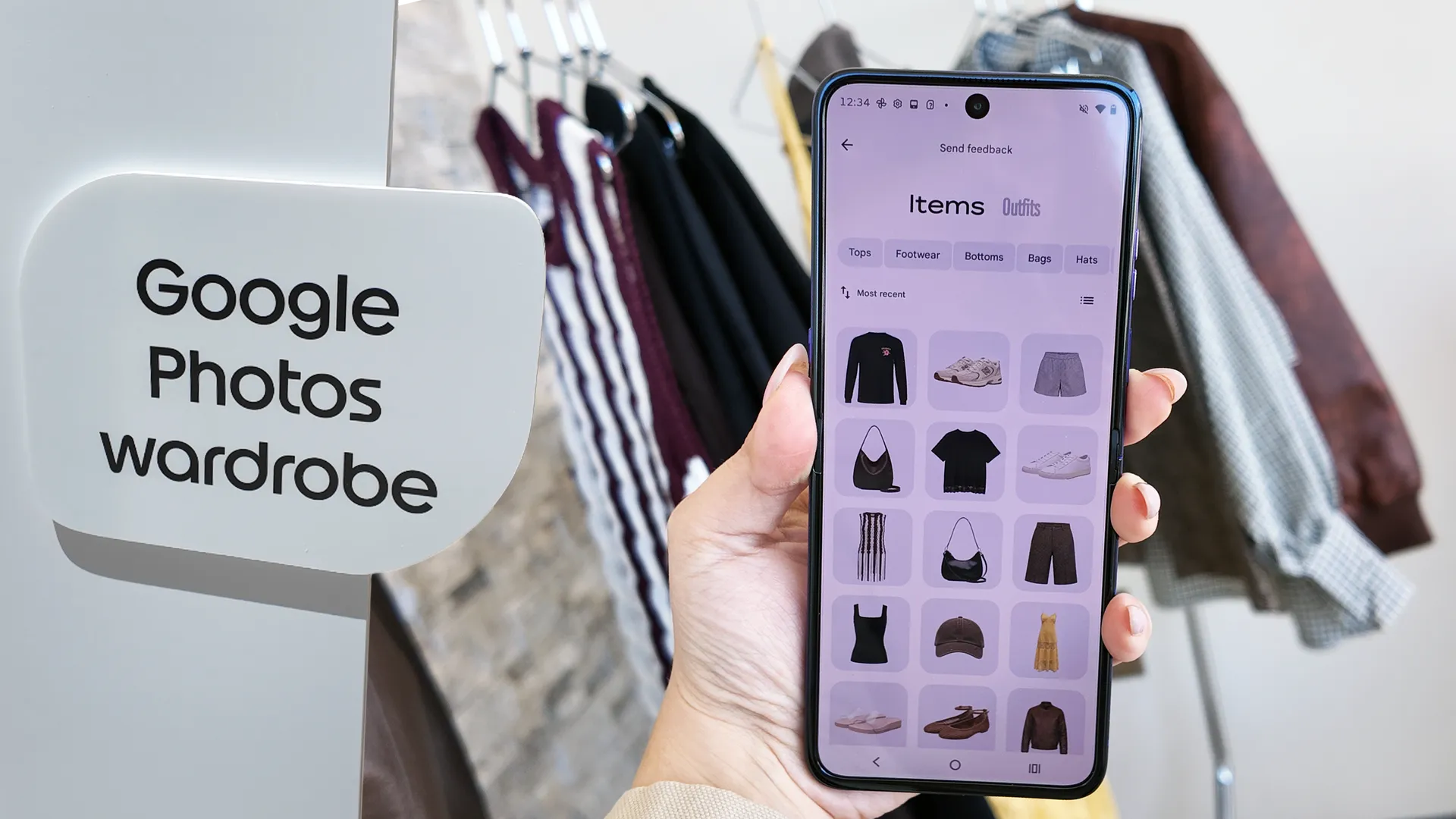
One of the most interesting features I tried on the new Motorola Razr Ultra 2026 had nothing to do with processors or cameras. It’s Google Photos Wardrobe, and it’s basically Cher Horowitz’s iconic ‘Clueless’ closet from the ‘90s manifested for modern day styling needs.
Google Photos can pull from images already in your library and identify clothing items you own. Using Google’s Nano Banana image generation tech, it can turn those real-life photos into cleaner, catalog-style cutouts that look almost like product shots from an online store.
From there, the app sorts everything by category, including tops, bottoms, dresses, bags, shoes and more. Essentially, it creates a digital version of your closet from photos you’ve already taken.
That alone would be useful for someone like me, because I often forget what I actually own. I’ll stare into a full closet convinced I have nothing to wear, while multiple great options are apparently hiding in plain sight.
If your best outfits already live in your camera roll, you’ve got the materials to get started with this wardrobe feature.
But the feature gets better. You can pull pieces into outfit boards, mix and match looks, save combinations and experiment with styling before ever trying anything on physically. There’s also a virtual try-on option that uses AI to preview how items may look together on you.
I travel often, and one of the hardest parts of packing is building outfits that all work together. I want versatile pieces, shoes that match multiple looks and enough variety without overpacking. Google Photos Wardrobe feels built for that exact problem. Instead of throwing six “maybe” tops into a suitcase, I could actually plan combinations in advance and have them lined up for the entire trip.
Google Photos Wardrobe is debuting initially on the Razr 2026 family. That makes a lot of sense considering that Motorola's clamshell foldable is unapologetically style-forward device, with textured finishes, bold colors, and design choices that make the device feel more like a fashion accessory than your average smartphone.
It also helps that Motorola uses Google Photos so deeply across the experience. If your best outfits already live in your camera roll, you’ve got the materials to get started with this wardrobe feature.
Is it perhaps a little gimmicky? I might think so if I hadn’t gotten to try it out myself. Based on the demo I did, the feature is intuitive and borderline effortless. I think if you love clothes, take outfit photos, travel often or just want help seeing your own closet differently, this is the kind of tool that’ll make you question why it’s taken over 20 years since Clueless to practically execute.

Follow Tom's Guide on Google News and add us as a preferred source to get our up-to-date news, analysis, and reviews in your feeds. Subscribe to Tom's Guide on YouTube and follow us on TikTok.
More from Tom's Guide