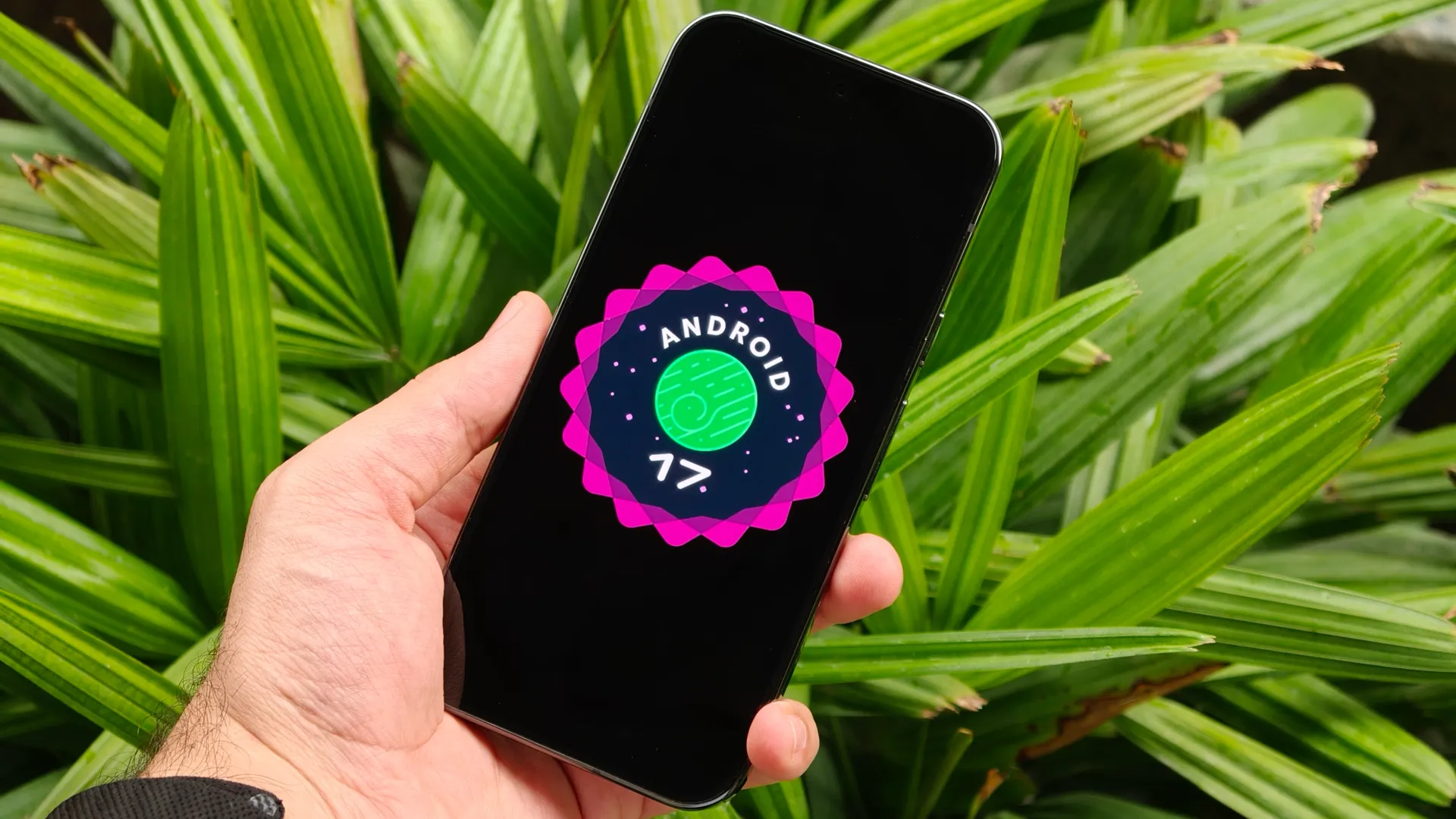
Google I/O 2026 kicks off a week from now, but ahead of the keynote, the company today hosted its Android Show, revealing a bunch of major new features and additions coming to Android.
Google has already been testing Android 17 beta for the past couple of months. I recently went hands-on with Android 17, highlighting some of the new features coming to the update, including a brand-new multitasking feature I'd never really seen before.
But it looks like Google still had a lot more in store, as the company just announced a number of new features that actually make Android feel fun and useful again.
Google is adding features like AI-powered app automation, Gemini integration in Chrome, opening up Quick Share to AirDrop support to more devices, creator-focused upgrades, and even brand-new emojis. Here are some of the biggest Android announcements from today's Android Show ahead of I/O 2026.
1. Gemini Intelligence is becoming the center of Android
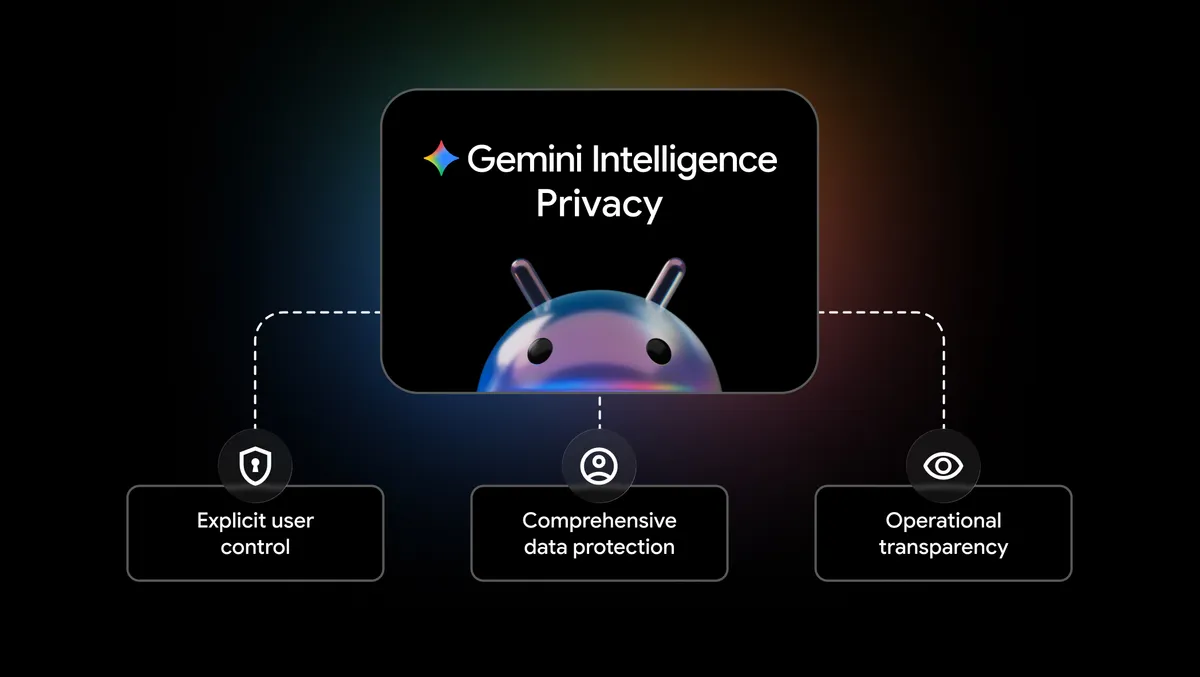
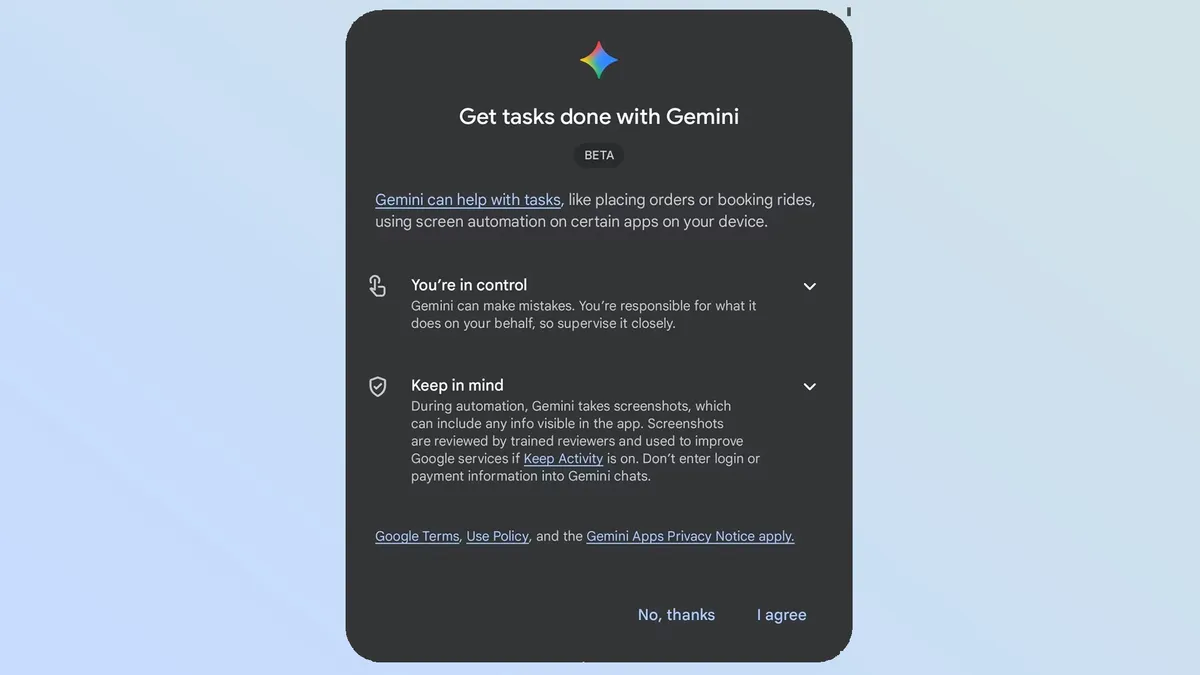
Google says Android is evolving from just an operating system into what it calls an "intelligence system", and naturally, the first thing the company focused on was Gemini Intelligence. Gemini on devices like the Galaxy S26 series and Pixel 10 lineup can already perform screen automation tasks, but Google says things are about to get much more advanced.
For example, Gemini will now be able to handle more complex workflows, like finding your class syllabus in Gmail and automatically adding the required books to a shopping cart. Similarly, if you have a grocery list saved in your Notes app, you can long-press the power button and ask Gemini to create a shopping cart with those items for delivery.
One of the newer features, and honestly one of my favorites from the announcements, is the upgraded Rambler voice-to-text system on Pixel devices. Pixel phones already offer some of the best speech-to-text features on Android, but Google is now improving it further with Gemini Intelligence.
Instead of forcing you to speak perfectly while dictating, Rambler automatically cleans up natural speech by removing awkward pauses and filler words like 'umm' or 'ahh.' It also supports multilingual dictation, meaning you can switch languages mid-sentence and Android will still understand and transcribe everything properly.
Think of it like Wispr Flow or Typeless, but built directly into Android and running on-device.
2. Android users will soon be able to create custom widgets with AI
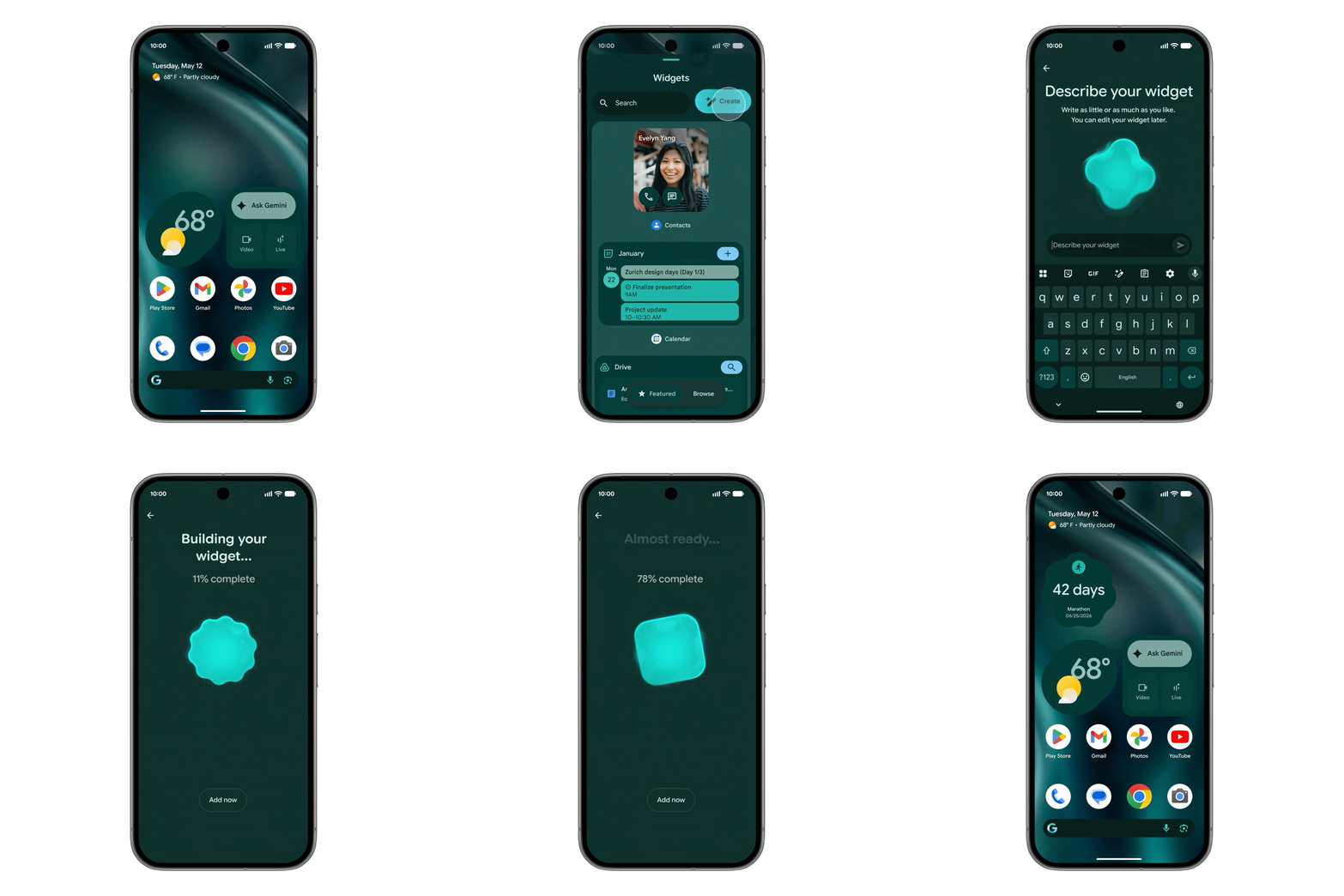
Another interesting implementation of Gemini Intelligence that Google showcased is something called Create My Widget. As the name suggests, the feature lets users generate custom widgets using natural language prompts.
For example, if you have an upcoming trip, you can ask Gemini to create a widget that pulls information from Gmail, Google Calendar, and Drive to show hotel bookings, flight details, places to visit, and even a countdown to the trip directly on your home screen.
Similarly, you could create a widget that shows three random high-protein meal ideas every day and refreshes automatically. Google says these AI-generated widgets will work across Android phones and even Wear OS devices.
3. Quick Share to AirDrop support is finally expanding
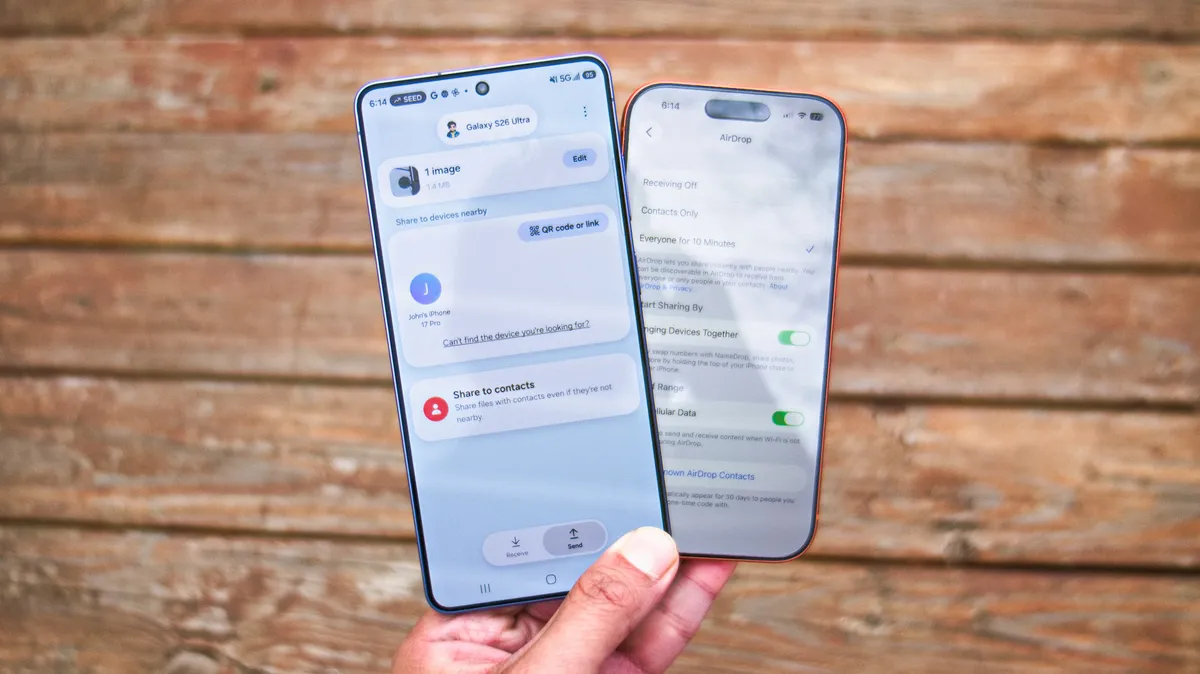
Late last year, Google added the ability to share files from Android's Quick Share directly to Apple's AirDrop on Pixel devices, and more recently expanded it to the Galaxy S26 series. Today, the company announced that the feature will expand to more Android partners this year, including Samsung, Oppo, OnePlus, Vivo, Xiaomi, and Honor.
Google is also adding another useful feature to Quick Share. If you don't have a compatible device nearby, you'll be able to generate a QR code to share files through the cloud, including with iPhones.
On top of that, Google is continuing to improve the switch from iPhone to Android. The transfer process will now support more complex data like passwords, photos, and even complete home screen layouts.
4. Chrome on Android is getting Gemini-powered browsing tools
Google recently added Gemini features to Chrome on desktop, and now the company is bringing those tools to Android smartphones as well.
Google says Gemini in Chrome will work as an "AI browsing assistant" and will be accessible directly from the top toolbar. You'll be able to use it to summarize articles, ask questions about webpages, and even interact with Google apps without leaving the browser.
Chrome is also getting the auto browse feature, which, as the name suggests, can browse the web on your behalf and automate tasks like reserving parking spots or updating online orders using Gemini.
Gemini in Chrome will roll out to Android 12 and newer devices in the U.S. starting at the end of June. The Auto Browse feature, however, will be limited to Google AI Pro and Google AI Ultra subscribers in the U.S. on select devices.
5. Android 17 is getting smarter scam and threat protection
Google says Android devices already offer better scam and fraud protection than iPhones, and with Android 17, the company is taking things even further. One of the biggest additions is an upgraded Live Threat Detection system that uses on-device AI to monitor suspicious app behavior in real time.
Android 17 will now warn users about harmful accessibility overlays, suspicious SMS forwarding behavior, and apps trying to hide themselves or abuse permissions.
Google is also rolling out verified financial calls, a new anti-spoofing feature designed to tackle fake banking scam calls. If Android detects a call claiming to be from your bank, it can quietly verify it through the bank's app. If no verified call is taking place, Android can automatically end the call before the user gets tricked.
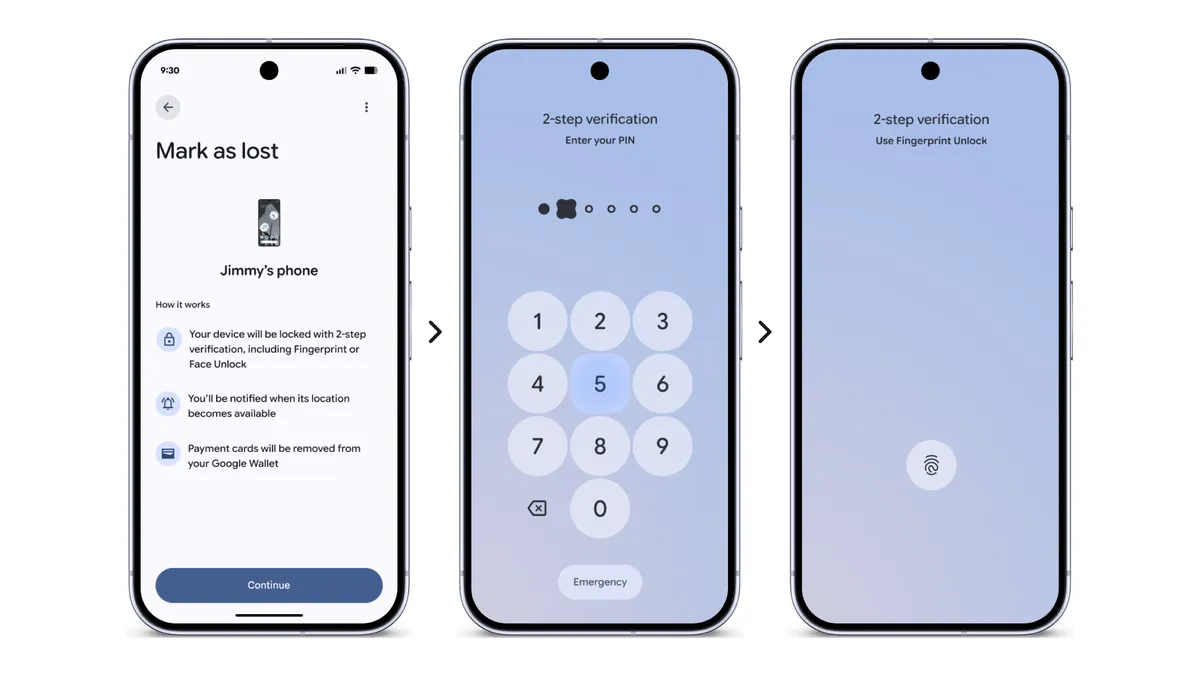
Android 17 is also expanding theft protection with an updated "Mark as lost" feature in Find Hub. Once enabled, stolen devices will require biometric authentication in addition to the device PIN or password to unlock. The feature will also hide Quick Settings and block new Wi-Fi or Bluetooth connections to better protect the device.
6. Pause Point wants users to stop doomscrolling
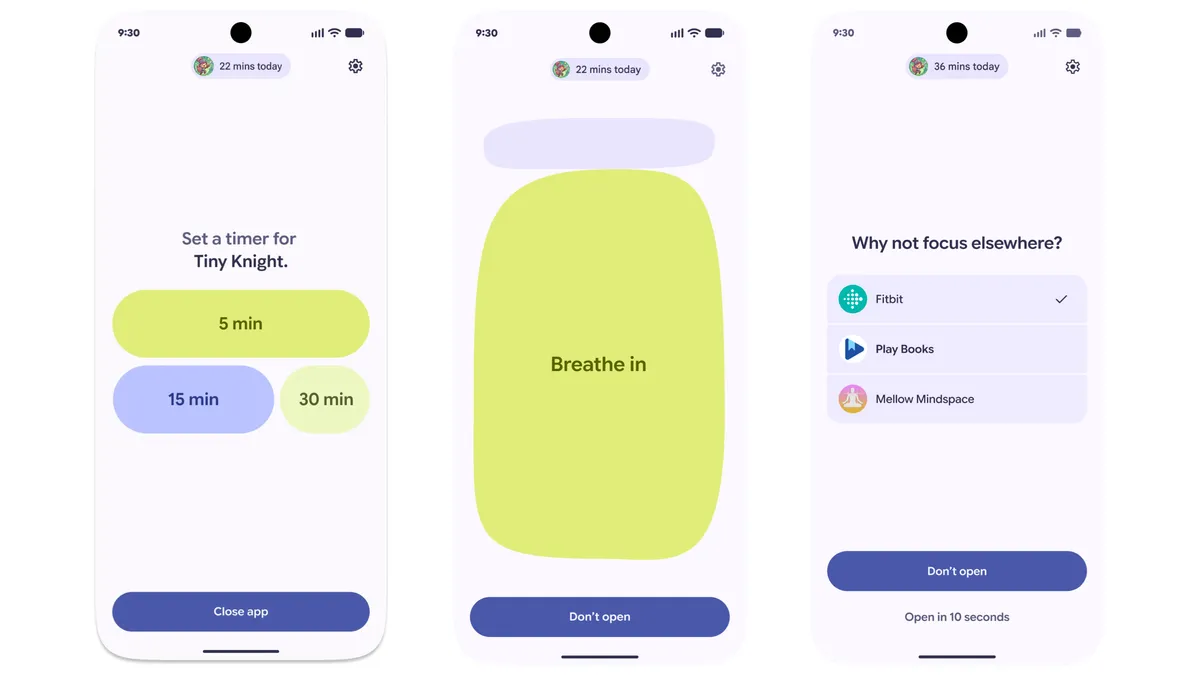
Android 17 is getting a new digital wellbeing feature called Pause Point. With this feature, you'll be able to mark certain apps as distracting, and Android will then add a 10-second pause before opening them, encouraging you to think about why you're opening the app in the first place.
During this pause, Android may suggest things like breathing exercises, timers, checking favorite photos, or even alternative activities like listening to an audiobook. Unlike regular app timers, which are easy to turn off, Google says disabling Pause Point will require a full phone restart, making it harder to bypass impulsively.
7. New 3D emojis
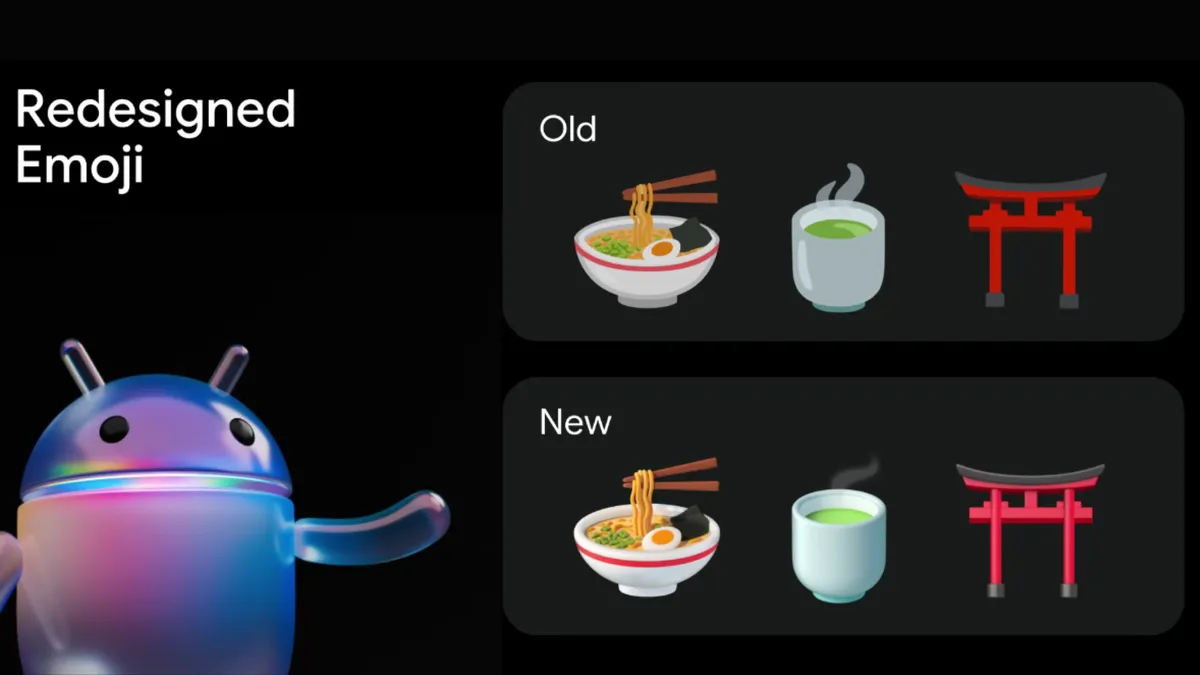
Google is also finally addressing one of Android's long-standing weak points by introducing new 3D emojis. The company says these redesigned emojis are meant to feel more "expressive and physical."
While Google didn't fully showcase the entire new emoji set yet, it's safe to say the new style looks much closer to what you get on the iPhone. The updated emojis will start rolling out later this year, beginning with Pixel devices.
8. Android is gaining new creator-focused tools (plus a better Instagram app for tablets)

For years, iPhones have been the go-to devices for creators, but Google is finally making Android 17 much more serious for content creation. One of the biggest additions is Screen Reactions, which lets users record themselves and their screen at the same time for reaction-style videos without needing separate apps or green screen setups.
Google has also partnered with Meta to improve the Instagram experience on Android. The Instagram app will now support Ultra HDR for both capturing and viewing content, along with deeper Night Sight integration on high-end Android phones.
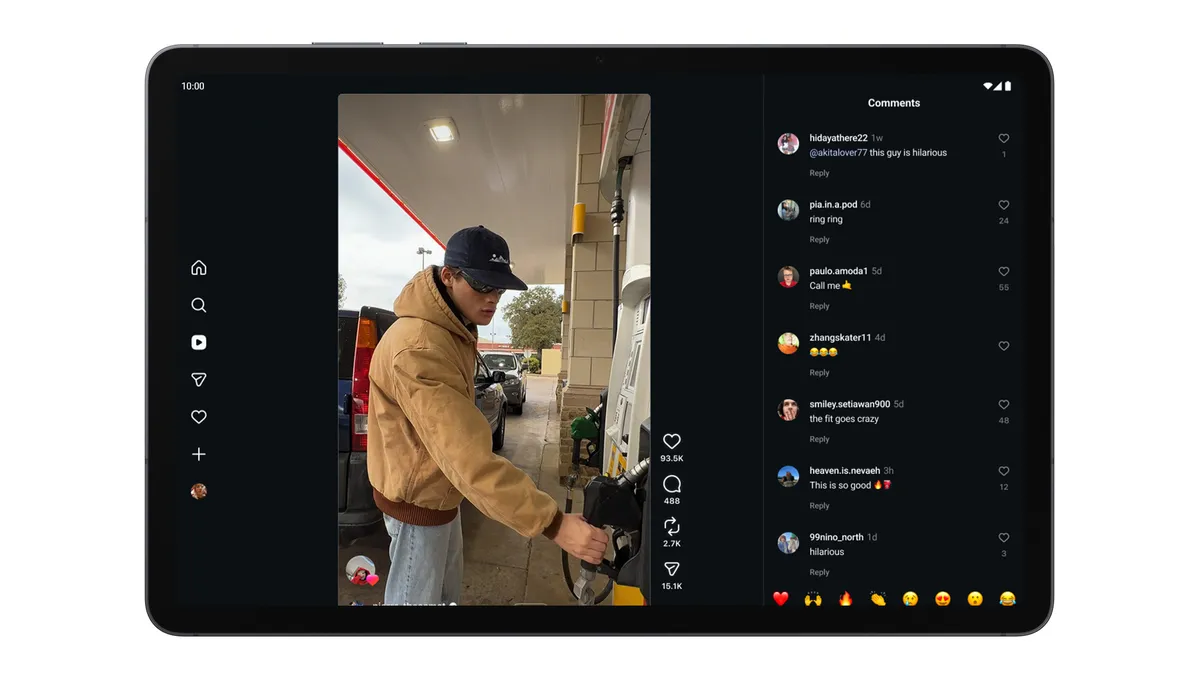
On top of that, Instagram says uploads from Android devices will now retain much better quality than before, something Android users have complained about for years. Instagram is also finally being optimized properly for tablets and large-screen devices.
Google also teased that Adobe Premiere is officially coming to Android later this summer.
9. Android Auto is getting one of its biggest upgrades yet
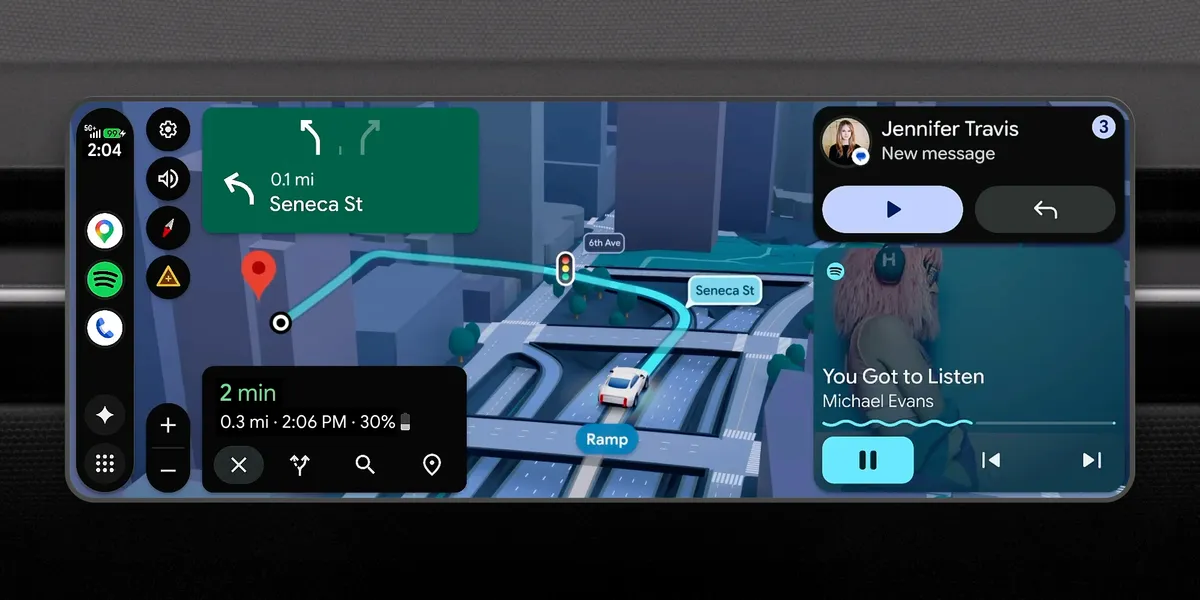
Android Auto is getting a redesigned interface with Material 3 Expressive visuals, widgets, and edge-to-edge Google Maps integration. Google Maps itself is also getting a major upgrade with something called Immersive Navigation, which adds more detailed 3D visuals, live lane guidance, traffic lights, and road information.
Google is also finally bringing YouTube playback to Android Auto while parked, alongside deeper Gemini integrations for things like food ordering and contextual replies.
For example, if a friend texts asking for an address, Magic Cue on Pixel devices will understand the context and pull the correct information directly from your texts, emails, or calendar. It will then give you a one-tap option to send the reply.
And this isn't all. Google also introduced a number of other Android features, including the ability to autofill forms using Gemini Intelligence, the company's new category of AI-focused laptops called Googlebooks, and new privacy safeguards designed to make sure AI on your device stays private and secure.
We'll be going hands-on with many of these new Android features and updates in the coming days, so stay tuned for more detailed coverage.

Follow Tom's Guide on Google News and add us as a preferred source to get our up-to-date news, analysis, and reviews in your feeds. Subscribe to Tom's Guide on YouTube and follow us on TikTok. Finally, you can visit our dedicated Tom's Guide Savings Squad hub for expert help on getting the best products for less.
More from Tom's Guide