






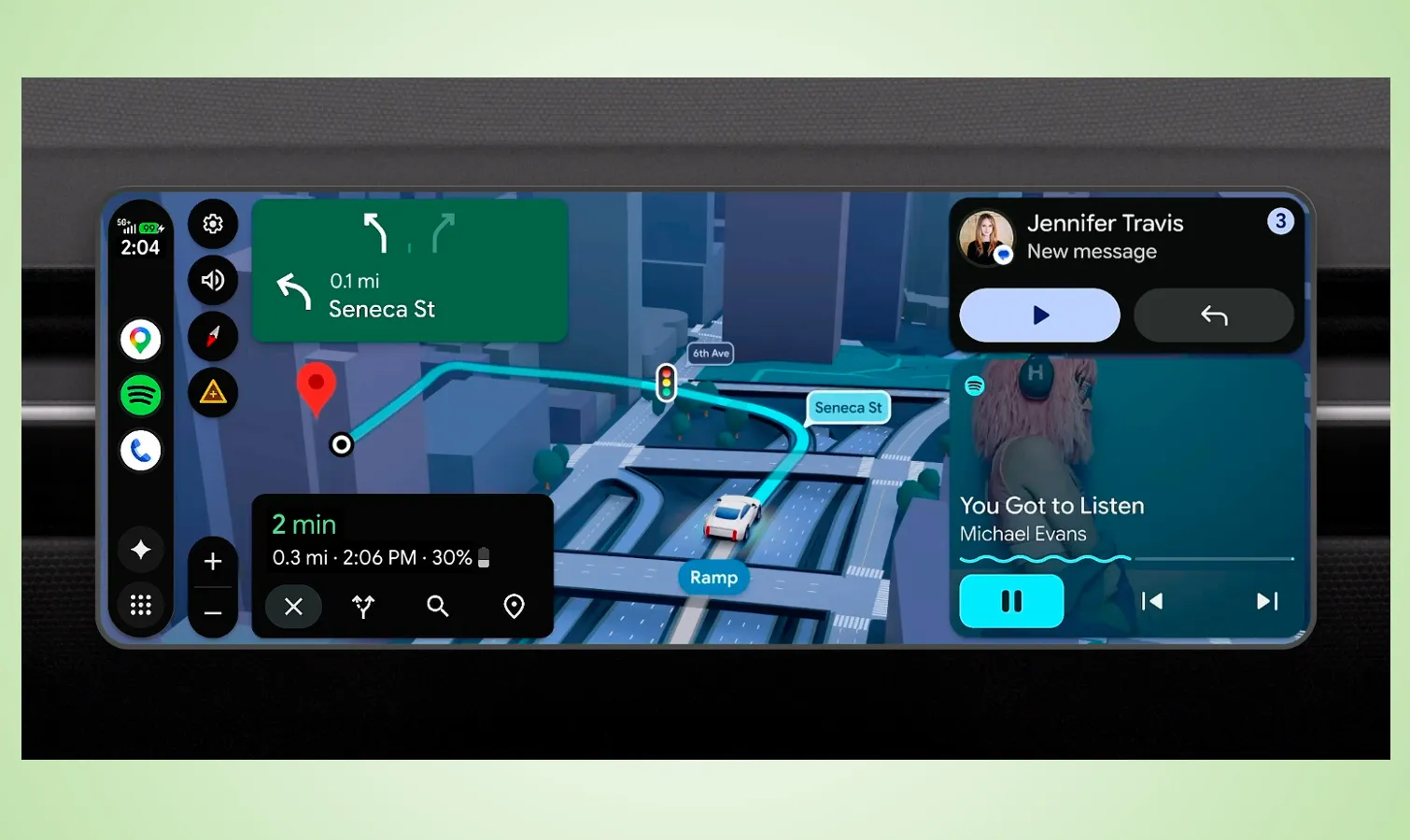
Android Auto is about to see its biggest makeover in years, as the Android Show: Google I/O Edition teases some impressive features. Not only is the interface getting an overhaul courtesy of Google’s Material 3 Expressive design, but it’s also bringing Gemini’s task automation features to the car.
Your driving experience is going to change tremendously with this update, and it gets even better for cars with Google built-in. That’s because apps like Gemini and Google Maps are going to be deeply integrated into the vehicle’s hardware. Soon enough, Gemini will be able to tell you exactly what’s up with that warning indicator light on your dashboard — or perhaps, be used to access climate controls.
Frankly, all of this seems like a direct response to Apple’s CarPlay Ultra, which, despite being announced a year ago, has been isolated mostly to Aston Martin’s latest luxury models. Google is making sure this new version of Android Auto is accessible to millions more vehicles. Based on what’s been announced, it’s looking mighty impressive compared to CarPlay Ultra.
Here’s everything coming to the new Android Auto.
Visual overhaul with Material 3 Expressive
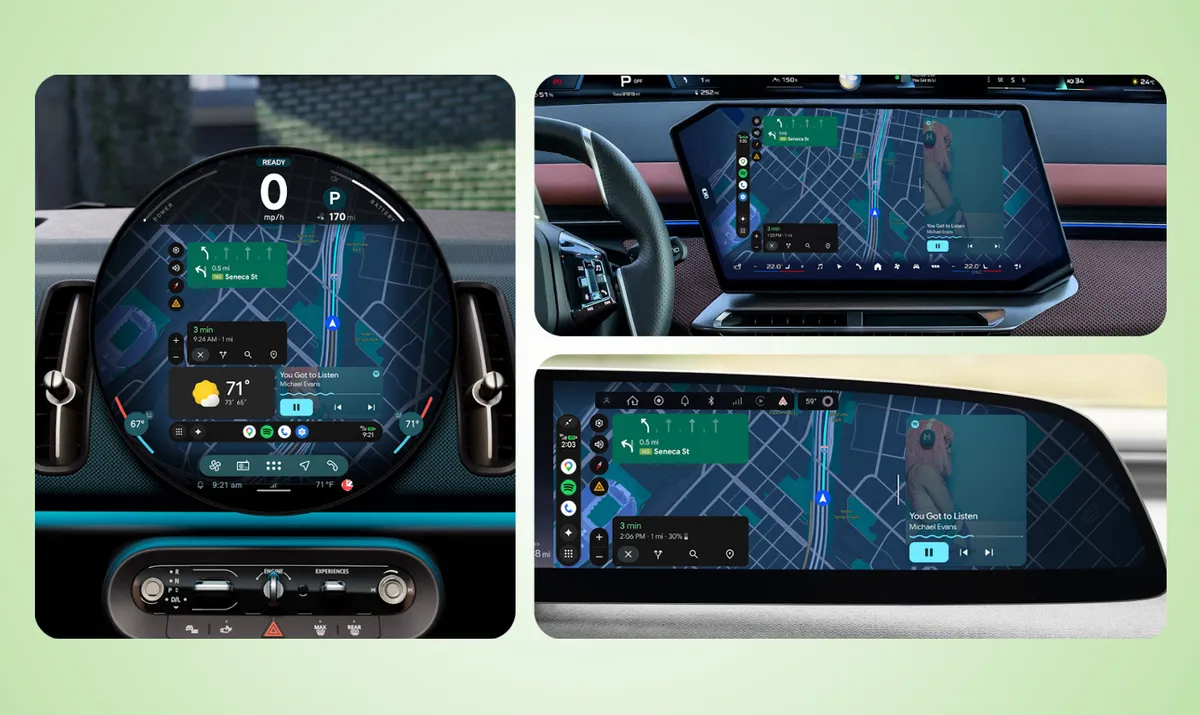
As much as I love using Android Auto whenever I test the best electric cars, it’s not always optimized to fit different screens — and the Mini Cooper Countryman EV’s circular OLED is a perfect example. With this new update, Google is giving the interface an overhaul using the Material 3 Expressive design found on its phones, but re-engineered to dynamically adapt to different screens.
You can see in the gallery above how this updated interface can fit all sorts of dashboard displays, rather than leaving dead space with current layouts. In addition, the interface is getting injected with smoother animations, striking fonts, and customizable wallpapers that match your phone.
Google Maps continues to be a central pillar of the experience, but I really like how you can customize the layout to include certain widgets — a big step in the right direction compared to the current locked view.
3D Google Maps navigation
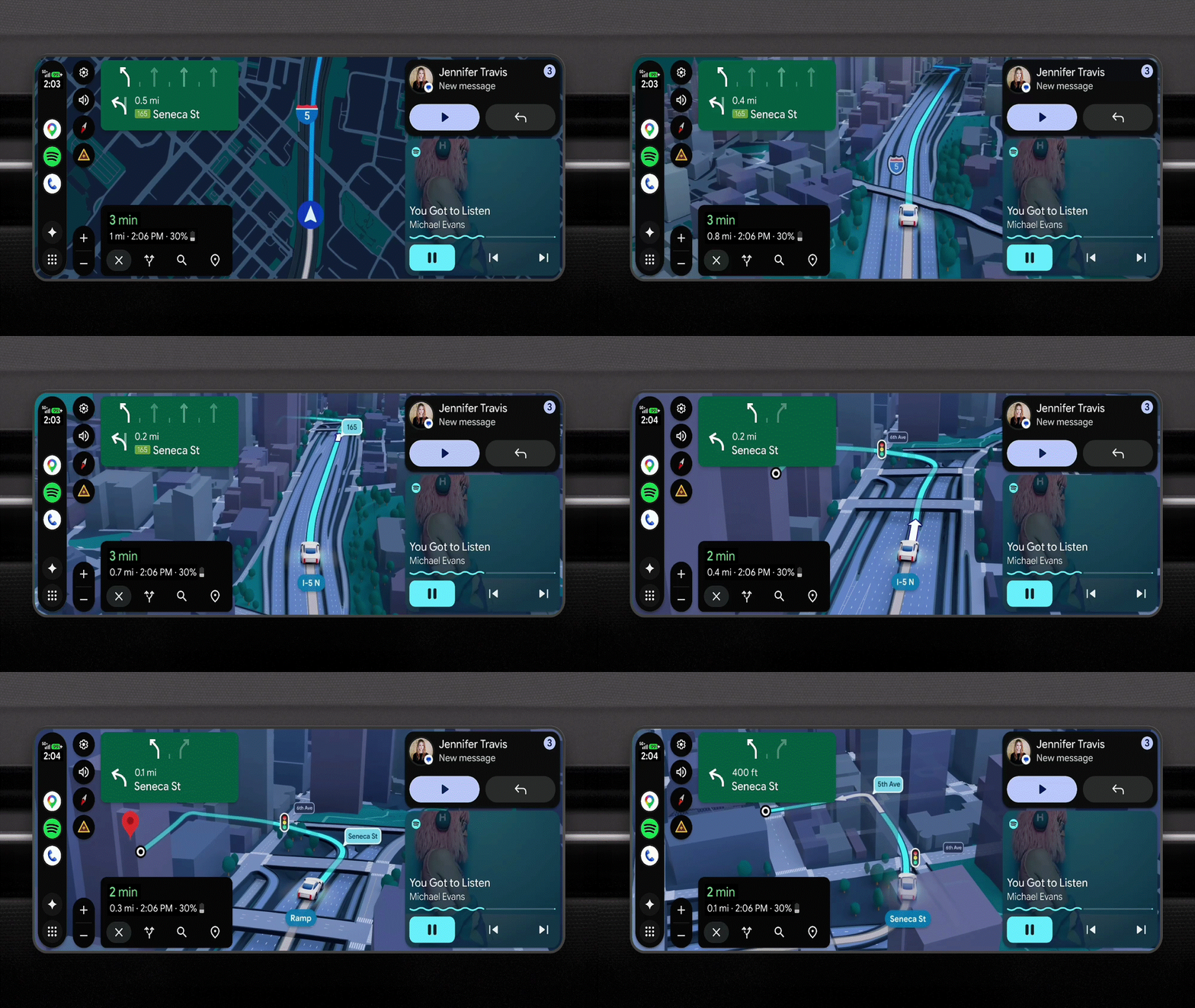
I already use Google Maps all the time wherever I drive, but it’s only going to get better with this new Android Auto experience because it’s going 3D. This update introduces Immersive Navigation, which makes the map come to life with vivid 3D views of buildings, terrain, and overpasses.
This represents a dramatic change in how you’ll navigate with Google Maps via Android Auto. I’m especially eager to see how it directs me in tougher situations, like merging onto a four-lane highway or finding a specific exit. Small details, like transparency when passing under overpasses, show just how much more detailed the system has become at directing you.
Gemini Intelligence integration
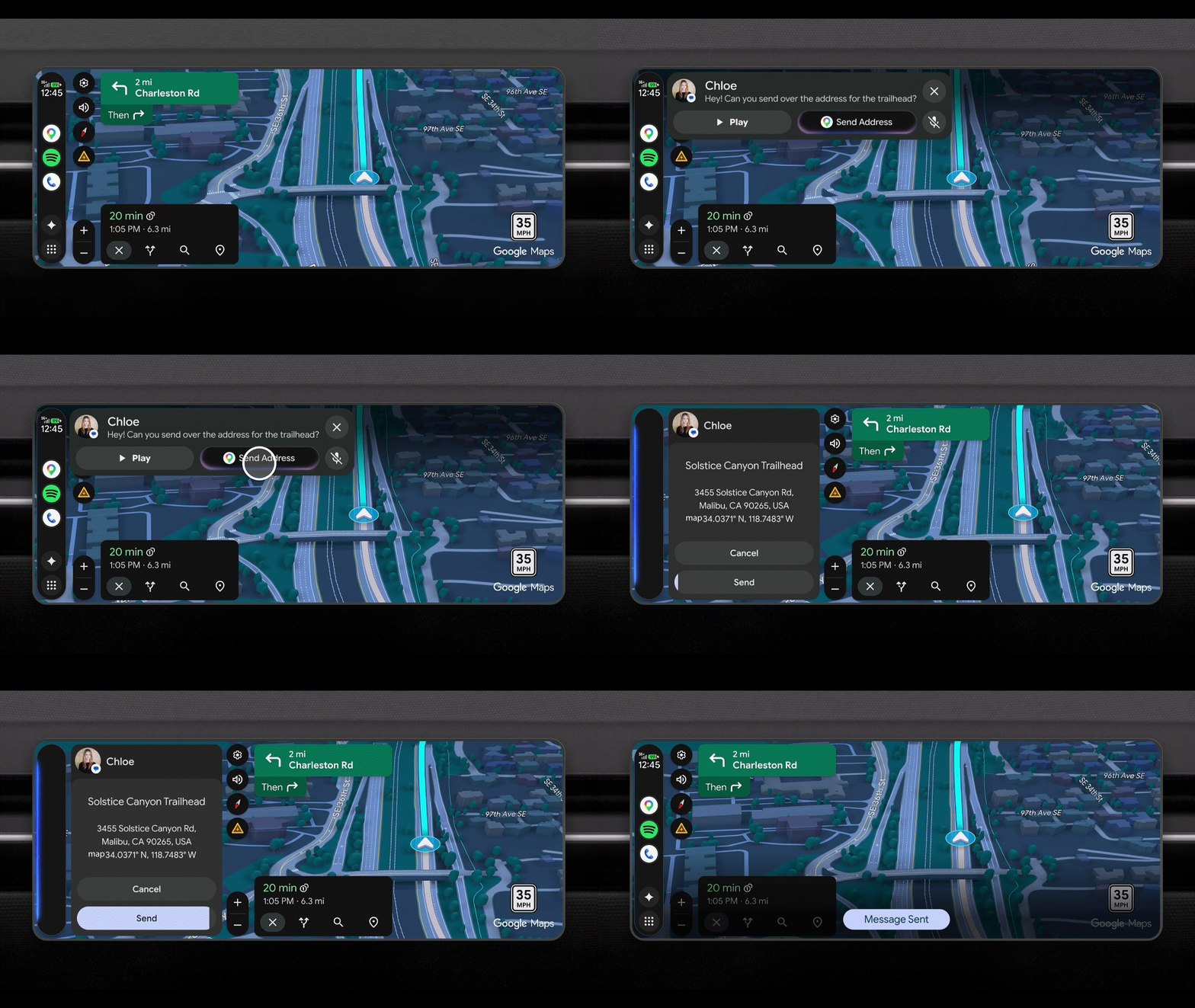
With its recent rebrand, Gemini Intelligence is set to make your driving easier and safer as the AI chatbot brings a host of new functions to the Android Auto experience. As I’ve alluded to earlier, it’ll bring Gemini’s task automation features to the car, allowing you to perform complex tasks simply by speaking to the AI assistant.
For example, you can ask it to reorder the same meal you had from DoorDash last week — a feature I was impressed with when I tested it on my Galaxy S26. Now that it’s coming to the car, you can handle logistics while keeping your eyes strictly on the road.
Additionally, Android Auto is gaining the same Magic Cue feature that debuted with the Pixel 10 last fall. This context-aware tool understands your needs and proactively makes suggestions without your intervention. For instance, if a friend texts you an address, Magic Cue understands the context, finds the location in your messages, and offers to send a reply or start navigation with a single tap.
Finally, video play support
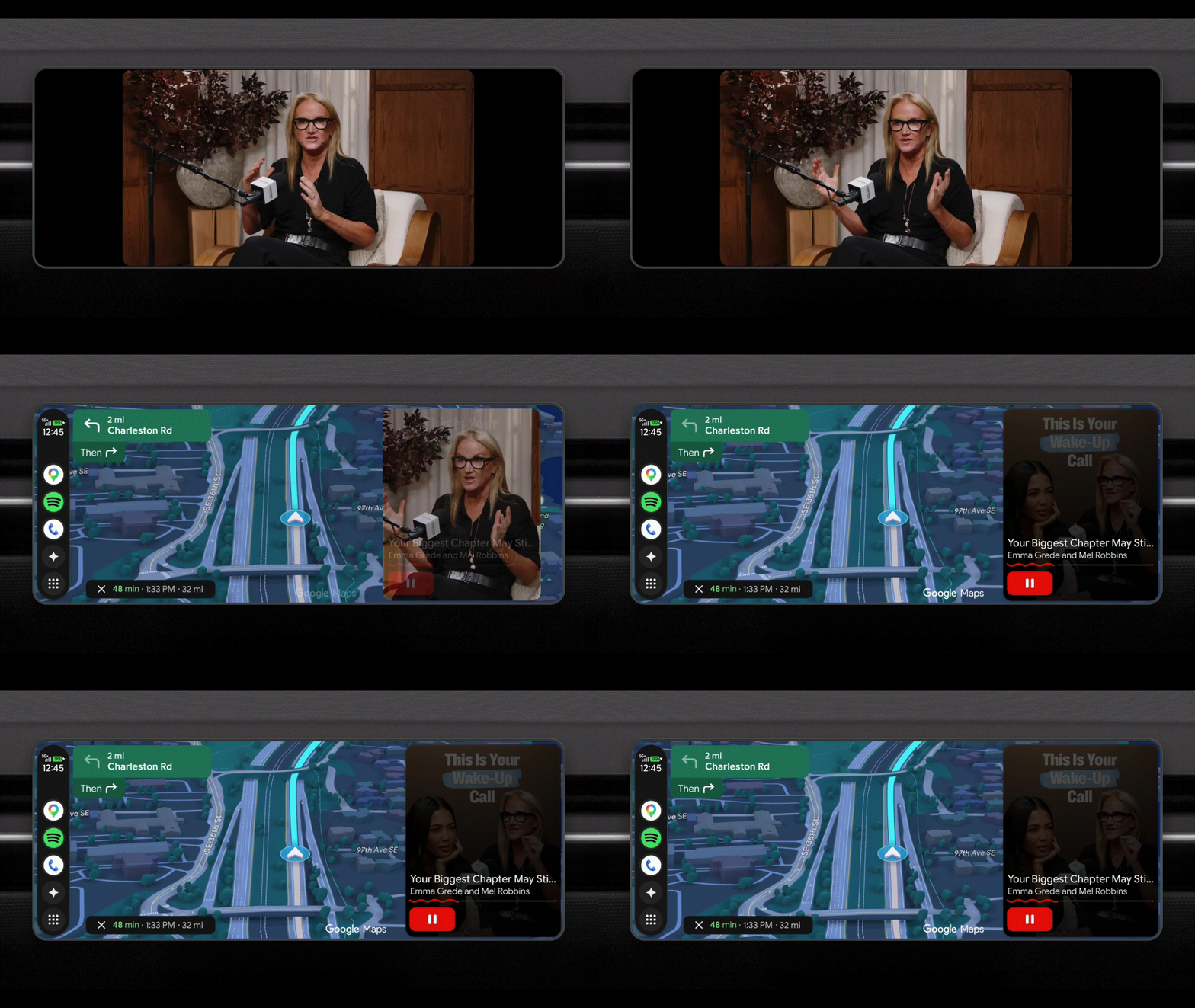
This is a holy grail feature that I’m excited to see finally arrive on Android Auto — mostly because, let’s face it, I’m still waiting for it to show up on CarPlay. I’m specifically talking about the introduction of video playback support for apps like YouTube. It’s going to be perfect for keeping the kids occupied or simply killing time while you wait for your EV to charge.
Naturally, you’ll only be able to watch videos while the car is in park, but I really like how Google seamlessly transitions the feed to audio-only once you start moving. This is ideal if you want to keep listening to a video podcast while you drive. If that’s not enough, Android Auto is also rolling out immersive spatial sound support using Dolby Atmos in supported apps and vehicles.
Cars with Google built-in get smarter
Finally, cars with Google built-in are getting features that integrate even more deeply with the vehicle’s hardware. Most notably, Google Maps will tap into the car's sensors and systems to provide better navigation through complex traffic patterns.
For example, the system can check the vehicle’s front-facing camera to ensure you’re in the proper lane for your exit—which is far more helpful than a simple instruction to "stay left" or "stay right". This live lane guidance feature is invaluable and can help optimize your route; if you're driving an EV, that means preserving more of your battery.
While Google hasn't given an exact date for when these updates will hit Android Auto and cars with Google built-in, the company confirmed they are all arriving throughout this year.

Follow Tom's Guide on Google News and add us as a preferred source to get our up-to-date news, analysis, and reviews in your feeds. Subscribe to Tom's Guide on YouTube and follow us on TikTok.
More from Tom's Guide

