




One of the best things about buying a Pixel phone is the sheer amount of AI Google has crammed into each device. The Pixel 10a is another device that puts heavy emphasis on AI, though maybe not quite as much as we would have hoped.
If you were expecting to see all the best Pixel 10 AI features in this phone, then you're going to be very disappointed. Features like Magic Cue are nowhere to be found, though smaller additions like Camera Coach and Auto Best Take are easily available.
So, what AI features does the Pixel 10a have to offer? Here's the full list:
Auto Best Take
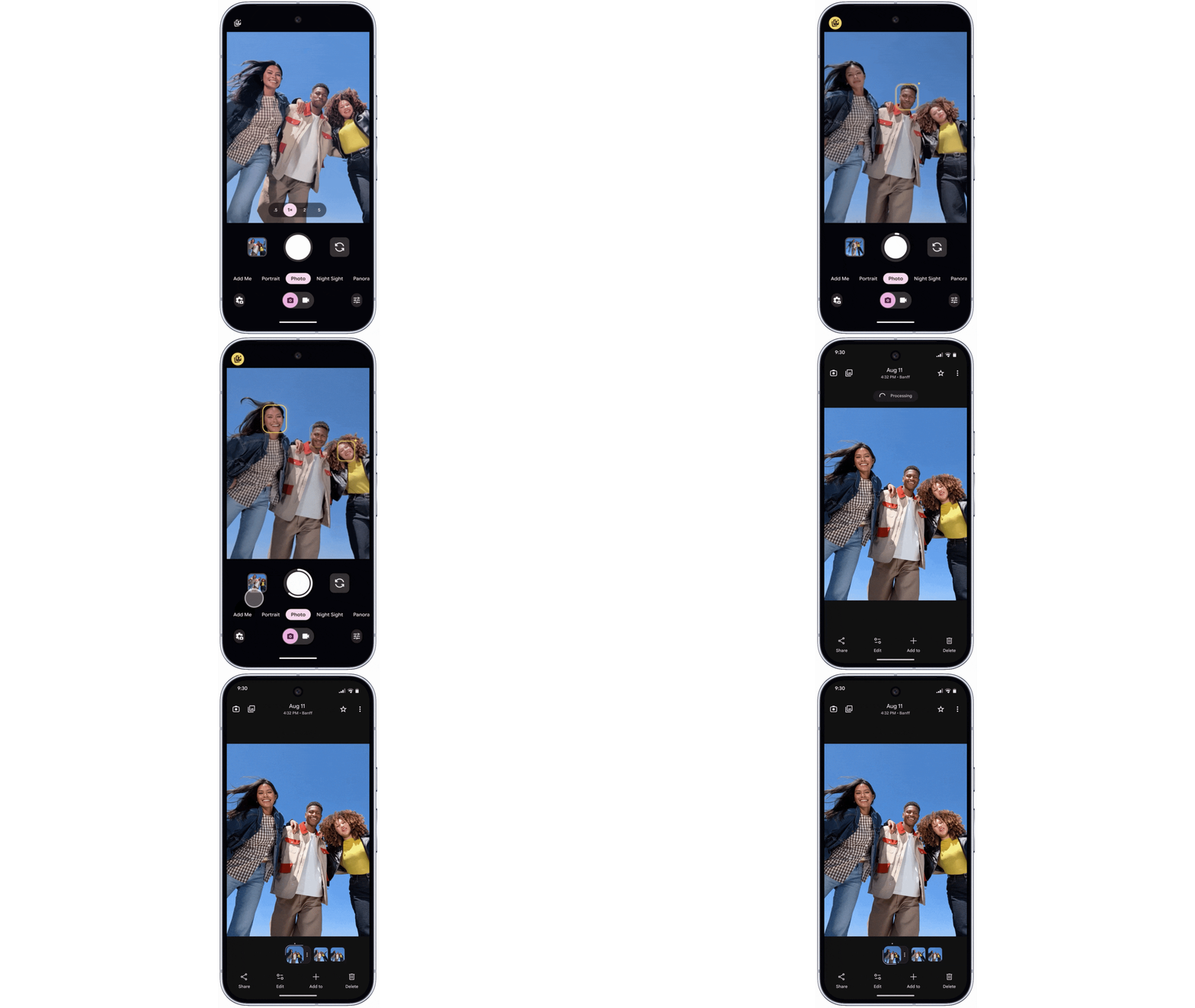
It can be challenging to take group shots, and the bigger the group, the harder it is to make sure everyone actually looks presentable. Doubly so if there are any young kids in frame. Google's Auto Best Take feature takes all the hard work out of it, snapping multiple shots and stitching them together to form a single photo of everyone looking their best. A single tap of the shutter button is all it takes.
Camera Coach

If you're struggling to take the best photo, and you have a bit of time, then Camera Coach can help you out. Using Gemini, it's able to analyze the scene and offer tips on how to improve the final shot. Whether it needs to be framing, composition or something else entirely, Camera Coach can point you in the right direction.
Gemini Live
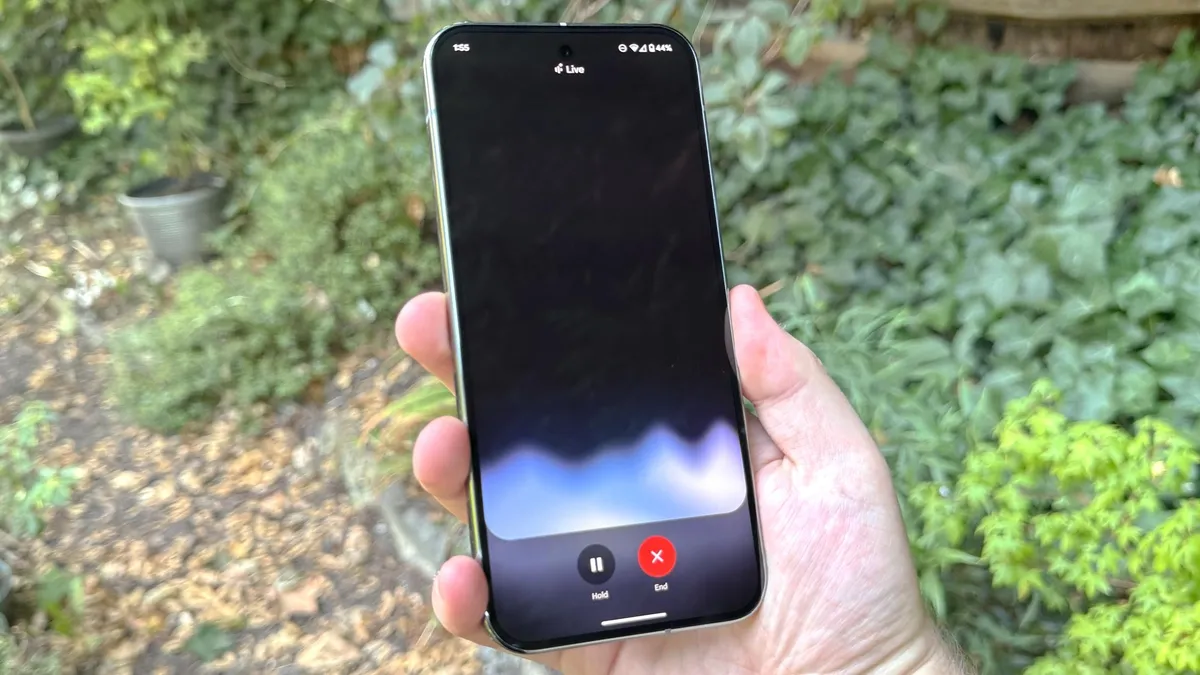
Easily one of the most powerful Gemini tools, Gemini Live lets you stay connected with the AI at all times. That way, you're able to have a "free-flowing" conversation with Gemini, without having to continually prompt the chatbot to start listening by saying "Hey Google" or tapping your phone.
Gemini Live can also utilize screensharing and your camera, letting you ask Gemini questions about what it can see. Whether that's on your phone screen or directly in front of you and in range of the camera.
Connected Apps in Gemini
If you want to really make use of Gemini, you can utilize the Connected Apps feature to get it to do different tasks across your phone. Simply ask Gemini to do something in one of the compatible apps, and it can save you the trouble of doing it yourself. That can include playing music on Spotify, calling one of your contacts, setting alarms or snapping photos with the camera app.
This is particularly useful for smart home devices, with Gemini capable of controlling anything linked to your Google Home account.
Circle to Search
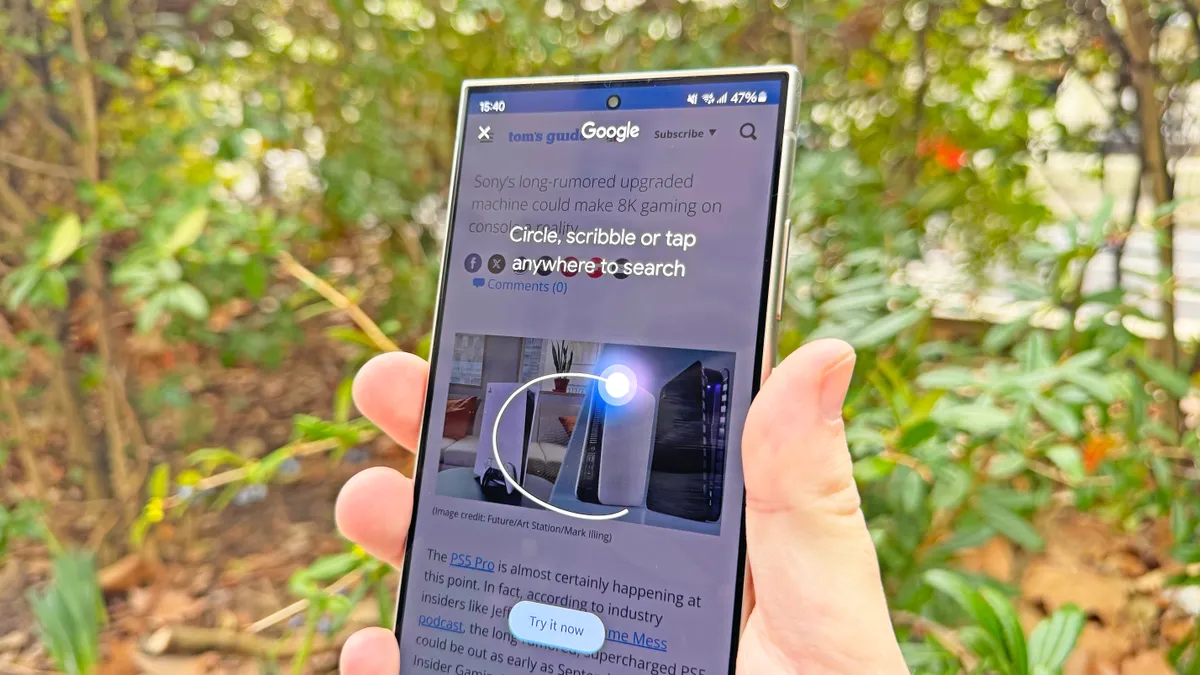
No Android phone would be complete without Circle to Search. The simple press-and-hold gesture lets you access a whole host of useful tools, regardless of what your phone is currently doing. Features include Google Lens, the ability to select or translate text from images, song recognition and quick access to Google Gemini's voice controls without having to say "Hey Google" first.
Magic Compose
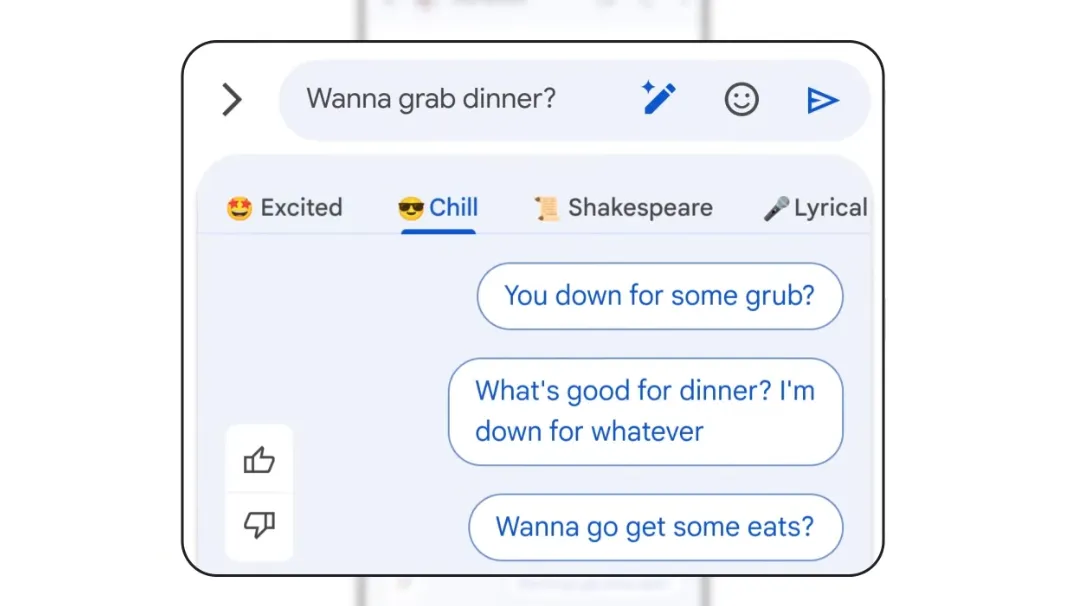
If you're looking for help with your writing, Google's Magic Compose is there to help. It's a great way to get yourself started with different suggestions on how to start writing your reply or continue a conversation, while also offering the ability to rewrite your existing words into different styles and tones of voice. So if writing isn't your strongest skill, this will be able to help out.
Pixel Weather's AI Summary

The new Pixel Weather app utilizes the on-device Gemini Nano model to analyze and summarize the day's weather. That way, you have a rundown on what to expect from the sky throughout the day.
Photo Editing Tools

It wouldn't be a Pixel phone without the suite of photo editing tools that take advantage of AI. Features include Add Me, which lets you take a photo of a group and then "join" the group later through the magic of generative AI.
Audio Magic Eraser filters out unwanted noise in the background of videos, while Reimagine also uses AI to change various aspects of your photo, like the background or general surroundings. You can even use voice and text prompts to edit your photos, so long as you do it in the Google Photos app.
Call Assist

Like any good Pixel, the Pixel 10a also comes with various call assistance tools that utilize AI to make your life easier. Hold for Me lets you avoid the irritating hold music by leaving your phone in line for you, while Direct My Call will get you to the right person or department faster and skip all those pesky automated menus. U.S. users can also use the Wait time feature to find out how long they're likely to be on hold before they actually make the call.
Then there's Clear Calling, which isolates any distracting sounds in the background and makes sure your voice comes through nice and clear. Finally, Call Screen filters out spam calls and lets you know who's calling before you even pick up the phone. All thanks to the AI assistant conversing with the caller beforehand.

Follow Tom's Guide on Google News and add us as a preferred source to get our up-to-date news, analysis, and reviews in your feeds.
More from Tom's Guide

